How to Connect Bluetooth on a Lexus Without Any Trouble
Connecting Bluetooth on a Lexus is simpler than you think. Whether you drive a Lexus RX, ES, or IS, this guide walks you through every step of the Bluetooth pairing process. You will learn how to set up hands-free calling, stream audio, and fix common connection issues without any hassle.
Staying connected on the road has never been more important. Whether you are commuting to work or taking a long road trip, how to connect Bluetooth on a Lexus is a skill every driver should master. The good news is that modern Lexus vehicles make this process incredibly smooth. In this guide, we will walk you through every step, from initial pairing to fixing common problems.
Bluetooth technology lets you make calls, stream music, and use navigation apps without ever touching your phone. It is one of the most valuable features in any Lexus infotainment system. But if you have never set it up before, the process can feel a bit confusing. That is exactly why we created this guide. We will break everything down into simple, easy-to-follow steps.
By the time you finish reading, you will know exactly how to pair your phone with your Lexus, what to do when things go wrong, and how to get the most out of your wireless connection. Let us dive right in.
Key Takeaways
- Bluetooth pairing on a Lexus takes just a few minutes once you know the right steps for your model.
- The Lexus infotainment system supports wireless connection for most modern smartphones, including iPhone and Android.
- Common Bluetooth problems like static, disconnections, and failed pairing have simple fixes you can do yourself.
- Hands-free calling and audio streaming are two of the most useful Bluetooth features in any Lexus.
- Updating your phone and car software can solve many Bluetooth connectivity issues before they start.
- Each Lexus model may have slight differences in the Bluetooth setup process, so always check your owner’s manual.
📑 Table of Contents
- Why Bluetooth Matters in Your Lexus
- How to Connect Bluetooth on a Lexus: Step-by-Step Guide
- Common Bluetooth Problems and How to Fix Them
- Bluetooth Features You Should Know About
- Tips for the Best Bluetooth Experience
- Lexus Models and Their Bluetooth Capabilities
- When to Seek Professional Help
- Final Thoughts
Why Bluetooth Matters in Your Lexus
Bluetooth is not just a fancy tech feature. It is a safety tool and a convenience powerhouse. When you know how to use Bluetooth connectivity in your Lexus, driving becomes safer and more enjoyable. Let us explore why this feature deserves your attention.
First, Bluetooth enables hands-free calling. This means you can answer phone calls without taking your hands off the steering wheel. In many states, this is not just convenient. It is the law. Wireless calling keeps your eyes on the road and your focus on driving.
Second, Bluetooth audio streaming lets you play music, podcasts, and audiobooks through your car speakers. You do not need to plug in any cables. Your favorite playlist fills the cabin with crystal-clear sound. This alone makes the Bluetooth setup worth the few minutes it takes.
Third, many Lexus models support phone book sync. This means your contacts appear right on the Lexus touchscreen. You can dial a friend or family member with just a few taps on the console. No fumbling with your phone while driving.
Safety Benefits of Bluetooth in Your Lexus
Safety should always come first when you are behind the wheel. Bluetooth hands-free calling reduces distractions significantly. Studies show that drivers who use wireless calling are less likely to get into accidents caused by phone use. The Lexus Bluetooth system is designed with this in mind.
Here are some key safety benefits you get from Bluetooth connectivity:
- Eyes stay on the road because you do not need to hold your phone.
- Hands remain on the wheel at all times during calls.
- Voice commands let you control your phone without looking at it.
- Reduced cognitive distraction because the car system handles the audio routing.
- Quick call answering keeps you from reaching for a buzzing phone in your pocket.
Convenience Features Beyond Calling
Bluetooth in a Lexus goes far beyond phone calls. Audio streaming is one of the most popular uses. You can stream music from Spotify, Apple Music, or any app that supports Bluetooth audio. The sound quality through your Lexus audio system is often better than your phone speakers.
Some Lexus models also support satellite radio streaming through Bluetooth. You can listen to SiriusXM without any extra hardware. Wireless audio streaming also works for navigation apps like Google Maps or Waze. You hear turn-by-turn directions through your car speakers while keeping your phone tucked away safely.
How to Connect Bluetooth on a Lexus: Step-by-Step Guide
Now let us get into the heart of the matter. How to connect Bluetooth on a Lexus depends slightly on your model and year. But the general process is very similar across most Lexus vehicles. We will cover the universal steps first, then address model-specific differences.
Step 1: Prepare Your Phone and Your Lexus
Before you start the pairing process, a little preparation goes a long way. Bluetooth pairing works best when both your phone and your car are ready. Follow these quick prep steps:
- Turn on Bluetooth on your phone. Go to your phone settings and make sure Bluetooth is switched on.
- Restart your phone if you have not done so recently. A fresh start clears minor glitches that could interfere with Bluetooth settings.
- Turn on your Lexus ignition without starting the engine. Press the start button or turn the key to the accessory position.
- Access the settings menu on your Lexus touchscreen. Look for the Bluetooth or Setup icon.
These small steps might seem obvious, but skipping them is one of the most common reasons Bluetooth pairing fails. Take the extra minute to prepare properly.
Step 2: Put Your Lexus into Pairing Mode
Your Lexus needs to be visible to your phone. This is called pairing mode. Here is how to activate it:
- Navigate to Settings on the Lexus infotainment system.
- Select Bluetooth or Phone Settings.
- Choose Add New Device or Search for Devices.
- Your Lexus will now broadcast a wireless signal that your phone can detect.
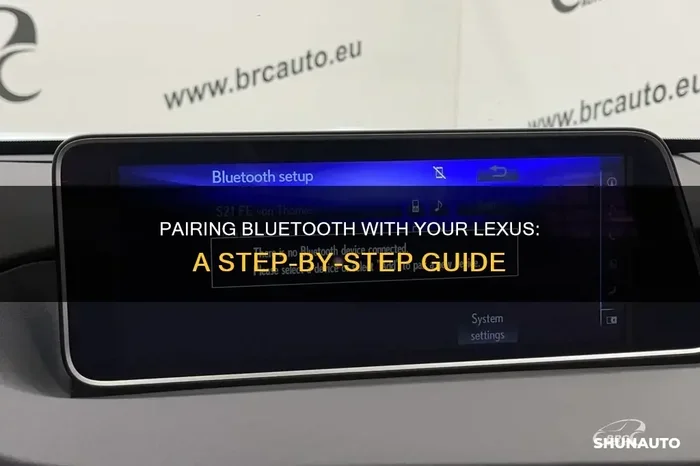
On most Lexus models, you will see a message confirming that the system is ready to pair. The Lexus multimedia system display will show “Searching for Devices” or something similar. This means you are ready for the next step.
Step 3: Find and Select Your Lexus on Your Phone
Now go to your phone. Open your Bluetooth settings and look for available devices. Your Lexus should appear in the list. The name usually starts with “LEXUS” followed by a model identifier.
- Tap on your Lexus in the list of available devices.
- Wait a few seconds for the connection to establish.
- You may see a pairing code on both your phone screen and your Lexus touchscreen.
- Confirm that the codes match, then tap Pair or Connect.
Once paired, your vehicle Bluetooth connection should be active. You will hear a confirmation tone in your car, and the Lexus infotainment system will display the connected device name.
Step 4: Test Your Connection
Do not skip this step. Always test your Bluetooth connectivity right after pairing. Make a test call or play a song to confirm everything works. Here is what to check:
- Call audio: Can you hear the other person clearly? Can they hear you?
- Music streaming: Does your music play through the car speakers?
- Phone book sync: Do your contacts appear on the Lexus touchscreen?
- Volume controls: Do the car volume buttons control your phone audio?
If everything works, congratulations. You have successfully connected Bluetooth on your Lexus. If not, do not worry. We will cover troubleshooting in the next section.
Model-Specific Differences
Different Lexus models have slightly different Bluetooth setup processes. Here are a few things to keep in mind:
- Lexus RX: The RX uses the Remote Touch interface. Navigate with the touchpad to find Bluetooth settings.
- Lexus ES: The ES has a more intuitive touchscreen layout. Bluetooth pairing is usually found under Setup > Bluetooth.
- Lexus IS (2021 and newer): The IS features the latest Lexus multimedia system with simplified Bluetooth settings.
- Lexus GX and Lexus LX: These larger SUVs may have slightly different menu paths, but the pairing process remains the same.
Always refer to your Lexus owner manual if you cannot find a specific menu. The manual provides exact navigation paths for your model year.
Common Bluetooth Problems and How to Fix Them
Even with the best Bluetooth connectivity, problems can happen. The good news is that most issues have simple solutions. Let us look at the most common Bluetooth troubleshooting scenarios and how to resolve them.
Bluetooth Won’t Pair at All
This is the most frustrating problem, but it is also the most common. If your Lexus Bluetooth will not pair with your phone, try these steps:
- Turn Bluetooth off and back on on both your phone and your Lexus.
- Delete old pairings from both devices. Sometimes stale connections block new ones.
- Restart both devices. A simple restart clears temporary glitches in Bluetooth settings.
- Check for distance. Keep your phone within three feet of the Lexus touchscreen during pairing.
- Make sure your phone is discoverable. Some phones hide their Bluetooth signal by default.
If none of these work, try resetting the Bluetooth module in your Lexus. Turn the car off, wait 30 seconds, and turn it back on. This refreshes the wireless connection hardware.
Connection Keeps Dropping
A Bluetooth connection that keeps disconnecting is annoying but fixable. Here is what usually causes this:
- Interference from other devices. Nearby Bluetooth devices can weaken the signal. Turn off Bluetooth on devices you are not using.
- Outdated software. Both your phone and your Lexus benefit from software updates. Check for updates in your phone settings and your Lexus infotainment system.
- Low battery on your phone. Some phones reduce Bluetooth power when the battery is low to conserve energy.
- Too many connected devices. If your Lexus remembers many paired phones, it can slow down the connection. Delete devices you no longer use.
Poor Audio Quality or Static
If your Bluetooth audio sounds scratchy or full of static, the issue is usually fixable. Start by checking these things:
- Move your phone closer to the car’s Bluetooth antenna. The antenna is usually near the rearview mirror.
- Check for Wi-Fi interference. Some wireless connections compete with Bluetooth on the same frequency band.
- Update your phone’s Bluetooth driver. On Android, this often happens automatically. On iPhone, check for iOS updates.
- Turn off HD Radio if your Lexus has it. It can sometimes interfere with Bluetooth streaming.
For the best Bluetooth audio quality, make sure your Lexus audio system is set to the correct input source. Select “Bluetooth Audio” instead of “Radio” or “USB.”
Phone Book Won’t Sync
Phone book sync is one of the most useful Bluetooth features, but it doesn’t always work right away. If your contacts are not showing up on the Lexus touchscreen, try this:
- Enable contact sharing on your phone. Go to Bluetooth settings and make sure “Share Contacts” is turned on.
- Re-pair your phone with the Lexus Bluetooth system. This forces a fresh sync.
- Check your phone’s contact permissions. Some phones ask for permission to share contacts with vehicle Bluetooth devices.
Bluetooth Features You Should Know About
Once you have connected Bluetooth on your Lexus, you will discover a range of features that make driving more convenient. Let us explore some of the best ones.
Hands-Free Calling Made Easy
Hands-free calling is the cornerstone of Bluetooth connectivity in any Lexus. Once paired, you can answer incoming calls with a single button press on the steering wheel. The Lexus audio system routes the call audio through your car speakers, and the built-in microphone picks up your voice.
You can also dial contacts using voice commands. Simply press the voice button on your steering wheel and say the name of the person you want to call. The Lexus infotainment system will dial the number for you. This keeps your hands on the wheel and your eyes on the road.
Audio Streaming for Music Lovers
Wireless audio streaming transforms your Lexus into a personal concert venue. You can stream music from any app on your phone directly through your car speakers. Bluetooth audio quality has improved dramatically in recent years, and modern Lexus models support high-quality codecs for crisp, clear sound.
Here are some popular apps that work great with Bluetooth streaming in your Lexus:
- Spotify – Stream millions of songs and playlists wirelessly.
- Apple Music – Seamless integration with iPhone users.
- Podcast apps – Listen to your favorite shows on long drives.
- Audible – Stream audiobooks through your Lexus audio system.
- Pandora or Amazon Music – Great alternatives for custom radio stations.
Remember to use Bluetooth audio streaming responsibly. Keep the volume at a level where you can still hear traffic and emergency vehicles.
Voice Command Integration
Many Lexus models support voice commands through the Bluetooth connection. You can control your phone, play music, and even send texts using just your voice. The Lexus smart access system works hand in hand with Bluetooth connectivity to create a truly hands-free experience.
To use voice commands, press the voice button on your steering wheel. A prompt will appear on the Lexus touchscreen. Speak your command clearly, and the system will respond. This feature is especially useful when you are driving in heavy traffic or bad weather.
Multiple Phone Pairing
Most Lexus models can remember multiple paired phones. This is great for families or couples who share the same vehicle. The Lexus Bluetooth system can store up to five or more paired devices, depending on your model.
When multiple phones are in the car, the system usually connects to the last phone that was used. You can also manually switch between devices through the Bluetooth settings menu. This makes Bluetooth connectivity flexible and convenient for households with more than one driver.
Tips for the Best Bluetooth Experience
Getting Bluetooth connected is only half the battle. To enjoy the best experience every time you drive, follow these practical tips.
Keep Your Software Updated
Software updates improve Bluetooth compatibility and fix known bugs. Both your phone and your Lexus benefit from regular updates. On your phone, check for updates in the settings menu. For your Lexus, visit a dealer or check the Lexus infotainment system for available updates.
Delete Unused Pairings Regularly
Over time, your Lexus Bluetooth system can accumulate a long list of paired devices. Old pairings can slow down the connection and cause confusion. Go through your Bluetooth settings every few months and remove devices you no longer use. This keeps your wireless connection fast and reliable.
Position Your Phone Properly
The location of your phone inside the car can affect Bluetooth signal strength. For the best wireless connection, place your phone in the center console or on the dashboard near the Lexus touchscreen. Avoid placing your phone in the glove box or under a seat, as this can weaken the Bluetooth signal significantly.
Use the Right Audio Input
If you are trying to stream music but hear nothing, check your Lexus audio system input source. Make sure it is set to “Bluetooth Audio” rather than “Radio” or “AUX.” This simple step is often overlooked but solves many audio streaming issues.
Be Patient During the First Connection
The first time you pair your phone with your Lexus, the process might take a little longer than usual. This is normal. The Lexus multimedia system is syncing your contacts, settings, and preferences. Subsequent connections will be much faster once the initial pairing is complete.
Lexus Models and Their Bluetooth Capabilities
Not all Lexus models are created equal when it comes to Bluetooth technology. Here is a quick overview of what you can expect from popular Lexus models.
| Lexus Model | Bluetooth Version | Wireless Streaming | Phone Book Sync | Multiple Device Support |
|---|---|---|---|---|
| Lexus ES (2019+) | 4.0+ | Yes | Yes | Up to 5 devices |
| Lexus RX (2016+) | 4.0+ | Yes | Yes | Up to 5 devices |
| Lexus IS (2021+) | 5.0 | Yes | Yes | Up to 5 devices |
| Lexus GX (2024+) | 5.0 | Yes | Yes | Up to 5 devices |
| Lexus LX (2022+) | 5.0 | Yes | Yes | Up to 5 devices |
| Lexus UX (2019+) | 4.0 | Yes | Yes | Up to 5 devices |
As you can see, most modern Lexus models offer excellent Bluetooth connectivity. If you drive an older model, the Bluetooth setup process might be slightly different, but the core features remain the same. Always check your specific model’s owner manual for detailed instructions.
When to Seek Professional Help
Most Bluetooth troubleshooting can be done at home. But sometimes, the problem needs professional attention. If you have tried all the steps in this guide and your Lexus Bluetooth still does not work, it may be time to visit a Lexus dealer or certified technician.
Signs that you need professional help include:
- Bluetooth completely refuses to turn on in your Lexus, even after a full system restart.
- The Bluetooth module shows error codes on the Lexus touchscreen that you cannot resolve.
- Audio distortion persists across all paired devices, suggesting a hardware issue.
- Firmware updates are not installing properly through the normal menu options.
A Lexus technician can run diagnostic tests on the Bluetooth module and replace it if needed. Most Bluetooth hardware issues are covered under your vehicle warranty, so you may not have to pay anything out of pocket.
Final Thoughts
How to connect Bluetooth on a Lexus is a straightforward process once you know the steps. From initial Bluetooth pairing to enjoying hands-free calling and wireless audio streaming, the experience is designed to be seamless. The Lexus infotainment system makes it easy to stay connected, entertained, and safe on every drive.
Remember that Bluetooth connectivity improves with practice. The more you use it, the more natural it becomes. Keep your Bluetooth settings organized, update your software regularly, and do not hesitate to troubleshoot when issues arise. With the tips and guidance in this article, you are fully equipped to make the most of your Lexus Bluetooth system.
Take a few minutes today to go through the pairing process if you have not already. Once Bluetooth is connected in your Lexus, you will wonder how you ever drove without it. Safe travels and happy streaming.
Frequently Asked Questions
Why won’t my phone connect to Bluetooth on my Lexus?
This usually happens because your phone or your Lexus Bluetooth system needs a quick restart. Try turning Bluetooth off and back on both devices, then attempt pairing again. If the problem persists, delete the old pairing and start fresh from the Bluetooth settings menu.
Can I connect more than one phone to my Lexus Bluetooth?
Yes, most Lexus models support multiple Bluetooth pairings. You can typically store up to five phones in the Lexus infotainment system. The car will automatically connect to the last phone that was used, but you can manually switch between devices whenever you want.
Why is my Bluetooth audio quality poor in my Lexus?
Poor Bluetooth audio quality is often caused by interference or distance. Make sure your phone is close to the car’s Bluetooth antenna, which is usually near the rearview mirror. Also check that your Lexus audio system input is set to Bluetooth Audio and that no other wireless devices are causing interference.
How do I delete a paired phone from my Lexus Bluetooth?
Go to Settings on your Lexus touchscreen, then select Bluetooth. Find the phone you want to remove and choose Delete Device or Forget Device. This clears the pairing from your Lexus Bluetooth system and frees up space for a new connection.
Does connecting Bluetooth drain my phone battery?
Bluetooth connectivity does use some battery power, but modern phones are very efficient. The Bluetooth connection in your Lexus uses low-energy protocols that minimize battery drain. If you notice excessive battery loss, check that your phone is not running too many background apps while Bluetooth streaming is active.
Can I use Bluetooth for navigation in my Lexus?
Absolutely. You can stream navigation audio from apps like Google Maps or Waze through Bluetooth audio streaming. The turn-by-turn directions will play through your Lexus audio system speakers. Just make sure your Bluetooth settings allow audio sharing, and the navigation voice will come through clearly while you drive.
=== CONCLUSION ===
Connecting Bluetooth on a Lexus is one of the simplest yet most rewarding things you can do for your driving experience. From hands-free calling to wireless audio streaming, the benefits are immediate and lasting. Follow the steps in this guide, keep your Bluetooth settings maintained, and you will enjoy a seamless wireless connection every time you get behind the wheel. Your Lexus infotainment system is ready. All you need to do is press pair.