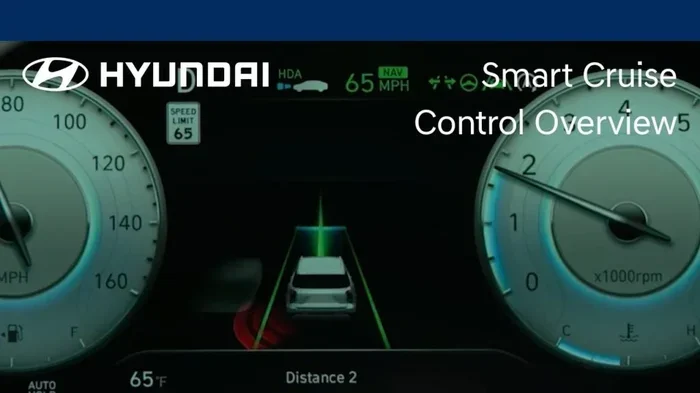
Is There Really a Way to Turn Off Smart Cruise Control
Smart cruise control is a helpful driving feature, but sometimes you just need to turn it off. Whether you are dealing with a glitch, driving in tricky conditions, or simply prefer manual control, knowing how to disable this system is essential. This guide walks you through every method, brand by brand, so you can take back full control of your vehicle with confidence.
You are cruising down the highway. Your car is maintaining speed. Your hands are off the wheel for a brief moment. Then a thought hits you. Is there really a way to turn off smart cruise control? The short answer is yes. The longer answer is that it depends on your vehicle, the system installed, and sometimes even the model year. Let us walk through everything you need to know.
Smart cruise control, also known as adaptive cruise control, has become standard in many modern cars. It uses sensors and radar to keep a safe distance from the vehicle ahead. It adjusts your speed automatically. For many drivers, this is a game changer. But not everyone loves it. Some drivers find it distracting. Others encounter situations where it does not behave as expected. Whatever your reason, understanding how to disable this system gives you peace of mind behind the wheel.
In this article, we will cover exactly how to turn off smart cruise control across different car brands. We will also explore when it makes sense to do so. And we will address common problems drivers face with this feature. By the end, you will feel confident handling your vehicle’s cruise control system in any situation.
Key Takeaways
- Multiple ways to disable it: Most vehicles offer a button, stalk, or touchscreen method to turn off smart cruise control.
- It varies by brand: Toyota, Honda, Ford, and BMW all handle this feature differently.
- Safety first: There are specific situations where turning it off is the smarter choice.
- Dashboard indicators matter: Watch for lights that tell you the system is active or off.
- Troubleshooting helps: If the system won’t turn off, a few simple fixes usually resolve the issue.
- Manual driving has its place: Sometimes old-school control is exactly what you need on the road.
📑 Table of Contents
- What Is Smart Cruise Control and Why Would You Want to Turn It Off?
- How Smart Cruise Control Works (and Why It Can Feel Confusing)
- How to Turn Off Smart Cruise Control in Different Vehicles
- When You Should Turn Off Smart Cruise Control
- Common Problems and Troubleshooting Tips
- Final Thoughts on Taking Back Full Control
What Is Smart Cruise Control and Why Would You Want to Turn It Off?
Smart cruise control is an advanced driving assistance feature. It goes beyond traditional cruise control. Traditional cruise control simply maintains a set speed. Smart cruise control uses cameras and radar to detect other vehicles. It then adjusts your car’s speed to maintain a safe following distance. This is especially useful on highways and long road trips.
But here is the thing. Not every driving situation calls for this feature. Sometimes the system interferes with your driving style. Other times, road conditions make it unreliable. Let us look at some common reasons drivers want to disable it.
You Prefer Full Manual Control
Some drivers simply like being in charge of every pedal and steering move. They feel more connected to the road when they control speed manually. Smart cruise control can feel like an unwanted passenger taking over. For these drivers, knowing how to shut it down is important.
Unpredictable Road Conditions
Heavy rain, fog, or snow can confuse the sensors. The system may brake unnecessarily or fail to detect vehicles ahead. In these conditions, manual driving is often safer. Turning off the system lets you rely on your own judgment and reflexes.
Frequent Stop and Go Traffic
Many smart cruise control systems struggle in heavy traffic. They may come to a complete stop and then hesitate to restart. This can cause frustration and even safety concerns. Disabling it in stop and go traffic gives you smoother control.
How Smart Cruise Control Works (and Why It Can Feel Confusing)
Understanding how the system works helps you understand why turning it off matters. Smart cruise control relies on a few key components working together.
The Sensors and Radar
Most systems use a radar sensor mounted in the front grille. Some use cameras near the rearview mirror. These sensors scan the road ahead constantly. They measure the distance and speed of vehicles in your lane. The system then tells the car’s computer to adjust throttle or brake.
The Control Interface
You typically activate smart cruise control using a stalk on the steering column. Some vehicles use buttons on the steering wheel. A small display on the dashboard shows the set speed and following distance. When the system is active, a green or white indicator light appears. This lets you know it is working.
Why Drivers Get Confused
The biggest source of confusion is the difference between regular cruise control and smart cruise control. Many drivers set a speed. Then they wonder why the car keeps slowing down for no apparent reason. The answer is the radar detecting a slower vehicle ahead. Once that vehicle moves out of the way, the system accelerates back to the set speed. This can feel disorienting if you do not expect it.
Another point of confusion is the cancel vs. off distinction. On many vehicles, pressing cancel temporarily disables the system. But it does not fully turn it off. The system may reactivate when you press the resume button. Fully turning it off requires a different action. We will cover that in the next section.
How to Turn Off Smart Cruise Control in Different Vehicles
Every car manufacturer handles this a little differently. Here is a breakdown of the most common methods across popular brands.
Toyota and Lexus
In most Toyota and Lexus models, you will find a cruise control stalk on the left side of the steering column. To turn off smart cruise control, simply push the stalk toward you. This cancels the system. The indicator light on the dashboard goes out. To fully deactivate it, press the cancel button again or turn the system off through the settings menu on newer models.
Some Toyota models also let you turn off the feature through the touchscreen display. Navigate to the vehicle settings. Look for the driver assistance menu. Toggle the smart cruise control option off. This method is especially useful if the stalk is malfunctioning.
Honda and Acura
Honda vehicles typically use a steering wheel control for cruise control. Look for the cruise button on the left side of the wheel. Press it once to cancel. The system will hold your current speed but will not maintain a set distance. To fully disable it, press the cancel button again or turn the system off in the vehicle settings.
Newer Honda models with the Sensing package include additional controls. You may find a dedicated button to toggle the entire driver assistance suite on or off. This turns off smart cruise control along with lane keeping assist and other features.
Ford and Lincoln
Ford uses a combination of buttons and steering wheel controls. On most Ford models, press the OK button on the steering wheel to cancel cruise control. Then press and hold the cancel button for a few seconds. The system should fully deactivate. The cruise indicator on the dashboard will turn off.
Ford’s newer models with the Co-Pilot360 system offer a touchscreen option. Go to the vehicle settings. Find the driver assistance section. Toggle smart cruise control off from there. This is especially handy if the physical buttons are unresponsive.
BMW and Mercedes Benz
BMW and Mercedes Benz use more sophisticated systems. In BMW vehicles, press the cruise control button on the steering wheel to cancel. The system will return to manual throttle control. For a full shutdown, use the iDrive controller to navigate to the vehicle settings. Disable the active cruise control function from there.
Mercedes Benz vehicles often have a cruise control stalk on the right side. Pull the stalk toward you to cancel. The system will disengage. On newer models, you can also use the touchscreen to access the driving assistance menu and turn the feature off completely.
General Tips for All Vehicles
No matter what car you drive, a few universal tips apply. First, always check your dashboard indicator. If the cruise control light is still on, the system may still be partially active. Second, consult your owner’s manual. Every vehicle is different. The manual will have the exact steps for your specific model. Third, if the system is acting up, try turning the ignition off and back on. This resets most electronic systems, including cruise control.
When You Should Turn Off Smart Cruise Control
Knowing how to turn off the system is one thing. Knowing when to do it is another. Here are some situations where disabling smart cruise control is the smart move.
In Heavy Traffic
Stop and go traffic is where many smart cruise control systems struggle. The system may brake too aggressively or fail to respond quickly enough. In heavy traffic, manual control gives you better reaction time. You can brake gently or accelerate smoothly based on what you see around you.
On Winding Mountain Roads
Smart cruise control is designed for straight highways. On winding roads, the system may not handle curves well. It could maintain speed through a turn when you need to slow down. This creates a safety risk. Always turn it off on mountainous or curvy roads.
In Poor Weather
Rain, snow, ice, and fog all affect the sensors. The radar or camera may give false readings. The system might brake for something that is not there. Or it might fail to detect a real obstacle. In poor weather, manual driving is always safer.
When the System Malfunctions
Sometimes the system just does not work right. It may accelerate unexpectedly. It might fail to brake when it should. If you notice any unusual behavior, turn it off immediately. You do not want an unreliable driver assistance feature on a busy highway.
During Extended City Driving
City driving involves constant stops, turns, and unpredictable situations. Smart cruise control is built for open roads. Using it in the city can cause unnecessary braking and acceleration. This wastes fuel and adds wear to your brakes. Turn it off and drive manually in urban areas.
Common Problems and Troubleshooting Tips
Even if you know how to turn off smart cruise control, problems can still arise. Here are some common issues and how to fix them.
The System Will Not Turn Off
If you press the cancel button and the system stays active, do not panic. Try these steps. First, turn the ignition off and wait a few seconds. Turn it back on. The system should reset. If that does not work, check the fuse box. A blown fuse can cause electronic glitches. Consult your owner’s manual for fuse locations.
The Dashboard Light Stays On
A persistent cruise control light can be annoying. It usually means the system is still partially engaged. Try pressing the cancel button twice. If the light remains, check for a software update. Many manufacturers release updates that fix electronic glitches. Visit your dealer or check the manufacturer’s website for instructions.
The System Reactivates After Canceling
Some vehicles have a resume function that reactivates cruise control automatically. If you do not want this, fully disable the system in the settings menu. On most vehicles, you can set the cruise control to off rather than just cancel. This prevents unwanted reactivation.
Sensors Are Dirty or Obstructed
The radar sensor and camera need a clear view of the road. Dirt, snow, or debris can block them. This causes the system to malfunction. Clean the front grille and windshield area regularly. Pay special attention after driving through mud or snowstorms.
Final Thoughts on Taking Back Full Control
Smart cruise control is a fantastic feature for long highway drives. It reduces fatigue and helps maintain safe distances. But it is not perfect. There are times when you need to take back full control of your vehicle. And now you know exactly how to do it.
Whether you drive a Toyota, Honda, Ford, BMW, or any other brand, the steps to turn off smart cruise control are straightforward. Check your dashboard. Use the cancel button. Or navigate to the settings menu. Each method is simple once you know where to look.
Remember, no technology replaces a good driver. The best tool you have is your own judgment. Use smart cruise control when it helps you. Turn it off when it does not. Stay alert. Stay safe. And enjoy every mile of your drive.
Take a moment to familiarize yourself with your vehicle’s specific controls. Read the owner’s manual. Practice in a safe, empty parking lot. Once you know how your system works, you will feel much more confident on the road. And that confidence makes every drive better.
Frequently Asked Questions
Can you completely disable smart cruise control on all vehicles?
Most modern vehicles allow you to fully disable smart cruise control through the dashboard settings or a physical button. However, some older or base models may only offer a temporary cancel function. Check your owner’s manual for the exact steps for your specific vehicle.
Does turning off smart cruise control affect other safety features?
Usually, no. Turning off smart cruise control only disables the speed and distance management feature. Other safety systems like automatic emergency braking and lane keeping assist typically remain active. Always verify by checking your dashboard indicators after making changes.
Why does my smart cruise control keep turning back on by itself?
This usually happens if the resume button is accidentally pressed or if the system has a software glitch. Try fully disabling it through the vehicle settings menu. If the problem persists, a dealer visit for a software update or system check may be necessary.
Is it safe to drive without smart cruise control on the highway?
Absolutely. Many drivers prefer manual control on highways, especially in heavy traffic or bad weather. Driving manually gives you full control over your speed and following distance. Just remember to stay focused and take breaks on long trips.
How do I clean the smart cruise control sensors?
The sensors are usually located in the front grille or behind the windshield near the rearview mirror. Use a soft cloth and gentle glass cleaner to wipe them. Avoid harsh chemicals or abrasive materials. Clean them regularly, especially after driving in dirty or snowy conditions.
Can I turn off smart cruise control while driving?
Yes, you can turn off smart cruise control while driving. Simply press the cancel button or pull the cruise control stalk toward you. The system will disengage immediately and return manual control to you. This is safe and designed for exactly this kind of situation.