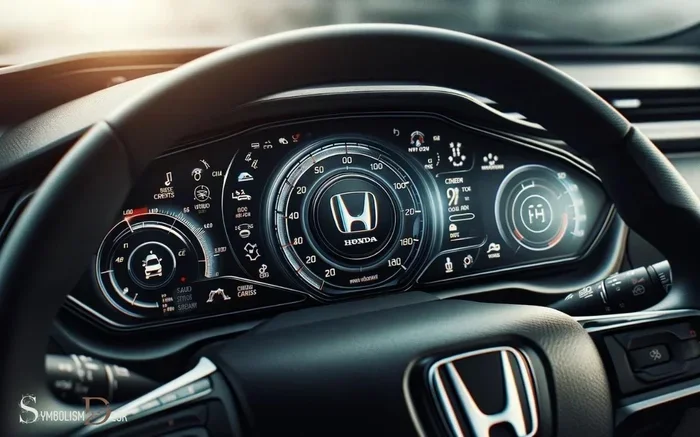
How to Reset Oil Life on a 2019 Honda Civic Step by Step
Resetting the oil life on your 2019 Honda Civic is quick and easy once you know the steps. This guide walks you through the entire process using your dashboard display and steering wheel controls. You will learn why the oil life system matters, how to reset it correctly, and how to avoid common mistakes. Follow our instructions and your Honda will be ready for the next service interval in minutes.
Changing your oil is one of the most important things you can do for your car. But did you know that simply adding new oil is only half the job? You also need to reset the oil life system on your vehicle. If you own a 2019 Honda Civic, this process is simpler than you might think. In this guide, we will show you exactly how to do it, step by step.
Many car owners ignore the oil life indicator until it becomes annoying. Others take their car to a shop just to have the light turned off. Both approaches waste time and money. The truth is, you can handle this task yourself in under five minutes. All you need is a little patience and the right instructions. This article will give you everything you need to know.
Key Takeaways
- Easy DIY Process: You can reset the oil life on your 2019 Honda Civic without visiting a mechanic.
- Simple Controls: The reset uses your steering wheel buttons and the information display screen.
- Saves Time and Money: Doing it yourself means no dealership or shop visits for this simple task.
- Prevents Warning Lights: Resetting the system keeps your dashboard clear after an oil change.
- Follow the Manual: Always check your owner’s manual for model-specific guidance.
- Regular Maintenance Matters: Proper oil life tracking keeps your engine healthy long term.
📑 Table of Contents
Why Resetting Your Oil Life Matters
The oil life monitoring system in your Honda Civic tracks driving conditions and engine performance. It uses sensors and algorithms to estimate when your oil needs replacing. Unlike older systems that only counted mileage, modern systems look at many factors. These include engine temperature, driving habits, and idle time.
When the system determines the oil is worn out, it displays a reminder on your dashboard. Ignoring this reminder can lead to engine wear over time. Fresh oil lubricates engine parts and reduces friction. Old oil breaks down and loses its protective qualities. Resetting the system after each oil change ensures the counter starts fresh. This keeps your maintenance schedule accurate and your engine protected.
Some people wonder if they even need to reset it. The answer is yes. Without resetting, the system will continue showing a low oil life percentage even after a fresh oil change. This causes unnecessary confusion and worry. A simple reset solves the problem completely.
The Role of the Oil Life Percentage
Your 2019 Honda Civic displays the oil life percentage on the information screen. This number starts at 100 percent after a reset. As you drive, it gradually decreases. When it reaches around 15 percent, the system strongly recommends an oil change. At zero percent, the maintenance required light will start flashing. Keeping track of this percentage helps you stay on top of your Honda Civic maintenance schedule.
What Is the Oil Life Monitoring System?
The oil life monitoring system is a smart feature built into modern Honda vehicles. It replaces the old mileage-based oil change reminders. Instead of just counting miles, it monitors real engine conditions. Honda designed this system to give you a more accurate picture of oil health.
Here is how it works. The system tracks several inputs from your vehicle. Engine RPM, temperature, and driving patterns all feed into the algorithm. If you drive in stop-and-go traffic, the system may reduce the oil life faster. Hard driving or frequent short trips also shorten the oil life percentage. On the other hand, steady highway driving might extend it slightly.
Understanding this system helps you appreciate why resetting matters. The system does not automatically reset after you pour in new oil. It needs a manual signal from you. This signal tells the computer that fresh oil has been added. From that point, it starts the monitoring cycle all over again.
Oil Life vs. Oil Change Indicator Light
People often confuse the oil life percentage with the maintenance required light. They are related but different. The oil life percentage shows a number on your screen, usually between 0 and 100. The maintenance required light is a separate symbol on the dashboard. It typically looks like a wrench or the word “MAINT.”
When the oil life drops below 15 percent, both indicators may appear. The percentage gives you a heads-up. The maintenance light acts as a final warning. Resetting the oil life also turns off the maintenance required light. This is why the reset process is so important after every oil change.
How to Reset Oil Life on a 2019 Honda Civic Step by Step
Now for the main event. Resetting the oil life on your 2019 Honda Civic is a straightforward process. You do not need any special tools or mechanical knowledge. The entire procedure happens through your steering wheel controls and the dashboard display. Let us walk through it together.
Step 1: Prepare Your Vehicle
Start by turning the ignition to the “ON” position. You do not need to start the engine fully. Just press the start button once without pressing the brake pedal. The dashboard lights will come on, and the information display will activate. Make sure the vehicle is parked and stationary before you begin.
Quick Tip: If you just finished an oil change, wait a few minutes before resetting. This gives the new oil time to circulate through the engine. It also ensures the oil level sensor reads accurately.
Step 2: Access the Information Display Menu
Locate the steering wheel controls on the left side. You will see a button labeled “INFO” or a small menu button. Press this button to cycle through the display options on your dashboard screen. Use the arrow buttons to scroll until you reach the “Settings” or “Vehicle Info” menu.
The 2019 Honda Civic has a clear and user-friendly display system. The menu is organized into simple categories. Look for the section related to maintenance or oil life. This is where you will find the reset option.
Step 3: Select the Oil Life Reset Option
Once you are in the settings menu, scroll down to find the “Oil Life” or “Maintenance” option. Select it by pressing the center button on the steering wheel controls. You should see the current oil life percentage displayed on screen.
Look for a “Reset” or “Reset to 100%” option. This is usually at the bottom of the menu or accessible by pressing and holding a specific button. On the 2019 Civic, you may need to hold the reset button on the steering wheel for several seconds. The display will prompt you to confirm the reset.
Step 4: Confirm the Reset
After selecting the reset option, the system will ask you to confirm. This prevents accidental resets. Press the confirm button or hold the reset button again when prompted. The screen should now show the oil life at 100 percent.
You may also notice the maintenance required light turning off on the dashboard. This is a good sign that the reset was successful. If the light stays on, do not worry. Sometimes it takes a moment to update. Try turning the ignition off and back on to refresh the display.
Step 5: Turn Off the Ignition and Verify
Turn the ignition off completely. Wait a few seconds, then turn it back to the “ON” position. Check the dashboard display to confirm the oil life shows 100 percent. Also check that the maintenance required light is no longer active.
Quick Tip: Write down the date of your oil change and the reset in your maintenance log. This helps you track your Honda Civic service history. It also makes future oil changes easier to manage.
Common Problems When Resetting the Oil Life
Most resets go smoothly, but sometimes things do not work as expected. Here are some common issues and how to fix them.
The Reset Option Is Not Showing Up
If you cannot find the reset option, first make sure you are in the correct menu. The 2019 Honda Civic has multiple display screens. Try pressing the INFO button repeatedly to cycle through all options. The reset function is usually buried one or two menus deep. Also check that your vehicle is in the “ON” mode and not in accessory mode.
The Oil Life Will Not Reset to 100 Percent
This is a frustrating but common issue. It usually happens when the reset button is not held long enough. Try pressing and holding the reset button for 10 to 15 seconds. The screen should respond after a few seconds. If it still does not work, turn the ignition off and try again from the beginning.
Another cause could be an unresolved maintenance code. If your Honda Civic has other warning lights active, the system may block the reset. Clear any other alerts first, then try the oil life reset again.
The Maintenance Required Light Stays On After Reset
Sometimes the light stays on even after a successful reset. This usually means the display needs a refresh. Turn the ignition completely off, wait 30 seconds, and turn it back on. The light should go away. If it persists, check the owner’s manual for a master reset procedure. In rare cases, a loose battery terminal can cause display issues.
Buttons on the Steering Wheel Are Not Responding
If the steering wheel controls seem unresponsive, check for moisture or dirt around the buttons. Clean them gently with a dry cloth. Also make sure you are pressing the correct button. The INFO, MENU, and reset buttons are small and close together. Take your time and press firmly but gently.
Tips to Keep Your Honda Civic Running Smoothly
Resetting the oil life is just one part of keeping your car healthy. Here are some practical tips to extend the life of your engine and keep your Honda running strong.
Follow the Honda Maintenance Schedule
Your 2019 Honda Civic comes with a recommended maintenance schedule in the owner’s manual. This schedule tells you when to change the oil, rotate tires, and replace filters. Following this schedule keeps your warranty valid and your car running at peak performance. Set a reminder on your phone when the oil life drops to 20 percent. This gives you plenty of time to plan an oil change.
Use the Right Oil for Your Engine
Honda recommends specific oil grades for the 2019 Civic. Check your owner’s manual or look at the oil cap under the hood. Using the wrong oil can reduce engine efficiency and trigger the oil life system faster. Synthetic oil is often recommended for newer Honda engines. It provides better protection and lasts longer than conventional oil.
Check Oil Levels Between Changes
Do not rely solely on the oil life monitoring system. Get in the habit of checking your oil level with the dipstick every two weeks. Low oil levels can cause engine damage even if the system has not triggered a warning. Keep a quart of the recommended oil in your trunk for emergencies.
Drive Smart to Extend Oil Life
Your driving style affects the oil life percentage more than you might think. Aggressive acceleration and hard braking create more engine stress. Short trips where the engine does not fully warm up also degrade oil faster. Try to combine short errands into longer drives when possible. Steady highway driving is the best for your engine and your oil.
Keep a Maintenance Log
A simple notebook or phone app can track every oil change, reset, and service visit. This log is invaluable when you sell your car or visit a new mechanic. It shows you are a responsible owner who keeps up with Honda Civic maintenance. Some people even take photos of their dashboard displays after each reset for a digital record.
When to Seek Professional Help
Most oil life resets are simple and do not require a mechanic. However, there are situations where professional help makes sense. If you have tried the reset process multiple times and it still fails, visit a Honda dealership or trusted auto shop. There may be an underlying electrical or software issue with your information display.
Also seek help if you notice other warning lights alongside the maintenance required light. Multiple warning lights could signal a more serious problem. A professional diagnostic tool can read error codes and identify issues you cannot see yourself. It is always better to be safe than sorry when it comes to your engine.
If you are not comfortable working with your car’s display system, that is perfectly okay. Many auto parts stores and quick-lube shops will reset the oil life for free or a small fee. There is no shame in asking for help. The important thing is that you keep up with your oil changes and reset the system regularly.
Expert Insight on Oil Life Systems
According to Honda engineers, the oil life monitoring system is designed to be a guide, not a strict rule. Driving in extreme conditions such as very hot weather, dusty roads, or towing heavy loads can shorten oil life significantly. In these cases, you may want to reset the system more frequently than the default recommendation. Trust your instincts as a driver. If something feels off with your engine, get it checked regardless of what the oil life percentage shows.
Key Takeaways
- Simple Process: Resetting the oil life on a 2019 Honda Civic takes just a few minutes using your steering wheel controls.
- Important for Engine Health: The oil life monitoring system tracks driving conditions and tells you when oil needs replacing.
- Five Clear Steps: Prepare the vehicle, access the menu, select the reset option, confirm, and verify the result.
- Common Issues Have Easy Fixes: Most reset problems are solved by holding the button longer or refreshing the display.
- Regular Maintenance Goes Further: Using the right oil, checking levels often, and driving smart keeps your Honda running strong.
- Professional Help Is Always Available: Do not hesitate to visit a dealer or shop if you run into persistent issues.
Knowing how to reset the oil life on your 2019 Honda Civic is a valuable skill for any car owner. It saves you time, money, and trips to the mechanic. The process is quick, simple, and something you can do in your own driveway or garage. Once you have done it a couple of times, it becomes second nature.
Remember that the oil life monitoring system is there to help you. It keeps track of your engine health and reminds you when attention is needed. By resetting it after every oil change, you ensure that the system gives you accurate readings going forward. This small habit adds up to big benefits for your car’s longevity and performance.
Take a few minutes today to familiarize yourself with your dashboard display and steering wheel controls. Being comfortable with these features makes future maintenance tasks much easier. Your Honda Civic is a reliable and well-engineered vehicle. With proper care and regular maintenance, it will serve you well for many miles to come. Now go ahead and give that oil life reset a try. Your engine will thank you.
Frequently Asked Questions
How do I reset the oil life on a 2019 Honda Civic?
Turn the ignition to the ON position, press the INFO button on the steering wheel, scroll to the Oil Life menu, select Reset, and confirm. The display should show 100 percent after the reset is complete.
Can I reset the oil life without changing the oil?
Technically yes, but you should not. The oil life system tracks oil condition based on driving habits. Resetting without adding fresh oil will give you a false reading and could lead to engine problems over time.
Why won’t my Honda Civic oil life reset work?
Common reasons include not holding the reset button long enough, being in accessory mode instead of ON mode, or having unresolved maintenance codes. Try holding the button for 10 to 15 seconds and turning the ignition off and back on.
How often should I reset the oil life on my 2019 Honda Civic?
Reset the oil life every time you change your engine oil. For most 2019 Honda Civics, this means every 7,500 to 10,000 miles depending on driving conditions. Check your owner’s manual for the exact interval recommended for your model.
Does resetting the oil life also reset the maintenance required light?
Yes, in most cases. When you successfully reset the oil life percentage to 100 percent, the maintenance required light on the dashboard should turn off as well. If it stays on, try turning the ignition off and back on to refresh the system.
What oil does the 2019 Honda Civic use?
The 2019 Honda Civic typically uses 0W-20 synthetic oil, but you should always check your owner’s manual or the oil cap under the hood to confirm the exact grade recommended for your specific engine variant.
=== CONCLUSION ===
Resetting the oil life on a 2019 Honda Civic is one of the simplest and most useful maintenance tasks you can do yourself. It takes less than five minutes and requires no special tools or mechanical skills. By following the step-by-step process outlined in this guide, you can keep your dashboard clear and your maintenance schedule accurate. Do not let the oil life indicator stress you out. With the knowledge you have gained today, you are fully equipped to handle it with confidence.
Make this a regular part of your oil change routine. Every time you add fresh oil, take the extra moment to reset the system. Your Honda Civic will reward you with better performance, improved fuel efficiency, and a longer engine life. Stay proactive about your vehicle maintenance, and you will enjoy many worry-free miles ahead.