How Do You Use a Toyota Key The Step by Step Guide
Using a Toyota key is simple once you know the basics. This step by step guide covers everything from inserting your key and starting the engine to replacing the battery and programming your remote. You will learn smart key tricks, common troubleshooting tips, and expert advice that saves time and money.
Have you ever stood by your Toyota wondering how to get the key to work? Maybe the fob stopped responding, or you just got a new car and are not sure where to start. Using a Toyota key might seem tricky at first, but it is really quite simple once you understand the basics.
This guide walks you through every step of using your Toyota key, from the very first insertion to advanced smart key features. Whether you drive a Camry, a RAV4, a Tacoma, or any other Toyota model, the principles stay the same. You will learn how to start your car, replace the battery, program a new key, and solve the most common problems. By the end, you will feel confident handling your Toyota car key like a pro.
We kept this guide short, clear, and packed with real tips you can use right away. No fluff. No confusing jargon. Just straight to the point advice that works. Let us dive in.
Key Takeaways
- Toyota Key Basics: Understand how your Toyota key works, whether you have a traditional key, a key fob, or a smart key system.
- Starting Your Toyota: Master the push button start and smart key methods for a smooth ignition every time.
- Battery Replacement: Learn how to swap the battery in your Toyota key fob quickly and easily at home.
- Key Programming: Discover how to program a new Toyota key or replace a lost key without visiting a dealer.
- Troubleshooting: Fix common Toyota key problems like a dead fob, unresponsive buttons, or ignition issues.
- Maintenance Tips: Keep your Toyota key in top shape with simple care habits that extend its lifespan.
📑 Table of Contents
Understanding Your Toyota Key Types
Before you do anything, it helps to know what kind of Toyota key you have. Toyota uses a few different key types across its lineup. Each one works a little differently, but they all serve the same purpose: to unlock, start, and secure your vehicle.
Traditional Metal Key
The classic Toyota metal key is the oldest style. You insert it into a physical ignition slot and turn it to start the engine. This type is still found on some older Toyota models and certain trim levels. It does not have any electronic features, so there is no fob or remote to worry about. Simple and reliable.
Key Fob
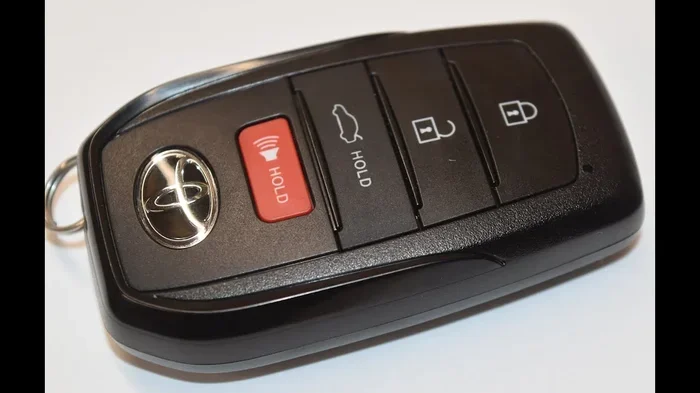
A Toyota key fob is a small remote device that lets you lock, unlock, and sometimes start your car without touching the key to the ignition. Most modern Toyotas come with a key fob. The fob sends a signal to the car’s computer system, which verifies the key is nearby before allowing the engine to start.
Smart Key System
The Toyota smart key is the most advanced option. With a smart key, you can start the car without ever removing the fob from your pocket or bag. The car detects the key through proximity sensors. You simply press the start button, and the Toyota ignition fires up. This is the system you will find on most Toyotas built after 2012.
Key Card
Some Toyota models use a flat key card instead of a traditional fob. You slide it into a slot near the steering column or place it on a reader pad. The card communicates with the car wirelessly. It is less common but still used in certain markets and on certain models.
How to Start Your Toyota with a Key
Starting your Toyota is the most basic and important thing you will do with your key. The exact steps depend on your key type, so let us go through each one.
Starting with a Traditional Key
- Insert the metal key into the ignition slot on the steering column.
- Turn the key clockwise until you feel it click into the “On” position.
- Press the brake pedal with your foot.
- Turn the key further clockwise to start the engine.
- Release the key. It will spring back to the “On” position automatically.
Starting with a Key Fob
- Make sure the Toyota key fob is inside the vehicle. The car must detect the fob to allow starting.
- Press the brake pedal firmly.
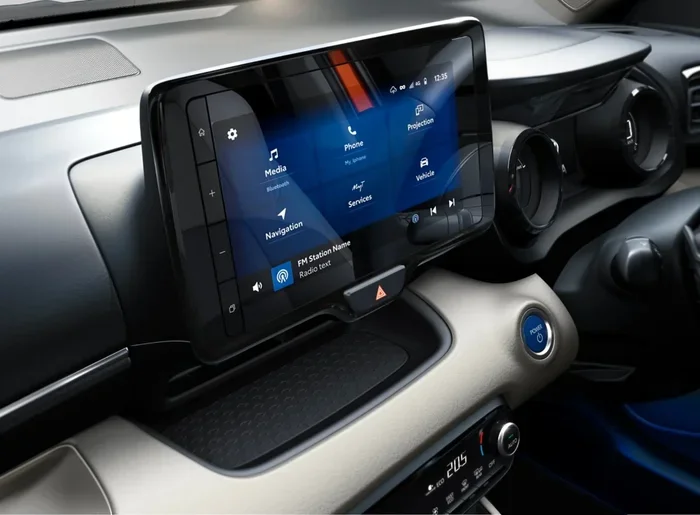
- Press the push button start on the dashboard or center console.
- The engine will start within a few seconds. You will see the dashboard lights come on.
Starting with a Smart Key
- Keep the Toyota smart key in your pocket or bag. Do not remove it.
- Press the brake pedal.
- Press the engine start button.
- The car recognizes the smart key and starts the engine. The Toyota smart key system handles all the verification automatically.
Quick Tip: If the engine does not start, check that the fob battery is not dead. A weak battery is the number one reason Toyota key fob systems fail to start the car. We will cover battery replacement in a later section.
Replacing the Battery in Your Toyota Key Fob
A dead battery is the most common issue with any Toyota key fob. The good news is that replacing the battery is easy, fast, and costs just a few dollars. You do not need to visit a dealer or a locksmith for this simple task.
Which Battery Does a Toyota Key Fob Use?
Most Toyota key fob battery models use a CR2032 coin cell battery. This is a standard battery that you can find at any grocery store, pharmacy, or auto parts shop. Some older Toyota fobs may use a CR2025 battery. Check your owner’s manual to confirm the exact type.
Step by Step Battery Replacement
- Locate the small seam or groove on the back of the key fob.
- Use a flat-head screwdriver or a coin to gently pry open the fob case.
- Remove the old battery. Note which side is facing up.
- Insert the new CR2032 battery with the positive side facing up.
- Snap the fob case back together until it clicks.
- Test the fob by pressing any button. The car should respond.
Quick Tip: Keep a spare CR2032 battery in your glove box. You never know when a battery will die, especially in cold weather when batteries drain faster.
Programming a New Toyota Key
Losing your Toyota key is stressful, but you have options. You can program a new key yourself in many cases, or you can visit a dealer or locksmith. Here is what you need to know.
Programming a Replacement Key Fob
Most Toyota models allow you to program a new Toyota key fob without special equipment. The process varies slightly by model and year, but the general steps are similar across the lineup.
Here is a general programming process that works for many Toyota models:
- Sit in the driver’s seat and close all doors.
- Insert the existing working key into the ignition.
- Turn the key from the “Off” position to the “On” position and back to “Off” within five seconds.
- Repeat this cycle two more times so the key has been turned three times total.
- The doors should lock and unlock automatically, indicating you are in programming mode.
- Within ten seconds, press any button on the new key fob.
- The doors will lock and unlock again to confirm the new key is programmed.
- Repeat for any additional keys you want to add.
- Turn the ignition off and remove the key.
Expert Insight: Always refer to your specific Toyota model’s owner manual for the exact programming steps. Some newer models with Toyota smart key systems require a slightly different process. The manual will have the most accurate instructions for your vehicle.
When to Visit a Dealer or Locksmith
If you do not have a working key to start the programming process, you will need professional help. A Toyota dealer can program a brand new key from scratch. A mobile locksmith who specializes in Toyota key replacement can also handle this job, often at a lower cost than the dealer.
Keep in mind that Toyota key programming for newer models with advanced security features may require dealer-level tools. In those cases, the dealer is your best option.
Troubleshooting Common Toyota Key Problems
Even the best Toyota key fob can run into issues. Here are the most common problems and how to fix them.
The Key Fob Does Not Work
If your Toyota remote key stops responding, the first thing to check is the battery. Replace it following the steps we covered above. If a new battery does not solve the problem, try standing close to the car when pressing the buttons. The Toyota smart key system has a limited range, and being too far away can cause a failure to communicate.
The Car Will Not Start
A Toyota key not starting car can happen for several reasons:
- The key fob battery is dead. Replace it.
- The fob is not close enough to the start button. Place it directly on the start button or the designated reader area.
- The Toyota immobilizer system has locked the engine. Try removing the fob, waiting ten seconds, and trying again.
- The ignition switch or start button is faulty. This requires professional diagnosis.
The Key Gets Stuck in the Ignition
This usually happens with traditional keys. Do not force it. Try wiggling the steering wheel gently while turning the key. The steering lock mechanism can sometimes engage and prevent the key from turning. If the key is truly stuck, do not use excessive force or you risk breaking the key inside the ignition cylinder.
Buttons on the Key Fob Are Unresponsive
Unresponsive buttons often mean the internal contacts are worn out or there is moisture inside the fob. Try cleaning the contacts with a dry cloth. If that does not work, you may need a new fob. Toyota key fob replacement is straightforward and affordable.
Maintaining Your Toyota Key for Longevity
Your Toyota key fob is a small device that you rely on every day. A little maintenance goes a long way in keeping it working smoothly for years.
Keep It Dry
Moisture is the enemy of electronic key fobs. Avoid leaving your Toyota key in the rain, near a swimming pool, or in a damp pocket. If the fob gets wet, remove the battery and let it dry completely before reassembling.
Replace the Battery Before It Dies
Most Toyota key fob battery units last two to three years. Instead of waiting for the fob to stop working, replace the battery proactively. This prevents the inconvenience of a dead fob at the worst possible moment.
Store It Safely
Keep your Toyota car key in a dedicated spot at home, such as a key bowl or drawer. Avoid placing it near electronic devices that emit strong signals, as this can interfere with the fob’s frequency over time.
Clean the Fob Regularly
Dirt and grime can build up around the buttons and seams of your key fob. Wipe it down with a soft, slightly damp cloth once a week. This keeps the buttons responsive and the exterior looking good.
When to Seek Professional Help with Your Toyota Key
Most Toyota key issues are simple to fix on your own. But some situations call for professional assistance. Here are the signs that you should not try to handle the problem yourself.
- The key is physically damaged or broken. A cracked fob or a snapped metal key needs replacement, not repair.
- The Toyota immobilizer system is throwing an error code. This requires diagnostic equipment to read and clear.
- You need a Toyota key replacement and do not have a spare. Programming a new key without a working original is a job for the dealer or a professional locksmith.
- The ignition cylinder is worn out and the key does not turn smoothly. This is a mechanical issue that needs a trained technician.
- You have tried all troubleshooting steps and the Toyota smart key system still does not work. There may be an electrical fault in the car itself.
When in doubt, contact your local Toyota dealer. They have the tools, training, and access to genuine Toyota parts to get your Toyota remote key working again. Many dealers also offer mobile key programming services, which can save you a trip to the service center.
Final Thoughts
Using a Toyota key does not have to be confusing. Whether you have a simple metal key, a standard key fob, or a full Toyota smart key system, the steps are straightforward once you know them. Start by identifying your key type, then follow the specific starting and programming steps for that type.
Keep your Toyota key fob battery fresh, store the fob safely, and troubleshoot common issues with the tips in this guide. Most problems have simple solutions that you can handle in minutes. And when you need extra help, a Toyota dealer or a trusted locksmith is always there to support you.
The more you understand how your Toyota key works, the more confident and independent you become as a driver. You will never be stuck wondering why the car will not start or why the fob stopped working. You will just know what to do and do it quickly.
Take a few minutes today to check your Toyota key fob battery and make sure everything is working properly. A little prevention now saves a lot of hassle later. Your Toyota key is a small device that does a big job. Treat it well, and it will serve you reliably for many years to come.
Frequently Asked Questions
How do I know if my Toyota key fob battery needs replacing?
If you notice reduced range, unresponsive buttons, or the car does not detect the fob when you try to start it, the battery is likely low. Most Toyota key fob battery units last two to three years, so replacing it on a schedule prevents unexpected failures.
Can I program a Toyota key fob myself without going to the dealer?
Yes, in most cases you can program a new Toyota key fob yourself using the owner manual instructions. The process typically involves cycling the ignition with an existing working key and then pairing the new fob. However, if you do not have a working key, you will need a dealer or locksmith.
What type of battery does a Toyota key fob use?
The vast majority of Toyota key fob models use a CR2032 coin cell battery. Some older or specific models may use a CR2025. Check your owner’s manual or look at the old battery to confirm the correct type before purchasing a replacement.
Why does my Toyota smart key not start the car?
The most common reason is a dead Toyota key fob battery. Place the fob directly against the start button or the designated reader area and try again. Other causes include the fob being too far from the car, interference from other electronic devices, or a fault in the Toyota smart key system.
How much does Toyota key replacement cost?
The cost varies by model and key type. A basic Toyota key fob replacement typically costs between $50 and $200 for the fob itself. Programming at a dealer may add $50 to $100. A locksmith is often a more affordable option for Toyota key replacement and programming.
Can I use a spare Toyota key if my primary key is lost?
Yes, if you have a working spare Toyota key, you can use it to drive the car and to program a replacement key. If you have no working keys at all, you will need to visit a Toyota dealer who can cut and program a new key using your vehicle identification number.
=== CONCLUSION ===
Now you know exactly how to use a Toyota key in every situation. From starting the engine and replacing the battery to programming a new fob and troubleshooting common issues, this guide covers it all. The Toyota key fob is a powerful little tool that makes driving easier and more convenient. Treat it well, keep the battery fresh, and store it safely. With the knowledge you have gained today, you are fully equipped to handle any Toyota key situation that comes your way. Go ahead and put these tips into action, and you will never have to worry about your car key again.