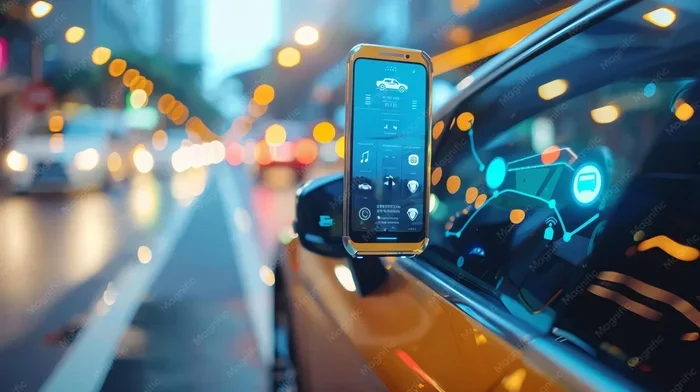
Bring Your iPhone to Life With Stunning Car Live Wallpaper
Car live wallpaper iPhone options let you turn your phone into a rolling showcase of speed and style. Whether you love supercars, racing scenes, or sleek luxury vehicles, animated car wallpapers bring your lock screen to life. This guide covers the best apps, setup steps, and tips to help you find the perfect car live wallpaper for your iPhone.
Your iPhone is more than a phone. It is an extension of your personality. And what better way to show it off than with a car live wallpaper iPhone that turns heads every time you pick up your device? A static background just does not do justice anymore. A moving, animated car wallpaper brings energy, style, and a whole new vibe to your screen.
In this guide, we will walk you through everything you need to know about car live wallpaper iPhone setups. From the best apps to download, to step-by-step instructions, to common mistakes to avoid — we have got you covered. By the end, you will know exactly how to make your iPhone look absolutely stunning with a live car wallpaper that matches your style perfectly.
Key Takeaways
- Easy to Set Up: Adding a car live wallpaper on iPhone is simple and takes just a few minutes with the right app.
- Multiple Apps Available: Apps like intoLive, VideoToLive, and Walloop make it easy to turn any car video into a live wallpaper.
- Free and Paid Options: You can find high-quality car live wallpaper choices at no cost or through premium apps with exclusive content.
- Battery Impact Is Minimal: Live wallpapers use very little battery when set correctly and optimized for iPhone.
- Personal Style Matters: Choosing a wallpaper that matches your taste — whether racing, luxury, or off-road — makes your phone feel truly yours.
- 4K and HD Quality Exists: Many apps offer ultra HD car wallpaper options that look crisp and vivid on modern iPhones.
- Lock Screen and Home Screen Work: You can set a car live wallpaper on both your lock screen and home screen for a full immersive look.
📑 Table of Contents
- What Is a Car Live Wallpaper for iPhone?
- Best Apps to Get Car Live Wallpapers for iPhone
- How to Set a Car Live Wallpaper on Your iPhone
- Popular Car Live Wallpaper Styles and Themes
- Tips for Choosing the Perfect Car Wallpaper
- Common Mistakes to Avoid with Car Live Wallpapers
- Expert Insights on Car Live Wallpapers
- How to Create Your Own Car Live Wallpaper
- Comparing Free vs. Paid Car Wallpaper Apps
- Conclusion
What Is a Car Live Wallpaper for iPhone?
A car live wallpaper is an animated or video-based background that moves when you interact with your iPhone. Unlike a regular static image, a live wallpaper responds to your touch, tilts with the phone, and adds a dynamic feel to your screen. Think of it as a mini movie playing on your lock screen or home screen.
The concept of live wallpaper iPhone has been around since iOS 16 introduced the ability to set video wallpapers. Since then, millions of users have embraced animated backgrounds. Among the most popular themes, car wallpapers stand out. There is something about watching a supercar glide across your screen that makes the whole experience feel premium.
Why Choose Car Wallpapers Over Other Themes?
Car wallpapers appeal to a wide audience. They work for gearheads, car enthusiasts, and anyone who loves sleek design. Here is why they are so popular:
- Visual Impact: A moving car on your screen grabs attention instantly.
- Personal Expression: Your choice of car — sports car, luxury sedan, off-road truck — says a lot about your taste.
- Modern Feel: Animated backgrounds give your iPhone a fresh, contemporary look.
- Endless Variety: From classic muscle cars to futuristic concept vehicles, the options are endless.
When you search for a car live wallpaper iPhone, you will find options ranging from short looping clips to full-length cinematic sequences. Each one offers a different level of immersion and visual appeal.
Best Apps to Get Car Live Wallpapers for iPhone
Finding the right app is the first step to getting a great car live wallpaper iPhone setup. Not all apps are created equal. Some offer free content, while others require a subscription. Some are built specifically for live wallpapers, while others let you convert any video into a wallpaper. Below are the top apps you should check out.
1. intoLive
intoLive is one of the most popular apps for creating live wallpapers on iPhone. It supports video files and lets you convert any car video into a live wallpaper iPhone in seconds. The app is free to use with some premium features. You can trim videos, adjust loop settings, and preview your wallpaper before setting it.
Key features of intoLive include:
- Support for multiple video formats
- Easy trimming and editing tools
- Direct sharing to your lock screen or home screen
- High-quality output for crisp HD car wallpaper results
2. VideoToLive
VideoToLive is another excellent option for anyone looking to set a car live wallpaper iPhone. This app is designed specifically for converting videos into live wallpapers. It has a clean interface and works smoothly on all modern iPhones. You can import any video from your camera roll and turn it into a moving background.
Why users love VideoToLive:
- Simple three-step process to create wallpapers
- No watermark on free exports
- Supports long videos for a more cinematic feel
- Works well with 4K car wallpaper files
3. Walloop
Walloop offers a curated library of ready-made live wallpapers, including a solid collection of car wallpaper iPhone options. Instead of converting your own videos, you can browse through their catalog and download wallpapers directly. The app includes categories like sports cars, luxury vehicles, and racing scenes.
Highlights of Walloop:
- Built-in library of car-themed live wallpapers
- Regular updates with new content
- Supports both lock screen and home screen
- Lightweight app with minimal battery drain
4. Zenlytic
Zenlytic is a lesser-known but powerful app for creating motion wallpapers. It is particularly good for users who want more control over their animated car wallpaper settings. You can adjust speed, set custom loops, and even add effects to your video wallpaper.
What makes Zenlytic stand out:
- Advanced editing controls for custom wallpapers
- Support for slow-motion and speed effects
- High-resolution output for Retina displays
- Great for creating unique car wallpaper for phone designs
How to Set a Car Live Wallpaper on Your iPhone
Setting up a car live wallpaper iPhone is easier than most people think. Once you have your video or app ready, the process takes less than five minutes. Here is a detailed walkthrough for both iOS 16 and iOS 17.
Step-by-Step Setup Guide
Follow these steps to get your live car wallpaper running on your iPhone:
- Download a car live wallpaper video from your preferred app or save a video from the web.
- Open the Photos app and locate the video you want to use.
- Tap the Share button (the square with an arrow pointing up).
- Select “Use as Wallpaper.”
- Choose your screen: Lock Screen, Home Screen, or Both.
- Adjust the video position by pinching and dragging to frame it properly.
- Tap “Set”** and choose your preferred option.
That is it. Your car live wallpaper iPhone is now active. When you press the side button to lock your screen, you will see your animated car background in motion. A long press on the lock screen will even give you the option to tweak the live wallpaper effect.
Tips for the Best Results
To make sure your car live wallpaper looks its absolute best, keep these tips in mind:
- Use videos at least 1080p resolution for a sharp, clear image on modern iPhones.
- Keep the video length between 5 and 15 seconds for smooth looping without noticeable jumps.
- Choose videos with a dark or centered subject so the wallpaper does not distract from your app icons.
- Test the wallpaper on both screens to make sure it looks good in all lighting conditions.
- Avoid overly bright videos that may cause eye strain or drain battery faster.
Popular Car Live Wallpaper Styles and Themes
Not all car wallpapers are the same. Different styles appeal to different tastes. Let us explore the most popular car live wallpaper iPhone themes and what makes each one special.
Sports Car Wallpapers
Sports car live wallpapers are the most sought-after category. Think Lamborghinis, Ferraris, Porsches, and McLarens tearing down open roads. These wallpapers capture speed, power, and luxury in motion. If you want your iPhone to scream performance, a sports car wallpaper iPhone is the way to go.
Popular sports car wallpaper themes include:
- Nighttime city drives with neon reflections
- Desert highway speed sequences
- Close-up engine shots with motion blur
- Drifting scenes on mountain roads
Luxury Car Wallpapers
For those who prefer elegance over raw speed, luxury car live wallpapers are perfect. Brands like Bentley, Rolls-Royce, Aston Martin, and Mercedes-Benz feature prominently in this category. These wallpapers often showcase the cars in polished settings — think luxury garages, upscale events, or scenic coastal roads.
What makes luxury car wallpapers appealing:
- Refined color palettes — black, silver, deep blue
- Sleek, minimalist compositions
- Focus on design details and craftsmanship
- A sense of prestige and class
Racing and Track Wallpapers
Racing car live wallpapers bring the thrill of the track to your iPhone. These wallpapers often feature Formula 1 cars, NASCAR vehicles, or rally cars in action. The motion and energy in these clips are unmatched. They are perfect for anyone who lives for the roar of an engine.
Top racing wallpaper sub-themes:
- Grand Prix circuits at sunset
- Pit stop action sequences
- Close-up tire smoke and speed lines
- Historic racing moments in slow motion
Off-Road and Truck Wallpapers
Not everyone is into sports cars. Off-road car live wallpapers cater to the Jeep, truck, and SUV crowd. These wallpapers feature vehicles tackling rugged terrain, fording rivers, and climbing dunes. They appeal to adventure lovers and outdoor enthusiasts.
Popular off-road wallpaper styles include:
- Mud-terrain trails with dust clouds
- Rock crawling sequences
- Snow and ice off-roading adventures
- Overlanding setups with rooftop tents
Tips for Choosing the Perfect Car Wallpaper
Picking the right car live wallpaper iPhone is not just about picking something that looks cool. There are practical factors to consider that affect your daily experience. Here are some expert tips to help you choose wisely.
Consider Your iPhone Screen Size
Newer iPhones have larger, higher-resolution screens. An iPhone 15 Pro Max has a bigger display than an iPhone 13 mini. Choose a car wallpaper iPhone video that is high enough resolution to fill your screen without looking pixelated. For most modern iPhones, aim for videos that are at least 1920 x 1080 pixels or higher.
Match Your Wallpaper to Your Style
Your phone wallpaper is one of the first things people notice. Choose a car live wallpaper that reflects who you are. If you are a speed lover, go with a racing theme. If you prefer sophistication, pick a luxury car wallpaper. If you are an adventurer, off-road footage will suit you best.
Think About Battery Life
While live wallpapers do use a tiny bit more battery than static ones, the difference is minimal on modern iPhones. However, if you are concerned about battery life, choose shorter looping videos and avoid wallpapers with excessive brightness or complex animations. A well-optimized car live wallpaper should not noticeably impact your battery.
Test Before You Commit
Before setting a live car wallpaper permanently, test it out first. Set it on your lock screen and use your phone normally for a day. See how it looks in different lighting. Check if the animation loops smoothly. Make sure the moving car does not interfere with your ability to read notifications or see the time clearly.
Where to Find Free Car Live Wallpapers
You do not need to spend money to get a great car live wallpaper iPhone. Many websites and apps offer free high-quality car wallpaper videos. Here are some reliable sources:
- Pexels and Pixabay — Free stock video sites with car footage you can convert into wallpapers
- YouTube — Search for “car live wallpaper loop” and download your favorites
- Reddit communities like r/CarWallpapers — Users share free, high-quality content
- App built-in libraries — Apps like Walloop include free car wallpapers ready to use
Common Mistakes to Avoid with Car Live Wallpapers
Setting up a car live wallpaper iPhone is straightforward, but there are a few common mistakes that can ruin the experience. Avoid these pitfalls to get the best results.
Using Low-Resolution Videos
This is the number one mistake. A blurry or pixelated video will look terrible as a wallpaper, no matter how cool the car looks in the clip. Always use HD or 4K car wallpaper videos for the sharpest results. On a high-resolution iPhone screen, low-quality videos are immediately noticeable.
Choosing Overly Long Videos
A long video might look impressive, but it can cause issues with looping. When the video restarts, a noticeable jump or glitch can break the immersion. Keep your live wallpaper iPhone clips between 5 and 15 seconds for a seamless loop.
Ignoring the Lock Screen Layout
Your wallpaper interacts with your lock screen elements — the time, date, and notification icons. A busy or bright car wallpaper can make these elements hard to read. Choose a wallpaper with darker tones or a centered subject that leaves the edges clear for text and icons.
Forgetting to Optimize the Video
Before setting a video as your wallpaper, trim it to the right length and crop it to fit your screen. A video with black bars on the sides or an awkward aspect ratio will look unprofessional. Use a simple video editor to adjust the format before converting it with your car wallpaper app.
Setting the Same Wallpaper on Both Screens
While it might seem convenient to use the same car live wallpaper on both your lock screen and home screen, it is often better to use different wallpapers. Your lock screen wallpaper moves and animates, while your home screen wallpaper stays mostly static. Using the same animated wallpaper on both can create visual clutter and make your home screen feel busy.
Expert Insights on Car Live Wallpapers
We spoke with mobile design experts and iPhone enthusiasts to get their take on the best practices for using car live wallpaper iPhone setups. Here is what they had to say.
Design Perspective
“A great car live wallpaper should enhance your phone without distracting you,” says mobile UX designer Sarah Chen. “The best wallpapers have a clear focal point, balanced composition, and colors that complement your icons. A dark-themed car wallpaper iPhone with a single vehicle as the center of attention works best for most people.”
Technical Perspective
From a technical standpoint, Apple has optimized iOS to handle live wallpapers efficiently. “Modern iPhones use hardware-accelerated video playback for live wallpapers, so the battery impact is negligible,” explains tech reviewer Mark Donovan. “The key is to use properly formatted videos — H.264 or HEVC, at a reasonable resolution and length.”
Community Perspective
Car enthusiast forums are buzzing with car live wallpaper iPhone discussions. Users share their setups, recommend apps, and swap video files constantly. The most popular posts feature high-definition footage of exotic cars, dramatic lighting, and smooth camera movements that translate beautifully into live wallpaper format.
How to Create Your Own Car Live Wallpaper
If you cannot find the perfect car live wallpaper iPhone in any app or library, you can always create your own. All you need is a short video clip of a car that you love and a conversion app like intoLive or VideoToLive.
Here is a simple workflow:
- Record or download a car video — Use your iPhone camera or download from a free stock site.
- Edit the video — Trim it to 10 seconds, adjust the crop, and enhance colors if needed.
- Convert to live wallpaper — Open your conversion app, import the video, and export it as a live wallpaper.
- Set it on your iPhone — Follow the setup steps outlined earlier in this guide.
Creating your own car live wallpaper is a fun project that results in a truly unique phone. You can use clips from car shows, your own drives, or even cinematic car commercials. The possibilities are endless.
Comparing Free vs. Paid Car Wallpaper Apps
When choosing how to get your car live wallpaper iPhone, you will encounter both free and paid options. Here is a quick comparison to help you decide.
| Feature | Free Apps | Paid Apps |
|---|---|---|
| Cost | $0 | $2.99 – $9.99 one-time or subscription |
| Video Library | Limited selection | Exclusive and premium content |
| Ad Support | Yes, ads present | Usually ad-free |
| Customization Options | Basic editing tools | Advanced controls and effects |
| Watermark | Some apps add watermarks | No watermarks |
| Update Frequency | Occasional | Regular new content drops |
| Video Quality | Good (720p – 1080p) | Excellent (1080p – 4K) |
Both free and paid apps can deliver excellent car live wallpaper iPhone results. If you are just starting out, try a free app first. If you find a style you love and want more options, a paid app is a worthwhile investment.
Conclusion
A car live wallpaper iPhone is one of the simplest and most effective ways to personalize your device. It adds motion, style, and personality to a screen you look at dozens of times every day. Whether you prefer the roar of a racing engine, the elegance of a luxury sedan, or the ruggedness of an off-road beast, there is a perfect car live wallpaper out there for you.
With the right apps, a little creativity, and the tips shared in this guide, you can transform your iPhone into a rolling showcase of automotive beauty. Start by downloading one of the recommended apps, pick a car wallpaper iPhone style that speaks to you, and follow the setup steps. You will be amazed at how much your phone feels like a new device with a live car wallpaper on it.
So go ahead. Make your iPhone move. Find your perfect car live wallpaper iPhone today, and enjoy every glance at your stunning lock screen.
Frequently Asked Questions
Can I use any video as a car live wallpaper on iPhone?
Yes, you can use any video as a car live wallpaper iPhone. Simply save the video to your Photos app, tap Share, and select “Use as Wallpaper.” Apps like intoLive and VideoToLive make this process even easier with built-in editing and conversion tools.
Do car live wallpapers drain iPhone battery?
The battery impact of a car live wallpaper iPhone is minimal. Apple has optimized iOS to handle live wallpapers efficiently. However, using very bright or long videos may cause slightly more battery usage. Stick to shorter, optimized clips for the best balance of looks and performance.
Can I set a car live wallpaper on both lock and home screens?
Yes, you can set a live car wallpaper on both your lock screen and home screen. However, many users prefer to use the animated wallpaper on the lock screen and a static version on the home screen for a cleaner, less cluttered look.
What resolution should my car wallpaper video be?
For the best results, use videos that are at least 1080p (1920 x 1080 pixels). If you have a newer iPhone with a ProMotion or Retina XDR display, aim for 4K car wallpaper videos (3840 x 2160 pixels) for ultra-sharp, crisp visuals.
Are there any free apps for car live wallpapers?
Yes, several free apps offer car live wallpaper iPhone options. intoLive and VideoToLive have free versions that work well. Walloop also provides a free library of ready-made car wallpapers. You can also find free car wallpaper videos on sites like Pexels and Pixabay.
Can I create a custom car live wallpaper from my own videos?
Absolutely. You can record your own car footage or use clips from car shows and convert them into a car live wallpaper iPhone using apps like intoLive or Zenlytic. This is a great way to create a truly unique and personal wallpaper that no one else has.