How Do I Turn Off Toyota Safety Sense Step By Step
How Do I Turn Off Toyota Safety Sense? This step-by-step guide shows you exactly how to disable Toyota Safety Sense features in your vehicle. You will learn which systems can be toggled, where to find the settings, and what happens when you turn them off. We also cover important safety warnings and model-specific tips. Read on to take full control of your driver assist features today.
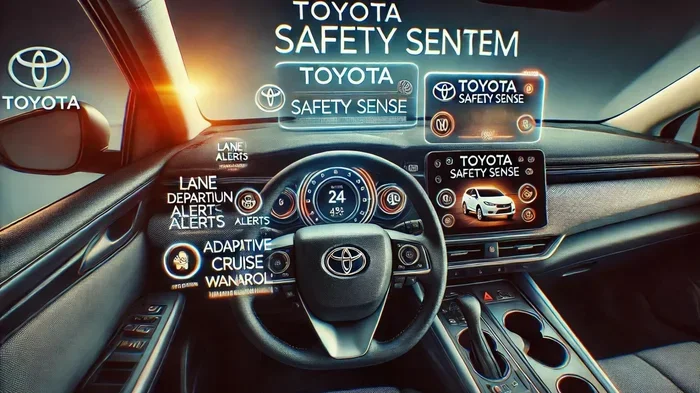
Toyota Safety Sense is a suite of active safety features designed to help drivers stay safe on the road. These systems include things like pre-collision braking, lane departure alert, and adaptive cruise control. But what happens when you want to turn them off? Maybe you are driving in a specific situation where the alerts feel distracting. Or perhaps you are practicing your driving skills and want to rely on yourself alone. Whatever your reason, knowing how to manage these settings is important.
This guide walks you through everything you need to know about disabling Toyota Safety Sense. We will cover which features can be turned off, the exact steps for different Toyota models, and important safety warnings you should keep in mind. By the end, you will feel confident managing your vehicle’s safety settings on your own.
Key Takeaways
- You can turn off most Toyota Safety Sense features through the steering wheel controls or the infotainment screen.
- Not all features can be disabled — some systems like Vehicle Stability Control remain active for safety.
- The process varies slightly by Toyota model and model year, so check your owner’s manual.
- Turning off safety features reduces driver assistance and increases responsibility for safe driving.
- You can re-enable features anytime by following the same steps in reverse.
- Always understand the risks before disabling any driver assist system.
- Quick tip: Use the steering wheel cancel buttons for fast temporary disable of cruise control and lane tracing.
📑 Table of Contents
- What Is Toyota Safety Sense and Why Would You Want to Turn It Off?
- Can You Turn Off Toyota Safety Sense?
- Step By Step: How To Turn Off Toyota Safety Sense
- Which Toyota Safety Sense Features Can You Disable?
- Important Warnings Before You Turn Off Safety Features
- Tips For Managing Toyota Safety Sense Settings
- Conclusion
What Is Toyota Safety Sense and Why Would You Want to Turn It Off?
Toyota Safety Sense is a collection of driver assist technologies built into modern Toyota vehicles. It uses cameras, radar, and sensors to help you stay aware of your surroundings. The system is designed to reduce accidents and make driving easier. But not every driver wants all of these features active at all times.
Understanding the Core Toyota Safety Sense Features
Before you learn how to turn things off, it helps to know what is actually running. Here are the main components of Toyota Safety Sense:
- Pre-Collision System: Detects potential frontal collisions and can apply brakes automatically.
- Lane Departure Alert: Warns you if you start to drift out of your lane.
- Dynamic Radar Cruise Control: Adjusts your speed to keep a safe distance from the car ahead.
- Lane Tracing Assist: Helps keep your vehicle centered in the lane.
- Automatic High Beams: Switches between high and low beams based on traffic.
- Road Sign Assist: Recognizes road signs and displays them on your dashboard.
Each of these features plays a role in your overall Toyota driver safety package. But sometimes, drivers prefer to handle things manually. That is where knowing how to adjust your Toyota vehicle settings comes in handy.
Reasons Drivers Choose to Disable Safety Features
There are several valid reasons someone might want to turn off their Toyota Safety Sense features. Let us look at a few common ones:
- Too many alerts: Some drivers find the warnings annoying during long highway drives.
- Practice driving: New drivers may want to build skills without the system stepping in.
- Specific road conditions: In heavy snow or dirt roads, sensors can give false readings.
- Vehicle modifications: Aftermarket parts like snow chains can interfere with radar and cameras.
- Towing: When pulling a trailer, the sensor calibration may not work properly.
Understanding your reason helps you decide which features to disable and which to keep active. Remember, Toyota driver assist systems exist to protect you. Use good judgment before turning anything off.
Can You Turn Off Toyota Safety Sense?
The short answer is yes, most features can be turned off. But not all of them. Toyota designed some systems to stay active no matter what because they are too important for basic safety. Let us break this down clearly.
Features You Can Disable
The following Toyota Safety Sense features can typically be turned off using your steering wheel controls or the infotainment screen:
- Dynamic Radar Cruise Control — You can cancel this using the cancel button on the steering wheel.
- Lane Tracing Assist — This can be toggled off through the steering wheel or the display screen.
- Lane Departure Alert — The steering wheel vibration warning can be muted in settings.
- Pre-Collision System — Some models allow you to adjust or partially disable this.
- Automatic High Beams — You can turn this off in the headlight or display settings.
- Road Sign Assist — This can be disabled through the infotainment screen.
Features You Cannot Disable
Toyota keeps certain safety systems active at all times. These include:
- Vehicle Stability Control — This helps prevent skidding and cannot be fully turned off.
- Anti-Lock Braking System (ABS) — Always active for emergency braking situations.
- Traction Control — Stays on to maintain grip on slippery surfaces.
These core safety systems are non-negotiable. They are part of your vehicle’s basic safety infrastructure. Even if you turn off the Toyota Safety Sense features, these foundational systems will keep working to protect you.
Step By Step: How To Turn Off Toyota Safety Sense
Now let us get into the actual steps. The process is straightforward, but it does vary slightly depending on your Toyota model and year. We will cover the most common methods below.
Method 1: Using Steering Wheel Controls
This is the fastest way to turn off certain features while driving. Here is what to do:
- Press the cancel button on the left side of the steering wheel to turn off cruise control.
- Press the lane trace cancel button to disable lane tracing assist.
- Hold the steering wheel cancel stalk for a few seconds to mute lane departure alerts.
- Check the dashboard display to confirm the feature has been turned off.
This method works great for a quick safety feature toggle when you need immediate relief from alerts. The change is temporary and usually resets when you restart the vehicle.
Method 2: Using the Infotainment Screen
For a more permanent adjustment, use the touchscreen display. Here is the general path:
- Press the Menu or Settings button on your Toyota infotainment screen.
- Navigate to the Vehicle Settings section.
- Look for the Toyota Safety Sense menu. It may also be listed under Driver Assist or Safety.
- Select the feature you want to turn off. Toggle it to the off position.
- Confirm your choice when prompted.
This method lets you adjust your Toyota dashboard settings more precisely. You can customize each feature individually rather than turning everything off at once.
Method 3: Using the Model-Specific Cancel Stalk
Some Toyota models, especially newer ones, have a dedicated cancel stalk on the left side of the steering column:
- Pull the stalk toward you to cancel cruise control and lane tracing.
- Push the stalk forward to temporarily override lane departure warnings.
- Check your owner’s manual for the exact stalk functions on your specific model.
This method is very common on the Toyota Camry, Toyota RAV4, and Toyota Highlander models. If you are unsure, the owner’s manual is your best friend here.
Expert Insight
Toyota engineers designed the Toyota Safety Sense settings to be intuitive. Most drivers can find what they need within two or three menu taps. If you cannot locate a specific setting, try searching for “Safety” or “Driver Assist” in the infotainment search bar. This quick trick saves a lot of time and frustration.
Which Toyota Safety Sense Features Can You Disable?
Not all safety features are created equal when it comes to turning them off. Let us look at each feature individually and what you can do with it.
Pre-Collision System
The pre-collision system uses a camera and radar to detect obstacles ahead. It can warn you and apply brakes if needed. On most Toyota models, you can reduce the sensitivity of this system but fully turning it off is limited. Some models allow you to turn off the automatic braking while keeping the warning active. This gives you the alert without the sudden braking intervention.
Lane Departure Alert and Steering Assist
The lane departure alert uses a camera mounted behind the rearview mirror to watch lane markings. You can turn off the steering wheel vibration warning through the settings menu. However, the camera itself stays active. This means the system still monitors lane position even when the alert is muted.
Dynamic Radar Cruise Control
This is one of the easiest features to turn off. Simply press the cancel button on the steering wheel. The system will disengage and you take full control of your speed. You can also reduce the following distance or turn off the radar cruise entirely through the infotainment screen.
Lane Tracing Assist
Lane tracing assist works hand in hand with radar cruise control. When you turn off the cruise control, lane tracing usually disables as well. You can also manually toggle it off in the safety settings menu on the display screen.
Automatic High Beams
Automatic high beams are controlled through the headlight settings. You can turn this feature off by going into the lighting menu on your Toyota infotainment screen. Simply toggle the auto high beam setting to off.
Road Sign Assist
Road sign assist uses a camera to read speed limit signs and other road markers. You can turn this off in the safety settings. It is a useful feature to disable if you find the sign pop-ups distracting on familiar routes.
Comparison Table: Features You Can and Cannot Turn Off
| Feature | Can Be Turned Off? | How |
|---|---|---|
| Dynamic Radar Cruise Control | Yes | Steering wheel cancel button |
| Lane Tracing Assist | Yes | Steering wheel or infotainment menu |
| Lane Departure Alert | Yes (alert only) | Infotainment settings |
| Automatic High Beams | Yes | Lighting settings on screen |
| Road Sign Assist | Yes | Safety settings menu |
| Pre-Collision System | Partially | Reduced sensitivity only on most models |
| Vehicle Stability Control | No | Always active |
| Anti-Lock Braking System | No | Always active |
| Traction Control | No | Always active |
This table gives you a clear picture of what you can and cannot control. Keep this in mind as you explore your Toyota safety system settings.
Important Warnings Before You Turn Off Safety Features
Before you go ahead and disable any safety features, please read this section carefully. Toyota includes these systems for a very good reason.
Safety Risks of Disabling Driver Assist
When you turn off Toyota Safety Sense features, you take on more responsibility for safe driving. The system will no longer warn you about potential collisions or lane drift. This means you need to stay even more alert and focused on the road. Here are some risks to consider:
- Increased reaction time needed: Without pre-collision warnings, you must watch for obstacles yourself.
- Higher chance of lane drift: Without lane departure alerts, you might drift without realizing it.
- Fatigue on long drives: Adaptive cruise control helps reduce driver fatigue on highways.
- Reduced safety in emergencies: Some systems react faster than a human ever could.
When It Is Okay to Turn Off Features
There are situations where turning off certain features makes sense. Here are a few examples:
- Driving on unpaved roads: Dirt and gravel can confuse lane detection cameras.
- Heavy snow or rain: Sensors may give false readings in severe weather.
- Parking maneuvers: Some drivers prefer to handle tight parking without assistance.
- Vehicle recovery: If stuck in snow or mud, you may need full control without intervention.
Common Mistakes People Make
- Turning everything off at once: This leaves you with no safety net. Only disable what you really need.
- Forgetting to turn features back on: After a temporary disable, remember to re-enable them.
- Ignoring warning lights: If a warning light stays on after turning off a feature, check your manual.
- Assuming all models work the same: Different Toyota models have different menus and controls.
Tips For Managing Toyota Safety Sense Settings
Managing your safety settings does not have to be complicated. Here are some practical tips to make the process smoother.
Quick Tips for Daily Driving
- Use the steering wheel controls for quick temporary disables during your drive.
- Bookmark the safety settings menu in your infotainment system for fast access.
- Check your owner’s manual for model-specific instructions and diagrams.
- Keep your sensors clean — a dirty camera or radar can cause false alerts even when features are active.
- Update your software regularly — Toyota releases updates that improve safety system performance.
How To Re-Enable Features After Turning Them Off
Turning features back on is just as easy as turning them off. Here is what to do:
- Press the resume button on the steering wheel to reactivate cruise control.
- Go back to the safety settings menu and toggle the feature back on.
- Drive a short distance and check that the system is working properly.
- Confirm the dashboard icon shows the feature is active again.
Model-Specific Tips
Different Toyota models have slightly different ways of accessing safety settings. Here are a few quick pointers:
- Toyota Camry: Use the steering wheel stalk for quick cruise and lane trace cancel.
- Toyota RAV4: Access safety settings through the touchscreen under Vehicle Settings.
- Toyota Highlander: The infotainment screen has a dedicated Safety Connect section.
- Toyota Corolla: Use the steering wheel buttons and the display settings menu.
- Toyota Tacoma: Some older models have limited screen-based controls for safety features.
Always refer to your specific model’s owner manual for the most accurate instructions. The steps above cover the general process that applies to most Toyota vehicles.
Conclusion
Knowing how to manage your Toyota Safety Sense settings gives you more confidence and control behind the wheel. Whether you want to turn off a specific alert or adjust your driver assist features for a particular driving situation, the steps are straightforward and easy to follow. Remember that some core safety systems like Vehicle Stability Control and ABS will always remain active, no matter what you do.
Use the tips in this guide to navigate your Toyota dashboard settings with ease. Always think carefully before disabling any safety feature, and make sure to turn features back on when you no longer need them. Your Toyota safety system is there to protect you, and understanding how to manage it is an important part of being a responsible driver.
Take a few minutes today to explore your vehicle’s settings. Familiarize yourself with the options so you are prepared the next time you need to make a change. Safe driving starts with knowing your vehicle inside and out.
Frequently Asked Questions
Can I turn off all Toyota Safety Sense features at once?
No, you cannot turn off all features at once. Toyota keeps core safety systems like Vehicle Stability Control and Anti-Lock Braking active at all times. You can individually disable features like lane tracing, cruise control, and lane departure alerts through the steering wheel or infotainment screen.
Will turning off Toyota Safety Sense affect my warranty?
No, turning off safety features does not void your Toyota warranty. These settings are built into the vehicle by the manufacturer for driver convenience. However, if an accident occurs while safety features are disabled, insurance claims may be affected.
Do I need to turn off safety features when towing a trailer?
It depends on your situation. Some drivers find that sensors give false alerts when towing. You can turn off lane tracing and adaptive cruise control if they interfere with towing. However, keep pre-collision and stability control active for safety.
How do I know if Toyota Safety Sense is turned off?
Check your instrument cluster or infotainment screen for the status icons. Each feature has a small indicator light that shows whether it is active or disabled. If you do not see the icon, the feature is likely turned off.
Can I turn off Toyota Safety Sense on a used Toyota?
Yes, you can turn off safety features on any Toyota model that has Toyota Safety Sense installed. The process is the same regardless of whether the vehicle is new or used. Just refer to the owner’s manual for model-specific details.
What should I do if I cannot find the safety settings on my screen?
First, make sure your infotainment system is updated to the latest software version. If the settings are still missing, try searching for “Safety” in the menu search bar. If you still cannot find it, contact your Toyota dealer for assistance. They can walk you through the exact steps for your model.