How Do You Remove the Oil Maintenance Required Message Fast
The oil maintenance required message can be annoying, but removing it is easier than you think. This guide walks you through the fastest ways to reset the maintenance required light on any vehicle. You will learn simple oil reset procedures that take just a few minutes. No mechanic visit is needed for most cars. Keep reading to get your dashboard cleared right away.
That little wrench or oil can icon on your dashboard can really get under your skin. You know the one. It pops up right when you have a full day ahead, and suddenly your morning feels off. The good news is that removing the oil maintenance required message is usually a quick fix. Most car owners can handle this themselves in just a few minutes.
Whether you drive a Toyota, Honda, Ford, or Chevy, the process is surprisingly similar across brands. You do not need expensive tools or a trip to the dealership. This guide covers every method you can use to clear the maintenance required light and keep your vehicle maintenance on track. By the end, you will know exactly what to do and why the light appeared in the first place.
Let us walk through it together. No confusing jargon. No unnecessary steps. Just clear, practical advice that gets real results.
Key Takeaways
- Quick Reset Methods: You can remove the oil maintenance required message using your odometer, steering wheel controls, or infotainment system in under five minutes.
- No Special Tools Needed: Most vehicles allow you to perform the oil reset procedure without any special equipment or dealer visits.
- Prevention Matters: Following your maintenance schedule and driving habits can help prevent the light from coming back too soon.
- Know When to Seek Help: If the light persists after resetting, it may signal a real engine oil or oil filter issue that needs a mechanic inspection.
- Works Across Brands: The steps apply to Toyota, Honda, Ford, Chevrolet, and many other popular vehicle maintenance systems.
- Oil Life System Awareness: Understanding how your oil life monitor works helps you stay ahead of service intervals and avoid unexpected dashboard warnings.
📑 Table of Contents
- What Is the Oil Maintenance Required Message?
- Why Does the Oil Maintenance Light Come On?
- How to Remove the Oil Maintenance Required Message
- Common Mistakes People Make When Resetting the Light
- How to Prevent the Oil Maintenance Message from Returning
- When to See a Mechanic Instead of Resetting the Light
- Conclusion
What Is the Oil Maintenance Required Message?
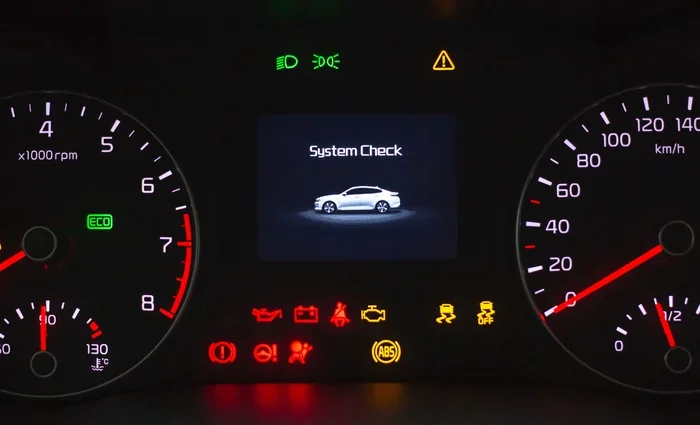
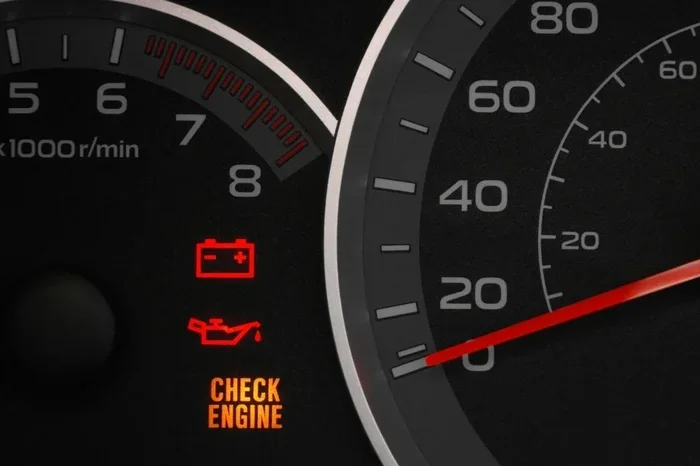
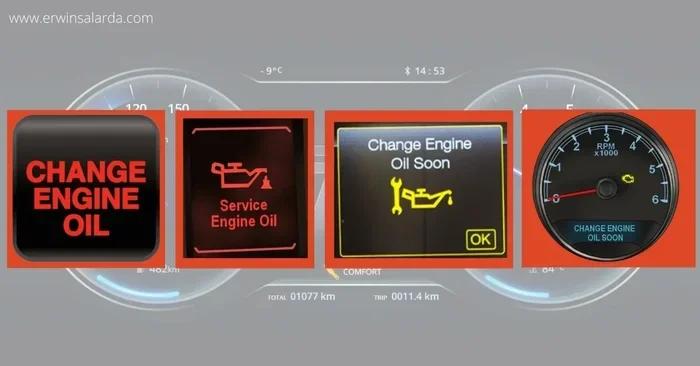
The oil maintenance required message is a dashboard warning that appears on your instrument cluster. It usually shows up as a wrench icon, an oil can symbol, or a text notification on the display screen. This reminder notification tells you that your car is due for an oil change or routine service. It is not an emergency alert, but it should not be ignored either.
Do not confuse this with the red oil pressure light. That one means stop driving immediately and check your oil level. The maintenance required message is a service light that simply asks you to schedule some vehicle maintenance. It is your car’s way of saying, “Hey, check my engine oil soon.”
Most modern vehicles use an oil life system to track when the light should appear. This system does not just count miles. It also considers your driving habits, engine temperature, driving conditions, and the quality of the engine oil currently in your engine. So the message may show up earlier if you frequently drive in stop-and-go traffic, tow heavy loads, or take lots of short trips. Understanding this helps you know whether the message is a routine heads-up or a sign that something needs attention.
Different car manufacturers use slightly different names for this alert. You might see “Maintenance Required,” “Oil Life System,” “Service Due,” or “Change Engine Oil Soon.” No matter what it says, the fix is basically the same. Once you know how your specific system works, resetting it becomes second nature.
Why Does the Oil Maintenance Light Come On?
Understanding why the light appears helps you decide the best oil reset procedure and whether the message is something to worry about. Here are the most common reasons your maintenance required light shows up on the dashboard.
You Have Reached the Service Interval
Every vehicle has a recommended service interval set by the manufacturer. For most cars, this is every 5,000 to 7,500 miles. Some newer vehicles with synthetic oil can go up to 10,000 or even 15,000 miles between services. The oil life monitor tracks your mileage and triggers the oil change indicator when the time is right. Once you hit that mark, the message appears to remind you to take action. This is completely normal and part of routine car maintenance.
Your Driving Habits Affect the Timer
Hard driving, frequent short trips, and towing can all shorten the interval. The oil quality sensor in your car detects these conditions and adjusts the maintenance schedule accordingly. So even if you have not driven 5,000 miles, the light might still come on if your driving style is tough on the engine oil. Stop-and-go city driving, extreme temperatures, and dusty roads all count as severe conditions that the oil life system monitors closely.
You Recently Had an Oil Change
Sometimes the light stays on even after you have changed the engine oil and installed a new oil filter. This happens because the oil life system has not been reset. The reminder notification continues to display until you manually clear it. This is one of the most common reasons car owners search for how to remove the message. It is also one of the easiest fixes. A simple reset after an oil change tells the system that fresh engine oil is now in the engine.
The Oil Quality Sensor May Be Faulty
In rare cases, the oil quality sensor itself may malfunction. If the sensor gives incorrect readings, the maintenance required light may appear even when your oil is fresh and at the proper level. This is less common but worth keeping in mind if you keep resetting the light and it keeps coming back.
How to Remove the Oil Maintenance Required Message
Removing the oil maintenance required message is straightforward once you know which method works for your car. Below are four proven methods you can try right now. Each one works for different vehicle brands and model years, so pick the one that matches your car.
Method 1: Using the Odometer Reset Button
This is the most common method for older vehicles and many newer models. It works on a wide range of cars including many Toyota, Honda, Nissan, and Hyundai vehicles. Here is how to do it step by step.
- Turn the ignition to the “ON” position. Do not start the engine. Just press the start button or turn the key to the accessory position.
- Locate the odometer or trip meter button on your dashboard or steering wheel. On most cars, this is a small button near the instrument cluster or on the steering wheel stalk.
- Press and hold the button. Watch the display carefully.
- You should see the maintenance message start to flash or change on the screen.
- While holding the button, turn the ignition off and then back on again.
- Continue holding the button for a few more seconds until the message disappears completely.
- Release the button. The service light should now be off, and your oil life system will have been reset.
If this does not work on your vehicle, do not worry. Move on to the next method. Different brands use slightly different button sequences, so a little trial and error is normal.
Method 2: Through the Steering Wheel Controls
Many newer cars use steering wheel buttons to manage the dashboard warning settings. This method works great for vehicles like the Toyota Camry, Honda Accord, Ford F-150, and Chevrolet Silverado.
- Press the menu or settings button on the steering wheel.
- Navigate to the vehicle information or maintenance menu using the arrow buttons on the steering wheel.
- Find the option labeled “Maintenance Required,” “Oil Life System,” or “Service Indicator.”
- Select “Reset” or “Reset to Service” using the OK or Enter button.
- Confirm your choice when prompted. Some vehicles ask you to hold the button for a few seconds to confirm.
- The oil change light should turn off immediately.
Each car brand has a slightly different menu layout. Check your owner’s manual if you get stuck. The manual will show you the exact button sequence for your specific car maintenance system. Most manufacturers also include a quick reference guide on the inside cover of the manual that makes this process even faster.
Method 3: Using the Infotainment System
Modern vehicles with touchscreen displays make resetting the light even easier. The infotainment system often has a dedicated maintenance menu that walks you through the process with clear on-screen prompts.
- Press the home or settings button on your touchscreen display.
- Look for a “Vehicle” or “Settings” option on the main menu.
- Select “Maintenance,” “Service Information,” or “Vehicle Settings.”
- Find the “Reset Maintenance” or “Oil Life Reset” option.
- Follow the on-screen prompts to complete the service interval reset.
- The system may ask you to confirm the reset. Press “Yes” or “Confirm” to finish.
This method works well for vehicles like the Chevrolet Silverado, GMC Sierra, Ford Explorer, and many late-model SUVs and trucks. The touchscreen interface makes it very user-friendly and easy to follow. If you are not sure which menu path to take, search for your specific vehicle model online or check the infotainment manual that came with the car.
Method 4: Visiting a Mechanic or Dealership
If none of the above methods work, you can always visit a mechanic or dealership. They have professional diagnostic tools that can clear the maintenance required light in seconds. This is the fastest option if you are not comfortable working with your car’s buttons and menus.
Most dealerships will reset the light for free if you are already in for a service appointment. Independent mechanics usually charge a small fee, but it is worth it if you are unsure about doing it yourself. A mechanic inspection also gives you a chance to ask about your overall vehicle maintenance needs. The mechanic can check your engine oil level, inspect the oil filter, and make sure everything else is in good shape while you are there.
Keep in mind that some newer vehicles require a proprietary diagnostic tool to reset the oil life system. In these cases, a dealership visit may be the only option. Always check with your dealer before assuming you cannot reset it yourself.
Common Mistakes People Make When Resetting the Light
Resetting the oil maintenance required message seems simple, but small mistakes can cause frustration or even damage your dashboard warning system. Here are the most common errors to avoid.
- Resetting without changing the oil: Never reset the light if you have not actually changed the engine oil or installed a new oil filter. The oil life system tracks real usage and oil degradation. Resetting without service defeats the entire purpose of the reminder and can lead to engine damage over time.
- Turning the key too quickly: Timing matters. You need to follow each step in the correct order. Rushing through the oil reset procedure can cause the system to not recognize the reset, leaving the maintenance required light on.
- Ignoring the owner’s manual: Every vehicle is different. The manual contains the exact steps for your specific model. Skipping this step can lead to confusion and wasted time trying methods that do not work for your car.
- Assuming the light means something is broken: In most cases, the maintenance required light is just a routine reminder. It does not indicate a mechanical failure. Understanding this reduces unnecessary worry and helps you respond calmly.
- Forgetting to check the oil level: Before resetting the light, always check your engine oil level with the dipstick. If the oil is low, adding oil first is the right move. Resetting with low oil can mask a real problem.
Avoiding these mistakes saves you time and prevents you from accidentally triggering other issues with your oil change indicator system. A little patience goes a long way when working with your car’s maintenance features.
How to Prevent the Oil Maintenance Message from Returning
Once you have successfully cleared the oil change indicator, you want it to stay off. Here is how to keep the reminder notification from coming back too soon or at all.
Follow Your Maintenance Schedule
Stick to the maintenance schedule recommended by your vehicle manufacturer. Most cars need an oil change every 5,000 to 7,500 miles for conventional oil. Synthetic oil can extend this to 10,000 or even 15,000 miles. Check your owner’s manual for the exact service interval for your model. Staying on top of your oil filter changes and engine oil replacements keeps the oil life system working properly and prevents unexpected dashboard warnings.
Keep Track of Your Oil Changes
Use a simple notebook or a phone app to log every oil change. Record the date, mileage, and type of engine oil used. This habit makes it easy to know when the next oil change light will appear and helps you stay ahead of it. Many phone apps even send you a reminder when it is time for your next service interval. Some apps also track other car maintenance tasks like tire rotations, brake inspections, and fluid changes.
Drive Smoothly When Possible
Your driving habits directly affect how quickly the oil life monitor counts down. Aggressive driving, frequent idling, and short trips all trigger the system to recommend service sooner. Smooth, steady driving helps extend the interval between oil filter changes and keeps the dashboard warning away longer. If you frequently drive in harsh conditions, consider shortening your service interval slightly to give your engine extra protection.
Use Quality Oil and Filters
Always use engine oil and oil filter brands that meet your manufacturer’s specifications. Cheap or incorrect products can degrade faster, causing the oil quality sensor to trigger the maintenance required light earlier than expected. Investing in quality products pays off in long-term vehicle maintenance and engine longevity. Check your owner’s manual for the recommended oil viscosity and specification, such as 5W-30 or 0W-20, and stick with it.
When to See a Mechanic Instead of Resetting the Light
Resetting the oil maintenance required message is not always the right move. There are times when the light means something more serious is going on that a simple reset cannot fix.
If the maintenance required light comes back immediately after you reset it, there may be a deeper issue. The oil quality sensor or oil life system could be malfunctioning. In this case, a mechanic inspection is the smart next step. A professional can run diagnostics to determine whether the sensor needs replacement or if there is another underlying problem.
Also watch for other warning signs. If you notice dark or gritty engine oil, a burning smell, or unusual engine noises, do not just reset the light. These symptoms could indicate low oil pressure, a clogged oil filter, or even early engine damage. Pull over safely and seek professional help right away.
Remember, the oil change indicator is a helpful tool, but it is not a substitute for regular car maintenance and attention to how your vehicle feels on the road. Trust your instincts. If something feels off, get it checked. A quick mechanic inspection can save you from expensive repairs down the road.
Conclusion
Removing the oil maintenance required message does not have to be stressful. Whether you use the odometer button, steering wheel controls, infotainment system, or visit a mechanic, the process is simple and fast. The key is to follow the right steps for your specific vehicle and never reset the light without actually performing the service.
Staying on top of your maintenance schedule and driving habits keeps your car running smoothly and prevents the service light from appearing unexpectedly. A little attention goes a long way when it comes to vehicle maintenance and protecting your engine. Regular oil changes, quality engine oil, and a clean oil filter are the foundation of a healthy car.
Now that you know how to remove the oil maintenance required message quickly, you can handle it confidently the next time it appears. Keep this guide saved for future reference, and share it with a fellow car owner who might need a hand. Your car will thank you for the care and attention you give it.
Frequently Asked Questions
Can I drive with the oil maintenance required light on?
Yes, in most cases it is safe to drive for a short distance. The light is a routine reminder, not an emergency. However, you should not ignore it for too long. Check your engine oil level and schedule an oil change soon to keep your vehicle maintenance on track.
How long does it take to reset the oil maintenance required message?
The reset process usually takes less than five minutes. The exact time depends on which method your vehicle uses. The oil reset procedure is quick and straightforward for most cars, whether you use the odometer button, steering wheel controls, or infotainment screen.
Will resetting the light clear any actual engine problems?
No. Resetting the maintenance required light only clears the reminder notification. It does not fix any real engine issues. If your oil quality sensor detects a problem, the light may return. Always address the root cause, such as low oil or a worn oil filter, before resetting the message.
Do I need special tools to remove the oil maintenance required message?
No special tools are needed for most vehicles. You can usually reset the oil maintenance required message using buttons on your dashboard, steering wheel, or infotainment system. Only in rare cases, such as certain European models, might a professional diagnostic tool be required for the service interval reset.
How often should I change my engine oil to prevent the light from coming back?
Most vehicles need an oil change every 5,000 to 7,500 miles with conventional oil. Synthetic oil can extend this to 10,000 or 15,000 miles. Check your owner’s manual for the exact service interval recommended for your car. Following the maintenance schedule closely helps prevent the oil change indicator from appearing too frequently.
What should I do if the maintenance required light keeps coming back after resetting?
If the maintenance required light keeps returning after a reset, it may indicate a real problem with your engine oil, oil filter, or oil quality sensor. Schedule a mechanic inspection to diagnose the issue. A professional can check for oil leaks, sensor malfunctions, or other problems that a simple reset cannot fix.