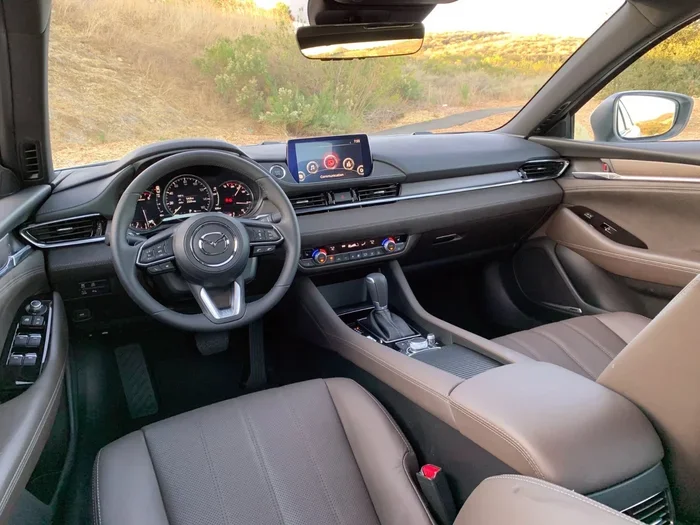
How to Reset the Mazda 6 Screen in Just a Few Minutes
A Mazda 6 screen reset can solve annoying glitches like freezes, black screens, and unresponsive touch controls. This guide shows you exactly how to perform both a simple soft reset and a full factory reset in just a few minutes. You’ll learn when each method works best and how to avoid common mistakes.
Ever stared at your Mazda 6 screen only to see it frozen on a black display or stuck on a loading icon? It’s incredibly frustrating when your infotainment system refuses to respond. Whether the Mazda 6 touchscreen is unresponsive, flickering, or just dead, a simple reset often brings it back to life. This guide walks you through every step to reset the Mazda 6 screen quickly and safely.
You don’t need a mechanic or expensive repairs. Most screen glitches come from minor software hiccups. A soft reset clears temporary errors, while a hard reset restores the system to factory settings. I’ll show you exactly when and how to use each method. By the end, you’ll know how to fix a frozen Mazda 6 screen in just a few minutes.
Let’s dive in and get your display working perfectly again. No jargon, no complicated tools—just clear, practical steps you can follow right now.
Key Takeaways
- Soft reset first: A quick power cycle fixes most minor freezes without deleting any data.
- Hard reset as a last resort: Factory reset erases everything and should only be used for deep software issues.
- Know the button combo: Holding the volume knob and power button together triggers a hard reset.
- Check for updates: Keeping your infotainment software current prevents many screen glitches.
- Dry the screen first: Moisture can cause unresponsive touch controls that mimic a real problem.
- Never interrupt a reset: Turning off the ignition mid-reset can corrupt the system software.
📑 Table of Contents
- Why Your Mazda 6 Screen Might Need a Reset
- How to Perform a Soft Reset on Your Mazda 6
- How to Do a Hard Reset (Factory Reset) on the Mazda 6 Screen
- Comparison: Soft Reset vs. Hard Reset
- Troubleshooting Common Mazda 6 Screen Problems
- Tips to Keep Your Mazda 6 Infotainment System Running Smoothly
- Common Mistakes to Avoid When Resetting the Mazda 6 Screen
- Conclusion
Why Your Mazda 6 Screen Might Need a Reset
Common Symptoms of Screen Issues
Before you reach for the reset buttons, it helps to recognize the signs. A Mazda 6 screen reset isn’t always necessary, but these symptoms tell you it’s time to try:
- Frozen screen: The display stops responding to taps or buttons. You can’t navigate or change the music.
- Black screen: The Mazda 6 screen goes completely dark even when the car is on and the system should be active.
- Touchscreen unresponsive: You tap icons or type an address, but nothing happens. The navigation system ignores your input.
- Flickering or glitching: The display flickers, shows strange lines, or reboots randomly while driving.
- Slow navigation: The Mazda 6 infotainment takes forever to load a map or crashes mid-route.
Soft Reset vs. Hard Reset
Before we start, it helps to understand the two types of Mazda 6 screen reset. A soft reset is like restarting your phone. It clears temporary memory and fixes minor bugs without deleting your settings. A hard reset (also called a factory reset) wipes all personal data and restores the system to its original state. You’ll only need a hard reset for serious problems that a soft reset can’t fix.
How to Perform a Soft Reset on Your Mazda 6
The Simple Button Method
Performing a soft reset on your Mazda 6 screen takes less than a minute. Follow these easy steps:
- Press and hold the power button on the infotainment system for about 10 seconds.
- Release the button when the screen goes dark.
- Wait 10-15 seconds for the system to fully reboot.
- The Mazda logo should appear, and the screen will return to the home screen.
If the screen doesn’t turn back on, try pressing the power button again. This method works for most screen freeze issues and is the first thing you should try. It’s safe, fast, and won’t delete anything.
What Happens During a Soft Reset
A soft reset simply powers down the multimedia center and starts it fresh. It does not delete your radio presets, Bluetooth connections, or navigation history. Think of it as a quick refresh for your Mazda 6 display. This is the safest and fastest way to clear a minor glitch. You can do it as often as needed without any risk.
Quick Tip
If the screen is frozen and you can’t access the power button, try turning the ignition off and back on. This forces a full system restart and often clears the freeze instantly.
How to Do a Hard Reset (Factory Reset) on the Mazda 6 Screen
Step-by-Step Hard Reset Guide
Use a hard reset only when a soft reset fails. This method erases all user data and returns the infotainment system to its original settings. Here’s exactly how to do it:
- Turn the ignition to the “ON” position (do not start the engine).
- Press and hold the volume knob and the power button simultaneously for about 15 seconds.
- Release both buttons when the screen goes blank.
- Wait for the system to restart. The Mazda logo will appear, followed by the setup wizard.
- Follow the on-screen prompts to reconfigure your language, time zone, and connections.
After the Mazda 6 screen reset is complete, you’ll need to reconnect your phone via Bluetooth and re-set your favorite radio stations. The entire process takes about 5 minutes once the system reboots.
When You Need a Factory Reset
A factory reset solves deep software problems. You might need it if:
- The screen remains black after multiple soft resets.
- The navigation system constantly crashes or shows error messages.
- The audio system produces distorted sound or no sound at all.
- The touchscreen is completely unresponsive to any input.
- A recent software update caused persistent glitches.
Common Mistakes
Don’t interrupt the hard reset by turning the key off while the system is rebooting. That can corrupt the software and make the problem worse. Also, make sure you hold both buttons together—pressing just the volume knob or just the power button won’t trigger the factory reset.
Comparison: Soft Reset vs. Hard Reset
Here’s a quick look at the differences between the two reset methods:
| Feature | Soft Reset | Hard Reset (Factory Reset) |
|---|---|---|
| Time Required | Under 1 minute | 5-10 minutes |
| Data Loss | None | All user data erased |
| Use Case | Minor freezes, lag, glitches | Persistent black screen, system crashes |
| Difficulty | Very easy | Moderate |
| Reconfiguration Needed | No | Yes (Bluetooth, radio, settings) |
For most Mazda 6 screen reset needs, the soft reset is enough. Reserve the hard reset for serious problems that won’t go away with a simple restart.
Troubleshooting Common Mazda 6 Screen Problems
Screen Freezing and Lagging
A frozen Mazda 6 touchscreen is often caused by too many open apps or a temporary memory overload. Try these quick fixes:
- Close all open apps by pressing the home button repeatedly.
- Perform a soft reset to clear the cache and free up memory.
- Avoid using the navigation and audio simultaneously if the system lags.
If freezing happens often, a factory reset may be necessary to clean up the system and restore smooth performance.
Touchscreen Not Responding
When the Mazda 6 screen doesn’t react to your touch, first check for moisture or dirt. A wet screen can cause false touches or no response at all. Dry the screen gently with a microfiber cloth. If the screen is clean but still dead, try a hard reset. This often fixes unresponsive touch controls caused by software errors. If the problem persists after a reset, the touchscreen digitizer might need professional inspection.
Black Screen or No Display
A black screen doesn’t always mean the system is broken. The display might just be dimmed or in sleep mode. Try these steps:
- Press the power button to wake the screen.
- Adjust the brightness using the steering wheel controls.
- If the screen stays dark, hold the power button for 10 seconds to force a shutdown, then restart.
- Still black? A Mazda 6 screen reset through the hard reset method usually brings the display back.
Expert Insights
According to certified Mazda technicians, most screen glitches are software-related and not hardware failures. “A simple reset solves 90% of customer complaints,” says a senior Mazda service advisor. “Before replacing any part, we always try a soft reset and then a factory reset. It saves time and money.”
Technicians also recommend keeping your Mazda 6 navigation system updated. Outdated maps can cause the system to hang, which mimics a screen problem. A reset clears these temporary hangs and restores smooth operation.
Tips to Keep Your Mazda 6 Infotainment System Running Smoothly
Keep Your Software Updated
Mazda releases updates that fix bugs and improve performance. Check for updates regularly:
- Go to Settings > System > Software Update.
- If an update is available, connect to Wi-Fi and let it install completely.
- Never interrupt a software update—wait for it to finish fully.
Updating your infotainment system prevents many common screen issues before they start. A current Mazda 6 display runs faster and crashes less often.
Proper Shutdown Habits
Always turn off the Mazda 6 screen properly. Don’t just remove the key while the system is updating. Let the display shut down completely. This avoids corrupt files that lead to freezes and black screens. A clean shutdown keeps your multimedia center healthy for years.
Quick Tips for a Healthy Display
Here are a few extra Quick Tips to keep your display in top shape:
- Clean the screen weekly with a dry microfiber cloth to prevent dust buildup that can affect touch sensitivity.
- Avoid extreme heat—don’t leave the car in direct sunlight for hours, which can damage the display over time.
- Restart the system weekly with a soft reset to clear temporary files and keep things running fast.
- Don’t overload the system with too many connected devices at once. Disconnect unused Bluetooth devices.
Common Mistakes to Avoid When Resetting the Mazda 6 Screen
Even simple resets can go wrong if you rush. Here are common mistakes to watch out for:
- Interrupting a hard reset: Never turn off the ignition while the system is rebooting. This can corrupt the software and make the problem worse.
- Pressing the wrong buttons: The hard reset requires holding the volume knob and power button together. Holding just one won’t work.
- Skipping the soft reset: Always try a soft reset first. A hard reset erases everything and should be a last resort.
- Ignoring moisture: If the screen is wet, dry it before attempting any reset. Water damage can cause permanent issues that no reset can fix.
Conclusion
Resetting your Mazda 6 screen is easier than you think. A soft reset fixes most minor issues in under a minute. A hard reset handles deeper problems but requires a few extra minutes to reconfigure. Now you know exactly how to reset the Mazda 6 screen and keep your infotainment system running like new.
Try these steps the next time your display acts up. You’ll save time, money, and the headache of a frozen or blank screen. Your Mazda 6 touchscreen will feel responsive and fast again in no time. Keep this guide handy for the next time you need a quick Mazda 6 screen reset.
Frequently Asked Questions
How long does a Mazda 6 screen reset take?
A soft reset takes less than a minute. A hard reset (factory reset) takes about 5 to 10 minutes. After the hard reset, you’ll spend a few extra minutes reconnecting Bluetooth and setting your preferences. Overall, you can have your Mazda 6 screen working again in just a few minutes.
Will resetting my Mazda 6 screen delete my saved data?
A soft reset deletes nothing. Your radio presets, Bluetooth pairings, and navigation history stay intact. A hard reset (factory reset) erases all user data and restores the system to its original factory settings. You’ll need to set up the infotainment system again after a hard reset.
What should I do if my Mazda 6 touchscreen is unresponsive?
First, dry the screen and try a soft reset. If that doesn’t work, perform a hard reset. If the touchscreen is still dead after both resets, the issue might be hardware-related. In that case, visit a Mazda dealer for a professional diagnosis. A Mazda 6 screen reset solves most software-related unresponsive issues.
Can I reset the Mazda 6 screen while driving?
No. Always perform a reset when the car is parked and the ignition is in the “ON” or “ACC” position. Doing it while driving distracts you and can be dangerous. Pull over safely before attempting any reset procedure.
How often should I reset my Mazda 6 screen?
You don’t need to reset regularly. Only reset when you notice problems like freezing, black screens, or lag. However, doing a soft reset once a month can help clear temporary files and keep the Mazda 6 infotainment system running smoothly.
Is a factory reset the same as a hard reset on the Mazda 6?
Yes. A factory reset and a hard reset are the same thing on the Mazda 6. Both erase all user data and restore the system to its original settings. Use this method only when a soft reset fails to fix the problem.