How to Reset a Kia After the Battery Is Disconnected
Resetting a Kia after a battery disconnect is essential to restore all electronic systems. When you remove the battery, your Kia loses saved settings, learned driving patterns, and adaptive calibrations. This guide walks you through every reset step, from the ECU to the infotainment screen, so your Kia runs smoothly again.
You just finished replacing the battery on your Kia. Everything looks clean. You reconnect the terminals. But then… nothing. The radio shows a security lock. The power windows do not auto-up anymore. The check engine light stays on. This is a very common experience for Kia owners.
When you disconnect the battery, your Kia loses all of its stored adaptive data. The car’s computer forgets learned driving patterns, idle settings, and personalized preferences. The good news? A full reset is straightforward. You do not need expensive tools or a trip to the dealer. In this guide, we walk you through every step to reset a Kia after the battery is disconnected.
Whether you drive a Kia Optima, Sorento, Sportage, or Soul, the reset process follows a similar pattern. We will cover the ECU, the infotainment system, power windows, and more. By the end, your Kia will feel like it did before the battery came out.
Key Takeaways
- ECU Reset Is Crucial: Disconnecting the battery erases adaptive fuel and idle data that the ECU has stored over time.
- Multiple Systems Need Attention: The radio, power windows, mirrors, and dashboard lights all require individual reset steps.
- Process Is Simple: You do not need a mechanic. A few minutes and basic steps can restore most functions.
- Common Mistakes Happen: Rushing the process or skipping the idle relearn can cause ongoing issues.
- Professional Help Exists: Some persistent problems may need a Kia dealer or certified technician.
- Prevention Helps: Using a battery tender during storage can reduce the need for full resets.
📑 Table of Contents
- Why You Need to Reset a Kia After Battery Disconnect
- How to Reset the Kia ECU After Battery Disconnect
- Reset the Kia Infotainment and Radio System
- Reset Other Kia Systems After Battery Disconnect
- Common Mistakes to Avoid When Resetting a Kia
- When to Seek Professional Help for Kia Battery Reset
- Comparison: Reset Methods for Kia After Battery Disconnect
- Key Takeaways
- Conclusion
Why You Need to Reset a Kia After Battery Disconnect
Many car owners think reconnecting the battery is all it takes. That is not true for modern Kias. These vehicles rely heavily on electronic control units that store adaptive memory. When the power drops, that memory goes away.
What Happens When You Disconnect the Battery
Your Kia has dozens of electronic systems. Each one learns from your driving habits over time. The engine control unit adjusts fuel delivery based on how you drive. The transmission learns your shifting patterns. The power windows memorize auto-up and auto-down positions. The radio stores station presets and Bluetooth pairings.
When the battery disconnects, all of that information resets to factory defaults. Some systems recover on their own after a few driving cycles. Others need a manual reset. Ignoring this can lead to poor fuel economy, warning lights, and frustrating glitches.
Why Electronic Systems Need a Recalibration
Think of your Kia like a computer. When you unplug a desktop computer and plug it back in, it boots up fresh. It does not remember your open windows or saved files until you restore them. Your car works the same way.
The car computer reset after battery disconnect allows the systems to relearn your driving style from scratch. This process is called adaptive relearning. It takes anywhere from 50 to 200 miles of driving for full recalibration. But you can speed things up by performing a manual reset right away.
How to Reset the Kia ECU After Battery Disconnect
The engine control unit is the brain of your Kia. It manages fuel injection, ignition timing, and emissions. After a battery disconnect, the ECU loses its fuel trim values and idle speed adaptations. Resetting it properly ensures smooth engine performance.
Step-by-Step ECU Reset Process
Follow these steps carefully to reset the ECU on your Kia:
- Turn off the ignition. Make sure the engine is completely off. Remove the key or push the start button to the off position.
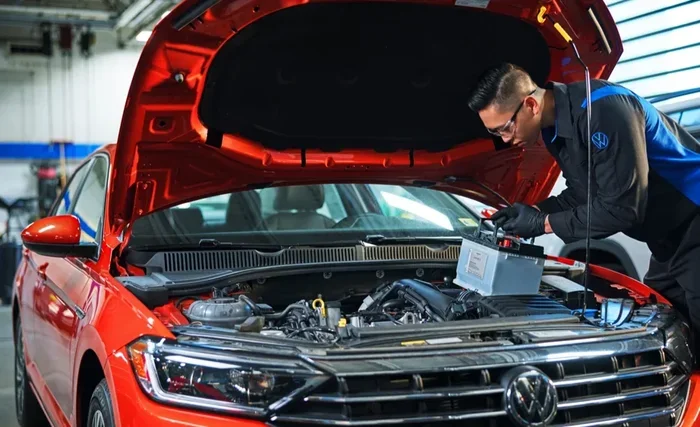
- Open the hood. Locate the battery terminals. You should see the positive and negative cables.
- Wait at least 15 minutes. This allows the capacitors to fully drain. The ECU needs time to clear its short-term memory.
- Reconnect the negative terminal first. Tighten the bolt securely. Then reconnect the positive terminal.
- Turn the ignition to the on position. Do not start the engine yet. Wait for all the dashboard lights to cycle through.
- Start the engine. Let it idle for 10 minutes without touching the gas pedal.
- Take a short drive. Drive at moderate speeds for 15 to 20 minutes. This begins the adaptive relearn process.
After these steps, the ECU should be fully reset. You may notice the idle is slightly rough for the first few minutes. That is normal. The system is relearning your engine’s baseline.
Reset the Kia Infotainment and Radio System
One of the most annoying things after a battery disconnect is a locked radio. Many Kia models have a security code for the audio system. When the battery loses power, the radio goes into safe mode to prevent theft.
Why the Radio Goes into Safe Mode
The radio security feature was designed to deter thieves. If someone tries to steal your stereo, disconnecting the battery would not help them. The radio locks itself and requires a code to unlock.
Your Kia’s radio code should be in the owner’s manual. Some owners write it on a sticker inside the glove box. If you do not have the code, you can retrieve it from the Kia website or by calling a Kia dealer with your VIN number.
How to Restore Your Radio and Screen
Follow these simple steps to bring your infotainment system back to life:
- Turn on the ignition. Press the power button on the radio unit.
- Enter the security code. Use the preset buttons or the touchscreen to input the code.
- Wait for the system to reboot. The screen may go black for a few seconds. This is normal.
- Reconnect Bluetooth devices. Your phone pairings will be erased. You will need to pair them again.
- Reset the clock and settings. Go to the settings menu and adjust the time, date, and display preferences.
For newer Kia models with the touchscreen infotainment system, a soft reset often works. Press and hold the power button on the screen for 10 to 15 seconds. The system will restart and reload all default settings.
Reset Other Kia Systems After Battery Disconnect
The ECU and radio are not the only systems affected. Several other electronic features need attention after a battery disconnect. Here is how to handle each one.
Power Windows and Mirrors
Your Kia’s power windows and mirrors have auto-function memory. After a battery disconnect, the auto-up and auto-down features stop working. You must reinitialize them.
To reset the power windows:
- Turn the ignition to the on position.
- Press and hold the window switch all the way down.
- Release the switch, then press and hold it again for 3 seconds.
- Repeat this for each window, including the sunroof if equipped.
- Do the same process for the power mirrors.
This reinitializes the auto-stop sensors. The windows should return to full auto operation after this.
Dashboard Warning Lights
After a battery disconnect, several warning lights may stay illuminated. These include the check engine light, tire pressure light, and oil change indicator. Most of these will clear after a few driving cycles.
However, if a light stays on after 50 miles of driving, you should address it. Use an OBD2 scanner to read the error codes. Many auto parts stores offer free code reading. Some codes clear on their own once the Kia sensor recalibration is complete.
Idle Relearn Procedure
The idle relearn process teaches the ECU the correct idle speed for your specific engine. Without it, you may experience rough idling or stalling at stoplights.
To perform the idle relearn:
- Start the engine and let it warm up for 5 minutes.
- Put the transmission in Drive.
- Apply the brake and wait 30 seconds.
- Release the brake and let the engine idle for another 5 minutes.
- Turn off the engine and restart it.
This simple procedure helps the ECU recalibrate the idle air control valve. It works for most Kia models including the Optima, Sportage, and Sorento.
Common Mistakes to Avoid When Resetting a Kia
Even with a good guide, mistakes happen. Here are the most common errors Kia owners make when resetting after a battery disconnect.
Rushing the Process
Patience is key. Many owners reconnect the battery and immediately start driving. This does not give the systems enough time to initialize. Always wait at least 15 minutes before reconnecting and let the engine idle properly after starting.
Skipping the Idle Relearn
Some people reset the ECU but skip the idle relearn step. This leads to rough idling and poor throttle response for weeks. The idle relearn only takes a few minutes and saves you from ongoing drivability issues.
Forgetting to Reset the Clock and Settings
Your Kia’s clock, radio presets, Bluetooth pairings, and seat positions all reset after a battery disconnect. Forgetting to update these can be annoying. Make a quick checklist and work through it after the reset.
Using the Wrong Battery
If your new battery does not match the original specifications, the reset process may not work properly. Always use a battery that meets your Kia’s group size and cold cranking amp requirements. A mismatched battery can cause repeated electronic issues.
When to Seek Professional Help for Kia Battery Reset
Most resets can be done at home. But some situations require professional assistance. Knowing when to call for help saves time and prevents further damage.
Persistent Warning Lights After Reset
If warning lights stay on after a full reset and 100 miles of driving, something deeper may be wrong. The check engine light could indicate a sensor failure that the battery disconnect did not fix. A Kia service reset procedure using professional diagnostic tools may be needed.
Systems That Will Not Recalibrate
Rarely, a system may refuse to recalibrate after a battery disconnect. This can happen if the battery was dead for an extended period. In these cases, a Kia dealer can perform a full system reboot using their proprietary software. They can also check for any underlying electrical issues that caused the battery problem in the first place.
Battery Tender and Maintenance Tips
If you store your Kia for long periods, consider using a Kia battery tender or trickle charger. This keeps the battery charged and prevents the need for a full reset when you return. A battery tender also extends the life of your battery and keeps all electronic memory intact.
Other maintenance tips include checking the battery terminals for corrosion before reconnecting and applying dielectric grease to prevent future corrosion. These small steps go a long way in keeping your Kia’s electrical system healthy.
Comparison: Reset Methods for Kia After Battery Disconnect
There are several ways to reset your Kia after a battery disconnect. Here is a comparison of the most common methods.
| Method | Best For | Difficulty | Time Required |
|---|---|---|---|
| Manual ECU Reset | Engine performance issues | Easy | 15-20 minutes |
| Infotainment Soft Reset | Radio and screen lockout | Very Easy | 2-5 minutes |
| Power Window Reinitialization | Window auto-function loss | Easy | 5-10 minutes |
| Idle Relearn Procedure | Rough idling after reset | Easy | 10-15 minutes |
| OBD2 Scanner Reset | Persistent warning lights | Moderate | 10-20 minutes |
| Dealer Diagnostic Reset | Complex system failures | Easy (dealer does it) | 30-60 minutes |
The manual methods work great for most situations. An OBD2 scanner adds more precision for stubborn warning lights. And the dealer route is your safety net for anything beyond a DIY fix.
Key Takeaways
- Reset the ECU First: This is the most important step after a battery disconnect. It restores engine performance and fuel efficiency.
- Do Not Skip the Radio Code: Having your security code ready before you disconnect the battery saves a lot of hassle.
- Reinitialize Power Windows and Mirrors: This quick step restores auto-function convenience.
- Perform the Idle Relearn: It prevents rough idling and stalling issues down the road.
- Be Patient: Some systems need 50 to 200 miles of driving to fully recalibrate.
- Know When to Call a Pro: Persistent issues are better handled by a Kia dealer or certified technician.
- Prevent Future Issues: Use a battery tender during storage to avoid unnecessary resets.
Conclusion
Resetting a Kia after the battery is disconnected does not have to be stressful. With the right steps, you can restore every system in under an hour. Start with the ECU reset, then move to the infotainment system, power windows, and idle relearn. Each step is simple and does not require special tools.
Remember, the Kia battery reset process is all about giving your car’s computers a fresh start. The adaptive systems need time to relearn, so be patient with the first few driving cycles. If something does not work right away, do not panic. Most issues resolve on their own within 50 to 100 miles.
Keep your radio code handy, maintain your battery terminals, and consider a battery tender for long-term storage. These small habits make a big difference in keeping your Kia running smoothly. You now have the knowledge to handle a battery disconnect reset with confidence. Your Kia will thank you for it.
Frequently Asked Questions
How long does it take to reset a Kia after the battery is disconnected?
The manual reset process takes about 30 to 60 minutes. However, full adaptive recalibration can take 50 to 200 miles of driving. Most systems feel normal again after a few days of regular driving.
Do I need any special tools to reset a Kia after a battery disconnect?
No special tools are needed for most resets. A basic OBD2 scanner can help with persistent warning lights. Otherwise, you just need your hands, a few minutes, and your owner’s manual for the radio security code.
Will disconnecting the battery erase my Kia’s saved settings?
Yes. Disconnecting the battery erases radio presets, Bluetooth pairings, clock settings, power window auto-positions, and the infotainment system preferences. You will need to reconfigure these after the reset.
Why does my check engine light stay on after resetting the Kia battery?
The check engine light may stay on if there is an underlying issue that the battery disconnect did not fix. Use an OBD2 scanner to read the codes. Some codes clear after a few driving cycles once the ECU fully recalibrates.
Can I use a battery tender to prevent the need for a full reset?
Yes. A battery tender keeps your Kia’s battery charged during storage. This preserves all electronic memory and prevents the need for a full reset when you return to driving. It also extends battery life.
Is it safe to drive my Kia immediately after reconnecting the battery?
It is safe to start the engine, but let it idle for at least 10 minutes before driving. This gives the ECU time to initialize. Avoid aggressive driving for the first 20 minutes after a battery reconnect to allow systems to recalibrate properly.