How Do You Tune a Car Radio to a Specific Station Fast
Tuning a car radio to a specific station is simple once you know the basics. Whether you drive a modern vehicle with digital tuning or an older car with a manual dial, this guide walks you through every method. You will learn how to use the seek function, set presets, reduce static, and troubleshoot common reception problems. By the end, you will be able to find your favorite car radio station in seconds.
Have you ever been driving down the road and wanted to catch your favorite song, but the radio wouldn’t cooperate? Maybe the car radio kept scanning past the station you wanted. Or perhaps you heard nothing but annoying static no matter what you tried. Tuning a car radio to a specific station might seem like a small thing, but it makes a huge difference in your daily drive.
The good news is that it is much easier than most people think. Whether your vehicle has a fancy digital display or a simple old-school dial, the process is straightforward. In this guide, we will walk you through every method, tip, and trick you need to tune a car radio to a specific station fast and hassle-free. You will also learn how to fix common problems that get in the way of clear sound.
We cover everything from basic FM and AM tuning to advanced preset setup and signal troubleshooting. By the time you finish reading, you will feel confident behind the wheel with your car stereo system dialed in perfectly. Let us get started.
Key Takeaways
- Know Your Radio Type: Understand whether your car uses FM, AM, or digital tuning for the best results.
- Use the Seek Function: The seek or scan button helps you quickly find the next available station.
- Set Presets for Speed: Saving stations as presets lets you jump to your favorites instantly.
- Reduce Static and Interference: Antenna position and location affect your signal quality greatly.
- Manual Tuning Gives Precision: Fine-tuning the dial helps you lock onto weak or overlapping signals.
- Troubleshoot Common Issues: Know when static, distortion, or no signal means a simple fix.
- HD Radio and Apps Add Options: Modern cars offer digital and streaming alternatives to traditional tuning.
📑 Table of Contents
Understanding How Car Radios Work
Before you learn how to tune a car radio to a specific station, it helps to understand the basics. A car radio receives radio waves broadcast from nearby towers. These waves carry audio signals that your radio decodes into music, talk shows, news, and more. The two most common types are FM and AM, and each works a little differently.
What Is FM Radio?
FM stands for Frequency Modulation. FM radio stations broadcast on higher frequencies, typically between 88 and 108 megahertz. FM is known for its clear sound quality and stereo effect. Most people listen to FM for music because it delivers rich, detailed audio. When you tune to an FM station, you are locking onto a specific frequency on the radio frequency band.
FM signals work best in local areas. They do not travel as far as AM signals, but they are less prone to electrical interference. This is why FM stations sound so clean inside your car, even at high speeds.
What Is AM Radio?
AM stands for Amplitude Modulation. AM stations broadcast on lower frequencies, usually between 530 and 1700 kilohertz. AM radio is great for talk shows, sports commentary, and news updates. The signal can travel long distances, especially at night. However, AM is more susceptible to interference from power lines, electronics, and weather.
If you have ever heard a buzzing or humming sound on AM radio, that is interference. Understanding this difference helps you troubleshoot when your radio reception is not perfect.
Digital and HD Radio
Many newer cars come with HD Radio or digital tuning. HD Radio sends a clean, digital signal alongside the regular analog broadcast. This means you get crystal-clear sound with no static. Some vehicles also support Bluetooth audio streaming or internet radio apps. These options let you listen to stations from anywhere in the world, not just your local area.
Knowing what type of radio your car has is the first step to mastering how to tune a car radio to a specific station. Check your owner’s manual or look at the radio faceplate for clues.
How to Tune a Car Radio to a Specific Station Step by Step
Now that you understand the basics, let us get into the actual process. Tuning a car radio to a specific station depends on your vehicle’s age and features. Below, we break down every method so you can find what works for you.
Method 1: Using the Tuning Dial
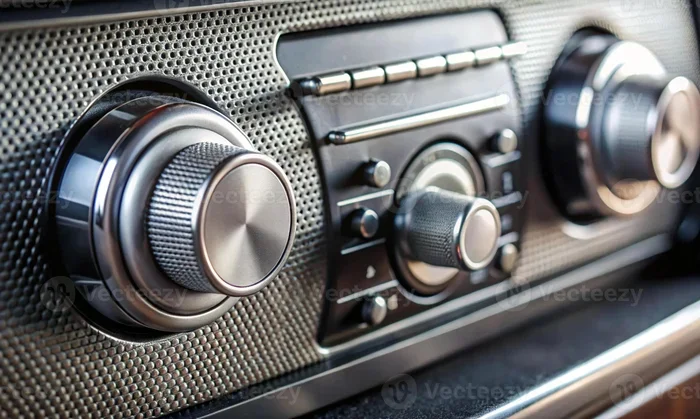
Older cars and many budget vehicles still use a physical tuning dial. This is the knob or slider on your car audio system that you turn left or right to change stations. Here is how to use it:
- Turn the ignition on and power up the radio.
- Press the FM or AM button to select your frequency band.
- Rotate the tuning dial slowly in the direction of the station you want.
- Listen for the station name or music to come through clearly.
- Stop turning when the sound is clean and the station is locked in.
The trick with a manual dial is patience. Turn it slowly, especially if the station is weak. You want to find the sweet spot where the signal is strongest. If you turn too fast, you will overshoot and have to start over.
Method 2: Using the Seek or Scan Button
Most modern cars have a seek or scan function on the radio. This is a button, usually marked with a double-arrow symbol or the word SEEK. Here is how it works:
- Press the seek button once to scan forward to the next strong station.
- Press it again to skip to the next one.
- Press and hold the button to let the radio scan through all available stations automatically.
- Release the button when the station you want comes up.
The seek function is a fast way to find radio stations nearby without fiddling with a dial. It is especially useful when you are driving and need to switch stations quickly. However, it does not always land on the exact frequency you want. That is where presets come in handy.
Method 3: Using Preset Buttons
Preset buttons let you save your favorite stations so you can access them instantly. Most car radios have six to twelve preset slots, numbered 1 through 6 or higher. Here is how to set them up:
- Tune to the station you want using any method above.
- Press and hold the preset button you want to use (for example, preset 1).
- Wait for a beep or a flash on the display to confirm it is saved.
- Repeat for other stations you listen to often.
Once your presets are set, you can jump to any station with a single button press. This is the fastest way to tune a car radio to a specific station while driving. You do not need to scan or dial anything. Just press the number and go.
Method 4: Using the Display and Arrow Keys
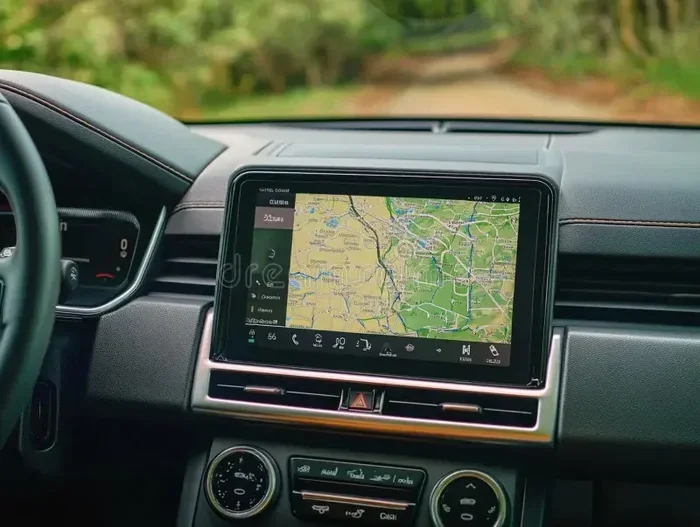
Many newer vehicles have a screen-based radio interface. Instead of a physical dial, you use arrow buttons or a touchscreen to navigate frequencies. Here is the process:
- Select FM or AM on the display.
- Use the up or down arrows to move through the frequency list.
- Some systems let you type in a specific frequency number directly.
- Press the tune or enter button to lock onto the station.
Screen-based tuning is precise and easy to read. You can see the exact frequency number, which makes it simple to find a station you heard earlier. If your car has this feature, take advantage of it for the best tuning experience.
How to Improve Your Radio Reception
Sometimes the biggest challenge is not tuning — it is getting a clear signal. Poor reception causes static, fading, and frustration. Here are some practical tips to improve your radio reception and keep your sound crisp.
Check Your Antenna
The antenna is the part of your car that catches radio waves. If your antenna is damaged, corroded, or not fully extended, your signal will suffer. Most car antennas are a retractable mast on the roof or fender. Check that it is standing up straight and not bent or broken.
Some vehicles have hidden or shark-fin antennas built into the body. These rarely need adjustment, but they can still develop issues. If you notice poor reception on all stations, the antenna might be the culprit.
Drive to a Better Location
Radio signals weaken in certain areas. Tunnels, parking garages, and rural highways can block or reduce your signal. If you are in a weak zone, try moving to a different spot. Even driving a few blocks can make a difference.
Mountains and tall buildings can also cause signal interference. This is called multipath distortion, where signals bounce off surfaces and arrive at your antenna out of sync. It is not something you can fix easily, but knowing the cause helps you understand the problem.
Reduce Electrical Interference
Other electronics in your car can interfere with your FM radio station or AM signal. Phone chargers, dash cams, LED lights, and aftermarket accessories sometimes create electrical noise. If you notice static that gets worse when you turn on a specific device, that device might be causing the problem.
To fix this, try unplugging devices one by one and see if the static clears. You can also have a mechanic check your electrical grounding. A simple fix often solves what seems like a mysterious radio problem.
Use an FM Transmitter for Better Coverage
If your car radio has terrible reception and you cannot fix it, an FM transmitter can help. This small device plugs into your cigarette lighter or USB port and broadcasts audio to a blank FM frequency. You tune your radio to that frequency, and the transmitter sends your audio through the speakers.
FM transmitters are not perfect, but they are a reliable backup. They work well for people who mostly listen to phone-based audio and want it through their car speakers without Bluetooth issues.
Common Mistakes When Tuning a Car Radio
Even experienced drivers make mistakes when trying to tune a car radio to a specific station. Here are the most common ones and how to avoid them.
Turning the Dial Too Fast
This is the number one mistake with manual tuning. When you spin the dial too quickly, you skip right past the station you want. Always turn the dial slowly and listen carefully for the audio to come in. A gentle, steady turn gives you the best chance of locking onto the right frequency.
Forgetting to Switch Between FM and AM
It sounds obvious, but many people forget to select the correct band. If you are trying to find a music station, make sure you are on FM. If you want talk radio or sports, switch to AM. Trying to find a station on the wrong band will only lead to static and frustration.
Not Saving Stations to Presets
If you do not save your favorite stations, you waste time scanning every time you start the car. Take five minutes after buying a vehicle or getting a new radio to set up your presets. This small effort saves you a lot of hassle in the long run.
Ignoring Static That Won’t Go Away
Occasional static is normal, especially in rural areas or during bad weather. But if you hear static on every station, something is wrong. Do not ignore persistent static. Check your antenna, look for electrical interference, and consider a radio check by a professional. Sometimes a simple fix brings your car stereo system back to life.
Not Updating Your Radio System
Older radios may not support modern broadcasting standards. If your car is more than 15 years old, the radio might not pick up HD Radio or digital signals well. Consider upgrading your head unit if you want better reception and more features. A new car audio system can transform your listening experience.
Quick Tips for Tuning a Car Radio Like a Pro
Want to sound like a radio-tuning expert? Here are some quick tips that make a big difference:
- Tune during off-peak hours. Radio signals are often clearer at night, especially for AM stations.
- Keep your presets organized. Group music stations on one set of buttons and talk radio on another.
- Use the RDS feature if available. RDS (Radio Data System) displays station names and song info on your screen.
- Clean your antenna connection. A loose or dirty antenna plug can cause weak signals and static.
- Try different positions. Sometimes just moving your seat slightly changes your reception because of the antenna location.
- Keep a list of local frequencies. Write down your favorite station frequencies and keep them in your glove box for quick reference.
These small habits add up over time. They help you get the most out of your car radio tuning experience without any headaches.
When to Seek Professional Help
Most radio tuning issues are simple and easy to fix at home. But sometimes the problem is deeper. If you have tried everything and your radio still sounds terrible, it might be time to see a professional. Here are signs that you need expert help:
- No sound at all from the speakers, even when the radio is on.
- Distorted or crackling audio on every station.
- The radio display is blank or unresponsive.
- You notice a burning smell or buzzing coming from the radio unit.
- Your radio frequency display shows no stations even though you know they are in the area.
A qualified car audio technician can diagnose wiring problems, faulty antennas, and internal radio failures. They have the tools and expertise to get your system working again. Do not hesitate to seek help if the problem goes beyond simple tuning.
Final Thoughts on Tuning Your Car Radio
Learning how to tune a car radio to a specific station is one of those small skills that makes your driving life so much better. It takes just a few minutes to understand the basics, and once you do, you will never struggle with your radio again. Whether you use a manual dial, seek buttons, presets, or a touchscreen, the key is to find the method that works best for your vehicle.
Remember to keep your antenna in good shape, reduce electrical interference, and save your favorite stations as presets. These simple habits ensure you always have clear, enjoyable sound on every drive. If you run into problems, the troubleshooting tips in this guide should help you get back on track quickly.
The next time you get in your car, take a moment to tune in your favorite FM radio station or AM radio frequency with confidence. You now have the knowledge and skills to do it fast, easily, and without frustration. Happy listening.
Frequently Asked Questions
How do I tune my car radio to a specific FM station?
Press the FM button on your radio, then use the tuning dial, seek button, or arrow keys to find the frequency you want. If your radio has presets, save the station to a button for quick access next time.
Why does my car radio have so much static?
Static is usually caused by a weak signal, a damaged antenna, or electrical interference from other devices in your car. Try moving to a different location, checking your antenna, or unplugging nearby electronics to see if the static clears.
Can I tune a car radio manually without using the seek function?
Yes, you can. On most radios, you simply turn the tuning dial slowly left or right until you find the station you want. Manual tuning gives you more control, especially when trying to lock onto a weak or overlapping signal.
What is the difference between FM and AM radio tuning?
FM radio uses higher frequencies and offers better sound quality for music. AM radio uses lower frequencies and is better for talk shows and sports. You switch between them using the FM or AM button on your radio.
How do I save a radio station to a preset?
Tune to the station you want, then press and hold the preset button you want to use until you hear a beep or see a confirmation on the display. The station is now saved and ready for quick access.
Why can’t I find any radio stations in my area?
This could be due to a faulty antenna, a problem with the radio itself, or you might be in a dead zone with poor coverage. Check your antenna connection first, and if the problem persists, have a professional inspect your car audio system.
=== CONCLUSION ===
Tuning a car radio to a specific station is a simple skill that every driver should master. Whether you prefer FM music, AM talk shows, or digital HD Radio, the methods in this guide give you everything you need. Use the seek function for speed, set up presets for convenience, and follow our tips to reduce static and improve reception. With a little practice, you will be switching between stations effortlessly. Your car radio tuning experience does not have to be complicated. Apply what you learned here, enjoy clear sound on every drive, and make your time behind the wheel more enjoyable than ever.