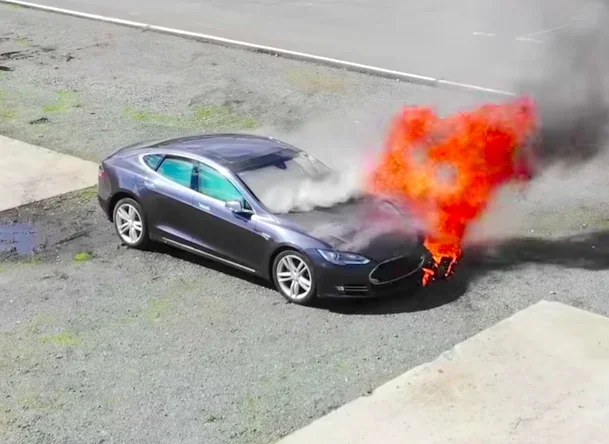
Can a Tesla Overheat What You Need to Know Right Now
Can a Tesla Overheat? Yes, but it is rare thanks to advanced thermal management. Tesla vehicles use a sophisticated cooling system designed to keep the battery and powertrain safe. However, extreme heat, heavy loads, and fast charging can push temperatures too high. Understanding the signs and prevention steps keeps your Tesla running smoothly. This guide covers everything you need to know about Tesla overheating right now.
Can a Tesla Overheat? It is a question many new and current Tesla owners ask, especially during summer months or long road trips. The short answer is yes, a Tesla can overheat, but it is far less common than you might think. Tesla engineers built these vehicles with advanced cooling technology that handles most everyday conditions. Still, understanding how the system works and what can go wrong helps you stay safe and protect your investment.
Electric vehicles like Teslas run on powerful batteries and electric motors. Both generate heat during operation. Unlike gas cars that use air cooling or simple radiator systems, Tesla uses a liquid-based thermal management system. This system circulates coolant through the battery pack and powertrain to maintain ideal temperatures. When everything works as designed, your Tesla stays cool even in tough conditions.
So why does overheating still happen? Several factors play a role. Extreme ambient temperatures, fast charging at high speeds, towing heavy loads, and driving aggressively all generate extra heat. If the cooling system cannot keep up, components may overheat. This can lead to reduced performance, warning alerts, or in rare cases, temporary vehicle shutdowns. Knowing the signs and taking preventive steps makes a huge difference.
The Tesla cooling system is one of the most advanced in the electric vehicle market. It uses a combination of liquid coolant, heat pumps, and smart software to manage temperatures across multiple components. The battery thermal management system is the heart of this setup. It keeps the lithium-ion battery pack within a narrow temperature range, typically between 20°C and 45°C (68°F to 113°F).
The system works in several ways. A glycol-based coolant flows through channels embedded in the battery modules. This absorbs heat and carries it away from the cells. A heat pump then redistributes that heat or expels it outside the vehicle. In cold weather, the system can even recycle warmth to heat the cabin, which improves efficiency. This dual-purpose design is a major reason Tesla vehicles perform so well in both hot and cold climates.
The powertrain cooling is separate but connected. The electric motor and inverter also generate heat during driving. A dedicated cooling loop keeps these components at safe operating temperatures. Tesla integrates all of these loops into one unified system managed by software. This smart approach allows the vehicle to adjust cooling based on real-time conditions.
Several situations can cause a Tesla to overheat. Understanding these triggers helps you avoid problems before they start. Here are the most common causes of Tesla overheating.
Driving in extreme heat is the number one trigger. When outside temperatures exceed 35°C (95°F), the cooling system works harder. Desert climates, parked cars in direct sunlight, and long highway drives in summer all add thermal stress. The battery and powertrain absorb heat from the environment and from driving. Without enough airflow or coolant flow, temperatures can climb beyond safe limits.
Fast charging at Superchargers generates significant heat. When you charge at high speeds, large amounts of current flow through the battery. This creates resistance, which produces heat. Tesla’s system manages this, but repeated fast charging sessions in hot weather can push the thermal limits. The battery management system may slow down charging speeds to protect the cells. This is a safety feature, not a malfunction.
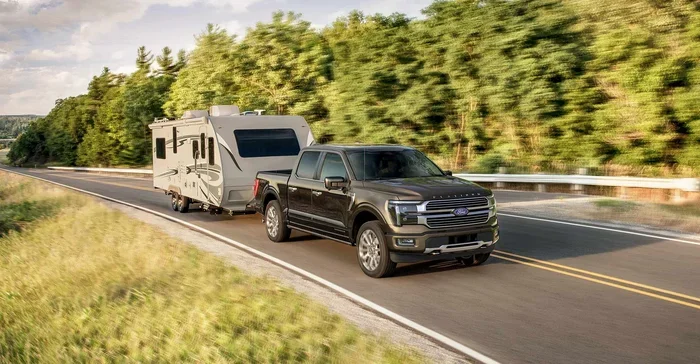
Towing a trailer or carrying heavy loads puts extra strain on the powertrain. The electric motor works harder, which means more heat. Tesla vehicles have towing modes that adjust cooling and power delivery. But even with these adjustments, sustained towing in hot conditions can lead to thermal throttling. This reduces power output to protect the motor and battery.
Aggressive driving also generates excess heat. Rapid acceleration, high speeds, and frequent hard braking all increase energy demand. The battery discharges quickly, and the motor works at peak output. Both produce more heat than normal driving. If you combine aggressive driving with hot weather, the risk of overheating rises significantly.
Software glitches or outdated firmware can sometimes cause cooling issues. Tesla regularly pushes over-the-air updates that improve thermal management algorithms. These updates can adjust coolant flow rates, fan speeds, and charging curves. If your vehicle is running old software, it may not optimize cooling as well as it could. Keeping your Tesla updated is an easy way to reduce overheating risk.
Knowing the warning signs of an overheating Tesla helps you act quickly. Here are the most common symptoms to watch for.
One of the first signs is a noticeable drop in driving range. When the battery overheats, the battery management system limits power output to protect the cells. This means your Tesla may not go as far on a full charge. You might also notice the vehicle feels sluggish or lacks its usual acceleration. These changes often appear before any dashboard warning lights.
Tesla vehicles display warning messages on the touchscreen when temperatures rise too high. You might see alerts like “Battery Temperature High” or “Reduce Power.” Some models show a red or yellow indicator light on the dashboard. These warnings mean the thermal management system is working hard to cool down. Pull over safely and let the vehicle rest if you see these alerts.
In severe cases, the Tesla may enter a protective shutdown mode. The vehicle reduces power or stops entirely to prevent damage. This is rare but can happen during extreme conditions. If your Tesla shuts down unexpectedly, do not attempt to drive it further. Contact Tesla roadside assistance or visit a Service Center.
Another sign is unusual noises from the cooling system. The Tesla cooling fans may run louder or longer than normal when the system is working hard. You might hear a humming or whirring sound coming from under the vehicle. This is the coolant pump or fans spinning at high speed to dissipate heat. Some noise during heavy use is normal, but constant loud noise is worth investigating.
Preventing your Tesla from overheating is easier than you think. A few simple habits go a long way in keeping your vehicle cool and performing its best.
Pre-conditioning is one of the most effective tools. Tesla lets you set a departure time in the app. The vehicle cools the battery and cabin before you start driving. This is especially useful on hot days or before fast charging sessions. By the time you hit the road or the charger, temperatures are already in the ideal range. Use pre-conditioning whenever possible, especially in summer.
Smart charging habits also help. Avoid charging to 100% every day unless you need the full range. Charging to 80-90% reduces stress on the battery and generates less heat. If you use Superchargers frequently, try to avoid charging in direct sunlight when possible. Park in shaded areas or garages before and after fast charging sessions. These small changes add up over time.
Driving habits matter too. Smooth acceleration and steady speeds reduce heat buildup. Avoid sustained high-speed driving in extreme heat when possible. If you are towing, take breaks every hour or so to let the system cool down. Tesla recommends following the towing guidelines in the owner’s manual for safe operating limits.
Keeping your Tesla’s software up to date is another easy step. Tesla releases thermal management improvements through over-the-air updates. These updates refine how the cooling system responds to different conditions. Check for updates regularly in your vehicle settings. An up-to-date Tesla runs cooler and more efficiently.
Tesla offers different models, and each one handles heat a bit differently. Here is a quick look at how overheating concerns vary across the lineup.
The Tesla Model 3 is one of the most popular electric vehicles in the world. It uses a compact battery pack and an efficient thermal management system. Because of its smaller size, the Model 3 heats up faster than larger Teslas during fast charging. However, it also cools down quickly. Most Model 3 owners rarely experience overheating issues in normal driving. The Model 3 is well-suited for daily commuting and moderate highway driving.
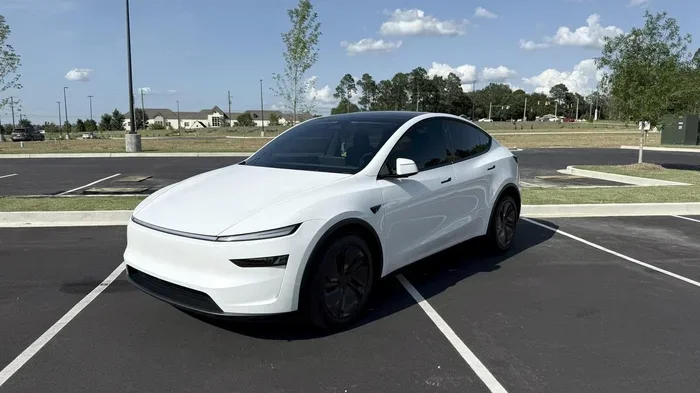
The Tesla Model Y shares many components with the Model 3 but has a larger battery pack. The extra mass means more heat generation during heavy use. Model Y owners who tow or carry full passenger loads should be more mindful of cooling. The Model Y also features a heat pump, which improves efficiency in both hot and cold weather. Overall, the Model Y handles heat well but benefits from the same preventive measures as other models.
The Tesla Model S is a larger, more powerful vehicle. It has a bigger battery and more powerful motors, which means more heat output. The Model S Plaid, in particular, generates significant heat during track driving or hard acceleration. Tesla addressed this with an upgraded cooling system in newer Model S versions. Owners of older Model S vehicles should pay extra attention to cooling system health and software updates.
The Tesla Model X shares a similar platform with the Model S. Its larger size and heavier weight mean it produces more heat during driving. The falcon-wing doors and additional electronics also add to the thermal load. Model X owners should follow the same overheating prevention tips. Regular service checks on the cooling system are especially important for this model.
Even with the best cooling systems, issues can happen. Here are common mistakes Tesla owners make that increase overheating risk.
Many owners leave their Tesla charging in direct sunlight during summer. This heats the battery before and during charging, making thermal management harder. Always try to park in shade or a garage when charging. This simple habit reduces battery temperature significantly.
Some owners ignore warning messages on the touchscreen. They dismiss alerts and keep driving. This is risky. Warning messages exist for a reason. They tell you the system is struggling to maintain safe temperatures. Pull over, let the car rest, and check for updates or service needs.
Another mistake is skipping software updates. Tesla owners sometimes delay or ignore over-the-air updates. These updates often include thermal management improvements. Running outdated software means your cooling system may not perform at its best. Install updates promptly to keep your Tesla running cool.
Charging to 100% every single day also adds unnecessary stress. The battery works harder to hold a full charge, especially in hot weather. For daily driving, 80-90% is usually plenty. Reserve 100% charging for long trips where you need the extra range.
Finally, some owners push their Teslas too hard in extreme heat. Sustained high-speed driving or aggressive acceleration on a 40°C day is a recipe for thermal issues. Know your limits and adjust your driving style based on conditions. Your Tesla will thank you with better performance and longer battery life.
Tesla has built a strong reputation for handling thermal challenges better than most electric vehicles. The company’s approach to battery thermal management sets it apart from competitors. Tesla uses a patented octovalve system in newer models that manages multiple coolant loops with a single valve. This reduces complexity and improves efficiency.
Other automakers use different approaches. Some rely on air cooling, which is simpler but less effective. Others use separate cooling loops for the battery and motor, which adds weight and complexity. Tesla’s integrated approach keeps things efficient while maintaining strong performance. This is one reason Tesla vehicles often rank highly in thermal management benchmarks.
The heat pump technology in newer Teslas is another advantage. Heat pumps move heat rather than generating it, which is far more efficient. In hot weather, the heat pump helps reject excess heat from the battery and cabin. In cold weather, it captures waste heat and uses it to warm the interior. This technology improves range and comfort in all seasons.
Tesla also uses smart software to predict and prevent overheating. The vehicle monitors dozens of sensors in real time. It adjusts coolant flow, fan speeds, and power delivery based on driving conditions, ambient temperature, and battery state. This predictive approach means the cooling system is always one step ahead of potential overheating.
Even with the best thermal management, regular maintenance helps keep your Tesla in top shape. Here are a few service tips to keep the cooling system working properly.
Check the coolant level during routine service visits. Tesla uses a long-life coolant, but it can degrade over time. Low coolant levels reduce cooling efficiency and increase overheating risk. Have a Tesla Service Center technician inspect the coolant system at least once a year.
Inspect the cooling fans and pumps for wear. These components work hard, especially in hot climates. Listen for unusual noises or changes in fan behavior. If the fans seem quieter or louder than usual, get them checked. Replacing worn components early prevents bigger problems later.
Keep the battery contacts and connections clean. Corrosion or dirt on battery connections can affect performance and heat dissipation. Tesla Service Centers can clean and inspect these connections during routine maintenance. This is a quick service that pays off in long-term battery health.
Monitor your battery health through the Tesla app. The app provides battery range estimates and charging metrics. If you notice a sudden drop in range or charging speed, it could signal a thermal issue. Early detection helps you address problems before they become serious.
Tesla overheating is a topic that generates a lot of discussion among owners and enthusiasts. Some worry that electric vehicles are inherently more prone to heat-related issues. In reality, Teslas are engineered to handle heat far better than most people expect. The thermal management system is robust, well-tested, and continuously improving through software updates.
That said, no system is perfect. Extreme conditions can push any vehicle beyond its limits. The key is understanding the risks and taking simple preventive steps. With proper care, your Tesla will stay cool and perform well for years to come.
So can a Tesla Overheat? Yes, but it is uncommon, manageable, and largely preventable. The advanced thermal management system, smart software, and proactive owner habits work together to keep temperatures in check. Whether you drive a Model 3, Model Y, Model S, or Model X, the same principles apply. Stay aware of warning signs, practice smart charging and driving habits, and keep your software updated.
If you ever experience persistent overheating, do not ignore it. Contact Tesla Support or visit a Service Center. They have the tools and expertise to diagnose and fix cooling issues quickly. Taking prompt action protects your vehicle and your safety.
Remember, owning a Tesla means benefiting from cutting-edge technology designed to handle real-world conditions. The thermal management system is just one example of how Tesla engineers think ahead. By staying informed and taking care of your vehicle, you enjoy the full benefits of electric driving without overheating worries.
Keep this guide handy for reference. Share it with fellow Tesla owners who might have the same questions. The more you know about how your Tesla handles heat, the more confident and prepared you will be on every drive.
Can a Tesla Overheat While Parked?
Yes, a Tesla can overheat while parked, but it is uncommon. In extreme heat, the battery and electronics can absorb ambient warmth, especially if the car is in direct sunlight. Tesla has a passive cooling mode that runs the fans and coolant circulation even when parked. You can also use the Tesla app to pre-cool the vehicle before driving. Parking in shade or a garage reduces this risk significantly.
How Long Does It Take for a Tesla to Cool Down After Overheating?
It usually takes 15 to 30 minutes for a Tesla to cool down after an overheating event. The thermal management system works actively to reduce temperatures. If you pull over and turn off the vehicle, passive cooling continues. In extreme cases, it may take longer. Avoid restarting the vehicle until the warning messages clear. This protects the battery and powertrain from further stress.
Does Fast Charging Cause a Tesla to Overheat?
Fast charging generates heat, but Tesla’s system is designed to handle it. The battery management system monitors temperatures during Supercharging and adjusts the charging speed if needed. On very hot days, you may notice slower charging speeds. This is a safety feature, not a defect. To minimize heat during fast charging, pre-condition the battery using the navigation system or Tesla app before arriving at the charger.
Is It Safe to Drive a Tesla When It Overheats?
It is not recommended to keep driving when your Tesla shows overheating warnings. The vehicle may reduce power or enter a protective mode to prevent damage. Continue driving in these conditions can strain the battery and powertrain. Pull over safely, turn off the vehicle, and let it rest. If warnings persist, contact Tesla Support or visit a Service Center for inspection.
Does Tesla Warranty Cover Overheating Damage?
Tesla’s warranty covers manufacturing defects, including issues with the thermal management system. If your Tesla overheats due to a fault in the cooling system or battery thermal management, it is typically covered under the basic or battery warranty. However, damage caused by extreme use, towing beyond limits, or lack of maintenance may not be covered. Check your specific warranty terms or contact Tesla for clarification on your coverage.
What Should I Do If My Tesla Overheats on a Road Trip?
If your Tesla overheats on a road trip, pull over in a safe location and turn off the vehicle. Let it rest for at least 15 to 20 minutes. Do not attempt to continue driving if warning messages persist. Use the Tesla app to monitor battery temperature from a safe distance. If the vehicle does not recover, contact Tesla Roadside Assistance. They can arrange a tow to the nearest Service Center if needed. Plan rest stops in shaded areas during hot weather to reduce the risk of overheating on long trips.
Key Takeaways
- Tesla Overheating Is Rare: Modern Teslas have built-in thermal management systems that prevent most overheating issues.
- Battery and Powertrain Are Key: The battery thermal management system and powertrain cooling work together to regulate temperature.
- Extreme Heat Is the Main Culprit: Hot weather, fast charging, and heavy towing increase the risk of overheating.
- Warning Signs Exist: Reduced range, warning messages, and sluggish performance signal potential overheating.
- Prevention Is Simple: Pre-conditioning, smart charging habits, and regular maintenance keep your Tesla cool.
- Software Updates Help: Tesla regularly releases updates that improve thermal management and cooling efficiency.
- Seek Help When Needed: Persistent overheating issues should be checked at a Tesla Service Center.
Frequently Asked Questions
What is Can a Tesla Overheat??
Can a Tesla Overheat? is an important topic with many practical applications.