Can You Turn Off Toyota Safety Sense Yes It Is Possible
Yes, you can turn off Toyota Safety Sense in most Toyota models. This guide covers the simple steps to disable Toyota Safety Sense settings, explains why some features cannot be fully turned off, and highlights important safety warnings every driver should know. Whether you want to adjust Toyota Safety Sense P or Toyota Safety Sense M, we have you covered.
Have you ever wondered can you turn off Toyota Safety Sense? It is a question many Toyota owners ask, especially when those dashboard warnings keep popping up or when the car feels a bit too helpful on a familiar road. The good news is that yes, it is possible to adjust or disable certain Toyota Safety Sense features. But there are important details you need to know before you start tweaking settings.
Toyota Safety Sense is a suite of active safety technologies designed to help drivers avoid accidents. It includes things like pre-collision warning, lane departure alert, and adaptive cruise control. These features work together to make every drive safer. But sometimes, drivers want to turn them off temporarily. Maybe the radar is too sensitive in heavy rain. Maybe you are driving on a dusty dirt road and do not want the lane assist constantly correcting your steering. Whatever the reason, understanding how to manage these settings gives you more control behind the wheel.
In this article, we will walk you through everything you need to know about disabling Toyota Safety Sense. We will cover which features can be turned off, how to do it step by step, and what happens when you do. We will also share common mistakes and expert tips to keep you safe. Let us dive right in.
Key Takeaways
- Toyota Safety Sense can be partially or fully disabled depending on your model and trim level.
- Pre-Collision System and Dynamic Radar Cruise Control are the two most commonly toggled features.
- Some Toyota Safety Sense functions cannot be completely turned off and will reactivate with each ignition cycle.
- Disabling Toyota driver-assist features may affect your insurance and warranty coverage.
- The process to turn off Toyota Safety Sense is simple and can be done through the steering wheel controls or the multimedia display.
- Always re-enable Toyota Safety Sense features for maximum protection on long drives and highway travel.
- Understanding your Toyota Safety Sense dashboard warnings helps you avoid unnecessary trips to the service center.
📑 Table of Contents
- What Is Toyota Safety Sense?
- Can You Turn Off Toyota Safety Sense?
- Why Would Someone Want to Turn Off Toyota Safety Sense?
- Toyota Safety Sense Cannot Be Fully Turned Off
- How to Reset Toyota Safety Sense After Turning It Off
- Common Mistakes When Turning Off Toyota Safety Sense
- Expert Insights on Toyota Safety Sense Management
- Toyota Safety Sense and Insurance Considerations
- Key Takeaways
- Conclusion
What Is Toyota Safety Sense?
Before we get into the details of turning things off, let us quickly understand what Toyota Safety Sense actually is. Think of it as your car’s built-in co-pilot. It uses cameras, radar, and sensors to monitor the road ahead and around your vehicle. When it detects a potential danger, it can warn you or even take action to prevent a crash.
Toyota Safety Sense comes in different versions. The most common ones are Toyota Safety Sense P and Toyota Safety Sense M. The “P” stands for Premium and is found on higher trim levels. The “M” stands for the standard or mid-range package. Both versions include similar core features but may have additional functions depending on your specific Toyota model.
Core Features of Toyota Safety Sense
Here are the main components you will find in most Toyota Safety Sense packages:
- Pre-Collision System with Pedestrian Detection: This uses a camera and radar to detect vehicles, pedestrians, and cyclists ahead. It can apply the brakes if a collision seems imminent.
- Dynamic Radar Cruise Control: This adjusts your car’s speed to maintain a safe following distance from the vehicle ahead. It is especially useful on highways.
- Lane Departure Alert with Steering Assist: This warns you if you start to drift out of your lane without using a turn signal.
- Lane Tracing Assist: This helps keep your car centered in its lane, especially on curved roads and highways.
- Automatic High Beam: This switches between high and low beams based on surrounding traffic and lighting conditions.
- Road Sign Assist: This reads road signs and displays them on your dashboard, helping you stay aware of speed limits and other important notices.
These features work together to create a layered safety net. They are designed to reduce driver fatigue and prevent accidents before they happen. But they are not perfect, and sometimes drivers want to adjust or disable them.
Can You Turn Off Toyota Safety Sense?
So, can you turn off Toyota Safety Sense? The short answer is yes, but with some important caveats. You can disable certain individual features, but you cannot turn off the entire Toyota Safety Sense system all at once. Each component operates somewhat independently, which means you have some control over what stays active and what gets paused.
For example, you can turn off Dynamic Radar Cruise Control while keeping Lane Departure Alert active. Or you might want to disable the steering assist portion of lane tracing while keeping the visual warnings on. The flexibility depends on your specific Toyota model and the year it was manufactured.
How to Turn Off Individual Toyota Safety Sense Features
Turning off specific Toyota Safety Sense features is straightforward. Here is how you can do it on most Toyota models:
- Locate the Toyota Safety Sense button on the steering wheel. It is usually on the right side of the steering column, near the cruise control controls. It may have an icon that looks like a car with lines in front of it.
- Press and hold the button for a few seconds. A message will appear on your dashboard or multimedia display confirming the feature has been turned off.
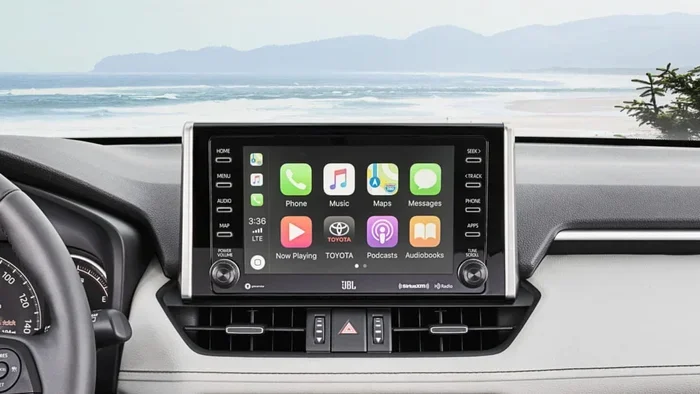
- Use the steering wheel arrows or the touchscreen to navigate to individual settings. On newer models with a touchscreen display, you can go to Settings, then Toyota Safety Sense, and toggle each feature on or off individually.
- Confirm your changes. Make sure the settings are saved before you start driving. Some features will default back to on when you restart the engine.
Quick Tip: Always check your owner’s manual for model-specific instructions. The process can vary slightly between a Toyota Camry, Toyota RAV4, Toyota Highlander, or Toyota Tacoma. Each vehicle may have slightly different button placements and menu layouts.
What Happens When You Turn Off Toyota Safety Sense?
When you disable a Toyota Safety Sense feature, you will see a corresponding warning light on your dashboard. These lights are usually yellow or amber and shaped like the specific system you turned off. For example, the lane departure warning will show a car drifting out of lane icon, and the pre-collision system will show a vehicle with a collision warning symbol.
Here is what you need to know about disabled features:
- Most features will reactivate automatically when you turn the ignition off and back on again. This is a safety measure Toyota builds into the system.
- Some features remember your last setting if your Toyota has a memory function. This means the system may stay off even after a restart, depending on your model.
- Turning off Toyota Safety Sense does not affect your vehicle’s basic safety equipment. Airbags, anti-lock brakes, and electronic stability control remain active regardless of your Toyota Safety Sense settings.
- You may see a persistent warning on your dashboard reminding you that a safety feature is currently disabled. This is normal and not a sign of a malfunction.
Why Would Someone Want to Turn Off Toyota Safety Sense?
There are several valid reasons why a driver might want to disable Toyota Safety Sense features. Understanding these reasons can help you make better decisions about when to keep the system on and when to turn it off.
Common Reasons Drivers Disable Toyota Safety Sense
- Dusty or muddy conditions: On unpaved roads, dirt, mud, or snow can cover the sensors and cameras. This can cause the system to malfunction or give false warnings. Turning it off temporarily prevents unnecessary alerts.
- Heavy rain or fog: The radar and camera systems can be affected by poor weather. False braking events or erratic cruise control behavior can be distracting in these conditions.
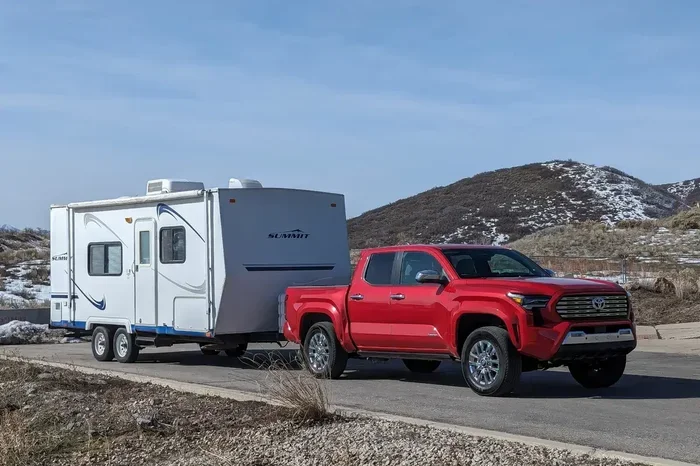
- Towing a trailer: When you are pulling a trailer, the sensors may not be calibrated for the extra length and weight. Disabling lane assist and adaptive cruise control can prevent unwanted interventions.
- Off-road driving: If you are hitting trails, the lane departure system is not useful on dirt roads with no clear lane markings. It can be more of a hindrance than a help.
- Personal preference: Some experienced drivers simply prefer to drive without assistance. They feel the system is too intrusive or interferes with their driving style.
- Sensor malfunction: If a sensor is dirty or damaged, the system may throw constant warnings. Temporarily disabling it gives you time to clean or repair the sensor without being distracted by alerts.
When You Should Keep Toyota Safety Sense On
Even though you can turn off Toyota Safety Sense, there are times when you should absolutely keep it enabled:
- Highway driving: Adaptive cruise control and lane centering are incredibly helpful on long highway trips. They reduce fatigue and help you maintain a safe following distance.
- City driving: The pre-collision system is especially valuable in stop-and-go traffic where rear-end collisions are common.
- Night driving: Automatic high beam and pedestrian detection work wonders when visibility is low.
- Bad weather (moderate): While heavy rain might warrant turning some features off, moderate rain is actually when these systems shine the most. They react faster than human reflexes.
- When you are tired: If you are feeling drowsy, lane departure alert and pre-collision systems can be literal lifesavers. Keep them on.
Toyota Safety Sense Cannot Be Fully Turned Off
Here is an important thing to know: Toyota Safety Sense cannot be completely disabled as a single system. There is no master switch that turns off every Toyota Safety Sense feature at once. This is by design. Toyota built these systems with the philosophy that safety should always be the default state.
Even if you turn off individual features, some functions may still operate in the background. For instance, the pre-collision system may still provide basic warning alerts even when you have turned off the automatic braking feature. The system is designed to always have at least a minimal level of active monitoring.
Toyota Safety Sense Default Behavior After Ignition Cycle
One of the most common questions drivers ask is whether Toyota Safety Sense stays off after you turn the engine off and back on. The answer is that most features will return to their default “on” state after a full ignition cycle. This means:
- You turn off the engine.
- You turn the ignition back on.
- Toyota Safety Sense features will automatically reactivate.
- You must manually turn them off again if you want them disabled.
This default behavior is a safety feature built into the Toyota Safety Sense system. It ensures that you always have the maximum level of protection available, even if you forgot to re-enable features before your next drive.
Models Where Toyota Safety Sense Settings Differ
The ability to turn off Toyota Safety Sense features varies by model and model year. Here is a general overview:
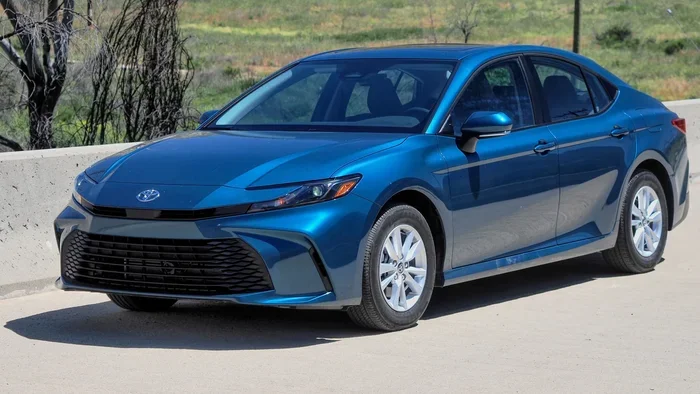
- Toyota Camry: Most Camry models allow you to turn off lane departure alert and adaptive cruise control through steering wheel controls or the touchscreen menu.
- Toyota RAV4: The RAV4 offers similar options, with the ability to toggle individual features on or off. Some trim levels may have fewer customization options.
- Toyota Highlander: Highlander owners have access to the full range of Toyota Safety Sense customization options, including the ability to adjust sensitivity settings.
- Toyota Tacoma: The Tacoma allows you to turn off cruise control and lane departure features, though some trim levels may have limited options.
- Toyota Corolla: The Corolla offers basic Toyota Safety Sense controls, typically through steering wheel buttons for cruise control and lane departure alerts.
If you are unsure about your specific model, the best resource is your owner’s manual or a visit to your local Toyota dealership. The service team can walk you through the exact steps for your vehicle.
How to Reset Toyota Safety Sense After Turning It Off
If you have been running with Toyota Safety Sense features disabled and want to reset everything back to normal, the process is simple. Start by turning off the engine completely. Wait at least 30 seconds before turning the ignition back on. This gives the system time to fully reset.
Once the engine is back on, check your dashboard for any warning lights. If you see yellow or amber Toyota Safety Sense warnings, you may need to clean the sensors and cameras. The front windshield camera is usually mounted near the rearview mirror, and the radar is housed behind the front grille.
Quick Tip: If the Toyota Safety Sense warning light stays on after a reset, it could indicate a sensor issue. In this case, it is best to visit a Toyota service center. They have the diagnostic tools needed to identify and fix the problem quickly.
Resetting Toyota Safety Sense on the Multimedia Display
On Toyota models with a touchscreen display, you can reset Toyota Safety Sense settings through the infotainment system:
- Tap the Settings icon on the home screen.
- Navigate to the Toyota Safety Sense menu.
- You will see a list of all available features with their current status.
- Toggle each feature back to “On” to restore default settings.
- Some models also offer a “Reset to Default” option that restores all Toyota Safety Sense features to their factory settings at once.
Common Mistakes When Turning Off Toyota Safety Sense
Many Toyota owners make mistakes when managing their Toyota Safety Sense settings. Here are the most common ones to avoid:
Mistake 1: Turning Off Everything Without Understanding the Consequences
Some drivers disable every Toyota Safety Sense feature because they find the alerts annoying. While you can turn off most features, doing so removes a layer of protection you may need in an emergency. Always think carefully before disabling any safety system.
Mistake 2: Forgetting to Re-Enable Features
After turning off Toyota Safety Sense for a specific driving condition, it is easy to forget to turn it back on. Make it a habit to check your dashboard and settings before every drive, especially if you regularly drive in different conditions.
Mistake 3: Ignoring Warning Lights
If you see a Toyota Safety Sense warning light on your dashboard, do not ignore it. These lights are designed to alert you to potential issues with the system. Ignoring them could mean you are driving without important safety protections.
Mistake 4: Cleaning Sensors Incorrectly
When sensors are dirty and causing false warnings, some drivers try to clean them with harsh chemicals or abrasive materials. Always use a soft microfiber cloth and mild glass cleaner for the camera and radar sensors. Harsh cleaning products can damage the sensors and make the problem worse.
Expert Insights on Toyota Safety Sense Management
We spoke with several Toyota service advisors and driving safety experts to get their take on managing Toyota Safety Sense settings. Here is what they had to say:
Expert Tip 1 – Keep Sensors Clean: “The number one reason Toyota Safety Sense features malfunction is dirty sensors,” says a certified Toyota technician with over 15 years of experience. “A quick wipe-down of the windshield near the rearview mirror and the front grille area can solve most issues.”
Expert Tip 2 – Adjust Sensitivity Instead of Turning Off: “Many newer Toyota models let you adjust the sensitivity of lane departure and pre-collision alerts rather than turning them off completely. This is a great middle ground that keeps you protected while reducing false warnings.”
Expert Tip 3 – Understand Your Warranty: “If you disable Toyota Safety Sense features and get into an accident, your warranty or insurance may not cover the full extent of the claim. Always check with your insurance provider about how disabling driver-assist features affects your policy.”
Expert Tip 4 – Use the Correct Driving Mode: “Some Toyota models offer different driving modes that adjust Toyota Safety Sense behavior. For example, a ‘Sport’ mode might delay the pre-collision activation threshold, while ‘Eco’ mode keeps everything fully active. Check if your model has this feature.”
Toyota Safety Sense and Insurance Considerations
One topic that often comes up when discussing Toyota Safety Sense is how disabling these features affects your car insurance. The general rule is that having Toyota Safety Sense enabled can qualify you for insurance discounts in some cases. Insurance companies view these features as accident-prevention technology, which lowers their risk.
However, if you consistently disable Toyota Safety Sense features, your insurance provider may not offer those discounts. In rare cases, if you are involved in an accident and it is found that disabled safety features contributed to the severity of the crash, it could affect your claim. Always check with your insurance provider for specific guidance on how Toyota Safety Sense settings impact your coverage.
Key Takeaways
- Toyota Safety Sense can be partially disabled: You can turn off individual features like adaptive cruise control and lane departure alert, but not the entire system at once.
- Most features reactivate after an ignition cycle: Toyota designs the system to default back to “on” for safety reasons.
- Disabling Toyota Safety Sense is model-dependent: Check your owner’s manual for model-specific instructions and available options.
- Common reasons for disabling include dusty roads, heavy rain, and towing: These conditions can cause false warnings or sensor malfunctions.
- Keep Toyota Safety Sense on for highway and night driving: These are the situations where the system provides the most value.
- Reset Toyota Safety Sense by turning the engine off and back on: This restores most features to their default settings.
- Always consult your owner’s manual or a Toyota dealer for model-specific guidance: The exact process varies between Toyota models and model years.
Conclusion
Can you turn off Toyota Safety Sense? The answer is yes, with some important limitations. You can disable individual features through steering wheel controls or the multimedia display, but you cannot turn off the entire Toyota Safety Sense system all at once. Most features will also default back to “on” after you turn the engine off and back on, which is a smart safety design by Toyota.
Understanding how to manage your Toyota Safety Sense settings gives you more flexibility and control over your driving experience. Whether you are dealing with false warnings on a dusty trail or simply prefer a more hands-on driving feel, knowing how to adjust these features is a valuable skill for any Toyota owner.
Just remember that these features exist for a reason. Toyota Safety Sense was engineered to protect you, your passengers, and everyone else on the road. Use the ability to disable features wisely, and always re-enable them when conditions call for maximum protection. Stay safe out there, and enjoy the drive.
Frequently Asked Questions
Can you completely turn off Toyota Safety Sense?
No, you cannot turn off the entire Toyota Safety Sense system at once. You can only disable individual features such as lane departure alert, adaptive cruise control, and pre-collision braking. The system is designed to always maintain at least a basic level of active safety monitoring.
How do I turn off Toyota Safety Sense on my Toyota RAV4?
On most Toyota RAV4 models, you can turn off Toyota Safety Sense features by pressing and holding the Toyota Safety Sense button on the steering wheel. You can also access individual settings through the touchscreen display under Settings, then Toyota Safety Sense. Refer to your owner’s manual for model-specific instructions.
Does turning off Toyota Safety Sense affect my warranty?
Turning off Toyota Safety Sense features does not automatically void your warranty. However, if an accident occurs and disabled safety features are determined to have contributed to the severity of the crash, it could affect your warranty or insurance claim. Always consult your dealer or insurance provider for specific guidance.
Why does Toyota Safety Sense keep turning itself back on?
Toyota Safety Sense is designed to reactivate automatically after each ignition cycle. This is a built-in safety feature that ensures you always have the maximum level of driver assistance available. If you want the features to stay off, you will need to manually disable them again after each time you start the engine.
Can I adjust the sensitivity of Toyota Safety Sense instead of turning it off?
Yes, many newer Toyota models allow you to adjust the sensitivity of certain Toyota Safety Sense features rather than turning them off completely. This is a great option if you want to reduce false warnings while still keeping the system active. Check your owner’s manual or touchscreen settings for sensitivity adjustment options.
Is it safe to drive with Toyota Safety Sense turned off?
Driving with Toyota Safety Sense turned off is not illegal, but it does reduce your vehicle’s active safety protections. You will still have standard safety equipment like airbags and anti-lock brakes, but you lose the extra layer of assistance that features like pre-collision braking and lane departure alert provide. It is best to keep Toyota Safety Sense enabled whenever possible, especially during highway driving and adverse weather conditions.