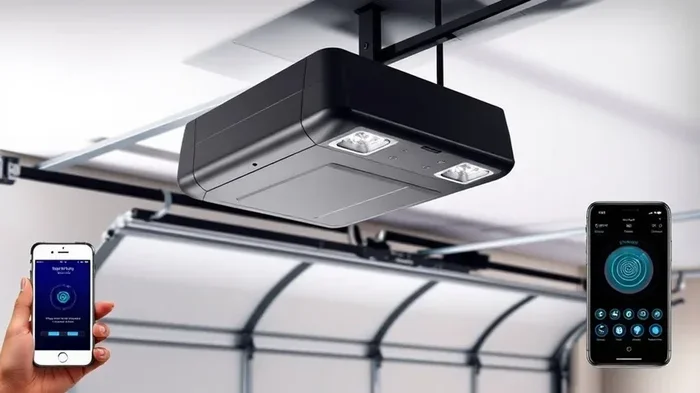
Does HomeLink Automatically Open Your Garage Doors
HomeLink is a built-in system in many vehicles that lets you control your garage door right from the car. It can automatically open your garage door with the push of a button, but setup and programming matter. Whether you drive a new SUV or an older truck, understanding how HomeLink works saves you time and hassle every single day.
There is something incredibly satisfying about pulling into your driveway and having your garage door swing open without you ever leaving the driver’s seat. The HomeLink system makes this possible for millions of drivers. But here is the big question most people ask: does HomeLink automatically open your garage door, or do you need to do extra work to make it happen?
The short answer is yes, HomeLink can automatically open your garage door. But the full answer depends on how your system is set up, what kind of garage door opener you have, and whether you have configured the right features. In this guide, we will walk you through everything you need to know about HomeLink and automatic garage door control. You will learn how the system works, how to set it up, what common problems look like, and how to get the best results every time you walk up to your car.
Whether you just bought a new vehicle with HomeLink built in or you are trying to fix a setup that is not working right, this article has you covered. We will break down the technology in plain language, share practical tips, and give you clear steps you can follow today. Let us dive in and make sure your garage door opens exactly the way you want it to.
Key Takeaways
- HomeLink can auto-open: Once programmed, HomeLink sends a signal to your garage door opener and opens the door automatically when you press the button inside your vehicle.
- Programming is simple: You can set up HomeLink in minutes using the wall button on your garage door opener or a handheld remote.
- Rolling code technology keeps you safe: Most modern garage door openers use rolling codes, and HomeLink supports this security feature.
- Not all systems are the same: HomeLink, MyQ, and universal garage door openers work differently. Knowing the difference helps you choose the right one.
- Signal interference can cause issues: Nearby electronics, metal structures, or frequency conflicts may prevent HomeLink from working properly.
- Regular maintenance helps: Keeping your garage door opener and HomeLink system updated ensures smooth, reliable operation over time.
📑 Table of Contents
- What Is HomeLink and How Does It Work?
- Does HomeLink Automatically Open Your Garage Doors?
- How to Set Up HomeLink for Automatic Garage Door Control
- HomeLink vs. Other Garage Door Control Systems
- Common HomeLink Problems and How to Fix Them
- Expert Tips for Getting the Most From Your HomeLink System
- Conclusion
What Is HomeLink and How Does It Work?
HomeLink is a wireless control system built directly into many vehicles. It acts as a garage door remote that lives inside your car, truck, or SUV. Instead of fumbling for a handheld remote or stepping out of the vehicle to press a button, you can control your overhead door opener with a single press inside the cabin.
How HomeLink Technology Works in Your Vehicle
The HomeLink system uses radio frequency signals to communicate with your garage door receiver. When you press the HomeLink button on your visor or console, it sends a coded signal to the garage door opener. The opener receives the signal and activates the motor, which moves the door up or down.
Most modern HomeLink systems use rolling code technology. This means the code changes every time you use it. Rolling code technology makes it very hard for someone to copy your signal and gain unauthorized access to your garage. This is a huge security benefit compared to older fixed-code remotes.
The system works with the vast majority of garage door openers on the market. Whether you have a Chamberlain, LiftMaster, Genie, or Craftsman opener, there is a good chance HomeLink will pair with it. The key is matching the frequency and programming method correctly.
Which Vehicles Support HomeLink
HomeLink has been around for decades, so many vehicles come equipped with it. Most new cars, trucks, and SUVs from brands like Ford, Chevrolet, Toyota, Honda, and Jeep include HomeLink as a standard or optional feature. Even some older vehicles can be fitted with a universal HomeLink module that plugs into the existing wiring.
If you are not sure whether your vehicle has HomeLink, look for a small panel with three buttons on the overhead console or sun visor. The buttons usually have a small garage door icon. If you see them, you have HomeLink. If your car does not have it, you can still add a universal garage door opener that installs in the same spot.
Does HomeLink Automatically Open Your Garage Doors?
This is the question most drivers want answered, and the answer is more nuanced than a simple yes or no. HomeLink can automatically open your garage door, but the system needs to be properly configured for this to happen every time.
Understanding Auto-Open and Auto-Close Features
When HomeLink is set up correctly, pressing the button sends a signal that tells the garage door to open. The door then starts moving automatically. You do not need to press anything else or stand by the opener. This is the core function of HomeLink, and it works reliably for most users.
Some vehicles and garage door systems also support auto-close features. This means the door can close automatically after a set time or when you press the button a second time. Not all HomeLink systems include this feature, so check your vehicle manual or garage door opener settings to see what is available.
The garage door control experience also depends on your car’s integration. Some vehicles display the garage door status on the dashboard screen. You can see whether the door is open or closed without leaving your seat. This level of home automation garage integration makes the whole process feel seamless and modern.
When HomeLink Does Not Open the Door Automatically
There are times when HomeLink may not open the door as expected. Signal interference is one of the most common causes. If you park near a large metal structure, a transformer, or another electronic device operating on the same garage door frequency, the signal may not reach the opener clearly.
Another reason is a programming issue. If the HomeLink system was not paired correctly with the garage door receiver, the signal will not be recognized. This happens more often than people think, especially after a power outage or when the opener’s logic board has been reset.
Also, some older garage door openers use fixed codes that do not sync well with newer HomeLink systems. In these cases, you may need a universal bridge or an upgrade to the garage door opener to get full automatic garage door functionality.
Expert Insight
According to garage door industry professionals, the most common reason HomeLink fails to open a door automatically is incomplete programming. Taking the extra five minutes to follow the pairing steps precisely saves hours of frustration later. Always test the system in a safe, open area before relying on it in your own garage.
How to Set Up HomeLink for Automatic Garage Door Control
Setting up HomeLink is straightforward, but it does require following the steps carefully. The process typically takes about 10 to 15 minutes. Once it is done, you will enjoy hands-free garage door control every time you approach your vehicle.
Programming Your HomeLink System Step by Step
Here is the general process for programming HomeLink with most garage door openers:
- Clear the memory: Press and hold the two outer HomeLink buttons for about 20 seconds until the indicator light flashes. This clears any previous programming.
- Position your opener: Place your garage door opener remote or wall button within a few feet of the vehicle.
- Press and hold: Press and hold the HomeLink button you want to use. At the same time, press the button on your handheld remote or wall button.
- Wait for the light: The HomeLink indicator light will change from slow to rapid blinking. This means the system is learning the code.
- Press the learn button: Go to your garage door opener and press the learn button on the motor unit. Then return to the vehicle and press the HomeLink button again within 30 seconds.
- Test the system: Press the HomeLink button to see if the garage door opens. If it does, you are all set.
Paring Your Garage Door Opener with HomeLink
The pairing process is slightly different depending on whether your garage door opener supports rolling code technology or a fixed code. Most openers made after 2000 use rolling codes, which are more secure.
For rolling code openers, you will need to press the learn button on the motor unit while the HomeLink system is in learning mode. This syncs the two devices so they recognize each other’s signals. For fixed code openers, you may need to set DIP switches on the opener motor to match the HomeLink configuration.
Some newer vehicles also support MyQ smart garage connectivity. This allows you to control your garage door from your smartphone in addition to using HomeLink inside the car. The MyQ system adds another layer of convenience and lets you check your garage door status from anywhere.
Quick Tips for Smooth Programming
- Make sure your vehicle ignition is in accessory or on mode during programming.
- Keep the garage door opener remote close to the HomeLink control panel.
- Replace the batteries in your handheld remote before programming to ensure a strong signal.
- If the first attempt fails, clear the memory and start over. Rushing through the steps is the number one cause of programming errors.
- Write down the steps your specific vehicle manual provides, as some manufacturers have slight variations.
HomeLink vs. Other Garage Door Control Systems
Not all vehicle-integrated garage control systems are the same. Understanding how HomeLink compares to other options helps you make informed decisions about your garage door setup.
Comparison of Popular Garage Door Control Systems
| Feature | HomeLink | MyQ Smart Garage | Universal Remote |
|---|---|---|---|
| Built into vehicle | Yes | No (app-based) | No (aftermarket) |
| Automatic open capability | Yes | Yes | Yes |
| Smartphone control | No | Yes | No |
| Rolling code support | Yes | Yes | Varies |
| Works with most openers | Yes | Yes | Yes |
| Installation difficulty | None (pre-installed) | Easy (app setup) | Moderate |
| Monthly cost | None | Subscription may apply | None |
HomeLink stands out because it is built directly into the vehicle and requires no extra devices or subscriptions. MyQ offers smartphone integration, which is great if you want to check or control your garage door from afar. Universal remotes are a good budget option but may not offer the same seamless integration as HomeLink.
If you want the best of both worlds, some drivers use HomeLink for in-vehicle control and MyQ for remote smartphone access. This combination gives you full garage door control no matter where you are.
Common HomeLink Problems and How to Fix Them
Even with proper setup, HomeLink systems can run into issues from time to time. Knowing what to look for and how to fix it saves you from calling a technician for minor problems.
Signal Interference Issues
Signal interference is the top complaint among HomeLink users. The system operates on specific radio frequencies, and other devices can disrupt the signal. Common sources of interference include fluorescent lights, security systems, and nearby vehicles with similar garage door openers.
If your garage door signal is weak or inconsistent, try parking in a different spot in your driveway. Move closer to the garage door opener before pressing the HomeLink button. You can also check if any new electronics in your home are operating on the same frequency.
Programming Errors and Reset Tips
Programming errors happen to everyone. If your HomeLink system stops working after a power outage or if you replaced the garage door opener, you will likely need to reprogram it.
The easiest fix is to clear all three HomeLink buttons and start fresh. Hold the two outer buttons for 20 seconds until the light flashes. Then go through the programming steps again from scratch. This resolves most issues without any technical knowledge.
If resetting does not work, check the garage door opener’s logic board. Sometimes the opener needs a manual reset too. Unplug the opener for 30 seconds, then plug it back in. This clears any error codes and restores normal operation.
Common Mistakes to Avoid
- Skipping the clear step: Old programming can conflict with new signals. Always clear the memory before setting up HomeLink.
- Pressing the wrong button: Make sure you are pressing the learn button on the garage door motor, not the wall console button, during pairing.
- Not acting fast enough: The 30-second window to complete the pairing is strict. If you wait too long, the system times out and you must start over.
- Ignoring battery health: Weak batteries in your handheld remote send a weaker signal. Replace them regularly to keep HomeLink working reliably.
- Forgetting to test: Always test the system with the garage door fully closed before trusting it for daily use.
Expert Tips for Getting the Most From Your HomeLink System
Once your HomeLink is set up and working, a few extra steps can make the experience even better. These tips come from experienced technicians and longtime HomeLink users who have fine-tuned their systems over the years.
Quick Tips for Smooth Operation
- Label your buttons: If you have multiple garage doors or other controlled devices, label each HomeLink button with a small piece of tape. This prevents confusion when you are in a hurry.
- Keep the system clean: Dust and debris can accumulate around the HomeLink buttons. Wipe them down occasionally with a dry cloth to ensure good contact.
- Update your opener firmware: Many modern garage door openers receive firmware updates that improve compatibility with HomeLink. Check the manufacturer’s website periodically.
- Use the auto-close feature: If your system supports it, set a timer to auto-close the garage door after a set period. This adds an extra layer of home security.
- Teach family members: Make sure everyone in your household knows how to use and troubleshoot HomeLink. This prevents panic when the system acts up.
Making Your Garage Smarter with HomeLink Integration
If you want to take your home automation garage setup to the next level, consider pairing HomeLink with smart home devices. Smart locks, security cameras, and motion sensors can all work together with your garage door system to create a comprehensive home security network.
For example, some smart home hubs can trigger your garage door to close when your car leaves the driveway. Others can send you a notification if the garage door is left open for more than a set time. These integrations work best when your garage door control system is properly configured and regularly maintained.
Expert Insight
Garage door technicians recommend testing your HomeLink system at least once a month. Press the button and verify the door responds correctly. This simple habit catches small issues before they become big problems. It also ensures the safety sensors are still functioning properly, which is critical for preventing accidents.
Safety Considerations for Automatic Garage Door Operation
Automatic garage door openers, including HomeLink, come with built-in safety features. The door should reverse direction if it detects an obstruction. Make sure your garage door safety sensors are aligned correctly and free of dirt or debris.
Test the auto-reverse feature monthly by placing a roll of paper towels on the ground beneath the door. If the door does not reverse when it hits the object, adjust the sensors or call a professional. Safety should always come first when operating any overhead door opener system.
Also, never leave your vehicle running in an enclosed garage, even with HomeLink operating the door. Carbon monoxide can build up quickly and pose a serious health risk. Always pull the vehicle out of the garage before closing the door.
Conclusion
HomeLink is a powerful, convenient system that can absolutely automatically open your garage door with the right setup. The technology is reliable, secure, and built into thousands of vehicles on the road today. Whether you are heading to work, coming home from a trip, or just grabbing something from the garage, HomeLink makes the process seamless.
The key to success is proper programming and regular maintenance. Follow the setup steps carefully, troubleshoot common issues promptly, and take advantage of the expert tips shared in this guide. Your garage door should open smoothly and automatically every single time you press the HomeLink button.
Take a few minutes today to check your HomeLink system. Make sure it is programmed correctly, the batteries are fresh, and the safety sensors are working. A little maintenance goes a long way toward ensuring years of reliable, hands-free garage door control. Once you experience the convenience of automatic garage door operation through HomeLink, you will wonder how you ever managed without it.
Frequently Asked Questions
Can HomeLink open any brand of garage door?
HomeLink is designed to work with most major garage door opener brands, including Chamberlain, LiftMaster, Genie, and Craftsman. However, very old openers with fixed codes may need a universal bridge or an upgrade to work with HomeLink. Always check compatibility before assuming it will work with your specific opener model.
Why does my HomeLink button not work after I programmed it?
The most common reason is signal interference or a programming error. Try clearing all three HomeLink buttons and reprogramming from scratch. Also check that the batteries in your handheld remote are fresh and that no new electronic devices nearby are operating on the same garage door frequency.
Does HomeLink work with smart garage door openers like MyQ?
HomeLink and MyQ are separate systems, but they can work together in some setups. MyQ allows smartphone control, while HomeLink provides in-vehicle control. Some newer vehicles integrate both systems for full garage door control from the car and your phone.
Is HomeLink safe from hackers or signal theft?
Most modern HomeLink systems use rolling code technology, which changes the access code every time you use it. This makes it extremely difficult for someone to intercept and copy your signal. For added security, keep your garage door opener firmware updated and avoid sharing your handheld remote with strangers.
Can I program HomeLink to control more than just my garage door?
Yes, HomeLink can control up to three different devices. These can include your garage door, a gate, or even a home lighting system. Some people use HomeLink to control automatic gates or motorized screens on their property. The setup process is the same for each device.
Do I need to replace my HomeLink system if it stops working?
Rarely. Most HomeLink issues are solved by reprogramming, resetting the garage door opener, or replacing the handheld remote batteries. If the HomeLink control panel itself is physically damaged, a replacement is affordable and easy to install. Contact your vehicle dealer or a qualified technician for assistance with hardware replacements.