How Far Away Does Toyota Remote Connect Actually Work
Toyota Remote Connect lets you start your car, lock doors, and check vehicle status from your phone. The actual working range depends on your cellular connection, not physical distance. Most users find it works from anywhere with a smartphone signal. Toyota Remote Connect uses cloud-based technology, so distance alone rarely limits your control. Understanding how it really works helps you get the most from this handy feature.
This is a comprehensive guide about How Far Away Does Toyota Remote Connect Work?.
Key Takeaways
- No Physical Distance Limit: Toyota Remote Connect works from anywhere with cellular and internet access.
- It Relies on Cellular Networks: Your phone signal determines the range, not how far you stand from the car.
- Subscription Required: Most Remote Connect features need an active paid plan.
- Works Through the Toyota App: The official Toyota mobile app is the main interface for all remote functions.
- Range Is Global (With Signal): You can control your Toyota from another country if you have internet.
- Some Features Have Time Limits: Remote start sessions usually last 10 to 15 minutes before shutting off.
- Signal Strength Matters: Weak cellular coverage can cause delays or failed commands.
[FEATURED_IMAGE_PLACEHOLDER]
Toyota Remote Connect has changed the way people think about their vehicles. It feels like something out of a sci-fi movie. You can start your engine, cool down your car on a hot day, or check if you locked the doors. All from miles away. But one question keeps coming up: how far away does Toyota Remote Connect actually work?
The short answer might surprise you. It is not about feet or miles. It is about your phone signal and the cloud. This article breaks down everything you need to know about Toyota Remote Connect range. We will cover how it works, what limits it, and how to get the best results. Whether you own a Toyota Camry or a brand new RAV4, this guide has you covered.
What Is Toyota Remote Connect?
Toyota Remote Connect is a connected car service built into select Toyota models. It links your vehicle to the internet through a built-in modem. You then control it using the Toyota mobile app on your smartphone. Think of it as a remote control for your car that lives in your pocket.
The service uses cellular networks to send commands between your phone and your car. When you press a button in the app, that command goes to a Toyota server. The server then sends the instruction to your vehicle. This whole process takes just a few seconds. That is why Toyota Remote Connect feels so fast and seamless.
What Can You Do With Toyota Remote Connect?
The features available depend on your vehicle model and your subscription plan. Here are the most common functions you can expect:
- Remote Start: Start your engine from a distance to warm up or cool down your car.
- Remote Lock and Unlock: Lock or unlock your doors using your phone.
- Vehicle Location: Find your car on a map using GPS tracking.
- Climate Control: Turn on the air conditioning or heater before you get in.
- Vehicle Status Check: See fuel level, tire pressure, and maintenance alerts.
- Panic Alarm: Activate your car alarm remotely in an emergency.
- Roadside Assistance: Request help directly through the app.
These features make daily life much more convenient. Imagine pulling into your driveway on a freezing winter morning and starting your car while you are still inside your home. That is the power of Toyota Remote Connect.
How Far Away Does Toyota Remote Connect Actually Work?
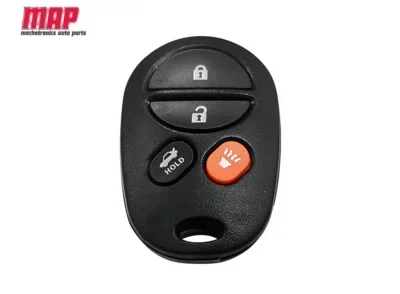
This is the big question. And the answer is simpler than most people think. Toyota Remote Connect does not have a set distance limit like a traditional remote fob. A standard key fob usually works within 30 to 60 feet. Toyota Remote Connect works from anywhere in the world. As long as you have a phone signal and internet connection, you are good to go.
The Role of Cellular Networks
Here is why distance does not matter for Toyota Remote Connect. The system does not use radio waves like a key fob. It uses the same cellular network your phone uses to make calls and browse the web. When you send a command, it travels through cell towers and internet servers. Then it reaches your car’s built-in modem.
This means you could be sitting in a coffee shop across town. Or you could be on vacation in another country. As long as your phone has a signal, you can control your Toyota. The range is essentially unlimited. It is only limited by the cellular coverage available to you.
What About Remote Start Range?
Some people confuse the app-based remote start with the physical key fob remote start. They are very different. The key fob uses a short-range radio signal. The app uses the cloud and cellular networks. So when people ask how far away the remote start works, they need to understand this distinction.
With Toyota Remote Connect, there is no 30-foot limit. You can start your car from 10 miles away or 10,000 miles away. The only thing that changes is your phone signal strength. A weak signal might slow down the command. But it will not stop it from working.
Quick Tip: If you live in an area with spotty cell service, try using WiFi calling or a signal booster. This can improve your Toyota Remote Connect performance significantly.
Factors That Affect Toyota Remote Connect Range
While there is no hard distance limit, several factors can affect how well Toyota Remote Connect works. Understanding these factors helps you troubleshoot issues and get the best experience.
Cellular Signal Strength
This is the number one factor. Your phone needs a solid signal to send commands to the Toyota server. If you are in a dead zone or a basement, the command may not go through. Similarly, if your car is parked in a garage with thick concrete walls, the car’s modem may struggle to receive the signal.
Here is a simple way to think about it. If you can make a phone call at your location, Toyota Remote Connect should work there too. The system uses the same towers and networks.
Subscription Plan Status
Toyota Remote Connect requires an active subscription plan. Most Toyota models come with a free trial period. After that, you need to pay for continued access. If your subscription has expired, the app will not send commands to your car. This is not a range issue. It is a service issue.
Make sure to check your subscription status regularly. You can do this through the Toyota app or by contacting your dealer. Keeping your plan active ensures uninterrupted access to all connected car services.
Vehicle Modem and Hardware
Not all Toyota vehicles have the same hardware. Older models may have older modems that connect slower. Newer models have updated technology that processes commands faster. The telematics control unit inside your car handles all the communication.
If you have an older Toyota, check with your dealer about over-the-air updates. These updates can improve performance and add new features. They keep your vehicle connectivity running smoothly.
App and Phone Software
Your phone also plays a role. An outdated app version can cause connection problems. Make sure you always have the latest version of the Toyota app installed. Similarly, keep your phone’s operating system up to date. These updates fix bugs and improve performance.
Also, check your phone’s internet settings. If you have restricted background data for the Toyota app, commands may not send properly. Allowing the app to use data in the background keeps Toyota Remote Connect working at its best.
Toyota Remote Connect vs. Traditional Key Fob
It is easy to compare Toyota Remote Connect to a traditional key fob. But they are built for different purposes. Understanding the differences helps you use both tools effectively.
| Feature | Toyota Remote Connect | Traditional Key Fob |
|---|---|---|
| Working Range | Unlimited (needs cellular signal) | 30 to 60 feet |
| Connection Type | Cellular and cloud-based | Radio frequency |
| Remote Start | Yes | Yes (on some models) |
| Vehicle Tracking | Yes (GPS-based) | No |
| Requires Subscription | Yes (after trial) | No |
| Works Through Walls | Yes (with signal) | Limited |
| Global Access | Yes | No |
The comparison table makes it clear. Toyota Remote Connect offers far more flexibility than a traditional key fob. The trade-off is the subscription requirement. But for most people, the convenience is well worth it.
Common Mistakes That Limit Toyota Remote Connect Performance
Many users experience issues with Toyota Remote Connect and blame the range. In most cases, the real problem is something simple. Here are the most common mistakes people make.
Not Checking Subscription Status
This is the number one reason commands fail. After the free trial ends, the service stops working unless you renew. Always verify your subscription is active before troubleshooting anything else.
Ignoring App Updates
Outdated apps cause connection errors. Toyota releases updates regularly to fix bugs and improve performance. Turn on auto-updates for the Toyota app in your phone’s settings.
Poor Phone Signal at the Time of Command
If your phone shows one bar, your command might not send. Wait until you have a stronger signal before using Toyota Remote Connect. This is especially important in rural areas or large buildings.
Car Parked in a Signal-Blocking Location
Garages, underground parking, and areas surrounded by tall buildings can block signals. If your car cannot receive a signal, it cannot receive your command. Try moving the car to a location with better coverage.
Forgetting to Enable Background Data
Your phone may restrict the Toyota app from using data in the background. Go to your phone settings and allow the app to access data at all times. This small change can solve many connectivity issues.
Expert Insight: “Most connectivity issues with Toyota Remote Connect come down to subscription status and phone settings. Before calling support, check those two things first. It solves the problem 90% of the time.” — Automotive Technology Specialist
Tips to Get the Most Out of Toyota Remote Connect
Want to make sure Toyota Remote Connect works flawlessly every time? Follow these practical tips.
- Keep Your App Updated: Install updates as soon as they become available. This ensures you have the latest features and security patches.
- Check Your Subscription: Renew your plan before it expires. Set a reminder on your phone a week before the trial ends.
- Use WiFi When Available: If your car is parked at home on WiFi, commands can go through your home network. This can be faster than using cellular data.
- Test Your Range Regularly: Try using the app from different locations. This helps you understand how it performs in various situations.
- Keep Your Phone Charged: A dead phone means no remote control. Make sure your phone has enough battery before you leave home.
- Enable Push Notifications: Turn on notifications in the app. You will get instant alerts when commands are sent or received.
- Register a Backup Contact: Add a second phone number to your Toyota account. This gives you a backup way to access connected car services.
Does Toyota Remote Connect Work Internationally?
Yes, Toyota Remote Connect can work internationally. Since it uses cellular networks and the internet, it is not tied to any single country. If you travel abroad and your phone has a data connection, you should be able to control your Toyota.
However, there are a few things to keep in mind. Roaming charges may apply depending on your phone plan. Also, some countries have different cellular frequencies that might not be fully supported by older Toyota models. Always check with your dealer before traveling internationally with vehicle connectivity features.
In practice, most users report that Toyota Remote Connect works smoothly across borders. The cloud-based system handles the complexity behind the scenes. You simply open the app and send your command, just like you would at home.
How Long Does a Remote Start Session Last?
Toyota Remote Connect has built-in safety features. One of these is a time limit on remote start sessions. Most Toyota Remote Connect sessions last between 10 and 15 minutes. After that, the engine automatically shuts off.
This limit serves two purposes. First, it prevents your car from idling endlessly and wasting fuel. Second, it adds a layer of safety. If someone tries to use your car remotely without permission, the engine will stop after the time limit.
You can restart the remote session by sending another command through the app. But each session is capped at around 15 minutes. This is an important detail to know when using Toyota Remote Connect for daily warming or cooling.
The Future of Toyota Connected Services
Toyota Remote Connect is part of a bigger trend in the automotive industry. Connected car technology is growing fast. Toyota continues to invest in telematics and smart vehicle features.
Future updates may include even more remote capabilities. Imagine controlling your car’s charging level if you own a hybrid or electric Toyota. Or receiving automatic maintenance alerts based on real-time sensor data. The possibilities are expanding every year.
Toyota has also been working on over-the-air updates that improve functionality without a dealer visit. This means your Toyota Remote Connect experience will only get better over time. The technology is evolving, and owners will benefit from these improvements.
Final Thoughts
Toyota Remote Connect is one of the most useful features in modern Toyota vehicles. It gives you control over your car from virtually anywhere. The range is not limited by distance. It is limited by your cellular connection and subscription status.
Keep your app updated, your subscription active, and your phone signal strong. With these simple steps, Toyota Remote Connect will work reliably every single time. Whether you are across town or across the globe, your Toyota is just a tap away.
Take some time to explore all the features available to you. You might discover functions you did not even know your car had. The more you use Toyota Remote Connect, the more you will appreciate how far this technology has come. It is not just a convenience. It is a glimpse into the future of driving.
Frequently Asked Questions
How far can you be from your car to use Toyota Remote Connect?
There is no set distance limit. Toyota Remote Connect works from anywhere as long as you have a phone signal and internet connection. You can be across town or in another country. The system uses cellular networks and cloud servers, not radio waves.
Why does Toyota Remote Connect sometimes fail to connect?
The most common reasons are an expired subscription, a weak phone signal, or an outdated app version. Check your subscription status first. Then make sure your phone has a good signal. Finally, ensure the Toyota app is updated to the latest version.
Do you need a subscription for Toyota Remote Connect?
Yes, after the free trial period ends. Most Toyota vehicles come with a complimentary trial that lasts one to three years. Once it expires, you need an active paid subscription to keep using Toyota Remote Connect features.
Can you start your Toyota from another country using Remote Connect?
Yes, you can. Since Toyota Remote Connect uses the internet and cellular networks, it works globally. Just make sure your phone has data roaming enabled if you are outside your home country. Be aware that roaming charges may apply.
How long does a remote start session last with Toyota Remote Connect?
A remote start session typically lasts 10 to 15 minutes before the engine automatically shuts off. This is a safety and fuel-saving feature built into Toyota Remote Connect. You can start a new session by sending another command through the app.
Is Toyota Remote Connect available on all Toyota models?
No, it is not available on every model. Toyota Remote Connect comes standard on newer trim levels and select models. Older models may not have the required hardware. Check with your Toyota dealer or refer to your vehicle’s features list to confirm availability.
=== CONCLUSION ===
Toyota Remote Connect is a powerful tool that puts your vehicle at your fingertips. The working range is not measured in feet or miles. It is measured by your cellular signal and internet connection. From across the street to across the ocean, Toyota Remote Connect delivers the same seamless experience.
Remember to keep your subscription active, your app updated, and your phone signal strong. Avoid the common mistakes that trip up most users. With the right setup, you will enjoy the full benefits of connected car technology every single day. Toyota Remote Connect makes your vehicle smarter, safer, and more convenient. And that is something every Toyota owner can appreciate.