How to Jumpstart Your Acura MDX When It Wont Start
Knowing how to jumpstart your Acura MDX can save you from a frustrating morning or a cold roadside moment. A dead battery is the most common reason your MDX won’t turn over, and the fix is simpler than you think. This guide walks you through every step, from gathering the right tools to safely connecting cables. You’ll also learn about common mistakes, when to seek help, and how to prevent future battery problems. Whether you’re a first-timer or need a refresher, this Acura MDX jumpstart guide has you covered.
There’s nothing worse than turning the key and hearing nothing but silence from your Acura MDX. You’re standing in the driveway, running late, and your car just won’t start. Before you panic or call for a tow, take a breath. Learning how to jumpstart your Acura MDX is one of the simplest and most valuable skills every car owner should have. A dead battery causes the vast majority of no-start situations, and a jumpstart often brings your engine back to life in minutes.
This guide covers everything you need to know about jumpstarting your Acura MDX safely and effectively. We’ll walk through the tools you need, the exact step-by-step process, common mistakes to avoid, and tips to prevent battery problems in the future. Whether you’re dealing with a dead car battery after leaving the lights on or facing a cold morning that won’t cooperate, you’ll find practical solutions here. Let’s get your MDX started.
Key Takeaways
- Dead battery is the #1 cause: Most Acura MDX no-start issues come from a drained or old battery, not a broken engine.
- You need the right tools: Jumper cables or a portable jump starter are essential, and knowing which one works best saves time.
- Connection order matters: Always connect positive first, then negative, and disconnect in the reverse order for safety.
- Avoid common mistakes: Never cross cables, skip grounding, or let vehicles touch during a jumpstart.
- Know when to call for help: If jumpstarting fails multiple times, your alternator or battery may need professional inspection.
- Prevention is easy: Regular battery checks and simple maintenance habits keep your MDX starting reliably for years.
📑 Table of Contents
Why Your Acura MDX Won’t Start
Before you grab any cables, it helps to understand what’s happening under the hood. When your Acura MDX won’t start, the culprit is usually one of a few common issues. Knowing the difference saves you time and prevents unnecessary effort.
Dead Battery Symptoms
A dead battery is the leading cause of no-start problems. Here are the signs that point to a drained battery:
- The dashboard lights come on but the engine won’t crank.
- You hear a slow, weak clicking sound when you turn the key.
- The headlights are dim or flicker when you try to start.
- Electrical accessories like the radio or power windows work slowly.
Batteries lose charge over time, especially if your MDX sits unused for days. Cold weather also reduces battery performance significantly. If you left an interior light on overnight, that alone can drain a healthy battery by morning.
Other Possible Causes
Not every no-start problem is a battery issue. Consider these other possibilities:
- Faulty alternator: The alternator charges your battery while driving. If it fails, your battery drains and won’t hold a charge.
- Corroded battery terminals: White or greenish buildup on the terminals blocks the electrical connection.
- Weak key fob battery: Some MDX models won’t recognize a dead key fob battery, preventing the start sequence.
- Fuel system issues: A clogged fuel filter or empty tank can mimic battery symptoms.
If you’ve tried jumpstarting and the engine still won’t turn over after several attempts, the problem likely goes beyond a simple dead battery. In that case, it’s time for a closer look or a visit to a trusted mechanic.
Tools You Need to Jumpstart Your Acura MDX
Having the right tools ready before you start makes the process smooth and safe. You don’t need much, but each item plays an important role.
Jumper Cables vs Portable Jump Starter
There are two main ways to jumpstart your Acura MDX. Let’s compare them side by side:
| Feature | Jumper Cables | Portable Jump Starter |
|---|---|---|
| Requires another vehicle | Yes | No |
| Portability | Bulky cables | Compact and lightweight |
| Cost | Low (under $30) | Moderate ($50-$150) |
| Ease of use | Needs a helper vehicle | Self-contained, easy setup |
| Best for | Emergency roadside help | Solo drivers and frequent use |
| Recharge needed | No | Yes, periodically |
Jumper cables work great if you have a friend or passerby willing to help. A portable jump starter is the better choice if you often drive alone or want a reliable backup that fits in your trunk. Many Acura MDX owners keep both options available for different situations.
Safety Gear You Should Have
Safety comes first when working with electrical systems. Make sure you have these items nearby:
- Safety glasses to protect your eyes from sparks.
- Gloves to keep your hands insulated and protected.
- A flashlight if you’re jumpstarting at night.
- Rubber-soled shoes for grounding protection.
Never attempt a jumpstart if the battery is cracked, leaking, or visibly damaged. In those cases, call for professional roadside assistance instead.
Step-by-Step Guide to Jumpstarting Your Acura MDX
Now let’s walk through the actual process of how to jumpstart your Acura MDX. Follow these steps carefully and in the correct order. Rushing through the process can cause damage or create safety hazards.
Step 1: Prepare Both Vehicles
You’ll need a working vehicle with a healthy battery. Park both cars close enough that the cables reach, but make sure they don’t touch. Turn off the engines, engage the parking brakes, and put both vehicles in park or neutral.
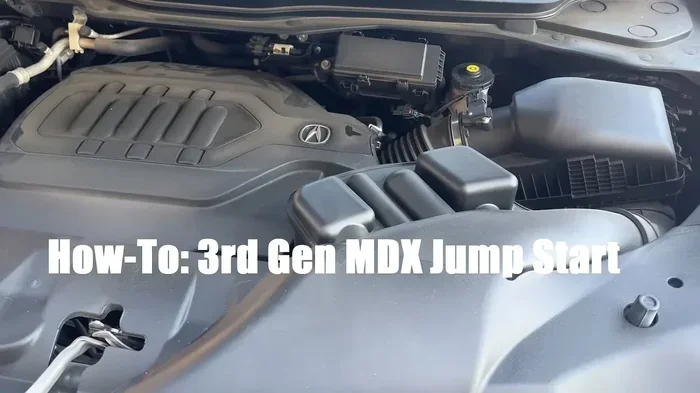
Open the hood of both cars and locate the battery. On the Acura MDX, the battery is typically found in the engine bay on the driver’s side. Identify the positive terminal (marked with a + sign, usually red) and the negative terminal (marked with a – sign, usually black).
Step 2: Connect the Jumper Cables
This is the most critical part of the process. Follow this exact order:
- Connect the red cable to the dead battery’s positive terminal. Clamp it firmly onto the + post.
- Connect the other red clamp to the working vehicle’s positive terminal.
- Connect the black cable to the working vehicle’s negative terminal.
- Connect the remaining black clamp to an unpainted metal surface on your MDX’s engine block. This serves as a ground and reduces sparking near the battery.
Never let the cable clamps touch each other once they’re connected to a live terminal. This creates a short circuit and can damage both vehicles’ electrical systems.
Step 3: Start the Working Vehicle
Start the engine of the working vehicle and let it idle for about two to three minutes. This allows the alternator in the working vehicle to send a charge through the cables to your dead battery. You’ll notice the dashboard lights on your MDX may brighten slightly, which is a good sign.
Step 4: Try Starting Your Acura MDX
Now attempt to start your MDX. Turn the key or press the push-start button as you normally would. If the engine turns over and starts, let it run for at least 15 to 20 minutes. This gives the battery time to recharge partially.
If the engine doesn’t start on the first try, wait a minute before trying again. Cranking the starter for too long without success can overheat it. Give it two to three attempts, then pause for a few minutes before trying again.
Step 5: Disconnect the Cables in Reverse Order
Once your MDX is running, disconnect the cables in the exact reverse order of how you connected them:
- Remove the black clamp from your MDX’s engine block.
- Remove the black clamp from the working vehicle’s negative terminal.
- Remove the red clamp from the working vehicle’s positive terminal.
- Remove the red clamp from your MDX’s positive terminal.
Keep the cable clamps away from each other during removal. Never let them dangle freely where they could touch and create sparks.
Common Mistakes People Make When Jumpstarting
Even with good intentions, jumpstarting goes wrong when people skip steps or take shortcuts. These common errors can damage your vehicle or even cause injury.
Mistake 1: Connecting Cables in the Wrong Order
The order of cable connections is not optional. Connecting the negative cable to the dead battery’s negative terminal first can create sparks near the battery itself. Batteries can release flammable hydrogen gas, and a spark in that area is dangerous. Always ground the last black clamp on the engine block, not on the battery terminal.
Mistake 2: Letting the Vehicles Touch
It might seem convenient to park the vehicles bumper-to-bumper, but this is risky. If the cars touch during the jumpstart process, electrical current can flow through the metal frames in unintended ways, potentially damaging wiring or electronic components.
Mistake 3: Ignoring Battery Corrosion
If you notice battery corrosion — a white or bluish powdery substance on the terminals — cleaning it before attempting a jumpstart is essential. Corrosion blocks the electrical connection and can prevent a successful jumpstart. Use a wire brush or a battery terminal cleaner to remove the buildup.
Mistake 4: Driving Off Immediately Without Recharging
Some people start their MDX after a jumpstart and immediately turn it off again. This defeats the purpose. Your battery needs time to recharge, and the alternator needs sustained engine running to do its job properly. Drive your vehicle for at least 20 to 30 minutes after a successful jumpstart.
Mistake 5: Using Damaged Cables
Frayed or damaged jumper cables are a safety hazard. Inspect your cables before each use. If the insulation is cracked or the clamps are loose, replace them. Faulty cables can cause inconsistent power delivery and may not provide enough current to start your MDX.
Key Takeaways: Jumpstart Safety
- Always follow the correct cable connection order — red to dead, red to good, black to good, black to engine block.
- Never let cable clamps touch each other once connected to terminals.
- Keep vehicles separate and parked on flat, stable ground.
- Inspect your cables and battery condition before starting the process.
When Jumpstarting Isn’t Enough
Sometimes a successful jumpstart is just the beginning of solving your problem, not the end. If your MDX won’t hold a charge after jumping it, deeper issues are at play.
Signs Your Alternator May Be Failing
The alternator keeps your battery charged while you drive. When it starts to fail, you’ll notice these warning signs:
- The battery warning light on your dashboard stays illuminated.
- Electrical accessories dim or malfunction while driving.
- Your MDX stalls shortly after a successful jumpstart.
- The battery dies again within a day or two of starting normally.
A failing alternator means the battery won’t recharge properly, and you’ll keep dealing with no-start situations. Have a mechanic test your alternator voltage with a voltage meter if you notice any of these symptoms. A healthy alternator should read between 13.5 and 14.5 volts when the engine is running.
Battery Replacement Indicators
Batteries have a limited lifespan, typically three to five years. Consider replacing your battery if:
- Your MDX is three years old or older and you’ve needed multiple jumpstarts.
- The battery case is swollen or cracked.
- You notice a persistent sulfur or rotten egg smell near the battery.
- The battery struggles to start your engine even in mild weather.
Replacing an old battery is far more cost-effective than repeatedly jumpstarting and risking damage to your vehicle’s electrical system. Most Acura dealerships and auto parts stores can test your battery for free and recommend the right replacement.
Preventive Maintenance Tips for Your Acura MDX Battery
Prevention is always better than cure when it comes to battery health. A few simple habits can extend your battery life and reduce the chances of finding yourself stranded.
Regular Battery Inspection
Make it a habit to inspect your battery terminals every few months. Look for signs of corrosion, loose connections, or physical damage. A quick cleaning with a baking soda and water solution can prevent buildup from becoming a problem. Tighten any loose terminal connections to ensure a solid electrical connection.
Prepare for Extreme Weather
Both extreme heat and extreme cold strain your battery. In winter, a cold weather battery with a higher cold cranking amp (CCA) rating can make all the difference. In summer, excessive heat accelerates battery fluid evaporation and internal corrosion.
Consider these seasonal tips:
- In winter, park your MDX in a garage or use a battery blanket warmer.
- In summer, check your battery fluid levels if your model allows it.
- Use a battery maintainer or trickle charger if your MDX sits unused for extended periods.
Turn Off Accessories Before Shutting Down
A simple habit that goes a long way: turn off headlights, interior lights, the radio, and any other electrical accessories before shutting off your engine. Leaving these on while the car is off drains the battery slowly, and over time, it can leave you with a dead battery that won’t start your MDX.
Drive Your MDX Regularly
Batteries recharge through driving, not sitting. If you don’t use your MDX daily, take it for a 20 to 30 minute drive at least once a week. This keeps the battery topped off and the electrical system functioning properly. Vehicles that sit for long periods are among the most common victims of dead batteries.
Key Takeaways
- A dead battery is the most common reason your Acura MDX won’t start, and jumpstarting is the fastest solution.
- Always use the correct cable connection order: positive to dead, positive to good, negative to good, negative to engine block ground.
- Keep jumper cables or a portable jump starter in your vehicle at all times for emergencies.
- Avoid common mistakes like touching cable clamps together, letting vehicles touch, or ignoring corrosion.
- If jumpstarting fails repeatedly, your alternator or battery may need professional inspection or replacement.
- Regular maintenance — inspections, cleaning terminals, and driving regularly — prevents most battery problems before they start.
Conclusion
Dealing with an Acura MDX that won’t start is stressful, but it doesn’t have to be overwhelming. Knowing how to jumpstart your Acura MDX puts you back in control and gets you back on the road quickly. With the right tools, the correct steps, and a cautious approach, most battery-related no-start situations resolve in under 30 minutes.
Remember to always prioritize safety. Follow the cable connection sequence carefully, never take shortcuts, and know when to call for professional help. If your battery is old, corroded, or repeatedly failing, don’t keep jumpstarting — replace it and enjoy peace of mind.
Take a few minutes today to check your battery health, inspect your cables, and make sure you have a portable jump starter or jumper cables in your trunk. These small preparations make a huge difference when the unexpected happens. Your Acura MDX will thank you with reliable starts for miles to come.
Frequently Asked Questions
Can I jumpstart my Acura MDX with another SUV or does it need to be the same model?
You can jumpstart your Acura MDX with any vehicle that has a 12-volt battery, regardless of the make or model. SUVs, sedans, trucks, and even motorcycles with a compatible battery work fine. The key is matching the voltage, not the vehicle type. Just make sure both vehicles are turned off before connecting the cables.
How long should I let the working vehicle run before trying to start my MDX?
Let the working vehicle idle for about two to three minutes before attempting to start your MDX. This gives the dead battery time to receive a charge from the alternator. If the battery is completely drained, you may need to wait five minutes. Avoid cranking your MDX for more than 10 seconds at a time to protect the starter motor.
What should I do if the cables spark when I connect them?
Small sparks when connecting the final cable clamp are normal and usually not dangerous. However, if you see large sparks, hear popping, or smell something burning, disconnect the cables immediately in reverse order. Check for crossed cables, damaged insulation, or corroded terminals before trying again. If the sparking persists, seek professional help.
How often should I replace my Acura MDX battery?
Most Acura MDX batteries last between three and five years, depending on driving habits, climate, and maintenance. If you live in an area with extreme temperatures, your battery may degrade faster. Have your battery tested annually after the three-year mark, and replace it proactively if tests show declining performance.
Is it safe to jumpstart my MDX in the rain?
Jumpstarting in the rain is generally safe as long as you take proper precautions. Keep all cable clamps dry and avoid standing in puddles while handling the cables. Make sure your hands and gloves are dry before touching any terminals. If conditions feel unsafe or there is standing water near the battery, move both vehicles to a covered or sheltered area first.
Can a dead key fob battery prevent my Acura MDX from starting?
Yes, on newer Acura MDX models with push-button start, a dead key fob battery can prevent the vehicle from recognizing the fob and starting the engine. This is different from a dead car battery. If your dashboard shows a key fob warning or the push-start button doesn’t respond, try replacing the key fob battery first before assuming your car battery is the problem.