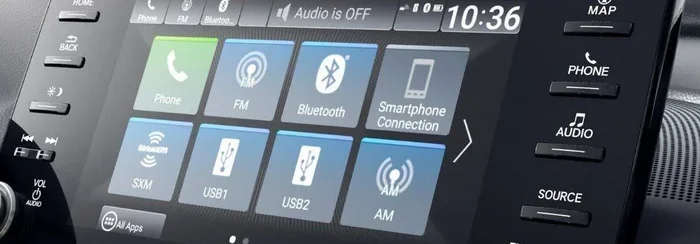
Does a 2010 Honda Civic Have Bluetooth Connectivity
The 2010 Honda Civic does offer Bluetooth connectivity, but only on certain trim levels. The EX and EX-L trims came with factory Bluetooth for hands-free calling and audio streaming, while the base LX and DX trims did not include it. If your 2010 Civic lacks Bluetooth, you can easily add it using an aftermarket adapter, FM transmitter, or stereo upgrade without spending a lot of money.
So you are driving your 2010 Honda Civic and you want to stream music or take calls without fumbling with wires. The big question is simple: does a 2010 Honda Civic have Bluetooth? The answer is both yes and no, depending on a few key factors. Let me walk you through everything you need to know about Bluetooth connectivity in this popular compact car.
Whether you just bought a used 2010 Civic or you have owned one for years, understanding your car’s wireless capabilities can change the way you drive. I have seen many people struggle with their audio systems simply because they did not know what their car already offered. This guide will clear up all the confusion. You will learn exactly which trims include Bluetooth, how to use it, and what to do if your car does not have it.
I have put together everything from trim-level breakdowns to step-by-step pairing instructions. I also share affordable ways to add Bluetooth if your Civic does not come with it. By the end of this article, you will have a clear picture of your options. Let us dive right in.
Key Takeaways
- Not all 2010 Honda Civics have Bluetooth: It depends on the trim level you own.
- EX and EX-L trims include factory Bluetooth: These trims offer both hands-free calling and audio streaming.
- LX and DX trims lack built-in Bluetooth: You will need an aftermarket solution if you want wireless connectivity.
- Adding Bluetooth is affordable: Options like FM transmitters and Bluetooth adapters cost between $20 and $150.
- Pairing is simple on factory systems: Just follow the on-screen prompts on the radio display.
- Common issues are usually easy to fix: Clearing paired devices and updating firmware often solves connection problems.
- Bluetooth improves safety and convenience: You can take calls and stream music without touching your phone.
📑 Table of Contents
- The Short Answer: Does a 2010 Honda Civic Have Bluetooth?
- Which 2010 Honda Civic Trims Came With Bluetooth?
- How to Use Bluetooth in a 2010 Honda Civic
- Adding Bluetooth to a 2010 Honda Civic That Does Not Have It
- Bluetooth vs Other Audio Options in the 2010 Honda Civic
- Common Bluetooth Issues in the 2010 Honda Civic and How to Fix Them
- Is Bluetooth Worth It in a 2010 Honda Civic?
The Short Answer: Does a 2010 Honda Civic Have Bluetooth?
Here is the quick answer. Yes, some 2010 Honda Civics have Bluetooth. But not all of them. The presence of Bluetooth connectivity depends entirely on which trim level your car belongs to. Honda did not make Bluetooth standard across all trims in 2010. Instead, they reserved it for the higher-end packages.
If you own an EX or EX-L trim, you likely have factory Bluetooth already installed. These trims came with a Honda factory radio that supports both hands-free calling and audio streaming. On the other hand, if you have an LX or DX trim, your car probably does not include Bluetooth at all. Do not worry though. There are plenty of ways to add it, and I will cover those in detail later in this article.
The 2010 Honda Civic was a very popular car that year. Honda sold millions of units, and many of those still run on roads today. Understanding your specific model’s features helps you get the most out of your vehicle. Bluetooth technology has become a basic expectation for most drivers, so let us make sure you know exactly where you stand.
Why Bluetooth Matters in a 2010 Civic
You might wonder why Bluetooth is such a big deal in a car from 2010. Back then, Bluetooth connectivity was becoming a standard feature, but not every car had it. For the 2010 Civic, having Bluetooth meant you could talk on the phone without holding your device. It also meant you could stream music wirelessly from your phone to your car speakers.
Think about how much you rely on your phone today. Hands-free calling keeps you safe and legal while driving. Wireless audio streaming lets you enjoy your favorite playlists without dealing with cables. Even though 2010 feels like a long time ago, these features still make a huge difference in daily driving. If your Civic has Bluetooth, you are already ahead. If it does not, do not worry. I have solutions for you.
Which 2010 Honda Civic Trims Came With Bluetooth?
Not every trim level of the 2010 Honda Civic includes Bluetooth connectivity. Honda used a tiered approach, offering Bluetooth only on certain trims. Here is a clear breakdown of what you can expect based on your trim level.
EX Trim: Bluetooth Included
The EX trim of the 2010 Honda Civic was the first trim to offer factory Bluetooth as a standard feature. This means every EX trim Civic from 2010 came with wireless connectivity built right in. You got both hands-free calling and audio streaming capabilities through the car’s stereo system.
If you have an EX trim, you should see a Bluetooth option in your audio settings. The system uses the car’s display screen to guide you through pairing. It is straightforward and works reliably. The EX trim also included other nice perks like a power moonroof and upgraded wheels, but Bluetooth was the standout tech feature.
EX-L Trim: Bluetooth Included Plus Leather
The EX-L trim took things a step further. Like the EX, it came with full Bluetooth functionality. The difference was the addition of leather seats and a few other comfort upgrades. Bluetooth connectivity worked the same way on the EX-L as it did on the EX.
You could pair your phone and enjoy wireless audio streaming without any extra hardware. The EX-L was the top-of-the-line trim for the base Civic model in 2010. If you have this trim, you have no excuse not to be using Bluetooth while driving.
LX and DX Trims: No Factory Bluetooth
The LX and DX trims of the 2010 Honda Civic did not come with built-in Bluetooth. These were the base and mid-level trims that focused on affordability. Honda kept the audio system simpler in these trims, which meant no wireless connectivity out of the box.
If you own an LX or DX trim, your car likely has a basic CD player and an auxiliary input jack. You can still play music from your phone, but you need a cable. For hands-free calling, you would have to use a separate device. This is where aftermarket Bluetooth solutions become very valuable, and I will cover those options soon.
| Trim Level | Factory Bluetooth | Hands-Free Calling | Audio Streaming | Aux Input |
|---|---|---|---|---|
| DX | No | No | No | Yes |
| LX | No | No | No | Yes |
| EX | Yes | Yes | Yes | Yes |
| EX-L | Yes | Yes | Yes | Yes |
| Si | Yes | Yes | Yes | Yes |
Quick Tip: If you are not sure which trim you have, check your owner’s manual or look at the sticker on the driver’s door jamb. The trim level is always listed there.
How to Use Bluetooth in a 2010 Honda Civic
If your 2010 Honda Civic has factory Bluetooth, using it is easier than you might think. Honda designed the system to be user-friendly. Once you pair your phone the first time, it connects automatically every time you get in the car. Here is how it works.
Step-by-Step Pairing Process
Follow these steps to pair your phone with the 2010 Honda Civic Bluetooth system:
- Turn on your car and press the audio or phone button on the steering wheel or dashboard.
- Go to the Bluetooth settings on your car radio display. Look for a phone icon or a “Setup” menu.
- Select “Add New Device” or “Pair Device” on the screen.
- On your phone, go to Bluetooth settings and turn Bluetooth on.
- Search for available devices and look for your Honda Civic in the list.
- Select the car and enter the PIN if prompted. The default PIN is usually 0000 or 1234.
- Confirm the connection on both your phone and the car display.
- Test it out by making a call or playing music.
That is it. The whole process takes about two minutes. Once paired, your phone will automatically connect when you start the car. This is one of the best things about factory Bluetooth in the 2010 Civic. It just works.
Hands-Free Calling Features
Once your phone is connected, you can make and receive calls without touching your device. The 2010 Civic’s Bluetooth hands-free system uses the car’s microphone and speakers. You can hear the caller clearly through your car stereo, and they can hear you through the dashboard microphone.
Use voice commands to dial numbers if your phone supports it. You can also access your phonebook through the car display. Hands-free calling is not just convenient. It keeps your hands on the wheel and your eyes on the road, which is the safest way to drive.
Streaming Music Over Bluetooth
The 2010 Honda Civic’s Bluetooth also supports audio streaming. This means you can play music from apps like Spotify, Pandora, or Apple Music through your car speakers. Instead of using the auxiliary cable, you just send the audio signal wirelessly.
The sound quality is decent for streaming. It is not audiophile-level, but it is perfectly fine for everyday driving. You get clear vocals and good bass response through the Civic’s factory speakers. Wireless audio streaming makes long drives more enjoyable because you can play your own playlist instead of relying on the radio.
Quick Tips for Better Bluetooth Performance
- Keep your phone charged. Bluetooth uses battery power, so a low battery can cause connection drops.
- Stay within range. Bluetooth works best within about 30 feet. Keep your phone in the car, not in your pocket on a long walk.
- Clear old pairings. If you have connection issues, delete old paired devices from both your phone and the car radio.
- Restart both devices. A simple restart of your phone and the car radio can fix most minor glitches.
- Update your phone’s software. Sometimes outdated software causes Bluetooth pairing problems.
Adding Bluetooth to a 2010 Honda Civic That Does Not Have It
Now let us talk about the situation where your 2010 Civic does not have factory Bluetooth. Maybe you have an LX or DX trim. Maybe you bought a used car and the previous owner removed the system. Whatever the reason, you can still add Bluetooth connectivity to your car. There are several affordable options that work great.
Option 1: FM Bluetooth Transmitter
An FM Bluetooth transmitter is the easiest and most affordable way to add wireless connectivity. You plug it into your car’s cigarette lighter or 12V port. Then you tune your car radio to an empty FM frequency. The transmitter sends your phone’s audio to that frequency, and your car speakers play it.
These devices cost between $15 and $40. They also have a built-in microphone for hands-free calling. Some popular brands include Belkin, Auxbeam, and Nulaxy. The sound quality is okay, but you might hear slight static depending on your location and the FM frequency you choose.
Common Mistake: Do not pick a crowded FM frequency. Choose one that has no local radio stations broadcasting on it for the clearest sound.
Option 2: Bluetooth Aux Adapter
If your 2010 Civic has an auxiliary input jack, a Bluetooth aux adapter is a fantastic option. This small device plugs into the aux port and creates a wireless bridge between your phone and the car stereo. It costs between $20 and $60 and delivers much better sound quality than an FM transmitter.
Popular options include the Mpow BT03 and the BroadLink BM2. These adapters are tiny and they stay plugged into the aux port permanently. You just pair your phone once, and it connects automatically. Bluetooth aux adapters are one of the best budget upgrades for older cars.
Option 3: Aftermarket Stereo Upgrade
If you want a full infotainment upgrade, consider replacing your factory radio with an aftermarket unit. Brands like Pioneer, Kenwood, and Sony make Bluetooth car stereos that fit the 2010 Honda Civic’s dashboard.
An aftermarket stereo gives you much more than just Bluetooth. You get better sound quality, USB charging ports, and sometimes even touchscreen displays. The cost ranges from $100 to $300 for the unit, plus installation if you do not do it yourself. This is the most permanent and comprehensive solution for adding wireless connectivity to your Civic.
Option 4: Honda Bluetooth Module Retrofit
Some Honda enthusiasts choose to retrofit a factory Honda Bluetooth module into their non-Bluetooth Civics. This involves finding the correct module for your radio system and having it professionally installed. It is the most seamless option because it looks and works exactly like factory Bluetooth.
This option costs more than the others, usually between $100 and $250 for parts and labor. However, it keeps your dashboard looking clean and original. If you want the authentic OEM experience, this is the way to go.
Quick Tips for Choosing the Right Bluetooth Solution
- Check your current audio setup first. Know whether you have an aux input, a CD changer port, or only a factory radio.
- Set a budget. FM transmitters are cheapest. Aftermarket stereos are the most expensive.
- Read reviews. Look for products with at least 4-star ratings and plenty of user feedback.
- Consider sound quality. If audio fidelity matters to you, skip the FM transmitter and go with an aux adapter or stereo upgrade.
- Think about installation. Some options are plug-and-play. Others require professional help.
Bluetooth vs Other Audio Options in the 2010 Honda Civic
Even if your 2010 Civic has Bluetooth, you might still wonder how it compares to other ways of playing audio. Let us look at the main options and see what works best for different situations.
Bluetooth vs Aux Cable
An auxiliary cable gives you a direct, wired connection between your phone and the car stereo. The sound quality is slightly better than Bluetooth because there is no wireless compression. However, the convenience factor goes to Bluetooth. No cables, no clutter, and you can leave your phone in your pocket or cup holder.
For most drivers, Bluetooth connectivity is the better choice. The slight difference in audio quality is barely noticeable in a car. The freedom of going wireless makes a big difference in daily use.
Bluetooth vs USB Connection
A USB cable charges your phone while playing music. This is a great advantage over Bluetooth, which usually does not charge your device. USB also tends to offer slightly better audio quality than Bluetooth.
However, USB cables can be short and annoying to manage. Bluetooth audio streaming gives you more freedom and flexibility. If you want both charging and wireless audio, a Bluetooth aux adapter with a built-in USB charging port is a great middle ground.
Bluetooth vs FM Radio
The car radio is always there, and it does not need your phone at all. FM radio is free and requires no setup. But it also means you are limited to whatever stations are available in your area. Bluetooth streaming gives you access to millions of songs, podcasts, and radio apps from anywhere.
Many drivers use both. They stream their own music via Bluetooth and switch to FM radio when they want to discover new stations. The 2010 Honda Civic’s audio system supports this kind of flexibility perfectly.
Common Bluetooth Issues in the 2010 Honda Civic and How to Fix Them
Even factory Bluetooth systems can have occasional problems. Here are the most common issues and how to solve them quickly.
Phone Will Not Pair with the Car
This is the most common Bluetooth pairing issue. First, make sure Bluetooth is turned on in both your phone and the car. Then try deleting the old pairing from both devices and starting fresh. Sometimes the car radio needs a full restart. Turn the car off, remove the key, wait 30 seconds, and try again.
Audio Cuts Out or Sounds Scratchy
Interference from other wireless devices can cause audio dropouts. Move your phone closer to the car radio. If you use a case on your phone, try removing it because some cases block Bluetooth signals. Also, check that your phone is not too low on battery, as low power can weaken the Bluetooth signal.
Car Does Not Recognize a New Phone
If the car radio shows a connected device but will not recognize a new one, delete all paired devices from the car system. Then try pairing the new phone again. Bluetooth memory in older systems can get overloaded and cause recognition issues.
Bluetooth Connects but No Sound
Check your car audio settings. Make sure the audio source is set to Bluetooth or Phone Audio, not FM radio or CD. Also check your phone’s volume and the car’s volume. Sometimes the media audio option gets turned off in your phone’s Bluetooth settings. Go to your phone’s Bluetooth menu and make sure “Media Audio” is enabled for the Honda Civic connection.
Expert Insight: Many 2010 Honda Civic owners find that simply restarting both the car and the phone fixes 90% of Bluetooth issues. It sounds too simple, but it works more often than you would think.
Is Bluetooth Worth It in a 2010 Honda Civic?
Absolutely. Whether your 2010 Civic came with factory Bluetooth connectivity or you added it yourself, the benefits are clear. Hands-free calling keeps you safe and legal. Wireless audio streaming makes every drive more enjoyable. And the fact that you can connect your phone without cables adds so much convenience to daily commuting.
If you have an EX or EX-L trim, you already have this feature. Start using it if you have not already. If your Civic is an LX or DX trim, do not spend another day without wireless audio. The affordable Bluetooth adapter options I shared earlier make it easy to upgrade.
The 2010 Honda Civic is a great car, and adding Bluetooth only makes it better. It is one of those small upgrades that dramatically improves your daily driving experience. You will wonder how you ever drove without it.
Take a few minutes today to check your trim level and explore your options. Whether you are pairing a phone for the first time or shopping for a Bluetooth adapter, you are making a smart move. Your 2010 Honda Civic deserves to be connected.
Frequently Asked Questions
Do all 2010 Honda Civics have Bluetooth?
No, not all 2010 Honda Civics have Bluetooth. Only the EX, EX-L, and Si trims came with factory Bluetooth connectivity. The base LX and DX trims did not include Bluetooth as a standard feature.
Can I add Bluetooth to my 2010 Honda Civic if it does not have it?
Yes, you can easily add Bluetooth to a 2010 Honda Civic that does not have it. Options include FM Bluetooth transmitters, Bluetooth aux adapters, aftermarket stereo upgrades, and factory module retrofits. Most solutions cost between $20 and $300.
How do I pair my phone with a 2010 Honda Civic Bluetooth system?
Go to the Bluetooth settings on your car radio, select “Add New Device,” then turn on Bluetooth on your phone and search for available devices. Select your Honda Civic and enter the PIN if prompted. The default PIN is usually 0000 or 1234.
What is the range of Bluetooth in a 2010 Honda Civic?
The Bluetooth range in a 2010 Honda Civic is typically about 30 feet. Your phone needs to be inside the car and within this range to maintain a stable connection. The signal can be affected by interference from other wireless devices.
Can I stream music over Bluetooth in a 2010 Honda Civic?
Yes, if your 2010 Honda Civic has factory Bluetooth, it supports audio streaming. You can play music from apps like Spotify, Pandora, or Apple Music through your car speakers wirelessly. This works on the EX, EX-L, and Si trims.
Why does my 2010 Honda Civic Bluetooth keep disconnecting?
Bluetooth disconnections can happen if your phone battery is low, if there is interference from other wireless devices, or if the paired device list is full. Try restarting both your phone and the car radio, and delete old pairings to fix the issue.
=== CONCLUSION ===
So, does a 2010 Honda Civic have Bluetooth connectivity? The answer depends on your trim level. If you have an EX, EX-L, or Si trim, you are already equipped with factory Bluetooth for hands-free calling and wireless audio streaming. If you have an LX or DX trim, you will need an aftermarket solution, but the good news is that adding Bluetooth is simple and affordable.
Bluetooth connectivity in the 2010 Honda Civic is more than just a nice feature. It is a practical upgrade that makes driving safer and more enjoyable. Whether you stream your favorite music, take calls without holding your phone, or just enjoy the convenience of going wireless, Bluetooth transforms the daily commute.
I hope this guide has given you everything you need to know. Check your trim level, explore your options, and get connected. Your 2010 Honda Civic is a great car, and with Bluetooth, it is even better. Take action today and enjoy the ride.