How to Turn Off Front Radar Obstruction on a Nissan Armada
The front radar obstruction warning on the Nissan Armada can be frustrating, but you can turn it off with the right steps. How to Turn Off Front Radar Obstruction on a Nissan Armada involves checking the sensor, resetting the system, and addressing common causes. This guide provides a simple, step-by-step solution to clear the warning and restore normal operation.
If you own a Nissan Armada, you might have seen the front radar obstruction warning light flash on your dashboard. It can be confusing and annoying, especially when you know nothing is blocking the front of your truck. The good news is that learning how to turn off front radar obstruction on a Nissan Armada is simpler than you think. This guide will walk you through every step, from cleaning the sensor to resetting the system. You will also learn why the warning appears and how to prevent it from coming back.
The front radar system helps with collision avoidance and adaptive cruise control. When dirt, snow, or a misplaced object covers the sensor, the system cannot see properly. It then throws up the obstruction warning to protect you. Ignoring it might disable safety features. So, it is smart to address it right away. I will show you exactly how to do that.
Before you start, make sure you have a clean microfiber cloth and a few minutes. You do not need any special tools. Most of the time, the fix is a simple cleaning and a reset. Let us dive into the steps.
Key Takeaways
- The front radar obstruction warning is a common issue that can be resolved quickly with basic steps.
- Cleaning the sensor and resetting the system often turns off the message within minutes.
- Persistent warnings may indicate a deeper sensor or wiring problem that needs professional attention.
- Regular maintenance prevents future obstructions and keeps safety features active.
- You can perform most fixes yourself without a mechanic or special tools.
- Understanding the causes helps you avoid the warning altogether.
📑 Table of Contents
- What the Front Radar Obstruction Warning Means on Your Nissan Armada
- How to Turn Off Front Radar Obstruction on a Nissan Armada: Step-by-Step
- Common Causes of Front Radar Obstruction on the Nissan Armada
- Preventing Front Radar Obstruction Alerts on Your Nissan Armada
- When to Seek Professional Help for Nissan Armada Radar Issues
- Key Takeaways
What the Front Radar Obstruction Warning Means on Your Nissan Armada
Understanding the Radar Obstruction Message
The front radar obstruction message means the sensor behind the front grille cannot see the road clearly. The Nissan Armada uses this radar for features like forward collision warning and adaptive cruise control. When the sensor is blocked, the system shuts down those features to avoid false alerts. The warning light looks like a car with waves in front of it. It might also say “Front Radar Obstruction” in text. This is not a serious error. It is a protective message that tells you to clear the sensor.
Many drivers panic when they see this light. They think the truck is broken. In most cases, it is not. The sensor just needs a quick clean. I have seen this warning many times on my own Armada after a snowy drive. A little snow or a dirty windshield can trigger it. Once you know what to look for, you can fix it fast.
Why the System Activates
The radar sensor sits behind the front bumper, near the license plate area. It needs a clear line of sight. Anything that blocks that path will set off the warning. Common culprits include mud, bugs, ice, and even a misplaced air freshener. Aftermarket accessories like bull bars or snow guards can also block the sensor if they are not installed correctly. The system is very sensitive. It wants to keep you safe. So, it alerts you the moment it sees an obstruction.
How to Turn Off Front Radar Obstruction on a Nissan Armada: Step-by-Step
Turning off the front radar obstruction warning is a simple process. You do not need a mechanic. Follow these steps in order. Most drivers clear the warning in under ten minutes.
Step 1: Park Safely and Turn Off the Engine
Find a flat, safe spot. Turn off the engine and engage the parking brake. This ensures the system is powered down before you work on it. You do not want to be cleaning the sensor while the truck is running. It is also safer for you.
Step 2: Locate the Front Radar Sensor
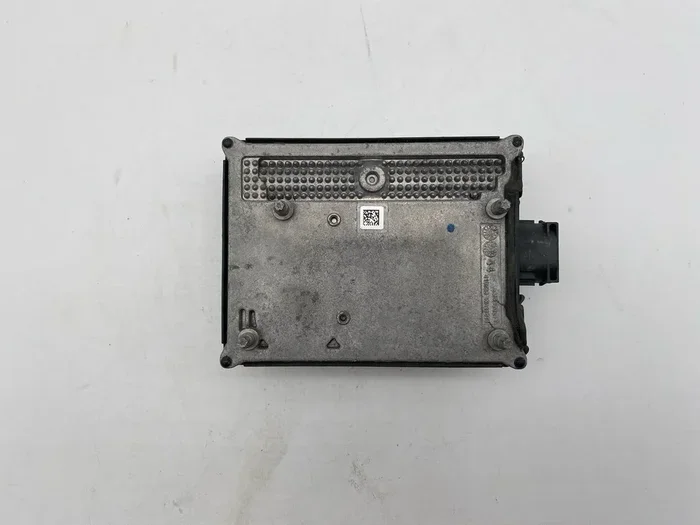
Open the hood and look behind the front grille. The sensor is usually centered, near the bottom of the bumper. It is a small black box with a clear cover. On the Nissan Armada, it sits just behind the license plate area. Use a flashlight if needed. You are looking for any dirt, snow, or debris on the sensor cover.
Step 3: Clean the Sensor Area Thoroughly
Take a soft microfiber cloth and gently wipe the sensor cover. Do not use harsh chemicals or rough scrubbers. A damp cloth works best. If there is thick mud or ice, carefully remove it. I always keep a small brush in my truck for this. Wipe in a circular motion. Make sure the entire sensor window is clear. This is the most common fix for the warning.
Step 4: Reset the Front Radar System
After cleaning, you need to reset the system. Close the hood and start the engine. Wait for the dashboard lights to come on. Then, turn the ignition off again. Wait ten seconds. Start the engine once more. The warning should disappear. If it does not, you can also try pressing and holding the cruise control button for five seconds. This resets the radar module. On some model years, you can clear the message through the vehicle settings menu. Go to Settings, then Vehicle, then Driver Assistance, and select Reset Radar.
Step 5: Test the System
Take a short drive. Pay attention to whether the warning returns. If the road is clear, the radar should reactivate automatically. You will see the adaptive cruise control icon come back on the display. If the warning stays, do not worry. Move to the next section to check for deeper issues.
Common Causes of Front Radar Obstruction on the Nissan Armada
Knowing what causes the warning helps you prevent it. Here are the most common reasons the front radar obstruction message appears on a Nissan Armada.
| Cause | Solution |
|---|---|
| Dirt or mud on the sensor | Wipe with a soft cloth |
| Snow or ice buildup | Clear with a brush or warm cloth |
| Aftermarket bull bar blocking the sensor | Adjust or remove the accessory |
| Bug splatter on the front grille | Wash the front end |
| Sensor damage from a minor impact | Visit a mechanic for inspection |
| Wiring or module fault | Diagnostic scan at a dealership |
Each of these causes can trigger the obstruction warning. I have seen cases where a small sticker on the grille caused the message. Even a thick layer of pollen can do it. The sensor is very sensitive. If you live in a dusty area or drive through construction zones, you might see the warning more often. Keeping the front end clean is the best defense.
Why Dirt and Debris Are the Biggest Culprits
Dirt is the number one cause. The sensor sits low behind the front bumper. It picks up road grime easily. A dirty windshield or fogged-up headlight housing can also reflect false signals. The system thinks there is an obstruction. A quick wash of the front end often solves the problem. I recommend washing your Nissan Armada at least once a week if you drive in dusty or snowy conditions.
Aftermarket Accessories and Sensor Placement
Many Armada owners add bull bars, nerf bars, or snow guards. These can block the radar sensor if they are not positioned correctly. Before buying any front-end accessory, check the manufacturer’s fitment guide. Some accessories come with sensor cutouts. If your accessory blocks the sensor, you may need to adjust it or choose a different model. I learned this the hard way when a friend installed a bar that triggered the warning every time.
Preventing Front Radar Obstruction Alerts on Your Nissan Armada
Regular Cleaning Routine
Prevention is easier than fixing. Make a habit of cleaning the front sensor area every time you wash the truck. Use a soft cloth and gentle soap. Pay attention to the area behind the grille. A quick wipe takes seconds but saves you from the warning light. I keep a small microfiber cloth in the glove box for quick wipes after off-road trips.
Avoiding Common Obstructions
Be mindful of what you place on the front of your truck. Avoid thick front-end covers that overlap the sensor zone. If you use a snow brush, do not let it rest against the grille. Check for loose items that might shift while driving. A small mud flap or a misplaced air freshener can cause the obstruction message. Keep the front end clear and clean.
Quick Tip: After a heavy snowstorm, clear the entire front of the truck, not just the windshield. Snow often packs around the sensor cover and stays there until you dig it out.
Expert Insight: Why Sensor Placement Matters
The factory radar sensor on the Nissan Armada is carefully positioned for optimal coverage. It is not just a random spot. The sensor needs a clear view of the road ahead, about 6 to 8 feet in front of the bumper. Any modification that changes the front-end height or adds material in front of the sensor can disrupt the radar’s field of view. If you lift your truck or add large tires, the sensor angle might change. In some cases, you may need a sensor relocation bracket to keep the system working properly. This is a small fix that keeps your safety features active.
When to Seek Professional Help for Nissan Armada Radar Issues
Persistent Warnings Despite Cleaning
If you clean the sensor, reset the system, and the warning still appears, there may be a deeper issue. The radar module itself could be faulty. Wiring connectors behind the bumper can corrode, especially in cold climates. Salt and moisture can cause short circuits. In these cases, a simple cleaning will not fix the problem. You will need a professional diagnostic scan. A mechanic can read the fault codes and pinpoint the exact cause.
Sensor Damage or Wiring Problems
A minor accident or a hard impact with a curb can damage the radar sensor. Even if the damage is not visible, the sensor may stop working correctly. The obstruction warning might stay on because the system detects a fault, not an actual blockage. A dealership or qualified repair shop can test the sensor with specialized equipment. They can also check the wiring harness that runs from the sensor to the main computer. Replacing a damaged sensor or repairing a wire is a job for a professional. Do not attempt to open the sensor housing yourself.
Expert Insight: I always recommend keeping your owner’s manual handy. The manual lists the exact location of the radar sensor and the reset procedure for your specific model year. If you lose your manual, you can download a PDF from the Nissan website for free.
Key Takeaways
- The front radar obstruction warning is a common and usually easy-to-fix issue on the Nissan Armada.
- Cleaning the sensor and performing a simple reset clears the message in most cases.
- Persistent warnings may point to sensor damage, wiring faults, or aftermarket accessory interference.
- Regular cleaning and mindful accessory choices prevent the warning from returning.
- You can handle the fix yourself with just a cloth and a few minutes of time.
- If the warning stays after a reset, visit a mechanic or dealership for a diagnostic scan.
Learning how to turn off front radar obstruction on a Nissan Armada gives you confidence and keeps your safety systems working. The process is quick, and the steps are easy to remember. Start with a simple cleaning and a reset. That solves the problem nine times out of ten. If the warning comes back, check for dirt, aftermarket parts, or sensor damage. You do not need to fear the message. Treat it as a helpful reminder to keep the front end clear. Your Nissan Armada is built to serve you well. With a little attention, the radar system will keep you safe on every drive. Take a moment today to clean the sensor area. You will thank yourself the next time you see that warning light.
Frequently Asked Questions
Can I drive with the front radar obstruction warning on?
You can drive, but some safety features like adaptive cruise control and forward collision warning may be disabled. It is best to clear the warning as soon as possible. A clean sensor restores these features quickly.
What is the easiest way to reset the front radar system on a Nissan Armada?
The easiest way is to turn the ignition off, wait ten seconds, and start the engine again. You can also hold the cruise control button for five seconds after starting the truck. This resets the radar module in most model years.
Will a dirty windshield cause the front radar obstruction message?
No, the windshield dirt does not directly affect the front radar sensor. However, a heavily soiled front grille or sensor cover will trigger the warning. Focus on cleaning the area behind the front bumper.
How often should I clean the front radar sensor on my Nissan Armada?
Clean it every time you wash the truck, or at least once a week if you drive in dusty, muddy, or snowy conditions. A quick wipe prevents the obstruction warning from appearing.
Can an aftermarket bull bar cause the front radar obstruction warning?
Yes, if the bull bar blocks the sensor’s line of sight. Choose a bull bar with sensor cutouts or adjust its position. Some owners need a sensor relocation bracket to keep the system working properly.
What should I do if the warning stays after cleaning and resetting?
If the warning persists, there may be a sensor fault, wiring issue, or module problem. Take your Nissan Armada to a dealership or qualified mechanic for a diagnostic scan. They can read the fault codes and recommend the right repair.