How to Set Up HomeLink for Quick and Easy Garage Access
Setting up HomeLink in your vehicle is one of the easiest ways to open your garage door without fumbling for a remote. This guide walks you through every step of the HomeLink programming process, from preparation to troubleshooting. Whether you have a rolling code or fixed code system, you will learn how to configure your HomeLink garage door opener in minutes.
There is nothing worse than pulling into your driveway on a rainy day and realizing you left your garage door remote somewhere else. You dig through your pockets. You check the console. Nothing. This is exactly the kind of moment that makes how to set up HomeLink such a valuable skill to learn.
HomeLink is a built-in system found in many modern vehicles. It replaces your garage door remote with a simple button or set of buttons on your car console. Once you learn how to set up HomeLink, you never need a separate remote again. Your car becomes the remote.
In this guide, we will walk you through the entire process. We will cover what HomeLink is, what you need before starting, the step-by-step setup, how to handle rolling code systems, common problems, and expert tips. By the end, you will have your garage door working seamlessly with your vehicle.
Key Takeaways
- HomeLink is a built-in system: It lets you control your garage door directly from your car console.
- Programming takes only minutes: The setup process is simple and does not require special tools.
- Rolling code and fixed code systems work differently: Knowing which one you have is essential for a smooth setup.
- Troubleshooting is straightforward: Most issues can be fixed with a quick reset or reprogramming.
- HomeLink adds real convenience: You can open your garage from your vehicle, hands-free.
- Compatibility matters: Not all garage door openers work with every HomeLink system, so check first.
- Safety features are built in: HomeLink includes protections to prevent accidental activation.
📑 Table of Contents
- What Is HomeLink and Why You Should Use It
- Before You Start: What You Will Need
- How to Set Up HomeLink Step by Step
- Programming HomeLink with a Rolling Code System
- HomeLink Training Mode: When Standard Programming Fails
- Troubleshooting Common HomeLink Issues
- HomeLink vs. Aftermarket Universal Remotes
- Pro Tips for Getting the Most from HomeLink
- Safety Considerations for HomeLink Users
- Conclusion
What Is HomeLink and Why You Should Use It
HomeLink is a wireless control system built directly into many vehicles. It was first introduced in the late 1990s and has become a standard feature in countless cars, trucks, and SUVs today. The system uses a small radio transmitter inside your car to communicate with your garage door opener.
When you press a HomeLink button on your visor or console, it sends a signal to your garage door receiver. The door opens or closes just like it would with a handheld remote. The difference is that the control is now part of your vehicle.
How HomeLink Works
HomeLink operates on a specific radio frequency, usually around 315 MHz or 390 MHz. The system pairs your car with your garage door opener using a simple programming sequence. Once paired, the connection stays active until you choose to reset it.
Most HomeLink systems have three buttons. This gives you the option to control multiple devices. You could set one button for the garage door, another for the gate, and a third for a secondary door or light. The flexibility is one of the biggest reasons people love this system.
Benefits of Using HomeLink
- No extra remote needed: You leave the handheld remote at home and use your car instead.
- Hands-free convenience: Some newer systems work with MyQ and smart home integrations.
- Cleaner console: Fewer remotes cluttering your space.
- Quick access: Open your garage before you even pull into the driveway.
- Built into the vehicle: No batteries to replace and no devices to lose.
Before You Start: What You Will Need
Setting up HomeLink is not hard, but a little preparation goes a long way. Before you begin the programming process, gather the items below. Having everything ready will save you time and frustration.
Check Your Vehicle for HomeLink Compatibility
Not every car has HomeLink. Look at your visor or overhead console for a panel with buttons labeled HomeLink. If you do not see them, your vehicle may not have the system built in. In that case, you can buy an aftermarket universal HomeLink adapter that plugs into your car.
Check your vehicle owner manual to confirm. The manual will also tell you which HomeLink model your car uses. There are three generations of HomeLink units, and the setup process is slightly different for each.
Know Your Garage Door Opener Type
This is the most important step. You need to know whether your garage door opener uses a rolling code or a fixed code. The programming method changes depending on which one you have.
- Rolling code: The opener changes its signal every time you use it. This is more secure and common in newer garages.
- Fixed code: The opener sends the same signal every time. These are older systems and less secure.
Have Your Garage Door Opener Manual Nearby
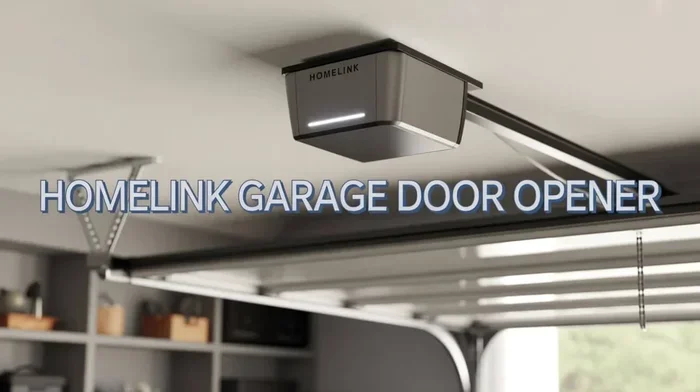
Your garage door opener unit is usually mounted on the ceiling of the garage. It has a light and a small antenna wire. Near the unit, there is a “Learn” button or a “Smart” button. You will need to press this during programming. Having the manual handy helps if you cannot find the button.
How to Set Up HomeLink Step by Step
Now that you are prepared, let us walk through the actual setup. Follow these steps carefully and you will have your HomeLink working in no time.
Step One: Clear the HomeLink System
Before programming new codes, you should clear any existing settings. This ensures a clean start. Press and hold the two outer HomeLink buttons on your visor for about 10 seconds. The indicator light will flash and then stay solid. Release the buttons. This clears the memory.
If you are setting up HomeLink for the first time, there may be nothing to clear. But it is always a good practice to start fresh.
Step Two: Put Your Garage Door Opener in Programming Mode
Go to your garage and locate the garage door opener unit. Find the “Learn” button. It is usually a small, colored button on the back or side of the motor unit. Press it once and release. The indicator light on the opener will turn on.
You have about 30 seconds to complete the next step. Work quickly but carefully.
Step Three: Program the HomeLink Button
Return to your car. Press and hold the HomeLink button you want to use. Hold it for about 20 seconds. The indicator light on the HomeLink panel should start blinking slowly. This means the system is searching for the garage door signal.
Now, go back to your garage door opener. Press the “Learn” button again within that 30-second window. Then return to your car and release the HomeLink button. Press it again and hold for two seconds, then release. The indicator light should flash rapidly.
Wait about 30 seconds. The HomeLight should turn solid, which means the pairing was successful.
Step Four: Test the System
Now it is time to see if it works. Press the HomeLink button you just programmed. Your garage door should respond. If it opens, you are done. If nothing happens, do not worry. We will cover troubleshooting below.
Test all programmed buttons to make sure each one controls the right device. If you set up multiple buttons for different doors or gates, test each one separately.
Step Five: Erase and Reprogram if Needed
If the first attempt does not work, do not panic. Go back to step one and clear the system again. Repeat the process from the beginning. Sometimes the timing between steps is off, and a fresh start fixes the issue.
Programming HomeLink with a Rolling Code System
Most modern garage doors use rolling code technology. This means the security code changes every time you use the remote. Programming HomeLink with a rolling code system requires a few extra steps compared to a fixed code system.
The Rolling Code Process Explained
With a rolling code system, the garage door opener and the transmitter must exchange codes in a specific sequence. The HomeLink system in your car acts as a transmitter just like your handheld remote. The opener must recognize the car as a trusted device.
The process we described above in the step-by-step section already covers the rolling code method. The key is the “Learn” button press on the opener unit and the timed sequence between the garage and the car.
Tips for Rolling Code Success
- Stay within range: Keep your car close to the garage door opener unit during programming.
- Work quickly: The 30-second window is real. Practice the steps a few times before actually pressing the buttons.
- Use a helper: Having someone press the Learn button while you handle the car side makes things smoother.
- Check the antenna: Your garage door opener has a small wire antenna. Make sure it is hanging down and not damaged.
HomeLink Training Mode: When Standard Programming Fails
Sometimes the standard programming method does not work. This is especially true with certain garage door brands that use advanced security features. In these cases, HomeLink offers a Training Mode that mimics the signal of your handheld remote directly.
How to Use Training Mode
Training Mode is a backup method that works with almost any garage door opener. Here is how it works.
- Locate your handheld garage door remote.
- Hold the remote face-down about one to three inches from the HomeLink button you want to program.
- Press and hold both the handheld remote button and the HomeLink button at the same time.
- Keep holding both buttons until the HomeLink indicator light changes from slow blinking to fast blinking. This usually takes about 20 seconds.
- Release both buttons.
- Press the HomeLink button and test if the garage door responds.
Training Mode is a powerful tool. It works because it copies the exact radio signal from your handheld remote and transfers it to the HomeLink system. Even if your opener uses a rolling code, Training Mode can often bypass the need for the Learn button sequence.
Troubleshooting Common HomeLink Issues
Even when you follow every step correctly, things sometimes go wrong. Here are the most common issues and how to fix them.
HomeLink Button Does Not Respond
If pressing the HomeLink button does nothing, the first thing to check is the indicator light. If the light does not flash at all, the HomeLink unit may need a reset. Try clearing the system and starting over from scratch.
Also, check your car battery. A weak battery can cause the HomeLink system to malfunction. The HomeLink unit draws power from the car electrical system, so a low battery can interfere with the signal.
Garage Door Does Not Open After Programming
If the HomeLink light flashed during programming but the door does not open, try the Training Mode method instead. Some newer garage door openers, especially LiftMaster and Chamberlain models, require Training Mode for proper pairing.
Another common cause is interference. Other vehicles nearby with HomeLink systems on the same frequency can sometimes cause conflicts. Move your car to a different spot in the driveway and try again.
HomeLink Works Intermittently
Intermittent operation usually points to a weak signal. Check the antenna wire on your garage door opener. Make sure it is not broken or coiled up. A damaged antenna weakens the communication between the opener and your car.
Also, make sure your car is not too far from the garage when pressing the HomeLink button. The signal strength decreases with distance.
How to Reset HomeLink Completely
A full reset wipes all programmed codes from the HomeLink system. To reset, press and hold the two outer HomeLink buttons for 10 seconds until the indicator light flashes. This clears everything. You can then start fresh with new programming.
HomeLink vs. Aftermarket Universal Remotes
You might wonder if HomeLink is really better than a universal garage door remote. Both options have their strengths. Here is a quick comparison to help you decide.
| Feature | HomeLink | Universal Remote |
|---|---|---|
| Built into vehicle | Yes | No |
| Number of buttons | Up to 3 | Usually 1 to 3 |
| Battery needed | No | Yes |
| Rolling code support | Yes | Yes |
| Smart home integration | Yes (with MyQ) | Rare |
| Setup complexity | Moderate | Simple |
| Aesthetics | Clean, built-in | Extra device on console |
HomeLink wins on convenience and integration. It is part of your car, so there is nothing extra to carry or lose. Universal remotes are cheaper and easier to set up, but they add clutter to your console and require battery changes.
That said, if your car does not have HomeLink, a universal remote is a great alternative. Many universal remotes today support both rolling code and fixed code systems, making them very versatile.
Pro Tips for Getting the Most from HomeLink
Once your HomeLink system is working, a few simple habits will keep it running smoothly for years.
Keep Your HomeLink Buttons Clean
Dust and grime can build up on the HomeLink buttons over time. A quick wipe with a dry cloth keeps the contacts clean and the response reliable.
Program All Three Buttons
Even if you only have one garage door, use the extra buttons for other things. Program one for a backyard gate, a shed door, or a gate at the end of your driveway. This makes HomeLink even more useful.
Update Your Opener Firmware
If your garage door opener supports Wi-Fi or smart features, keep its firmware up to date. Manufacturers sometimes release updates that improve compatibility with vehicle systems like HomeLink.
Use MyQ for Advanced Control
If you have a Chamberlain or LiftMaster smart opener, pair it with the MyQ app. This lets you monitor and control your garage door from your phone. HomeLink integration with MyQ means you can open the door from your car and get notifications on your phone at the same time.
Teach Other Family Members
Once your HomeLink is set up, show your family members how to use it. Make sure they know the difference between the HomeLink buttons and any other controls on the console. This is especially helpful for teenagers who are learning to drive.
Safety Considerations for HomeLink Users
HomeLink is a convenience feature, but safety should always come first. Garage doors are heavy and powerful machines. A malfunction can cause serious injury or property damage.
Always test your garage door auto-reverse feature after setting up HomeLink. Place a piece of wood on the ground under the door and close it. The door should reverse when it hits the object. If it does not, stop using the door and call a professional.
Also, never leave your HomeLink system programmed if you sell or trade in your vehicle. Reset the system before handing over the car. This prevents the next owner from accessing your garage.
Keep your garage door opener manual handy. It contains important safety instructions and troubleshooting steps specific to your model.
Conclusion
Learning how to set up HomeLink is one of the simplest upgrades you can make to your daily driving routine. It eliminates the hassle of searching for a remote, adds real convenience, and makes your vehicle feel smarter and more integrated.
The process is straightforward once you know your opener type and follow the steps carefully. Whether you use the standard programming method or the Training Mode backup, you can have your garage door working with your car in under 15 minutes. If something goes wrong, the troubleshooting steps in this guide will help you get back on track quickly.
Take a few minutes today to set up your HomeLink system. You will wonder how you ever managed without it. The next time you pull into your driveway, your garage door will open with the simple press of a button right there on your console.
Frequently Asked Questions
Can I set up HomeLink on any vehicle?
Most vehicles manufactured after 2000 come with HomeLink as a standard or optional feature. Check your visor or console for the HomeLink panel. If your car does not have it, you can buy an aftermarket universal HomeLink adapter that installs easily.
How long does it take to set up HomeLink?
The entire process usually takes between 5 and 15 minutes. If your garage door opener uses a standard rolling code system, it should be even faster. Training Mode may add a few extra minutes.
What is the difference between HomeLink and MyQ?
HomeLink is the built-in vehicle system that controls your garage door from your car console. MyQ is a smart home app by Chamberlain and LiftMaster that lets you control your garage door from your phone. Many modern systems support both, giving you control from your car and your phone.
Why does my HomeLink not work after I programmed it?
This is usually caused by incorrect timing during programming or a weak car battery. Try clearing the system and reprogramming using the steps above. If the issue persists, try Training Mode as an alternative method.
Can I program more than one garage door to my HomeLink system?
Yes. Most HomeLink systems have three buttons, and each one can be programmed to a different device. You could set one button for your garage, one for a gate, and one for a shed or secondary door.
Is it safe to leave HomeLink programmed in a sold or traded vehicle?
No. Always reset your HomeLink system before selling or trading in your car. This prevents the new owner from accessing your garage. A simple reset takes only a few seconds and protects your home.