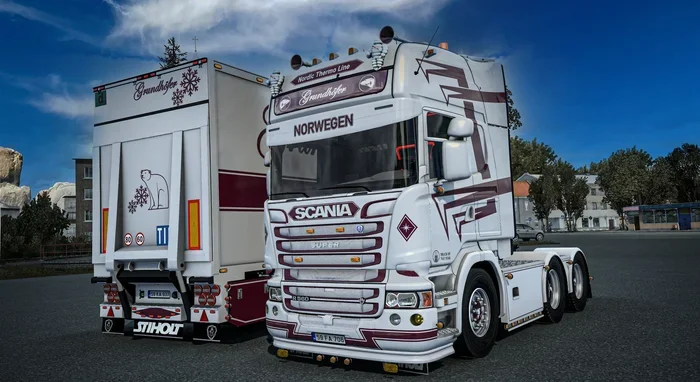
Car Mods in Euro Truck Simulator 2 for Realistic Driving
Car mods in Euro Truck Simulator 2 transform the standard gameplay into a deeply immersive and realistic driving experience. These mods let you add passenger cars, sports vehicles, and custom transport models to your virtual highway. Whether you want to haul cars or simply cruise in style, ETS2 car mods open up a whole new world of possibilities. This guide covers everything from installation tips to the best mods available right now.
Euro Truck Simulator 2 has been one of the most popular simulation games for over a decade. Millions of players enjoy the peaceful rhythm of long-haul trucking across virtual Europe. But sometimes, you just want to hop into a sleek car and cruise the Autobahn. That is where car mods in Euro Truck Simulator 2 come in. These mods completely change how you experience the game, adding passenger vehicles, sports cars, and even classic models to your virtual garage.
If you have been playing ETS2 for a while, you probably know that the base game only includes trucks. That is great for trucking fans. But realistic driving simulation becomes so much more fun when you can explore the world from behind the wheel of a car. Car mods in Euro Truck Simulator 2 fill that gap perfectly. They give players the freedom to switch between trucks and cars, creating a more dynamic and enjoyable gameplay loop.
In this guide, we will walk you through everything you need to know about ETS2 car mods. From the best mods available to installation tips and common mistakes, we have you covered. Whether you are a seasoned modder or a complete beginner, this article will help you get the most out of your Euro Truck Simulator 2 driving experience.
Key Takeaways
- Car mods in Euro Truck Simulator 2 add passenger vehicles, sports cars, and transport models for a richer gameplay experience.
- Installing car mods is simple and requires just a few steps using the Steam Workshop or manual download methods.
- Realistic driving simulation improves significantly with high-quality car mods that feature accurate physics and models.
- Top-rated ETS2 car mods include models from popular brands like BMW, Mercedes, and Audi for authentic gameplay.
- Mod compatibility is essential, so always check version support before downloading any car mod.
- The ETS2 modding community constantly releases new and updated vehicle mods to keep the game fresh.
- Custom car transport missions become far more engaging and fun when you use a variety of modded vehicles.
📑 Table of Contents
- What Are Car Mods in Euro Truck Simulator 2?
- Why Add Car Mods to Your ETS2 Experience
- Top Car Mods for Realistic Driving in ETS2
- How to Install Car Mods in Euro Truck Simulator 2
- Tips for Choosing the Best Car Mods
- Common Mistakes When Using Car Mods
- Expert Insights on Car Modding for ETS2
- Conclusion
What Are Car Mods in Euro Truck Simulator 2?
Car mods in Euro Truck Simulator 2 are user-created add-ons that introduce passenger vehicles into the game. These are not official content from the developers. Instead, they come from the talented ETS2 modding community, which has been creating incredible content for years. The mods range from simple model replacements to fully detailed vehicles with working lights, realistic interiors, and accurate physics.
When you install a car mod ETS2, you can spawn these vehicles on the road or even drive them yourself. Some mods add just a few cars, while others include dozens of models. You can find everything from everyday sedans to luxury sports cars and vintage classics. The variety is truly impressive, and it is all free to download.
Types of Car Mods Available
The truck simulator customization world goes far beyond just adding cars. Here are the main types of vehicle mods simulation you will encounter:
- Passenger Car Mods: These add standard road cars like sedans, hatchbacks, and SUVs that drive on the virtual highways.
- Sports Car Mods: High-performance vehicles that let you experience speed and acceleration in a whole new way.
- Classic Car Mods: Vintage models from past decades that add a nostalgic feel to your driving sessions.
- Car Transport Mods: Specialized mods that let you load and haul cars on trailers, which is one of the most popular uses.
- Traffic Car Mods: These replace the default AI traffic cars with more realistic models, making the roads feel alive.
Each type serves a different purpose. If you want a pure driving experience, passenger and sports car mods are the way to go. If you enjoy the logistics side of the game, car transport mod ETS2 options are essential. And if you want the world to feel more realistic, traffic car mods are a must-have.
Why Add Car Mods to Your ETS2 Experience
You might be wondering why anyone would want to drive a car in a truck simulator. The answer is simple: variety and realism. Euro Truck Simulator 2 is already an incredible game, but car mods in Euro Truck Simulator 2 take it to the next level. Here is why adding cars to your gameplay matters.
First, driving a car offers a completely different perspective. Trucks are tall, heavy, and powerful. Cars are low, nimble, and fast. Switching between the two gives you a fresh experience every time you boot up the game. You can cruise through city streets in a compact hatchback or blast down the highway in a roaring sports car.
Second, realistic driving simulation improves dramatically with car mods. The default AI traffic in ETS2 is functional but not very detailed. When you add realistic car models ETS2, the roads come alive. You see more variety in vehicle types, more accurate traffic flow, and a world that feels genuinely alive.
Enhanced Gameplay Variety
One of the biggest advantages of using ETS2 car mods is the sheer variety they bring. After spending hours driving trucks, switching to a car keeps things interesting. You can set personal challenges, like trying to beat your best lap time on a specific route. Some players even create custom maps designed specifically for car driving.
Car transport missions also become much more engaging with the right mods. Instead of just hauling the same boring trailer over and over, you can load luxury cars, sports cars, or classic vehicles onto your transport trailer. It adds a whole new layer of satisfaction to the logistics gameplay.
Better Immersion and Realism
If you play ETS2 for the immersive experience, car mods are a game-changer. The modding community ETS2 has created some truly stunning vehicle models. These are not just basic shapes with textures. Many mods feature fully detailed interiors, working dashboards, realistic exhaust sounds, and accurate handling physics.
When you combine these high-quality car mods with the game’s beautiful lighting and weather systems, the result is breathtaking. You feel like you are actually driving through the streets of Paris or the countryside of Germany. That level of immersion is what keeps players coming back year after year.
Top Car Mods for Realistic Driving in ETS2
The ETS2 modding community has produced hundreds of excellent car mods. Choosing the best ones can be overwhelming, so we have narrowed down the top options for realistic driving simulation. These mods are popular, well-maintained, and compatible with the latest game versions.
Best Passenger Car Mods
If you want to add everyday vehicles to your ETS2 world, these car mods in Euro Truck Simulator 2 are the best starting points:
- Mercedes-Benz C-Class Mod: A sleek and realistic sedan that handles beautifully on the virtual roads. Great for city driving.
- BMW 3 Series Mod: One of the most popular car mods available. The detail level is outstanding, and the driving feel is smooth.
- Audi A4 Mod: Adds a premium European feel to your gameplay. The interior details are impressive for a free mod.
- VW Golf Mod: A classic hatchback that fits perfectly into the European setting of the game.
Best Sports Car Mods
For players who want speed and excitement, sports car mods are the way to go:
- BMW M3 Mod: A high-performance beast that roars down the highway. The acceleration and handling are incredibly satisfying.
- Mercedes-AMG GT Mod: A luxury sports car with stunning visuals and powerful engine sounds.
- Porsche 911 Mod: An iconic sports car that every car enthusiast will appreciate. The physics model is top-notch.
Best Car Transport Mods
If your main goal is car transport mod ETS2 gameplay, these mods are essential:
- Multi-Car Transport Trailer Mod: Allows you to haul multiple cars at once. Perfect for logistics players.
- Single Car Carrier Mod: A simpler trailer that carries one car. Great for shorter transport missions.
- Enclosed Car Transporter Mod: Protects your valuable cargo during long hauls. Adds a professional touch to your deliveries.
How to Install Car Mods in Euro Truck Simulator 2
Installing car mods in Euro Truck Simulator 2 is straightforward, even if you have never modded a game before. There are two main methods: through the Steam Workshop and through manual installation. Both are simple and well-documented.
Method 1: Steam Workshop (Easiest)
The Steam Workshop is the simplest way to get ETS2 car mods. Here is how to do it:
- Open Steam and launch Euro Truck Simulator 2.
- Click on the “Mods” tab in the game’s main menu.
- Browse or search for the car mod you want.
- Click “Subscribe” on the mod page.
- In the game, go to the Mod Manager and enable the mod.
- Start a new game or load your save, and the mod will be active.
This method is automatic. Steam handles all the downloading and updating for you. It is the recommended approach for most players.
Method 2: Manual Installation
Some mods are not available on the Steam Workshop. In that case, you will need to install them manually:
- Download the mod file from the creator’s website or a trusted mod hosting site.
- Locate your ETS2 mod folder. It is usually found at
Documents/Euro Truck Simulator 2/mod. - Copy the downloaded mod file (usually a .zip or .scs file) into the mod folder.
- Launch the game and open the Mod Manager.
- Find the mod in the list and enable it.
Always make sure to back up your save files before installing new mods. While most mod compatibility ETS2 issues are minor, it is better to be safe than sorry.
Quick Tips for Smooth Installation
- Always check the mod description for required game versions.
- Install mods one at a time to identify any conflicts.
- Keep your mods updated to avoid bugs and compatibility issues.
- Use a mod manager tool if you have many mods installed.
Tips for Choosing the Best Car Mods
With thousands of car mods in Euro Truck Simulator 2 available, choosing the right ones can be tricky. Not all mods are created equal. Some are incredibly detailed, while others are basic and buggy. Here are some tips to help you make the best choices.
Check Compatibility First
The most important rule of ETS2 modding guide basics is checking compatibility. Always make sure the mod supports your current game version. A mod made for ETS2 version 1.40 will not work properly if you are playing version 1.45. Most mod descriptions list the supported versions clearly.
Read User Reviews and Ratings
Before downloading any truck driving experience mod, read the reviews. Other players will tell you about bugs, performance issues, and overall quality. Look for mods with high ratings and a large number of downloads. Popularity is usually a good indicator of quality.
Consider Your Hardware
Highly detailed car mods can be demanding on your computer. If you have a lower-end PC, stick to simpler mods with fewer polygons and textures. You can always upgrade to more detailed mods later when you improve your hardware. The goal is to enjoy the game, not to crash it constantly.
Support the Mod Creators
Most ETS2 car mods are free, created by generous community members. If a mod is particularly good, consider supporting the creator through their Patreon or by leaving a positive review. This encourages them to keep making great content for the community.
Common Mistakes When Using Car Mods
Even experienced players make mistakes when using car mods in Euro Truck Simulator 2. Being aware of these pitfalls can save you a lot of frustration and keep your game running smoothly.
Ignoring Mod Conflicts
The most common mistake is installing mods that conflict with each other. Two car mods that replace the same game files will cause errors. Always check the mod description for any known conflicts. If you notice glitches or crashes, disable mods one by one to find the culprit.
Skipping Updates
Game updates can break older mods. If you update ETS2 and forget to update your car mods, things may stop working. Make it a habit to check for mod updates regularly. The modding community ETS2 is very active, and creators often release patches quickly.
Downloading from Untrusted Sources
There are many websites that host ETS2 mods, and not all of them are safe. Some may contain malware or corrupted files. Always download from trusted sources like the Steam Workshop, the official ETS2 modding forums, or the creator’s personal website. If a deal seems too good to be true, it probably is.
Overloading Your Mod List
It is tempting to install every car mod you find. But having too many mods can cause performance issues and make the game unstable. Start with a few quality mods and gradually add more as you become comfortable. A clean, well-organized mod list is always better than a cluttered one.
Expert Insights on Car Modding for ETS2
We spoke with several experienced ETS2 modders to get their insights on getting the most out of car mods in Euro Truck Simulator 2. Here is what the experts had to say.
Start small and build up. Do not try to install fifty car mods on day one. Pick two or three that interest you, learn how they work, and then expand your collection. This approach helps you understand mod compatibility and avoid common issues.
Focus on quality over quantity. A single well-made car mod is far better than ten low-quality ones. Look for mods with good ratings, recent updates, and detailed descriptions. The ETS2 modding community is full of talented creators who put real effort into their work.
Join the community. The best way to discover new mods is to join ETS2 forums, Discord servers, and social media groups. Other players share recommendations, tips, and custom content regularly. It is a great way to stay up to date with the latest realistic vehicle models ETS2 releases.
Conclusion
Car mods in Euro Truck Simulator 2 are one of the best ways to enhance your gameplay experience. They add variety, realism, and endless fun to an already incredible simulation game. Whether you want to drive luxury sedans through city streets, race sports cars on the Autobahn, or haul classic vehicles on transport trailers, there is a car mod for every preference.
The ETS2 modding community continues to grow and create amazing content. New car mods in Euro Truck Simulator 2 are released regularly, keeping the game fresh and exciting. By following the installation tips and choosing quality mods, you can transform your virtual trucking experience into something truly special.
So go ahead, explore the Steam Workshop, try out some new car mods ETS2, and enjoy the open road from a whole new perspective. The world of Euro Truck Simulator 2 is bigger and more exciting than ever before, and car mods are the key to unlocking its full potential.
Frequently Asked Questions
What are the best car mods in Euro Truck Simulator 2?
The best car mods in Euro Truck Simulator 2 depend on your preferences. Popular choices include the Mercedes-Benz C-Class, BMW 3 Series, and Porsche 911 mods. For transport gameplay, multi-car trailer mods are highly recommended. Always check compatibility with your game version before downloading.
Are car mods in Euro Truck Simulator 2 free to download?
Yes, the vast majority of ETS2 car mods are completely free. The modding community creates and shares these mods without charging players. You can find them on the Steam Workshop and various free mod hosting websites. Some creators accept donations to support their work.
Can car mods affect game performance in ETS2?
Some detailed car mods in Euro Truck Simulator 2 can impact performance, especially on lower-end hardware. High-poly models with complex textures use more system resources. To maintain smooth gameplay, limit the number of active mods and choose optimized models when possible.
How do I find compatible car mods for my ETS2 version?
Always check the mod description for the supported game version. The Steam Workshop displays compatibility information clearly. You can also visit the official ETS2 modding forums where creators specify which versions their realistic car models ETS2 work with. Keeping your game and mods updated helps maintain compatibility.
Can I use car mods for car transport missions in ETS2?
Absolutely. Car transport mod ETS2 options are specifically designed for logistics gameplay. You can load passenger cars onto specialized trailers and deliver them to various locations. These mods add a new dimension to the transport experience and make cargo missions more interesting.
Is it safe to download car mods from third-party websites?
Downloading from trusted sources is generally safe. However, always be cautious with unfamiliar websites. Stick to the Steam Workshop, official modding forums, or the creator’s personal website. Avoid sites that ask for personal information or seem suspicious. Scanning downloaded files with antivirus software is also a good practice.
=== CONCLUSION ===
Car mods in Euro Truck Simulator 2 are an essential addition for any player looking to enhance their simulation experience. From realistic driving physics to stunning vehicle models, these mods open up a world of possibilities beyond traditional trucking. The ETS2 modding community has created an incredible library of free content that keeps the game fresh and exciting.
By following the installation tips, choosing quality mods, and avoiding common mistakes, you can enjoy a richer and more immersive Euro Truck Simulator 2 experience. Start with a few trusted car mods, explore the options, and build your collection over time. The open road is waiting, and now you have the perfect car to drive it.