How Do I Know If My Garage Door Opener HomeLink Compatible
Finding out if your garage door opener HomeLink compatible is easy when you know what to look for. This guide breaks down the simple steps to check your opener’s frequency, code type, and vehicle integration options. You will learn how to avoid common mistakes and get your smart home access working fast.
Key Takeaways
- Check the frequency: Most modern openers use rolling code technology for better security and easy pairing.
- Look for the learn button: Your opener unit must have a smart or learn button to pair with HomeLink.
- Verify vehicle compatibility: Not all cars support HomeLink, so check your owner’s manual first.
- Consider aftermarket options: Universal remotes can bridge the gap if your opener lacks direct HomeLink support.
- Dip switches matter: Older openers use fixed codes and dip switches for programming.
- MyQ adds smart features: Modern Chamberlain and LiftMaster openers offer app control alongside HomeLink.
📑 Table of Contents
- What Does It Mean When Your Garage Door Opener Is HomeLink Compatible?
- How to Check If Your Garage Door Opener Works With HomeLink
- The Step-by-Step Programming Process for HomeLink
- Common Problems When Your Opener Is Not HomeLink Compatible
- Comparing Top Garage Door Opener Brands and HomeLink Support
- Final Thoughts on Making Your Garage Door Opener HomeLink Compatible
What Does It Mean When Your Garage Door Opener Is HomeLink Compatible?
When we talk about a garage door opener HomeLink compatible unit, we mean the device can talk directly to your car without needing a separate handheld remote. HomeLink is a built-in wireless control system found in many modern vehicles today. It lets you open your garage door right from the driver’s seat with just the push of a button. You do not need to dig through your pockets or purse to find a small plastic remote control anymore.
This technology uses a special radio signal to connect your car and your garage door opener motor. The vehicle integration makes your daily routine much smoother and faster. It is part of the larger smart home trend that makes our lives easier and more connected. With convenience access, you can enter your home with your hands full of groceries, laundry, or kids. You simply press the button in your car, and the door opens for you. It feels like magic, but it is just very clever engineering.
However, not every garage door opener has this feature built inside. Older models from ten or fifteen years ago might lack the internal parts needed for HomeLink communication. Newer units from top brands like Chamberlain and LiftMaster usually include this feature as a standard item on their product lists. Before you try to program anything, you must confirm that your specific opener can actually talk to your car’s HomeLink system. Taking a few minutes to check now saves you a lot of frustration later on.
The HomeLink system was first introduced in the 1990s, and it has grown very popular ever since. It replaced the need for separate garage door remotes that you had to mount on your sun visor with sticky pads. Today, the technology is built right into the car’s electrical system. This makes the look of your car interior much cleaner and less cluttered. Understanding how this system works is the first step to a better driving experience. You will never want to go back to using a clunky handheld remote again once you make the switch.
It is also important to understand that HomeLink is not just for garage doors. You can program it to control other things too. Some people use it for gate openers, car ports, or even smart home lighting systems. The possibilities are quite wide if your opener supports it. This versatility is another reason why having a garage door opener HomeLink compatible unit is such a great investment for your property.
How to Check If Your Garage Door Opener Works With HomeLink
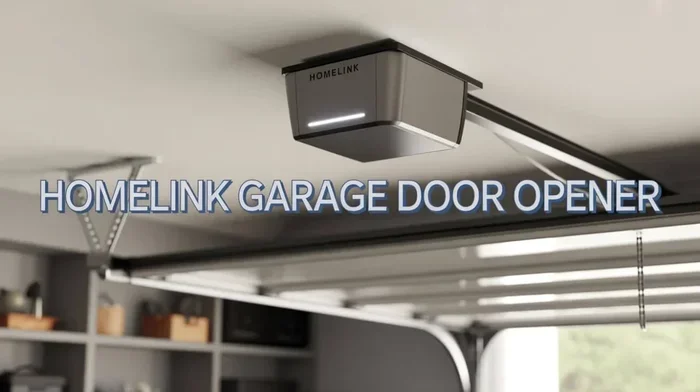
Checking your opener takes just a few minutes of your time. You do not need any special tools or expensive equipment to start the process. First, you need to look at the back of your garage door motor unit. This is where the brain of the whole system lives and breathes. The motor unit is usually mounted on the ceiling of your garage, high up on a metal rail. It is the box that houses the motor and the logic board.
You will see a series of lights and buttons on the back panel of the unit. One of these buttons is the learn button. It is usually colored, often yellow, red, orange, or green. It is very visible and easy to find. If you see this button, there is a good chance your unit supports modern programming methods. This is a very good sign that your opener might be ready for HomeLink integration. If you do not see a colored button, your unit might be very old.
Next, you need to know what type of frequency your opener uses to send signals. Most modern systems use a rolling code technology. This is a very smart security feature that keeps your home safe. The rolling code changes the access code every single time you press the button on your remote. It makes it almost impossible for thieves to copy your signal and break into your garage. Older openers use a fixed code system instead. These older systems rely on dip switches inside the motor unit to set a static code. The code never changes, which makes them a bit less secure than modern systems.
To check for dip switches, look for a small row of tiny switches on the back of the opener. They look like little sliding switches or small pins that you can move up and down. If you see these, your opener is an older model. You might still be able to use HomeLink, but the programming process is a bit different and more manual. You will have to match the dip switch settings on the opener with the settings in your car. Write down the brand name and model number of your opener. This important info helps you find the exact guide for your specific unit. You can usually find this number on a sticker on the motor unit itself or in the original paperwork you received when you bought the door.
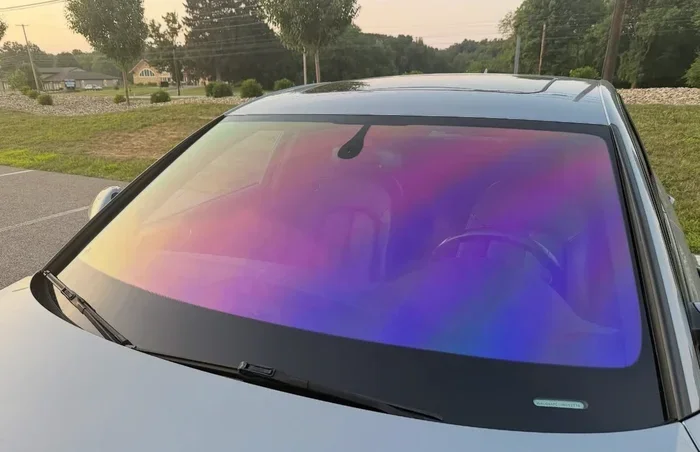
Another important thing to check is the antenna on your car. The windshield antenna is a small wire that hangs down from the inside of your front windshield. It is often black and looks like a thin piece of string. If this antenna is damaged, broken, or not working properly, the HomeLink system will not receive the radio signal from the garage door opener. Make sure the antenna is securely attached and hangs down naturally. A broken antenna is one of the most common reasons for HomeLink failure. Fixing a loose antenna can sometimes solve your problem without any other steps.
Finding the brand and model number is the most important first step. Every garage door opener has a sticker on the back of the motor unit. This sticker lists the model number and the manufacturing date. If you cannot find the sticker, check the original box or the instruction manual you received. If you threw those away, you can usually search the model number online. The manufacturer’s website will have a support page for your specific model. Once you have the model number, go to the manufacturer’s website and look for the specifications. The spec sheet will clearly state whether the unit supports HomeLink or not. Some units support a newer version called MyQ, which works similarly but requires a bridge device. Other units might support both HomeLink and Wi-Fi connectivity. Knowing exactly what your unit supports prevents you from buying the wrong accessories or wasting time on failed programming attempts.
The Step-by-Step Programming Process for HomeLink
Once you know your opener is HomeLink compatible, you can start the programming process. The process is very similar for most cars and trucks on the road today. You will be pairing the car’s built-in HomeLink system with the garage door motor unit. It takes a little patience and careful attention, but it is very doable for anyone who follows the steps closely.
Preparing Your Vehicle and Opener for Programming
First, park your car close to the garage door opener motor. You want the car to be within a few feet of the unit. This close distance helps the radio signal travel clearly between the two devices without any interference from walls or other objects. Make sure your car is in park and the engine is completely turned off. Safety always comes first when working with your garage door system. You do not want the car to roll while you are walking around the garage.
Next, locate the HomeLink control buttons in your car. These are usually found on the sun visor or the overhead console near the rearview mirror. You will see three buttons lined up together. They often have small red or green indicator lights on them. You need to choose one of these three buttons to program specifically for your garage door. If one of the buttons is already in use for another device, you can clear it first by holding it down for a long time until the light flashes rapidly. This clears the old memory and prepares the button for a new device.
Programming the HomeLink Button in Your Car Step by Step
Press and hold the chosen HomeLink button firmly with your finger. Do not let go right away. You will see a blinking light on the car button after a few seconds. This blinking light means the system is ready to learn the new code from your garage door opener. Keep holding the button down until the light changes its pattern from slow to fast. This change indicates that the car is searching for the opener signal.
Now, go back to your garage door opener motor unit inside the garage. Press and release the learn button on the back of the unit quickly. The light on the opener will start glowing steadily. You usually have about 30 seconds to finish the next step, so you must work quickly. Do not wait too long or you will have to start the whole process over again. The 30-second window is very important to remember.
Go back to your car and hold the HomeLink button down again. Keep holding it firmly until the light on your car changes from slow blinking to fast blinking. This fast blinking means the pairing was successful and the codes have been matched perfectly. Now test it by pressing the HomeLink button in your car one time. The garage door should immediately start to move up or down. If it does not move, repeat the steps again and make sure you are within the 30-second window. Sometimes it takes two or three tries to get the timing just right. Patience is your best friend during this process.
Common Problems When Your Opener Is Not HomeLink Compatible
Sometimes, even when you try your very best, the system does not work the way it should. This usually happens when the vehicle compatibility is missing or the garage door opener is simply too old to support the feature. Do not worry if this happens to you. You still have several good options to fix the problem and get your garage door working from your car again. Patience is your best friend here.
What to Do If You See an Error Message
If your car shows an error message during the programming steps, the radio signal might be too weak. Move your car a few feet closer to the garage door motor unit. Also, make sure you are pressing the learn button on the opener quickly enough. The 30-second window goes by very fast, and a slow reaction can cause the process to fail. Try to be as quick as possible when moving between the car and the motor unit.
Another common issue is an old fixed code system in your opener. Some newer cars simply cannot read these old, unchanging codes. In this case, you might see a message that says the system is not responding or that the training failed completely. This is a clear sign that the two devices do not speak the same language. The older technology just does not match the modern car system. It is like trying to plug a modern USB-C cable into an old USB-A port.
When to Use an Aftermarket Universal Remote
If your opener is not HomeLink compatible, you do not have to give up on the idea of controlling it from your car. You can use an aftermarket remote to bridge the gap between your old opener and your new car. These are small, inexpensive devices that plug right into the HomeLink system in your car. They act as a translator between your car and the garage door opener. The remote receives the HomeLink signal from your car and then sends the right signal to the garage door motor to open the door.
You just program the universal remote to your garage door opener first. Then, you program the HomeLink system in your car to talk to the universal remote. It takes an extra step, but it works very reliably and consistently. Many drivers love this solution because it brings modern home automation features to older garage door openers that were never designed for it. It is a great way to upgrade your old system without buying a whole new garage door opener motor unit.
Understanding the MyQ Smart System
Many modern openers from Chamberlain and LiftMaster use the MyQ system. This system adds smartphone control to your garage door. You can check if your door is open or closed from anywhere in the world using your phone. While MyQ is not the same as HomeLink, it works hand in hand with it. Some openers have both HomeLink and MyQ built in. This gives you the best of both worlds. You get the car button for quick access and the phone app for remote monitoring and alerts.
Comparing Top Garage Door Opener Brands and HomeLink Support
Different brands handle HomeLink in different ways across their product lines. Some include the feature on every single model they sell, while others only put it on their premium, high-end units. Understanding these differences helps you make the right buying decision when it is time to replace your old opener. Here is a quick look at the big names in the garage door industry today.
| Brand | HomeLink Standard | Smart Features | Best For |
|---|---|---|---|
| Chamberlain | Yes, on most models | MyQ app control | Reliable daily use |
| LiftMaster | Yes, on most models | MyQ and Wi-Fi | Heavy duty lifting |
| Genie | Yes, on select models | Aladdin app | Heavy garage doors |
Chamberlain and LiftMaster are actually the same parent company, so they share many of the same internal parts and features. Both brands offer very strong vehicle integration with HomeLink. Their openers often work perfectly with HomeLink right out of the box. You rarely have to do any extra steps to get them working. They also use the MyQ system, which lets you control the door from your phone. This is a great bonus for smart home owners who want to monitor their garage from anywhere in the world. The app is very easy to download and use.
Genie is another excellent and very trusted brand in the garage door world. They make some of the most powerful and durable openers you can buy. They are known for their quiet operation and long lifespan. However, you need to check the specific model number to confirm HomeLink support. Not every single Genie unit has it built in from the factory. Always read the box or the product manual carefully before you buy a Genie opener. This simple step saves you from buying a door opener that does not fit your car setup and wastes your valuable time.
When shopping for a new opener, always ask the salesperson about HomeLink support. If you are buying online, check the product description very carefully. Look for phrases like HomeLink compatible or built-in HomeLink. If you are replacing an old opener, you will definitely want to choose a new one with this feature. The added convenience is worth the small extra cost. It makes your life so much easier every single day. You will wonder why you did not upgrade sooner.
Final Thoughts on Making Your Garage Door Opener HomeLink Compatible
Making sure your garage door opener HomeLink compatible setup is correct brings a lot of joy and ease to your daily routine. You no longer have to fumble with loose remotes in the pouring rain or cold, snowy weather. The convenience access is truly a game changer for busy families who are always on the go. It is one of those small things that makes a huge difference in your morning commute and your evening return home.
Always start by checking your opener model number and your car owner’s manual. If your opener is older, do not panic or think you are out of options. You can still use a bridge device or a smart aftermarket remote to get the same great result. The world of home automation is very flexible and works with almost any garage door setup you might have at home. Technology is here to help us, not to make things harder.
Take your time with the programming steps we shared above. Rushing through the process is the number one reason for failure and frustration. Once you get the radio signal paired correctly, you will wonder how you ever lived without it. Enjoy the ease of use and the added safety that comes with a modern vehicle integration system. Your future self will thank you every time you pull into the driveway. Keep your garage door opener well maintained, and it will serve you for many years to come.
Frequently Asked Questions
How do I know if my car has HomeLink?
You can check by looking at your sun visor or the overhead console inside your car. You will see three buttons lined up together with small indicator lights. These are the HomeLink controls. If you see them, your car has the feature built in. You can also check your car owner’s manual for confirmation.
What is the difference between rolling code and fixed code?
A rolling code changes the access signal every time you press the button. This keeps your home very safe from thieves. A fixed code stays the same every time you press the button. Rolling code is the modern standard and is much more secure than fixed code systems.
Can I add HomeLink to an older car?
Yes, you can use an aftermarket universal remote that plugs into your car’s HomeLink system. These devices act as a bridge between your old car and your garage door opener. They are easy to install and work with almost any vehicle.
Why did my HomeLink programming fail?
The most common reason is timing. You must press the learn button on the opener and then get back to the car within 30 seconds. Another reason could be a weak radio signal. Make sure your car is close to the garage door motor unit and that your windshield antenna is working properly.
Does MyQ replace HomeLink?
No, MyQ and HomeLink are different but they work together. MyQ lets you control your garage door with your phone. HomeLink lets you control it with a button in your car. Many modern openers support both features at the same time.
Are Chamberlain and LiftMaster the same company?
Yes, Chamberlain and LiftMaster are owned by the same parent company. They share many of the same parts and features. Both brands offer excellent HomeLink support on most of their models.