How Do I Know If My Car Key Needs a New Battery Today
Knowing when your car key battery is low can save you from being locked out of your vehicle. The most common signs include reduced remote range, delayed button response, and dashboard warning lights. Replacing the battery yourself is quick, cheap, and takes less than five minutes in most cases. A healthy car key battery keeps your key fob working reliably every single day.
There is nothing more frustrating than standing outside your car, pressing the remote button over and over, and getting nothing in return. You might think the remote is broken, but the real culprit is often something much simpler. In most cases, your car key battery just needs to be swapped out. This small fix can save you from expensive locksmith calls and unnecessary stress.
A dying car key battery is one of the most common issues drivers face, yet many people don’t realize the signs until they’re already locked out. Whether you have a key fob battery in a modern smart key or a traditional remote key battery setup, the symptoms are usually the same. The good news is that fixing this problem is quick, affordable, and something you can do yourself at home in just a few minutes.
In this guide, we’ll walk you through every sign that your car key battery is running low, show you exactly how to replace it, and share tips to make your key fob battery last longer. By the end, you’ll know exactly what to do the next time your car remote not working starts acting up. Let’s get into it.
Key Takeaways
- Reduced Range: If your remote key fob doesn’t work from across the parking lot anymore, the battery is likely dying.
- Easy DIY Fix: Most car key batteries can be replaced at home with a small flathead screwdriver and a CR2032 coin cell battery.
- Battery Life: A car key battery typically lasts between two and four years with normal use.
- Watch for Warning Signs: Delayed responses, intermittent failures, and dashboard alerts are all red flags.
- Professional Help: Some key fobs with built-in transponder chips may need a dealer or locksmith for battery replacement.
- Preventive Care: Keeping your key dry, clean, and stored properly extends battery life significantly.
📑 Table of Contents
Signs Your Car Key Battery Is Dying
Your car key gives you plenty of warning before it completely dies. The trick is knowing what to look for. Most modern vehicles use a key fob battery that powers the remote functions, and when that battery starts to weaken, you’ll notice clear changes in how your key performs.
Ignoring these early warning signs can leave you stranded, especially in bad weather or late at night. Let’s break down the most common indicators that your car key battery needs attention.
Reduced Range From Your Remote
One of the first things you’ll notice is that your key fob range shrinks significantly. Maybe you used to unlock your car from across the street, and now you have to stand right next to the door. This happens because a weakening remote key battery can’t send a strong enough signal to reach the car’s receiver.
Here’s a simple test you can try. Stand about 30 feet away from your car and press the unlock button. If you have to move closer and closer each time, your car key battery is losing power. This is one of the most reliable early warning signs of a dying key fob battery.
Delayed Response When Pressing Buttons
Another telltale sign is a delay between pressing the button and the car responding. You might press the unlock button two or three times before the doors actually open. This key fob troubleshooting sign often gets worse over time as the battery continues to drain.
Some people mistake this for a glitch in the car’s system. But in most cases, it’s simply a low remote key battery that can’t deliver consistent power. If you notice this happening, it’s worth checking the battery before you assume something is seriously wrong with your vehicle.
The Warning Light on Your Dashboard
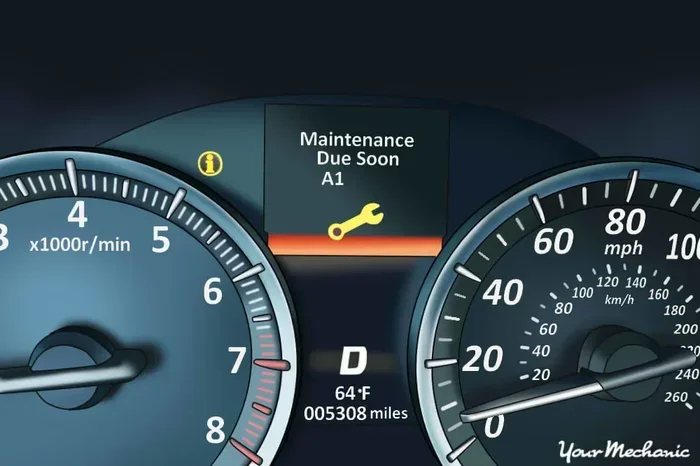
Many newer cars have a dashboard warning light that specifically alerts you when the smart key battery is low. This light might look like a key icon or a battery symbol on your instrument cluster. If you see this light, don’t ignore it.
This feature is especially common in vehicles with push button start systems. The car needs a strong signal from the key fob to recognize the key is present, and a weak battery can cause the system to flag the issue. Check your owner’s manual to see if your vehicle has this helpful warning feature.
Intermittent Failures
Sometimes a dying car key battery doesn’t fail completely right away. Instead, it works inconsistently. The remote might work perfectly in the morning but fail in the afternoon. Or it might work when you’re standing on the driver’s side but not the passenger side.
This inconsistency is frustrating and confusing. It can make you wonder if the problem is with the car rather than the key. But key fob troubleshooting almost always points to a battery issue when the symptoms are intermittent. A failing coin cell battery can’t maintain a steady power output, which causes these unpredictable behaviors.
How to Replace the Battery in Your Car Key
Replacing the car key battery is one of the easiest maintenance tasks you can do. Most of the time, you don’t even need to visit a dealership or a locksmith. With the right battery and a few simple tools, you can have your key fob not working problem solved in minutes.
Before you start, check your vehicle’s owner manual. Some car key models open differently than others, and you want to make sure you don’t damage the casing. The process is similar for most vehicles, but there can be small differences depending on the brand and model.
What Type of Battery Do You Need?
The most common battery used in car keys is the CR2032 battery. This is a standard 3-volt coin cell battery that you can find at almost any grocery store, pharmacy, or auto parts shop. They cost between one and five dollars, making them one of the cheapest replacements you’ll ever make.
However, not all car keys use a CR2032 battery. Some models use CR2025, CR2016, or other coin cell variants. Always check your owner’s manual or look at the old battery before purchasing a new one. Putting the wrong battery type in can damage the key fob.
When buying a replacement remote key battery, stick with reputable brands like Energizer, Duracell, or Panasonic. Cheap off-brand batteries may not last as long and could leak, which can damage the internal components of your key.
Step-by-Step Replacement Guide
Here’s how to replace your car key battery in most standard key fobs:
- Look for a small seam or groove along the edge of the key fob. This is where the two halves of the casing separate.
- Insert a small flathead screwdriver or a coin into the groove. Gently twist to pop the casing open.
- Carefully remove the old battery. Note which side is facing up so you can insert the new one the same way.
- Place the new CR2032 battery in the same orientation as the old one. The positive side usually faces up.
- Press the two halves of the casing back together until they click into place.
- Test the key fob by standing near your car and pressing the unlock button.
That’s it! Your key fob battery should now be fresh and working properly. If the remote still doesn’t work after replacing the battery, there might be a different issue at play, and you should consider further key fob troubleshooting or visiting a professional.
Replacing the Battery in a Smart Key
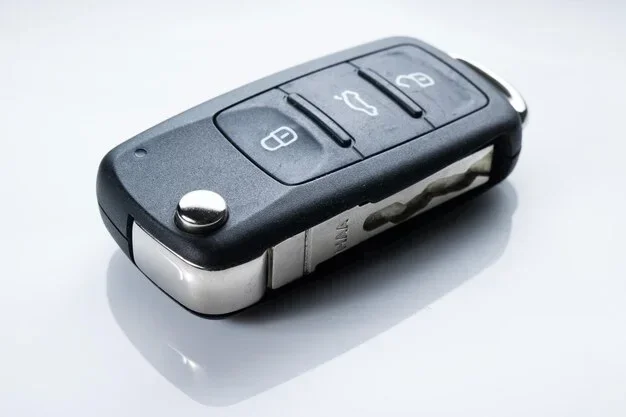
Smart keys and push button start systems can be a bit trickier. Some smart keys have a removable mechanical key blade hidden inside the fob. You’ll need to slide that out first, which often reveals a small screw or release latch.
For vehicles like Toyota, Honda, and Ford with smart key systems, the battery replacement process is slightly different. The key fob usually has a small sliding cover or a twist mechanism. Refer to your specific vehicle’s manual for the exact steps. The good news is that even with smart keys, the car key battery replacement process is straightforward once you know where to look.
How Long Does a Car Key Battery Last?
The average car key battery lasts between two and four years. However, this can vary quite a bit depending on how often you use the remote, the type of key fob you have, and the conditions the key is exposed to.
If you use your remote key battery multiple times a day to lock and unlock the car, you might find yourself replacing it more frequently. On the other hand, if you mostly use the physical key blade and only use the remote occasionally, the battery could last five years or more.
Factors That Affect Battery Life
Several factors influence how long your key fob battery will last:
- Frequency of Use: Every time you press the button, the battery sends a signal. More presses mean faster battery drain.
- Distance from the Car: If the key fob is in your pocket and you walk far from the car before pressing the button, the battery works harder to send the signal.
- Weather Conditions: Extreme cold and extreme heat can reduce battery life significantly. Cold weather is especially tough on coin cell batteries.
- Key Fob Quality: Some aftermarket key fobs are less efficient and drain batteries faster than OEM fobs from the manufacturer.
- Signal Interference: If the key fob is stored near other electronic devices, it may try to send repeated signals, which drains the battery faster.
Understanding these factors can help you plan for car key maintenance and avoid getting caught off guard by a dead car key battery. Keep track of when you last replaced the battery so you can anticipate the next replacement.
Common Mistakes When Replacing a Car Key Battery
Replacing a car key battery is simple, but there are a few mistakes that people commonly make. Avoiding these errors can save you time, money, and a lot of frustration.
Using the Wrong Battery Type
The most common mistake is buying the wrong battery. A CR2032 battery looks very similar to a CR2025 or CR2016, but they have different voltages and sizes. Putting the wrong one in can cause the key fob to malfunction or not work at all.
Always double-check the battery type before you buy a replacement. If you’re unsure, take the old battery to the store with you. It’s a small step that saves a lot of hassle and prevents unnecessary trips back to the store.
Forgetting to Reset the Key Fob
In some vehicles, replacing the remote key battery requires you to reset or reprogram the key fob. This doesn’t happen with every car, but it’s more common than you might think. If the new battery is fresh but the key still doesn’t work, a reset might be all you need.
Check your owner’s manual for the reset procedure. It usually involves pressing a combination of buttons on the key fob or the dashboard. Some vehicles also require you to insert the key into the ignition and turn it to a specific position.
Damaging the Key Fob Casing
When prying open a key fob, it’s easy to scratch or crack the plastic casing. Using a metal screwdriver instead of a plastic pry tool can cause damage. If the casing breaks, moisture can get inside and short out the electronics.
Use a soft tool like a plastic spudger or even a butter knife wrapped in a cloth. Go slowly and work around the seam evenly. Taking your time with this step protects your car key maintenance investment and keeps the key looking good.
Touching the Battery Contacts
Your fingers naturally produce oils and moisture that can corrode the battery contacts inside the key fob. Over time, this corrosion can prevent the car key signal from reaching the car, even with a new battery installed.
If you notice any greenish or whitish buildup on the contacts, clean them gently with a dry cloth or a small amount of rubbing alcohol. This simple step keeps the electrical connection clean and reliable for years to come.
When to See a Professional Instead of DIY
While most car key battery replacements are simple DIY jobs, there are situations where you should call in a professional. Knowing when to handle it yourself and when to seek help can save you from costly mistakes.
Keys with Transponder Chips
Some car keys contain a transponder chip that communicates with the car’s immobilizer system. If your key has this chip, replacing the key blade battery or smart key battery yourself might require reprogramming afterward. In some cases, only a dealer or certified locksmith can reset the system.
If your car remote not working persists after you’ve replaced the battery and performed a reset, there could be a transponder-related issue that needs professional attention. A locksmith can often handle this quickly and at a reasonable cost.
Water-Damaged or Physically Broken Keys
If your key fob has been dropped in water or physically damaged, a new key fob battery won’t fix the problem. Water damage can corrode the internal circuit board, and physical cracks can break the wiring. In these cases, you’ll need a professional to repair or replace the entire key fob.
A locksmith can often repair or reprogram a damaged key for a fraction of the cost of buying a new one from the dealership. It’s always worth getting a quote before committing to an expensive replacement.
Multiple Keys Stopping Working
If more than one of your car keys stops working around the same time, the problem might not be the batteries at all. It could indicate an issue with the car’s receiver module or the central locking system. This is a more complex problem that requires a diagnostic scan tool and professional expertise.
Don’t try to troubleshoot this on your own. A qualified technician has the tools and knowledge to diagnose the root cause and get all your keys working again properly.
Preventing Car Key Battery Problems
Good car key maintenance can extend the life of your key fob battery and reduce the chances of being caught off guard. A few simple habits can make a big difference in how long your remote key battery lasts.
Store Your Key Properly
Keep your key fob away from extreme temperatures. Don’t leave it on the dashboard in direct sunlight during summer, and don’t leave it on a cold porch in winter. Extreme heat and cold accelerate battery drain and can damage the internal electronics.
A good rule of thumb is to store your key in a cool, dry place, like a coat pocket or a small bag. This simple habit protects both the remote key battery and the key fob itself from premature wear and damage.
Replace Batteries Proactively
Don’t wait until your car key battery dies completely to replace it. If you know your key fob is two or three years old, consider replacing the battery as a preventive measure. This keeps you from getting caught in an inconvenient situation.
Many people keep a spare CR2032 battery in their glove box or junk drawer. Having a replacement ready means you can swap the battery the moment you notice the first signs of weakness. It’s a small preparation that saves a lot of hassle.
Keep the Key Clean
Dirt, dust, and moisture can work their way into the key fob over time. Wipe the exterior with a soft, damp cloth regularly. This keeps the buttons responsive and prevents debris from getting into the battery compartment.
Avoid using harsh chemicals or soaking the key fob in water. A gentle wipe-down is all it takes to keep your car key maintenance routine simple and effective. Clean keys last longer and work better.
Final Thoughts
A dying car key battery is one of those small problems that can cause big headaches if you’re not prepared. The good news is that it’s easy to prevent and even easier to fix. By paying attention to the warning signs, keeping spare batteries on hand, and knowing how to replace the battery yourself, you can stay ahead of the problem.
Remember, if you ever feel unsure about replacing the battery or if the key still doesn’t work after a replacement, there’s no shame in calling a professional. A locksmith or dealership can handle even the most complex key fob issues quickly and affordably. Taking care of your car key battery today means you’ll never have to worry about being locked out tomorrow. Make this small maintenance task part of your regular car key maintenance routine and enjoy peace of mind every time you approach your vehicle.
Frequently Asked Questions
How do I know if my car key battery is low?
You’ll notice reduced range from your remote, delayed responses when pressing buttons, intermittent failures, or a warning light on your dashboard. These are the most common signs that your car key battery needs replacing. If you experience any of these symptoms, it’s time to check the battery.
What kind of battery goes in a car key?
Most car keys use a CR2032 battery, which is a standard 3-volt coin cell battery. However, some models use CR2025 or CR2016 variants. Always check your vehicle’s owner manual or look at the old battery before purchasing a replacement to make sure you get the right type.
Can I replace my car key battery myself?
Yes, in most cases you can replace the battery yourself at home. The process typically involves popping open the key fob casing with a small screwdriver, swapping out the old battery, and snapping the casing back together. It takes less than five minutes and costs just a few dollars for the battery.
How long does a car key battery last?
A car key battery typically lasts between two and four years, depending on how frequently you use the remote, weather conditions, and the type of key fob. If you use your remote multiple times a day, you may need to replace the battery more often.
What should I do if my car key still doesn’t work after replacing the battery?
First, make sure the new battery is inserted correctly and is the right type. If the battery is fine, try resetting the key fob according to your vehicle’s manual. If the problem persists, the issue might be with the key fob’s electronics or the car’s receiver, and you should consult a professional locksmith or dealership.
How much does it cost to replace a car key battery?
The battery itself costs between one and five dollars, and you can find a CR2032 battery at any grocery store or pharmacy. If you visit a locksmith or dealership for the replacement, you might pay a service fee of twenty to fifty dollars, which includes the battery and the labor.