Can I Unlock My Toyota Tundra With My Phone For Sure
Yes, you can unlock your Toyota Tundra with your phone using Toyota’s smartphone integration and digital key features. The Toyota Remote Connect app lets you lock, unlock, and even start your truck from anywhere. This guide covers every step, benefit, and tip you need to know about phone-based vehicle access for the Toyota Tundra.
Have you ever stood in the rain, fumbling for your key fob, and thought there has to be a better way? Well, there is. The answer to the question can I unlock my Toyota Tundra with my phone is a resounding yes. Toyota has embraced smartphone vehicle access in a big way, and the Tundra is one of the trucks that benefits from this modern technology.
If you own a Toyota Tundra or are thinking about buying one, you will want to know exactly how phone-based unlocking works. It is not magic. It is smart engineering and a well-designed app that puts your truck at your fingertips. In this article, we will walk you through everything you need to know about unlocking your Toyota Tundra with your phone. From setup to security, we have you covered.
Key Takeaways
- Phone unlocking is possible: Toyota Tundra models with the right tech package support phone-based keyless entry.
- Toyota Remote Connect is the main tool: This app gives you remote lock, unlock, and start features right from your smartphone.
- Setup is simple: You just need a compatible Toyota model, the right app, and a linked Toyota account.
- Security is strong: Phone-based access uses encrypted authentication, so your truck stays safe.
- Not all Tundra trims qualify: Check your specific model year and trim to confirm compatibility.
- Common issues are fixable: Most problems with phone unlocking have easy troubleshooting steps.
📑 Table of Contents
- How Does Phone-Based Unlocking Work on the Toyota Tundra?
- Setting Up Your Phone as a Key for Your Toyota Tundra
- Toyota Remote Connect and What It Can Do
- Benefits of Unlocking Your Toyota Tundra With Your Phone
- Common Issues and Troubleshooting Tips
- Is Phone-Based Unlocking Safe and Secure?
- Comparing Phone Key vs Traditional Key Fob
- Which Toyota Tundra Models Support Phone Unlocking?
- What the Future Holds for Toyota Tundra Phone Access
- Final Thoughts
How Does Phone-Based Unlocking Work on the Toyota Tundra?
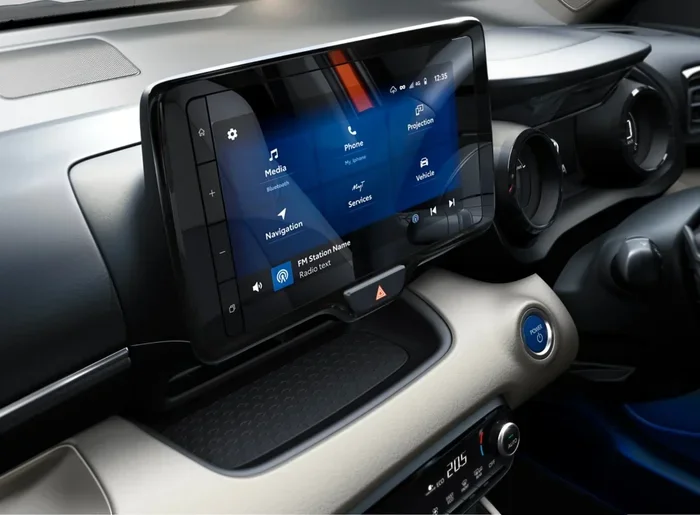
Toyota uses a system called Toyota Remote Connect to let you interact with your Tundra using your phone. This system relies on a combination of Bluetooth, Wi-Fi, and cellular data to communicate with your truck. When you send a command through the app, it travels through Toyota’s cloud servers and reaches your vehicle almost instantly.
The technology behind phone-based vehicle access is called a digital key. Instead of a traditional key fob, your smartphone acts as your credential. Toyota uses encrypted signals to make sure only your phone can communicate with your truck. This means someone else’s phone cannot unlock your Tundra, even if they have the app.
What Technologies Make This Possible?
Several technologies work together to make phone-based unlocking a reality:
- Bluetooth Low Energy (BLE): This lets your phone talk to your truck when you are nearby.
- Wi-Fi connectivity: Used for faster data transfer when you are at home or in range of a network.
- Cellular data: Lets you control your truck from anywhere, not just when you are close.
- Cloud-based authentication: Toyota’s servers verify your identity before allowing any command.
- Encrypted communication: All signals between your phone and truck are protected from hacking.
These technologies work together seamlessly. You do not need to understand how they work to use them. You just need to know that unlocking your Toyota Tundra with your phone is fast, reliable, and secure.
Setting Up Your Phone as a Key for Your Toyota Tundra
Setting up your phone to unlock your Tundra is easier than you might think. Toyota has made the process straightforward, and most owners can complete it in just a few minutes. Here is what you need to do.
Step-by-Step Setup Guide
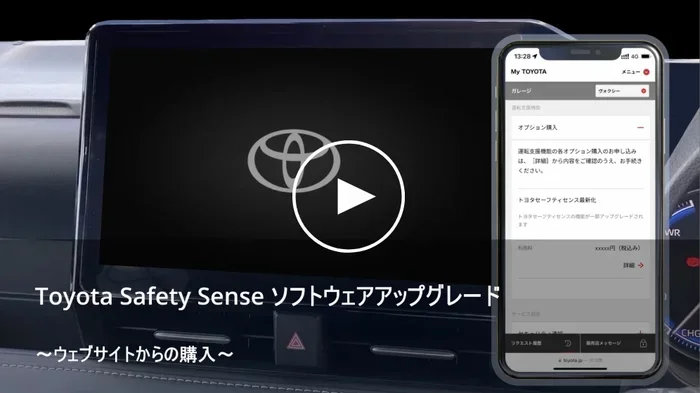
- Download the Toyota Remote Connect app: Go to the Apple App Store or Google Play Store and search for “Toyota Remote Connect.” Install it on your smartphone.
- Create a Toyota account: Open the app and sign up for a Toyota account. You will need your vehicle identification number (VIN) and some basic personal information.
- Link your Tundra to the app: Follow the on-screen instructions to pair your truck with the app. This usually involves entering a registration code that you can find in your owner’s manual.
- Enable digital key features: Once your truck is linked, go to the settings menu and activate the digital key option. Your phone is now a key.
- Test it out: Walk away from your truck and try locking and unlocking it using the app. Make sure everything works before you rely on it daily.
What You Need Before You Start
Not every Toyota Tundra supports phone-based unlocking. Here are the requirements:
- A Toyota Tundra model year 2022 or newer (some earlier models may also qualify depending on trim).
- The Toyota Remote Connect subscription service must be active.
- A smartphone running iOS 14 or later, or Android 10 or later.
- A stable internet connection on both your phone and your truck.
- The Toyota Smart Key system must be installed in your vehicle.
Quick Tips for Setup
- Make sure your phone’s Bluetooth is turned on before starting the setup process.
- Keep your truck within 30 feet of your phone during initial pairing.
- If the app does not detect your truck, restart both your phone and the truck’s infotainment system.
- Always use the latest version of the Toyota Remote Connect app for the best experience.
Toyota Remote Connect and What It Can Do
The Toyota Remote Connect app is the heart of phone-based vehicle access. It does much more than just unlock your doors. Let us look at what this powerful tool can do for your Toyota Tundra.
Key Features of Toyota Remote Connect
- Remote Lock and Unlock: Lock or unlock your Tundra doors from anywhere using your phone.
- Remote Start: Start your truck’s engine before you get in. This is perfect for hot summer days or cold winter mornings.
- Vehicle Location: Find your Tundra in a crowded parking lot with just a tap.
- Fuel Level Check: See how much fuel you have left without walking up to the truck.
- Vehicle Alerts: Get notifications if your truck is broken into or if the alarm goes off.
- Climate Control: Pre-condition the cabin temperature before you step inside.
These features make smartphone vehicle control incredibly convenient. You can warm up your truck in winter or cool it down in summer before you even walk outside. The Toyota Tundra technology features go well beyond what traditional key fobs can offer.
How Remote Start Works With Phone Unlocking
One of the most popular features is remote start. When you combine phone unlock with remote start, you get a seamless experience. You can unlock your Tundra, start the engine, and set the climate control all from your phone. By the time you walk to the truck, it is ready to go.
Here is how it works in practice:
- You are still inside your house, getting ready for work.
- You open the Toyota Remote Connect app on your phone.
- You tap “Unlock” and then “Start Engine.”
- You set the climate to your preferred temperature.
- Five minutes later, you walk outside to a warm (or cool) truck that is ready to drive.
That is the power of Toyota smartphone integration. It saves time and makes your daily routine smoother.
Benefits of Unlocking Your Toyota Tundra With Your Phone
Switching from a traditional key fob to phone-based vehicle access offers many real-world benefits. Let us explore why so many Tundra owners are making the switch.
Convenience
The biggest benefit is convenience. Your phone is always with you. You do not need to dig through your pockets or bag looking for a separate key fob. When your phone rings, you already have it in your hand. Unlocking your truck with your phone means one less thing to carry.
Enhanced Security
Your phone adds an extra layer of security to your Toyota Tundra. Phone authentication for vehicles uses encrypted signals that are much harder to clone than traditional key fob signals. If someone tries to intercept the signal, the encryption prevents them from gaining access.
Additionally, the Toyota Remote Connect app sends you instant alerts if someone tries to access your truck without permission. You know immediately if something is wrong.
Integration With Your Digital Life
Modern life revolves around smartphones. Digital key wallet technology fits naturally into how we already live. You can store your truck key alongside your credit cards, boarding passes, and event tickets in your phone. Everything you need is in one place.
Multiple User Access
Toyota Remote Connect lets you add multiple phones to your truck. This means your spouse, partner, or other trusted family members can unlock and start the Tundra using their own phones. You do not need to hand out physical key fobs anymore.
Expert Insight: Why Phone Keys Are the Future
Automotive experts predict that phone-based vehicle access will become standard in all new trucks within the next few years. Toyota is already leading the way with the Tundra. The convenience, security, and integration benefits make phone keys a clear upgrade over traditional fobs. As smartphone vehicle integration technology improves, we can expect even more features to become available.
Common Issues and Troubleshooting Tips
Like any technology, phone-based unlocking can sometimes have issues. Most problems are easy to fix. Here are the common issues Tundra owners face and how to solve them.
Phone Does Not Detect the Truck
If the app cannot find your Tundra, try these steps:
- Make sure Bluetooth is turned on in your phone settings.
- Check that your truck’s infotainment system is powered on.
- Restart the Toyota Remote Connect app.
- Move closer to your truck and try again.
- Check that your truck’s software is up to date.
Commands Are Not Responding
If you send a command through the app but nothing happens:
- Check your phone’s internet connection. Both Wi-Fi and cellular data should be working.
- Make sure your Toyota Remote Connect subscription is active.
- Verify that your truck is within range of a cellular signal.
- Log out of the app and log back in.
- Contact Toyota roadside assistance if the problem persists.
Phone Battery Dies
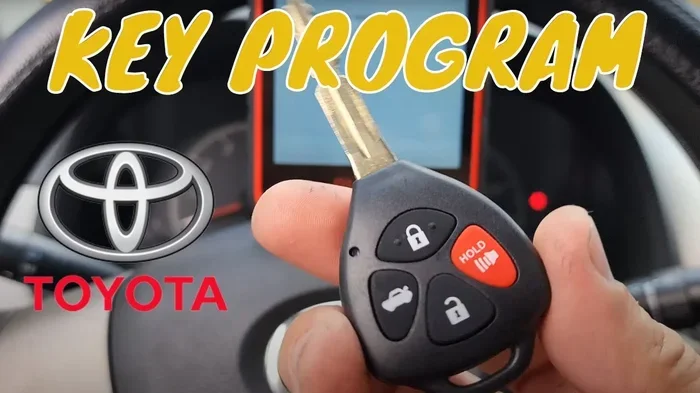
What happens if your phone dies and you need to get into your truck? Toyota has thought about this. Your physical key fob still works as a backup. Even with phone-based vehicle access set up, you should always keep your traditional key fob handy. It is your emergency backup.
Common Mistakes to Avoid
- Forgetting to keep the app updated: Old app versions may not work with the latest truck software.
- Ignoring subscription renewal: If your Toyota Remote Connect subscription lapses, you lose remote access features.
- Not setting up a backup key: Always keep a physical key fob as a backup.
- Using public Wi-Fi for setup: Always use a secure, private network when linking your truck to the app.
Is Phone-Based Unlocking Safe and Secure?
Security is a top concern for any vehicle owner, and it should be. When it comes to unlock truck with phone technology, Toyota has built in robust safety measures.
How Toyota Protects Your Truck
Toyota uses several layers of security to protect your Tundra wireless key system:
- End-to-end encryption: All communication between your phone and your truck is encrypted.
- Multi-factor authentication: You must verify your identity through the app before any command is executed.
- Unique device pairing: Each phone is paired individually to your truck. No other phone can access it.
- Automatic lockout: After multiple failed attempts, the system locks down to prevent unauthorized access.
- Real-time alerts: You receive instant notifications for any suspicious activity.
These security features mean that phone authentication for vehicles is actually safer than traditional key fobs in many ways. Key fob signals can be relayed and cloned by skilled thieves. Encrypted phone signals are much harder to compromise.
Tips to Keep Your Truck Secure
- Always use a strong password for your Toyota account.
- Enable two-factor authentication if it is available.
- Keep your phone’s operating system updated.
- Do not share your Toyota Remote Connect login details with anyone.
- Review your truck’s access log regularly to check for unusual activity.
Following these simple tips ensures that your Toyota Tundra smart key setup remains secure and reliable for years to come.
Comparing Phone Key vs Traditional Key Fob
To help you understand the differences, here is a quick comparison of phone-based access versus traditional key fobs for the Toyota Tundra.
| Feature | Phone Key | Traditional Key Fob |
|---|---|---|
| Convenience | Always with you | Easy to lose |
| Remote Start | Yes, from anywhere | Limited range |
| Security | Encrypted, multi-factor | Vulnerable to relay attacks |
| Multiple Users | Easy to add phones | Need extra fobs |
| Backup | Physical fob still works | N/A |
| Technology Updates | Over-the-air updates | No updates possible |
| Cost | Free with subscription | Replacement fobs cost $50-$300 |
As you can see, phone-based vehicle access offers clear advantages over traditional key fobs. The convenience and security benefits alone make it worth using.
Which Toyota Tundra Models Support Phone Unlocking?
Not every Toyota Tundra trim supports phone-based unlocking. Here is a breakdown of what to look for.
- 2022 and newer Tundra models: Most trims support Toyota Remote Connect as a standard or optional feature.
- Tundra Prime Edition: Comes with phone-based access as part of the premium technology package.
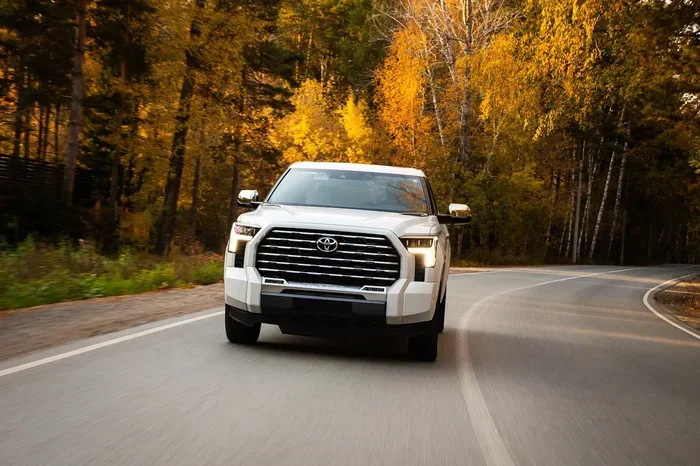
- Tundra Capstone: Includes full Toyota smartphone integration features.
- Older Tundra models: Models from 2021 and earlier may not support this feature without aftermarket upgrades.
Check your specific model year and trim level to confirm. You can also contact your local Toyota dealer for clarification on Toyota Tundra technology features availability.
Pro Tip: Check Your Subscription
Even if your Tundra supports phone unlocking, you need an active Toyota Remote Connect subscription. Some new trucks come with a free trial period, usually one or three years. After that, you will need to renew the subscription to keep using remote features. Check your subscription status in the app to avoid any surprises.
What the Future Holds for Toyota Tundra Phone Access
Toyota continues to invest in smartphone vehicle integration technology. Future updates to the Toyota Remote Connect app may include even more features. Here is what we can expect:
- Enhanced digital wallet integration: Storing your truck key alongside other digital credentials.
- Improved range and reliability: Better connectivity using 5G networks.
- More customization options: Personalize how you interact with your truck through the app.
- Deeper integration with smart home systems: Your truck could communicate with your home automation setup.
The future of phone-based vehicle access is bright. Toyota Tundra owners are already enjoying the benefits, and those benefits will only grow over time.
Final Thoughts
Can I unlock my Toyota Tundra with my phone? Absolutely yes. Toyota has made it easy, secure, and incredibly convenient. With the Toyota Remote Connect app, you get far more than just lock and unlock. You get remote start, vehicle location, climate control, and real-time alerts. Unlocking your Toyota Tundra with your phone is not just a cool feature. It is a practical upgrade that fits seamlessly into modern life.
Whether you are a current Tundra owner or shopping for a new one, phone-based access should be on your checklist. It saves time, enhances security, and keeps you connected to your truck like never before. Set up your digital key today and experience the future of truck ownership.
The technology is there. It works reliably. And it makes your life easier every single day. Unlock your Toyota Tundra with your phone and enjoy the ride.
Frequently Asked Questions
Can I use any phone to unlock my Toyota Tundra?
You need a smartphone running iOS 14 or later, or Android 10 or later. Both iPhone and Android devices work with the Toyota Remote Connect app. Make sure your phone supports Bluetooth Low Energy for the best experience with phone-based vehicle access.
Do I need a special subscription to unlock my Tundra with my phone?
Yes, you need an active Toyota Remote Connect subscription. Some new Tundra models come with a free trial period. After the trial ends, you must renew the subscription to continue using remote unlock, remote start, and other features.
Is it safe to store my truck key on my phone?
Yes, it is very safe. Toyota uses end-to-end encryption and multi-factor authentication for phone authentication for vehicles. Your digital key is protected by the same security standards used in mobile banking and payment apps.
What happens if my phone battery dies and I need to unlock my Tundra?
Your physical key fob still works as a backup. Toyota designed the system so that you always have a traditional way to access your truck. Always keep your key fob in a safe place as an emergency backup.
Can multiple people use the same phone to unlock a Toyota Tundra?
Yes, you can add multiple authorized phones to your Toyota Remote Connect account. Each person needs their own Toyota account linked to the truck. This makes sharing access with family members easy and secure.
Will phone unlocking work if I am far away from my Tundra?
Yes, as long as both your phone and your truck have internet connectivity. You can unlock and start your Tundra from anywhere with cellular service. The Toyota Remote Connect app uses cloud-based servers to send commands to your truck remotely.
=== CONCLUSION ===
Unlocking your Toyota Tundra with your phone is not just possible. It is practical, secure, and incredibly convenient. Toyota has built a robust system with the Toyota Remote Connect app that puts your truck at your fingertips. From remote start to vehicle location, the features make owning a Tundra even better.
Follow the setup steps outlined in this guide, keep your app updated, and always maintain an active subscription. With these steps, you will enjoy seamless smartphone vehicle control every time you use your Tundra. The future of truck access is here, and it fits right in your pocket.