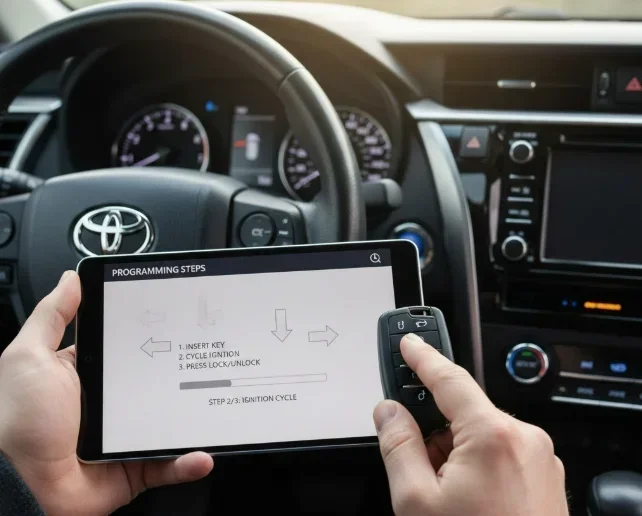
How Do You Program a Toyota Key Fob With Push Button Start
Programming your Toyota key fob with push button start is easier than you think. Whether you have a new fob or replaced a dead battery, this step-by-step guide walks you through the entire process. You will learn the exact buttons to press, the correct sequence for your Toyota model, and how to fix common problems. Toyota key fob programming does not require a dealer visit in most cases. By the end, you will have a fully working Toyota smart key system ready to go.
So you just got a new Toyota key fob, or maybe the old one stopped working after a battery change. Either way, you need to get it paired to your vehicle, and you want to know exactly how to do it. The good news is that programming a Toyota key fob with push button start is something you can do yourself at home. No expensive dealer trips. No complicated tools. Just a few simple steps and about ten to fifteen minutes of your time.
This guide covers everything you need to know about Toyota key fob programming for vehicles equipped with push button start. From the basic steps to advanced troubleshooting, you will find clear instructions that work for most Toyota models. We will also share tips that even experienced car owners sometimes overlook. Let us get your Toyota smart key system up and running.
Key Takeaways
- Quick Programming Process: Most Toyota models with push button start can be programmed in under 15 minutes using the physical key and dashboard buttons.
- No Dealer Required: You can program a Toyota key fob at home without visiting a dealership or paying extra fees.
- Battery Matters: A weak CR2032 or CR2025 battery is the most common cause of key fob problems, so always check it first.
- Model-Specific Steps: Programming steps vary slightly between Toyota models, so always confirm the correct sequence for your year and trim.
- Multiple Fobs Work Together: You can pair up to four Toyota remote key fobs to one vehicle for added convenience.
- Troubleshooting Is Simple: Most issues with Toyota key fob programming come from signal interference, dead batteries, or incorrect button sequences.
📑 Table of Contents
- Understanding Your Toyota Key Fob System
- What You Need Before Programming
- Step-by-Step Programming Guide for Toyota Key Fobs
- Toyota Model-Specific Programming Differences
- Common Toyota Key Fob Programming Problems and Solutions
- Quick Tips for Successful Toyota Key Fob Programming
- When to Seek Professional Help
- Maintaining Your Toyota Key Fob After Programming
- Key Takeaways
Understanding Your Toyota Key Fob System
Before you start pressing buttons, it helps to understand what is actually happening inside your Toyota push button start system. Modern Toyota vehicles use a smart key system that communicates wirelessly between the key fob and the car’s computer. This system is also called the immobilizer system because it prevents the engine from starting unless the correct fob is detected.
How the Smart Key System Works
Your Toyota key fob sends a low-frequency signal to antennas placed inside the vehicle. When the car detects the correct signal, it unlocks the doors and allows the engine to start when you press the push start button. This all happens in seconds without you ever removing the fob from your pocket or bag.
The system relies on a small battery inside the fob to power the signal transmitter. When that battery gets weak, the signal weakens too. This is why many people think their Toyota remote key fob has stopped working entirely when it really just needs a new battery.
Types of Toyota Key Fobs
Toyota uses several different fob designs depending on the model and year. Some common types include:
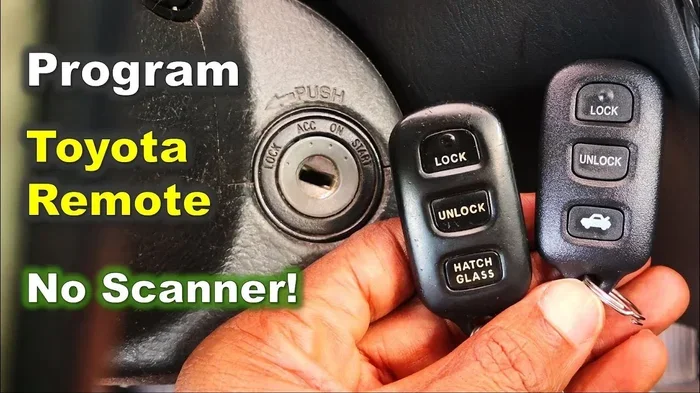
- Standard Smart Key Fob: The most common type with lock, unlock, trunk release, and panic buttons.
- Advanced Smart Key Fob: Found on higher trims with additional buttons for remote start and hands-free features.
- Flip-Style Key Fob: A compact design where the key blade folds inside the fob for portability.
- Emergency Mechanical Key: A hidden physical key blade inside the fob for use when the battery dies completely.
Knowing which type you have helps you understand the programming process better. Most Toyota models from 2008 onward use similar programming methods, but there are small differences you should be aware of.
What You Need Before Programming
Gathering everything beforehand makes the process smooth and stress-free. Here is what you need ready before you begin Toyota key fob programming:
- Your Toyota vehicle: Make sure it is parked in a safe, flat location with the engine off.
- The physical key: Even push button start vehicles have a physical key hidden inside the fob. You will need this for the initial setup.
- The new or reset key fob: Have the fob you want to program ready and nearby.
- A fresh battery: Install a new CR2032 or CR2025 battery in the fob before you start. Using a weak battery during programming can cause failures.
- Your owner’s manual: Some Toyota models have slightly different steps. The manual will confirm the exact sequence for your specific vehicle.
- A calm, distraction-free environment: You need to follow the steps precisely without rushing.
Also, make sure you are not standing near other Toyota vehicles. Key fob signal interference from nearby cars can confuse the programming process and cause errors.
Step-by-Step Programming Guide for Toyota Key Fobs
Here is the core process for programming a Toyota key fob with push button start. The steps below work for most Toyota models including the Camry, Corolla, RAV4, Highlander, Tacoma, and Tundra. If your vehicle has a slightly different sequence, your owner’s manual will confirm the exact steps.
Step 1: Get Inside and Close All Doors
Sit in the driver’s seat and close all doors, including the trunk and hood. Make sure all passengers are out of the vehicle. The Toyota push button ignition programming sequence requires all doors to be closed for the system to recognize the programming mode.
Step 2: Insert and Remove the Physical Key
Take the physical key blade out of the fob. Insert it into the ignition slot and turn it to the ON position, then back to the OFF position. Do this quickly but deliberately. On some models, you may need to insert the key into the door lock barrel on the driver’s door and turn it to unlock instead.
Step 3: Enter Programming Mode
Within five seconds of removing the key, press and release the push start button on the dashboard without pressing the brake pedal. The dashboard lights should flash or the instrument panel will show a warning light. This tells you the vehicle has entered key fob programming mode.
Step 4: Program the New Fob
Place the new fob against the push start button. Press and hold the button until you hear a chime or see the security light flash. This usually takes about three to five seconds. The vehicle is now pairing with the new fob.
Step 5: Test the Fob
Remove the fob and walk away from the vehicle. Press the lock and unlock buttons to test the range. Then return to the vehicle and press the push start button with the fob inside the cabin to confirm the engine starts. If both work, the programming was successful.
Step 6: Program Additional Fobs (Optional)
Toyota allows you to program up to four fobs per vehicle. To add more, simply repeat Steps 3 through 5 within the programming window. If you wait too long, you will need to restart the process from the beginning.
Toyota Model-Specific Programming Differences
While the general process is the same, some Toyota models have unique steps. Here are a few examples that can save you time and frustration.
Toyota Camry Key Fob Programming
For most Camry models from 2012 onward, you will need to close all doors, turn the ignition to the ON position, and then press and hold both the lock and unlock buttons on the driver’s door panel for three seconds. This puts the system into programming mode before you pair the new fob.
Toyota RAV4 Key Fob Programming
The RAV4 uses a slightly different entry method. On many RAV4 models, you insert the key into the ignition, cycle it from OFF to ON three times quickly, and leave it in the ON position. The doors will lock and unlock to confirm programming mode has been activated.
Toyota Corolla Key Fob Programming
Corolla models from 2014 onward use the standard method described in the main guide above. However, some older Corolla models require you to use the door lock switch on the driver’s door to enter programming mode instead of the dashboard button.
Common Toyota Key Fob Programming Problems and Solutions
Even when you follow the steps perfectly, things can go wrong. Here are the most common issues people run into when programming a Toyota key fob with push button start, along with simple fixes.
Fob Does Not Respond During Programming
This usually means the fob battery is too weak to send a strong enough signal. Replace the battery with a fresh one and try again. Also make sure you are placing the fob directly against the push start button and not an inch away.
Vehicle Does Not Enter Programming Mode
If the dashboard does not respond when you cycle the key or press the start button, you may be going too slowly. The five-second window is strict. Practice the key insertion and removal a few times before attempting the full sequence.
Fob Works But Push Start Button Does Not Start the Engine
This can happen when the Toyota immobilizer system does not fully recognize the new fob. Try removing the fob battery for thirty seconds, then reinserting it and repeating the programming sequence from the beginning.
Signal Interference From Other Vehicles
If you are programming the fob in a parking lot with other Toyotas nearby, the system may pick up signals from those vehicles instead. Always program your fob in your own garage or driveway where no other similar vehicles are present.
Multiple Fobs Stop Working After Programming
When you program a new fob, it can sometimes overwrite the memory of previously programmed fobs. If this happens, you will need to reprogram all fobs from scratch following the same steps.
Quick Tips for Successful Toyota Key Fob Programming
Here are some expert tips that make the process faster and more reliable:
- Always use a brand-new battery: Even if the old battery looks fine, a fresh one ensures maximum signal strength during programming.
- Work in a quiet environment: Turn off your phone and close the garage door to minimize electronic interference.
- Read the owner’s manual first: It takes five minutes and can save you a lot of trial and error.
- Keep all previously programmed fobs nearby: You will need them to reprogram everything if something goes wrong.
- Do not rush through the steps: Follow each step deliberately and give the system time to respond between actions.
- Keep the spare fob programmed: Always have at least one working backup fob paired to the vehicle at all times.
When to Seek Professional Help
Most Toyota key fob programming goes smoothly when you follow the steps carefully. However, there are times when professional help is the right call. If you have tried the process three times and the fob still does not work, it is time to consult a Toyota dealer or a qualified locksmith.
You should also seek professional help if your vehicle’s push button ignition system shows error messages that do not go away after reprogramming. In rare cases, the vehicle’s computer module may need a software update or reset that only a dealer can perform.
Another situation that warrants professional assistance is when you have lost all key fobs for the vehicle. Programming a fob from scratch without any existing working fob usually requires dealer-level equipment and access to the vehicle’s security system.
Maintaining Your Toyota Key Fob After Programming
Once your Toyota remote key fob is programmed and working, a little maintenance goes a long way. Here is how to keep it in great shape:
- Replace the battery every two years: Even if the fob still works, a fresh battery prevents unexpected failures.
- Clean the buttons regularly: Dirt and grime can cause buttons to stick or become unresponsive over time.
- Store the fob away from extreme heat: Leaving it on a dashboard in direct sunlight can damage the internal electronics.
- Avoid dropping the fob: Physical impacts can damage the internal antenna and weaken the signal over time.
- Keep a spare fob at home: Having a backup means you are never stranded if your primary fob fails.
Taking care of your fob extends its lifespan and keeps the Toyota smart key system working reliably for years. It is a small effort that pays off in convenience and peace of mind.
Key Takeaways
- Programming a Toyota key fob with push button start is straightforward: Most models follow a simple sequence of key cycling and button pressing that takes under 15 minutes.
- You do not need a dealer: With the right steps and a fresh battery, you can program the fob yourself at home.
- Check the battery first: A weak CR2032 or CR2025 battery is the number one cause of fob problems and programming failures.
- Follow model-specific steps: Small differences between Toyota models mean you should confirm the exact sequence for your year and trim.
- Signal interference is real: Always program in a location away from other vehicles and electronic devices.
- Reprogram all fobs if needed: Adding a new fob can sometimes overwrite previously programmed fobs, so always have backups ready.
- Regular maintenance prevents issues: Battery replacement every two years and careful handling keep your Toyota remote key fob working perfectly.
Frequently Asked Questions
Can I program a Toyota key fob without the original fob?
In most cases, yes. Toyota vehicles with push button start allow you to program a new fob even if you do not have the original. You simply need the physical key blade and access to the vehicle. However, if you have lost all fobs and keys, a Toyota dealer may be needed to reset the security system.
How long does Toyota key fob programming take?
The entire process usually takes between five and fifteen minutes. Once you know the steps, it becomes second nature. The most time-consuming part is often finding the correct sequence for your specific model in the owner’s manual.
What battery does a Toyota key fob use?
Most Toyota key fobs use a CR2032 battery, though some models use a CR2025. Check your owner’s manual or look at the old battery to confirm the correct size. Always use a fresh, name-brand battery for the best results during programming.
Why does my Toyota key fob stop working after programming?
The most common reason is a weak battery in the fob. Other causes include signal interference from nearby vehicles, incorrect programming sequence, or the fob being too far from the push start button during the pairing process. Try replacing the battery and reprogramming from the beginning.
Can I program multiple Toyota key fobs to one vehicle?
Yes. Toyota vehicles can store up to four programmed key fobs at a time. To add a second or third fob, simply repeat the programming steps while the vehicle is still in programming mode. Make sure you do not wait longer than the allowed window between steps.
Do I need special tools to program a Toyota key fob?
No special tools are needed. You only need the physical key, a fresh battery for the new fob, and access to the vehicle’s interior. Some people find it helpful to have the owner’s manual nearby, but it is not required. The entire process is done manually using the vehicle’s built-in systems.
=== CONCLUSION ===
Programming a Toyota key fob with push button start is a skill every Toyota owner should have. It saves time, money, and the hassle of waiting at a dealership. With the steps outlined in this guide, you can pair a new fob, replace a reset fob, or add a backup fob to your vehicle in just a few minutes.
Remember to always start with a fresh battery, follow the exact sequence for your model, and choose a quiet programming environment free from signal interference. These small precautions make a huge difference in getting the process right the first time.
If you run into trouble, refer back to the troubleshooting section or consult your Toyota owner’s manual. And do not hesitate to reach out to a Toyota dealer or professional locksmith if the problem persists. Your Toyota smart key system is designed to be user-friendly, and with a little patience, you will have it working perfectly in no time.
Now that you know how to handle Toyota key fob programming yourself, you are better prepared for whatever comes next. Whether it is a dead battery, a lost fob, or a new replacement, you have the knowledge to take control. Keep this guide bookmarked for future reference, and enjoy the convenience of a fully working Toyota push button start system every single day.