How to Clear the Service Light on Your Car Step by Step
Clearing the service light on your car is a simple task that most drivers can do at home without visiting a mechanic. This guide walks you through every method for resetting your maintenance reminder on popular car brands like Toyota, Honda, Ford, and more. You will learn why the service light comes on, what tools you need, and exactly how to turn it off in just a few minutes.
That little orange or yellow light on your dashboard just popped on, and now you are staring at it while driving down the road. It says “Service” or “Maintenance Required,” and it is nagging you to do something. But what does it actually mean? And more importantly, how do you get rid of it? Clearing the service light on your car is something you can do yourself, and it is much easier than most people think.
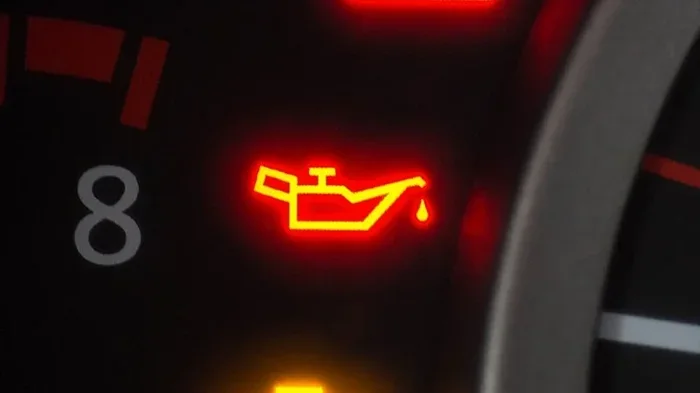
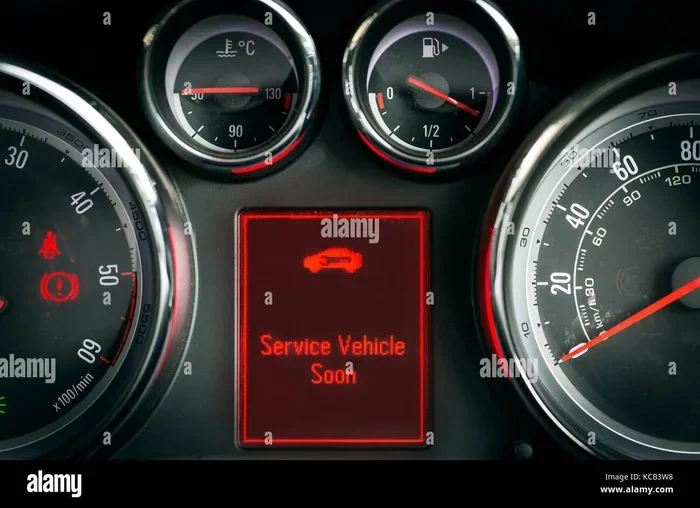
Your car has a service reminder system built into its computer. This system tracks your mileage or time since the last oil change or scheduled maintenance. When it reaches the set interval, it triggers the service indicator light on your dashboard. The light is designed to remind you that your car is due for routine car maintenance. It does not always mean something is broken. In most cases, it simply means it is time for an oil change or a scheduled checkup.
However, sometimes the light stays on even after you have already taken your car in for service. That can be frustrating. The good news is that resetting the service light is a straightforward process. Whether you drive a Toyota, Honda, Ford, Chevrolet, BMW, or any other brand, there is a method that works for you. This guide will show you exactly how to do it, step by step.
Key Takeaways
- Quick Reset: Most cars let you clear the service light with a few button presses on the dashboard or steering wheel controls.
- OBD Scanner Option: A diagnostic tool offers the most reliable way to reset the maintenance light across all car brands.
- Brand-Specific Methods: Each car maker has its own reset procedure, and this guide covers the most popular brands.
- Prevention Tips: Regular oil changes and maintenance keep the service light from returning too soon.
- Safety First: Always check for other warning lights before clearing the service indicator, as it may signal a real issue.
- No Tools Needed: Many reset methods require nothing more than your ignition key and a few minutes of your time.
📑 Table of Contents
- Why Does the Service Light Come On?
- Tools and Items You May Need
- How to Clear the Service Light: Step by Step Methods
- Brand-Specific Reset Procedures
- Common Mistakes When Clearing the Service Light
- Preventing the Service Light from Coming Back
- When to See a Professional
- Expert Tips for a Smooth Reset
- Key Takeaways
- Conclusion
Why Does the Service Light Come On?
The service engine light or maintenance reminder serves one main purpose. It tells you that your vehicle has reached a preset interval for scheduled care. This interval is usually based on mileage, but some cars use a time-based system as well. Here are the most common reasons the light activates:
- Oil Change Due: Most cars trigger the light after a set number of miles, typically every 5,000 to 10,000 miles, depending on the vehicle and driving conditions.
- Time-Based Reminder: Some vehicles use a calendar-based system. If you do not drive many miles, the light may come on based on months since the last service.
- Maintenance Completed: After a mechanic finishes work, the service interval needs to be manually reset. If they forget or skip this step, the light stays on.
- System Fault: In rare cases, a fault in the dashboard warning light system or the car’s computer can cause the light to illuminate unexpectedly.
- Ignition Cycle: Sometimes the light appears after a battery disconnect or replacement, and the system needs to be recalibrated.
Service Light vs. Check Engine Light
It is important to understand the difference between the service light and the check engine light. The check engine light (usually shaped like an engine) signals a problem detected by the car’s onboard diagnostics system. It could indicate anything from a loose gas cap to a serious engine issue. The service light, on the other hand, is purely a maintenance reminder. It is not an alarm for a mechanical problem. Still, if both lights come on at the same time, you should address the check engine light first, as it may point to a real issue that needs attention.
Tools and Items You May Need
Resetting the maintenance light is simple, and in most cases, you do not need any special tools. However, having a few items on hand can make the process smoother:
- Your Car Key or Fob: You will need to turn the ignition on and off during most reset procedures.
- OBD-II Scanner: This is a small diagnostic tool that plugs into a port under your steering column. It is helpful for more advanced resets or if the manual method does not work. You can find a basic OBD scanner for under $30 at most auto parts stores.
- Your Car Owner Manual: This is your best resource. Every car brand has slightly different steps, and the manual will have the exact procedure for your model.
- Pen and Paper: It helps to jot down the reset steps for your specific car, especially if you do this only once a year.
An OBD-II diagnostic scanner is the most versatile tool for any car owner. It reads error codes from your car’s computer and can also clear them. This is especially useful if the service light is caused by a stored fault code rather than just a simple mileage reminder. A good scanner can also help you understand what other car warning lights mean, which adds value beyond just resetting the light.
How to Clear the Service Light: Step by Step Methods
Every car brand has its own reset procedure. Below, we cover the most popular methods for the most common car manufacturers. Follow the method that matches your vehicle.
Method 1: The Ignition Button Method (Works for Many Cars)
This is the most common and universal method. It works on many Toyota, Honda, Nissan, and Hyundai models. Here is how to do it:
- Make sure your car is parked and the engine is off.
- Press and hold the trip meter reset button on your dashboard or steering wheel controls.
- While holding the button, turn the ignition to the “ON” position (do not start the engine).
- Continue holding the button for about 10 to 15 seconds.
- The maintenance light should start blinking.
- Release the button, then turn the ignition off and back on.
- The light should now be cleared.
Quick Tip: If the light does not clear, try holding the button for a longer period. Some vehicles require up to 30 seconds of continuous holding. Also, make sure you are pressing the correct button. On many cars, the trip reset button is located on the left side of the steering wheel or on the instrument panel itself.
Method 2: The Steering Wheel Control Method
Modern cars with digital dashboards often use steering wheel controls to navigate menus. Here is a general approach:
- Turn the ignition to the “ON” position without starting the engine.
- Use the steering wheel buttons to navigate to the “Trip” or “Vehicle Info” menu.
- Look for an option that says “Maintenance” or “Service Reset.”
- Select “Yes” or “Reset” to clear the service reminder.
- Turn the ignition off and then back on to confirm the reset.
This method works well for vehicles like the Ford Fusion, Chevrolet Malibu, and many newer model cars. If you cannot find the option, consult your owner manual for the exact menu path.
Method 3: The Pedal Method (For Some Ford and Chrysler Models)
Some Ford and Chrysler vehicles use a unique reset procedure involving the accelerator pedal:
- Turn the ignition off.
- Fully press the accelerator pedal to the floor and hold it there.
- While holding the pedal, turn the ignition to the “ON” position.
- Wait for about 10 seconds. The service light should start to blink.
- Release the pedal and turn the ignition off, then back on.
- The light should now be reset.
This method can feel a bit awkward, especially if you have to hold the pedal down for several seconds. But it is effective for many Ford trucks, SUVs, and sedans.
Method 4: Using an OBD-II Scanner
If the manual methods above do not work for your car, or if you want the most reliable approach, an OBD-II scanner is the way to go:
- Locate the OBD-II port under your steering column. It is usually a small, rectangular plug.
- Plug the scanner into the port.
- Turn the ignition to the “ON” position.
- Follow the scanner’s on-screen prompts to read and clear fault codes.
- Select the option to clear the maintenance light or reset the service interval.
- Turn the ignition off and remove the scanner.
- Start the engine and confirm the light is off.
Using an OBD scanner has an added benefit. Before you clear the light, the scanner can show you any stored diagnostic trouble codes. This lets you check whether the light came on due to a real issue or simply because the maintenance interval was reached. It is a smart way to ensure you are not hiding a problem.
Brand-Specific Reset Procedures
Since every car maker designs its own service light reset process, it helps to know the specific steps for your brand. Here are quick summaries for the most popular manufacturers.
How to Reset the Service Light on Toyota
Toyota vehicles are among the easiest to reset. For most Toyota models, follow these steps:
- Turn the ignition off.
- Press and hold the trip meter reset stalk (the small lever near the steering column).
- While holding it, turn the ignition to the “ON” position.
- Continue holding for about 10 seconds until the light blinks.
- Release the stalk and turn the ignition off, then back on.
For newer Toyota models with a digital display, you may need to go into the “Odometer” menu and select “Maintenance Reset.”
How to Reset the Service Light on Honda
Honda uses a similar process for most of its vehicles:
- Turn the ignition to the “ON” position without starting the engine.
- Press and hold the trip reset button on the instrument panel.
- Hold the button for about 10 seconds.
- The maintenance minder should reset to zero.
- Turn the ignition off and back on to confirm.
Honda refers to its system as the “Maintenance Minder,” and resetting it is a quick process on most Accord, Civic, and CR-V models.
How to Reset the Service Light on Ford
Ford vehicles often use the steering wheel controls or the pedal method:
- For Ford with Digital Display: Use the steering wheel arrows to navigate to “Vehicle Health” or “Maintenance” and select “Reset Service.”
- For Older Ford Models: Use the pedal method described earlier in this guide.
Ford’s service reminder system is reliable, but the reset steps can vary between the F-150, Escape, and Fusion models. Always check your specific owner manual if the general method does not work.
How to Reset the Service Light on BMW and Mercedes
Luxury brands like BMW and Mercedes use more advanced systems that often require an OBD-II scanner or a dealer-level tool for a full reset. However, some basic resets can be done manually:
- BMW: Turn the ignition off. Press and hold the trip button on the instrument cluster. Turn the ignition to “ON” and hold for about 10 seconds. The service interval display should reset.
- Mercedes-Benz: Use the steering wheel controls to go to the “Service” menu on the dashboard display. Select “Reset Service Interval” and confirm.
If these manual steps do not work, an OBD scanner with Mercedes or BMW compatibility is the best option. These scanners can access the deeper vehicle computer system and perform a full maintenance light reset.
Common Mistakes When Clearing the Service Light
Even though resetting the service light is simple, people make mistakes that can cause frustration or even damage. Here are the most common errors to avoid:
- Clearing the Light Without Doing the Maintenance: This is the biggest mistake. The light is there for a reason. If you reset it without actually getting an oil change or scheduled service, you are just masking a real need. Your car still needs that maintenance, and ignoring it can lead to engine damage over time.
- Using the Wrong Reset Method: Not all cars use the same procedure. Using the wrong method for your specific model may not work and could potentially confuse the system. Always refer to your owner manual first.
- Ignoring Other Warning Lights: If the service light comes on along with other dashboard warning lights, clearing it will not fix the underlying issue. Always investigate multiple warning lights before assuming it is just a maintenance reminder.
- Disconnecting the Battery as a Quick Fix: Some people think disconnecting the car battery will reset the light. While it sometimes works, it can also erase important settings like radio presets, power window calibration, and learned driving patterns. It is not the recommended approach.
- Not Holding the Button Long Enough: Many reset procedures require 10 to 30 seconds of continuous button pressing. Releasing the button too early is the most common reason a reset fails. Be patient and hold it steady.
Preventing the Service Light from Coming Back
Once you have successfully reset the service light, you want it to stay off until the next maintenance interval. Here is how to prevent it from coming back too early:
- Keep Up with Regular Oil Changes: The most common trigger for the maintenance reminder is the oil change interval. Staying on top of your oil changes keeps the system happy.
- Record Your Maintenance: Keep a log of every oil change, tire rotation, and service visit. This helps you track when the next service interval is due.
- Use Quality Parts and Fluids: Using recommended oil and filters helps your car run smoothly and reduces the chance of unexpected dashboard warning lights.
- Check for System Updates: Some newer vehicles have software updates that can affect how the service reminder system works. Ask your dealer or mechanic if any updates are available.
When to See a Professional
Most of the time, clearing the service light is a DIY task you can handle at home. However, there are situations where professional help is the right call:
- The Light Keeps Coming Back: If you reset the light and it returns within a few days, there may be an underlying issue the OBD scanner can help diagnose.
- Multiple Warning Lights Are On: If the service light appears alongside other warning lights like the temperature gauge, battery light, or brake warning, you should visit a repair shop right away.
- You Do Not Have Access to an OBD Scanner: If the manual reset methods do not work for your car and you do not own a scanner, a mechanic or auto parts store can usually do it for free or a small fee.
- You Are Unsure About the Procedure: When in doubt, consult a professional. It is always better to be safe than to accidentally reset the wrong system.
Expert Tips for a Smooth Reset
Here are some extra tips from experienced car owners and mechanics to make your service light reset go smoothly:
- Do It Right After Service: The easiest time to reset the light is right after your oil change or maintenance appointment. The mechanic can walk you through the exact steps for your car.
- Keep Your Owner Manual Handy: Even if you have done it before, the steps can vary between model years. The manual is the most accurate source for your specific vehicle.
- Use a Quality OBD Scanner: Investing in a good OBD-II scanner pays for itself quickly. It is useful not just for resetting lights but also for diagnosing issues before they become expensive repairs.
- Take a Photo: If you are trying a new reset method, take a photo of each step. This way, if something goes wrong, you can easily retrace your steps.
- Stay Calm: The service light is not an emergency in most cases. It is a gentle reminder, not a red alert. Take your time and follow the steps carefully.
Key Takeaways
- Simple Process: Clearing the service light is a straightforward task that most car owners can do at home in just a few minutes.
- Multiple Methods Available: Whether you use the ignition button method, steering wheel controls, pedal method, or an OBD scanner, there is a reset approach that works for your vehicle.
- Brand-Specific Steps: Toyota, Honda, Ford, BMW, and Mercedes all have slightly different procedures, so always check your owner manual for the exact steps.
- Do Not Ignore Real Maintenance: Resetting the light does not replace the actual service your car needs. Always complete the required maintenance before clearing the indicator.
- OBD Scanner Is a Great Investment: A basic diagnostic scanner gives you more control over your car’s health and makes resetting the light foolproof.
- Avoid Common Mistakes: Do not disconnect the battery as a shortcut, and make sure you hold the reset button long enough for the procedure to work.
- Prevention Is Key: Staying on top of regular maintenance keeps your car running well and prevents the service light from returning unexpectedly.
Conclusion
Clearing the service light on your car does not have to be a stressful experience. With the right knowledge and a few simple steps, you can reset your maintenance reminder in minutes. Whether you use the manual button method, the steering wheel controls, or an OBD-II scanner, the process is designed to be user-friendly. The key is to know your specific car’s procedure and follow it carefully.
Remember that the service light exists to keep your car in good shape. It is a helpful reminder, not an enemy. The best approach is to complete your scheduled maintenance first, then reset the light so it can accurately track the next interval. This keeps your vehicle running smoothly and helps you avoid costly repairs down the road.
Now that you know how to clear the service light on your car, you can handle it yourself the next time it comes on. Keep this guide bookmarked for reference, and share it with a friend who might need it. Your car, your wallet, and your peace of mind will all thank you.
Frequently Asked Questions
Can I drive my car with the service light on?
Yes, in most cases you can safely drive your car with the service light on. The light is a maintenance reminder and does not indicate a serious mechanical problem. However, you should schedule your next oil change or service appointment soon to keep your car in good condition.
How often should I reset my service light?
You should reset the maintenance reminder every time you complete a scheduled service, such as an oil change or tire rotation. This ensures the light tracks your next service interval accurately based on the actual mileage since your last maintenance.
Will clearing the service light erase any car data?
No, resetting the service indicator light does not erase any important car data. It only resets the maintenance reminder. However, disconnecting the battery to clear the light can erase settings like radio presets and learned driving behaviors, so it is best to avoid that method.
What if the service light keeps coming back after I reset it?
If the service light returns shortly after resetting, there may be an underlying issue. Use an OBD-II scanner to check for stored fault codes. If you find codes, visit a mechanic to diagnose and fix the problem before it worsens.
Do I need a special tool to clear the service light?
For most car brands, you do not need any special tool. The reset service light procedure can be done with just your ignition key and a dashboard button. However, an OBD scanner is helpful for stubborn lights or for vehicles with complex systems.
Is it safe to use an OBD scanner to reset the service light?
Yes, using an OBD-II scanner is completely safe. These tools are designed for everyday car owners and professional mechanics alike. They read and clear codes from your car’s computer without causing any harm to the vehicle’s systems.