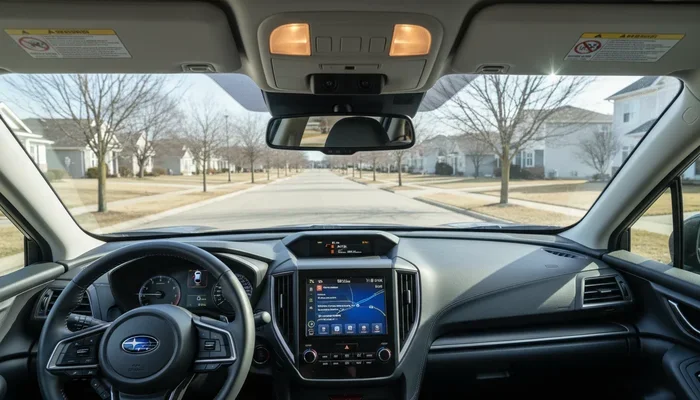
How to Turn Off EyeSight on a 2022 Subaru Step by Step
Learning how to turn off EyeSight on a 2022 Subaru is simple and useful in many driving situations. Whether you need to deactivate the system temporarily or fully disable it, this guide walks you through every step clearly. We cover the exact buttons, warning lights, reasons for turning it off, and expert tips to keep you safe and confident behind the wheel.
So you want to learn how to turn off EyeSight on a 2022 Subaru? You are not alone. Many Subaru owners ask this question every single day. Maybe the system keeps beeping when you do not want it to. Maybe you just prefer driving without driver assist features. Whatever your reason is, this guide has you covered.
EyeSight is Subaru’s flagship driver assist technology. It uses two cameras mounted near the rearview mirror. These cameras monitor the road ahead. They help with pre-collision braking, adaptive cruise control, and lane keep assist. For most drivers, EyeSight is a fantastic safety tool. But sometimes, you just need to turn it off.
This article gives you the exact steps to do so. We also explain what each warning light means. You will learn why drivers disable the system. And we share expert tips to help you manage EyeSight like a pro. Let us dive right in.
Key Takeaways
- Easy Access: You can turn off EyeSight using buttons on the steering wheel or the infotainment screen in seconds.
- Multiple Methods: There are different ways to deactivate EyeSight, including temporary pause and full system reset.
- Warning Lights: Your dashboard will show specific EyeSight warning lights when the system is off or malfunctioning.
- Common Reasons: Drivers turn off EyeSight for custom driving, camera obstruction, or system faults.
- Safety First: Always re-enable EyeSight when possible, as it provides valuable pre-collision and lane-keep assist.
- Model Differences: The process may vary slightly between Subaru Outback, Forester, and other 2022 models.
- Expert Insight: Regularly clean your windshield camera to prevent false EyeSight warnings and unnecessary deactivation.
📑 Table of Contents
- What Is Subaru EyeSight and How Does It Work?
- How to Turn Off EyeSight on a 2022 Subaru Step by Step
- Understanding the EyeSight Warning Lights and Messages
- Common Reasons Drivers Disable EyeSight
- Can You Turn Off EyeSight Temporarily? A Yes and No Guide
- Expert Tips for Managing EyeSight on Your 2022 Subaru
- Frequently Asked Questions About EyeSight on the 2022 Subaru
- Final Thoughts on Turning Off EyeSight on Your 2022 Subaru
What Is Subaru EyeSight and How Does It Work?
Before we get into the steps, let us understand what EyeSight actually does. Subaru EyeSight is a driver assist system. It uses stereo cameras to see the road. The cameras sit at the top of the windshield. They look ahead and track vehicles, lanes, and obstacles.
The system offers several key features:
- Pre-Collision Braking: It can automatically brake if a crash seems likely.
- Adaptive Cruise Control: It keeps a safe distance from the car ahead.
- Lane Keep Assist: It helps you stay centered in your lane.
- Throttle Management: It can reduce engine power to avoid accidents.
- Sway Warning: It alerts you if the car drifts or sways.
All of these features work together. They aim to prevent collisions or reduce their severity. The system is always active by default. But you can turn it off when needed. Now let us look at exactly how to do that.
How to Turn Off EyeSight on a 2022 Subaru Step by Step
Turning off EyeSight on your 2022 Subaru is straightforward. The exact steps depend slightly on your model. But the general process is the same across most 2022 Subaru vehicles. Here is what you need to do.
Method 1: Using the Steering Wheel Buttons
This is the fastest way to disable EyeSight. Follow these simple steps:
- Start your 2022 Subaru and sit in the driver seat.
- Look at the steering wheel on the left side.
- Find the EyeSight button. It usually has an EyeSight icon.
- Press and hold the button for about two seconds.
- Check your dashboard for the EyeSight off indicator.
When you see the EyeSight indicator turn gray or display a crossed-out symbol, the system is off. You will no longer get pre-collision warnings or lane keep assist alerts.
Method 2: Using the Infotainment Screen
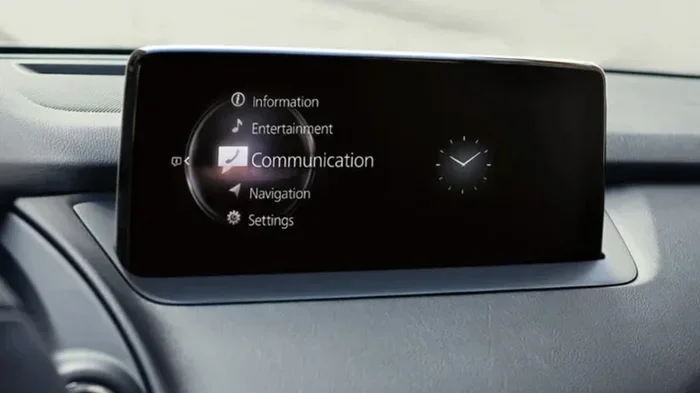
Some 2022 Subaru models let you control EyeSight through the touchscreen. Here is how:
- Press the Home or Settings button on your infotainment screen.
- Navigate to the Driver Assistance or EyeSight Settings menu.
- Look for the EyeSight toggle switch.
- Toggle it to the Off position.
- Confirm your choice if prompted.
This method works well if you prefer using the screen. It gives you more control over individual EyeSight features too. You can turn off specific functions while keeping others active.
Method 3: Temporary Pause Versus Full Deactivation
Here is something important to know. You can temporarily pause EyeSight without fully turning it off. This is useful in short situations. For example, if the camera is temporarily blocked by snow or dirt.
To temporarily pause:
- Press the EyeSight button once quickly.
- The system will pause for a short time.
- It will automatically re-enable once conditions are normal.
To fully deactivate:
- Hold the EyeSight button for two seconds.
- The system stays off until you manually turn it back on.
- You must repeat the process to reactivate it.
Understanding this difference matters. It helps you use EyeSight wisely without confusion.
Understanding the EyeSight Warning Lights and Messages
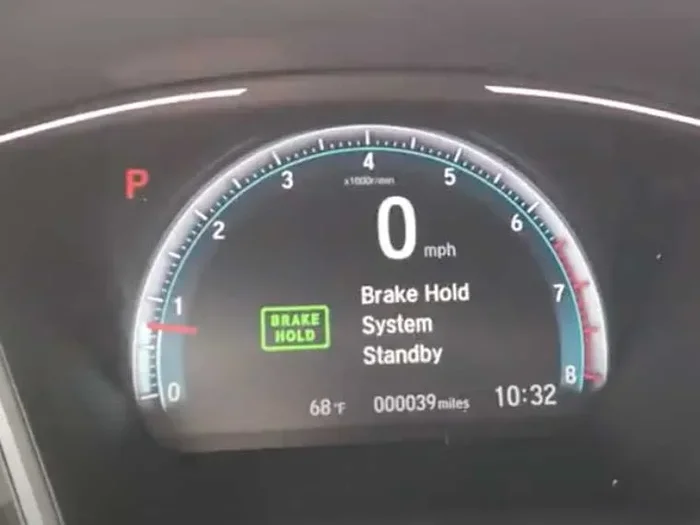
When you turn off EyeSight, your dashboard changes. You will see specific warning lights. Knowing what they mean keeps you informed and safe.
The Gray EyeSight Indicator
A gray EyeSight symbol on your dash means the system is currently off. This is normal after you deactivate it. The symbol looks like two camera lenses side by side. When it turns gray, EyeSight is not monitoring the road.
The Yellow or Orange Warning Light
A yellow or orange EyeSight light means something is wrong. This is not a full deactivation. It usually means the system has a fault. Common causes include:
- A dirty or obstructed windshield camera.
- Calibration issues after a windshield replacement.
- Electrical problems with the EyeSight sensors.
- Software glitches in the Subaru EyeSight module.
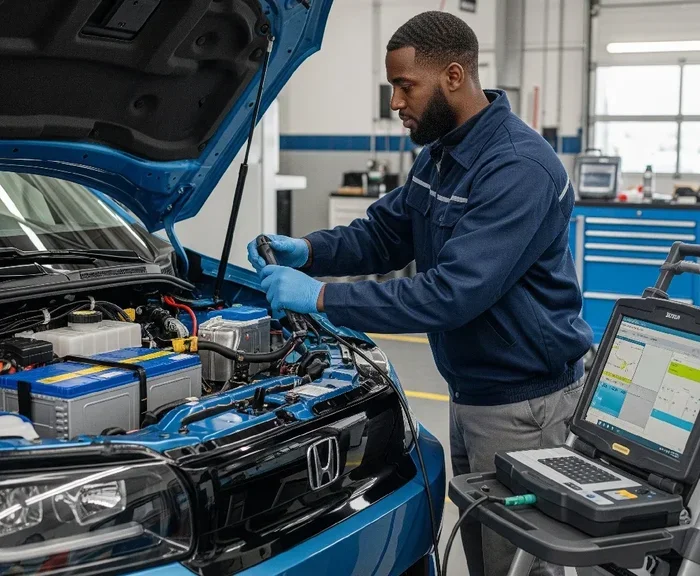
If you see a yellow warning light, do not ignore it. Clean your windshield near the rearview mirror first. If the light stays on, visit a Subaru dealer. They can run a diagnostic check on the EyeSight system.
The Red EyeSight Warning
A red warning is rare but serious. It usually means the system has completely shut down. This can happen after a major fault. If you see a red EyeSight light, pull over safely. Turn the car off and back on. If the light stays red, seek professional help immediately.
Always pay attention to these dashboard messages. They tell you the real status of your Subaru EyeSight system.
Common Reasons Drivers Disable EyeSight
People turn off EyeSight for many different reasons. Let us look at the most common ones. Understanding these helps you decide if deactivation makes sense for you.
Frequent False Alerts
Some drivers experience false warnings from EyeSight. The system might brake when no collision is coming. It might beep at lane markings that are unclear. These false alerts can be annoying. They may cause drivers to want to turn the system off entirely.
Custom Driving Preferences
Experienced drivers sometimes prefer full manual control. They do not want the car braking or steering for them. Some drivers find adaptive cruise control too intrusive. In these cases, turning off EyeSight gives them the freedom they want.
Camera Obstruction
Your EyeSight cameras sit at the top of the windshield. They can get blocked by:
- Snow or ice buildup
- Dirt or mud from off-road driving
- Aftermarket accessories like roof racks or sunshades
- Stickerson the windshield near the rearview mirror
When the cameras cannot see clearly, EyeSight may malfunction. Many drivers turn it off until they can clean or fix the obstruction.
After Windshield Replacement
If you recently replaced your windshield, EyeSight may need recalibration. Until recalibration is done, the system might not work properly. Some owners turn it off temporarily. They wait for a professional to recalibrate the cameras.
System Faults and Malfunctions
Sometimes EyeSight has a genuine software or hardware fault. The system may keep triggering warnings for no reason. In these cases, turning it off prevents constant distractions. You can then visit a dealer to get the issue resolved.
Can You Turn Off EyeSight Temporarily? A Yes and No Guide
The answer depends on what you mean by temporary. You can pause EyeSight for short periods. But fully turning it off requires a deliberate action. Here is how it works in practice.
When you press the EyeSight button once, the system enters a pause mode. This pause usually lasts for a short drive. Once you restart the engine, EyeSight often reactivates automatically. This is by design. Subaru wants EyeSight active for safety.
If you want the system to stay off, you must hold the button. This full deactivation persists until you turn it back on. Even after restarting the car, EyeSight may remain off. But some 2022 Subaru models reset EyeSight to on after each ignition cycle.
Check your owner manual for your specific model. The behavior can vary between the Outback, Forester, Legacy, and other Subaru vehicles. Knowing this prevents surprises on the road.
Here is a quick comparison of temporary pause versus full deactivation:
- Temporary Pause: Press once, system pauses, may re-enable on restart.
- Full Deactivation: Hold for two seconds, system stays off until manually reactivated.
Both methods are useful. Use the pause for quick situations. Use full deactivation when you want the system completely off for a longer period.
Expert Tips for Managing EyeSight on Your 2022 Subaru
Managing EyeSight does not have to be complicated. A few smart habits make a big difference. Here are expert tips to help you get the most from your Subaru EyeSight system.
Keep Your Windshield Clean
The EyeSight cameras need a clear view. Wipe the area near the rearview mirror regularly. Use a glass cleaner without ammonia. Ammonia can damage camera coatings over time. A clean windshield means fewer false warnings and fewer reasons to turn the system off.
Recalibrate After Windshield Work
If you ever replace your windshield, always get EyeSight recalibration. This is a specialized process. A dealer or certified shop uses diagnostic tools to align the cameras. Skipping this step leads to persistent EyeSight warnings. It can even make the system unusable.
Update Your Subaru Software
Subaru releases software updates for EyeSight. These updates fix bugs and improve performance. Check for updates at your dealer or through the Subaru StarLink system. Keeping software current reduces unexpected system behavior.
Know When to Re-Enable EyeSight
Turning off EyeSight is sometimes necessary. But you should re-enable it as soon as possible. EyeSight provides real safety benefits. It can prevent accidents or reduce their severity. Do not leave the system off longer than needed.
Use the Partial Disable Option
Some 2022 Subaru models let you turn off specific EyeSight features. You can keep adaptive cruise control but disable lane keep assist. This gives you flexibility. You get some assist without the full system intervention. Check your settings menu to explore these options.
Do Not Disable EyeSight in Bad Weather Without Reason
EyeSight works well in most conditions. Rain, light snow, and fog do not usually disable it. Turning it off in bad weather removes a helpful safety net. Only disable it if the system is actually malfunctioning or causing problems.
Frequently Asked Questions About EyeSight on the 2022 Subaru
Can I drive my 2022 Subaru with EyeSight turned off?
Yes, you absolutely can. Turning off EyeSight does not prevent your car from driving. It simply disables the driver assist features. Your car will still accelerate, brake, and steer normally. Just be aware that you lose pre-collision braking and lane keep assist. Drive carefully and stay extra alert when EyeSight is off.
Will turning off EyeSight affect my Subaru warranty?
No, turning off EyeSight does not void your warranty. The system is designed to be user-controllable. Subaru expects owners to use or disable features as needed. However, if an EyeSight-related issue arises, keep the system active during service visits. This helps dealers diagnose problems more accurately.
Why does my EyeSight keep turning off by itself?
This usually happens for one of several reasons. A dirty windshield camera is the most common cause. Snow, dirt, or a sticker near the mirror can block the cameras. Another possibility is a loose camera connection. In some cases, a software glitch triggers an automatic shutoff. Try cleaning the camera area first. If the problem continues, visit a Subaru dealer for diagnostics.
Can I turn off just one EyeSight feature instead of the whole system?
Yes, on many 2022 Subaru models you can. The infotainment settings menu lets you toggle individual features. You can keep adaptive cruise control while disabling lane keep assist, for example. This partial control gives you flexibility. Check your specific model manual for the exact available options.
How do I turn EyeSight back on after turning it off?
To reactivate EyeSight, simply press and hold the EyeSight button on your steering wheel for two seconds. The system should turn back on. You will see the EyeSight indicator light up on your dashboard. If it does not re-enable, restart your vehicle. The system typically activates automatically after a full restart on most 2022 Subaru models.
Is it safe to drive without EyeSight on the highway?
It is safe if you stay fully attentive. EyeSight adds a layer of protection, but it is not the only safety system in your car. Your brakes, steering, and airbags all work independently. However, you lose automatic pre-collision braking and lane keep assist. On highways, these features are especially helpful. Re-enable EyeSight whenever possible for the safest driving experience.
Final Thoughts on Turning Off EyeSight on Your 2022 Subaru
Knowing how to turn off EyeSight on a 2022 Subaru gives you control over your driving experience. Whether you need a quick pause or a full system shutdown, the steps are simple and easy to follow. Remember to use the steering wheel buttons for fast access. Use the infotainment screen for more detailed control.
Always pay attention to your dashboard warning lights. They tell you exactly what is happening with your EyeSight system. Keep your windshield camera clean and clear. This prevents most common issues that lead drivers to disable EyeSight in the first place.
There are many valid reasons to turn the system off. False alerts, camera obstructions, and personal driving preferences are all understandable. Just make sure you re-enable EyeSight when you can. It is one of Subaru’s best safety features, and it works hard to keep you protected on every drive.
With the steps and tips in this guide, you are now fully equipped. You can manage your Subaru EyeSight system with confidence. Drive safe, stay aware, and enjoy every mile in your 2022 Subaru.