Why Isnt My Bluetooth Working in My Car Right Now
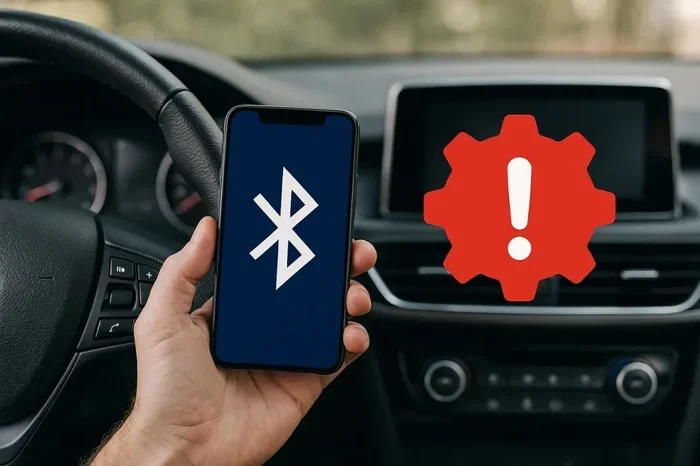
Why isn’t my Bluetooth working in my car? This frustrating issue usually stems from simple causes like outdated software, pairing glitches, or signal interference. Bluetooth connection problems in vehicles are incredibly common and often easy to fix at home. This guide walks you through every likely cause and proven solution to get your car audio system back up and running.
You are driving down the road. Your favorite playlist is stuck on repeat in your head. You reach for your phone. You want to stream music through your car audio system. You tap Bluetooth. Nothing happens.
That sinking feeling is all too familiar. Why isn’t my Bluetooth working in my car right now? It is a question millions of drivers ask every single day. The good news is that most Bluetooth connection problems have simple fixes. You do not need to be a tech expert. You do not even need to visit a mechanic yet.
This guide covers every common reason your wireless connection might be failing. It also gives you step-by-step solutions you can try right now. From basic restarts to advanced troubleshooting, we have you covered. Let us get your hands-free calling and music streaming working again.
Key Takeaways
- Restart Both Devices: A simple restart of your phone and car infotainment system resolves most Bluetooth pairing issues instantly.
- Check for Software Updates: Outdated software on your phone or car head unit is one of the top reasons Bluetooth not connecting happens.
- Remove Old Pairings: Clearing old Bluetooth connections and re-pairing fresh often fixes stubborn connection problems.
- Watch for Signal Interference: Other wireless devices and physical obstructions can weaken your Bluetooth signal inside the vehicle.
- Reset Network Settings: A full Bluetooth reset on your phone clears cached data that may be blocking the connection.
- Check Device Compatibility: Older car stereos may not support newer Bluetooth versions or codecs used by modern phones.
- Visit a Professional if Needed: If all else fails, a mechanic or auto electrician can check the Bluetooth module in your car.
📑 Table of Contents
- Why Isn’t My Bluetooth Working in My Car? Common Causes
- Step-by-Step Fixes for Bluetooth Connection Problems
- Is Your Car’s Bluetooth System Compatible with Your Phone?
- Signal Interference: What Is Blocking Your Connection?
- When to See a Professional
- Prevent Future Bluetooth Problems
- Key Takeaways
- Frequently Asked Questions
- Conclusion
Why Isn’t My Bluetooth Working in My Car? Common Causes
Before you start fixing anything, it helps to understand what might be going wrong. Bluetooth troubleshooting starts with identifying the root cause. Here are the most common reasons your car Bluetooth problems keep happening.
Your Phone and Car Are Not Properly Paired
Bluetooth pairing is the process where two devices recognize each other. Sometimes this process gets interrupted. Maybe you accepted the pairing request too quickly. Perhaps your phone switched networks mid-connection. Whatever the reason, an incomplete phone pairing means no audio streaming.
Think of it like introducing two people at a party. If one person walks away before the introduction finishes, they never actually meet. The same thing happens with Bluetooth settings on your phone and your car head unit.
Outdated Software Is Blocking the Connection
Software updates matter. They are not just about new features. Updates often fix bugs that break Bluetooth connections. If your phone or your car’s infotainment system is running old software, it might not speak the same Bluetooth language as the other device.
Car manufacturers release firmware updates for their head units. Phone makers do the same for their operating systems. When either device falls behind, Bluetooth not connecting becomes a real possibility.
Too Many Paired Devices Are Causing Conflicts
Your car’s Bluetooth memory can store multiple devices. That is convenient. But it can also cause problems. If your car is trying to connect to five different phones at once, chaos ensues. The Bluetooth module gets confused. It does not know which device to prioritize.
This is especially common in families. One car, four phones, all trying to connect. The result? Bluetooth signal drops, audio cuts out, and nobody is happy.
Physical Distance and Obstacles Weaken the Signal
Bluetooth range is limited. Most devices work within about 30 feet of each other. Inside a car, this should not be a problem. But certain factors can reduce effective range. Thick metal panels, tinted windows, and even large phone cases can block the wireless connection.
If your phone is buried deep in your backpack in the back seat, the Bluetooth frequency signal may struggle to reach the car’s receiver. Keep your phone closer to the dashboard for best results.
Your Car’s Bluetooth System Needs a Reset
Just like your phone, your car’s infotainment system can freeze or glitch. A Bluetooth reset clears temporary errors and refreshes the connection. Many drivers skip this simple step and jump straight to complicated solutions. Do not make that mistake.
Step-by-Step Fixes for Bluetooth Connection Problems
Now that you know the common causes, let us fix them. These Bluetooth troubleshooting steps work for most vehicles and phones. Try them in order for the best results.
Fix 1: Turn Bluetooth Off and Back On
This sounds too simple, right? But it works more often than you would think. Turning Bluetooth settings off and back on forces both devices to re-establish the connection from scratch.
On your phone, go to Settings, tap Bluetooth, and toggle it off. Wait 10 seconds. Turn it back on. On your car, go to the infotainment menu and disable Bluetooth. Wait a few seconds. Re-enable it. Then try connecting again.
Fix 2: Restart Both Devices
A full restart clears temporary glitches that a simple toggle cannot fix. Power off your phone completely. Wait 30 seconds. Turn it back on. Then restart your car by turning the ignition off and back on.
This refreshes both the car audio system and your phone’s wireless radios. It clears any frozen processes that might be blocking the Bluetooth connection. This fix alone resolves the issue for many drivers.
Fix 3: Delete Old Pairings and Re-Pair
Sometimes the stored Bluetooth pairing data becomes corrupted. Your phone thinks it is connected to the car, but the car does not recognize the phone. The fix is to start fresh.
On your phone, go to Bluetooth settings. Find your car in the list of paired devices. Tap “Forget This Device” or “Unpair.” Do the same on your car’s infotainment system. Then go through the phone pairing process again from scratch. Make sure you accept the pairing request on both devices.
Fix 4: Update Your Software
Check for updates on both your phone and your car. On iPhone, go to Settings > General > Software Update. On Android, go to Settings > System > Software Update.
For your car, check the manufacturer’s website or your owner’s manual. Some brands offer over-the-air updates. Others require a visit to the dealership. Keeping both devices current prevents Bluetooth not connecting issues caused by outdated software.
Fix 5: Clear Your Phone’s Bluetooth Cache
Android phones store cached Bluetooth data that can become corrupted over time. Clearing this cache often fixes stubborn connection problems.
Go to Settings > Apps. Find the Bluetooth app. Tap Storage. Then tap Clear Cache. Do not tap “Clear Data” unless you want to reset all your Bluetooth connections. After clearing the cache, restart your phone and try connecting again.
Fix 6: Forget All Other Paired Devices
If your car is trying to manage too many Bluetooth connections, it may freeze up. Go through your phone’s Bluetooth list and forget every device you are not actively using. This reduces the load on your Bluetooth module and can restore a stable wireless connection.
Is Your Car’s Bluetooth System Compatible with Your Phone?
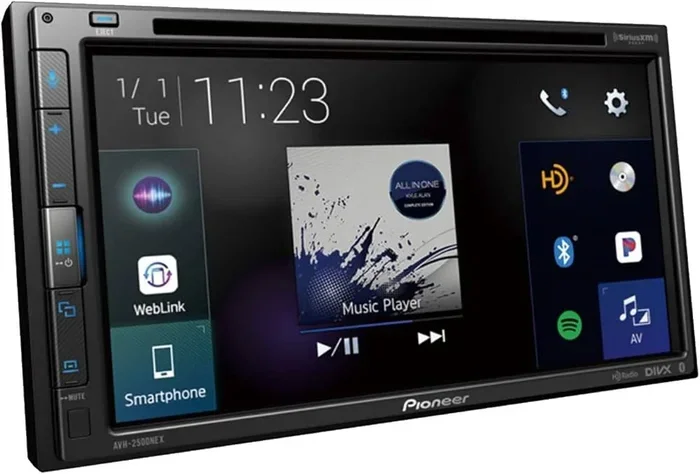
Device compatibility matters more than most people realize. Not all Bluetooth versions work perfectly together. An older car stereo may not support the codecs used by a newer phone. This can cause audio streaming to fail even though the devices show as connected.
Check Your Car’s Bluetooth Version
Look in your car’s owner manual or settings menu for the Bluetooth version. Most cars made after 2015 support Bluetooth 4.0 or higher. If your car uses an older version, it may struggle with newer phones that rely on Bluetooth 5.0 features.
Check Your Phone’s Bluetooth Version
iPhone models from the last five years all support modern Bluetooth versions. Android phones vary widely. Check your phone’s specifications online if you are unsure. If there is a big gap between your phone and car Bluetooth versions, that could explain the connection failure.
What About Aftermarket Bluetooth Adapters?
If your car does not have built-in Bluetooth, you can add it with an aftermarket adapter. These plug into your cigarette lighter or AUX port. They create a wireless connection between your phone and your car stereo. Just make sure the adapter supports your phone’s Bluetooth version for the best results.
Signal Interference: What Is Blocking Your Connection?
Bluetooth signal problems are more common than you might think. Several factors inside your vehicle can interfere with the wireless connection between your phone and car.
Other Wireless Devices
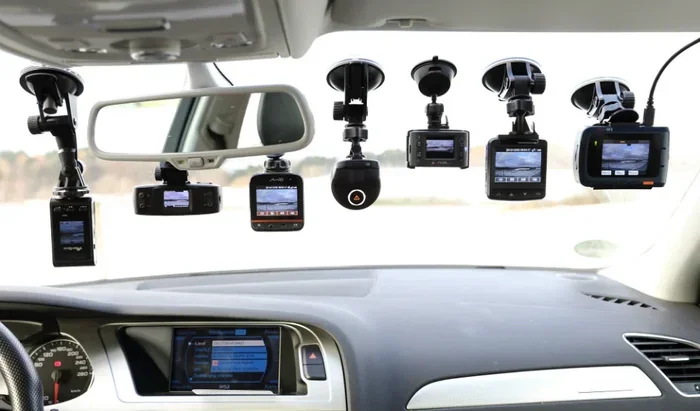
Do you have a dash cam, GPS tracker, or wireless charger plugged in? These devices operate on similar Bluetooth frequencies. They can create interference that weakens or blocks your Bluetooth connection. Try unplugging other wireless devices temporarily to see if the connection improves.
Physical Obstructions
Your phone case might be too thick. Metal phone mounts can block Bluetooth signals. Even a large stack of items on your dashboard can interfere with the Bluetooth frequency between your phone and car antenna.
Remove thick cases. Move your phone closer to the windshield. These small changes can make a big difference in Bluetooth connection quality.
Nearby Vehicles
In crowded parking lots, your car’s Bluetooth system might try to connect to a nearby phone with the same name. This happens more often than you would think. It causes connection drops and audio glitches. Renaming your phone to something unique in your Bluetooth settings can prevent this mix-up.
When to See a Professional
Most Bluetooth troubleshooting steps can be done at home. But some problems require professional help. If you have tried every fix in this guide and Bluetooth not connecting persists, it is time to call in the experts.
Signs You Need Professional Help
- Bluetooth works on other devices but not your phone. This points to a car-side problem, possibly a faulty Bluetooth module.
- Bluetooth works in other cars but not yours. This suggests your car’s infotainment system has a hardware issue.
- The Bluetooth icon appears but no audio plays. This could be a software bug or a problem with the car audio system amplifier.
- Bluetooth disconnects randomly and frequently. Intermittent connection drops often indicate a wiring problem or a failing antenna.
A qualified auto electrician can diagnose Bluetooth module failures. They can also check your car’s wiring and antenna. In some cases, a simple antenna replacement fixes the problem. In others, the entire head unit may need replacing.
Prevent Future Bluetooth Problems
Once you get your Bluetooth connection working again, you want to keep it that way. A few simple habits can prevent future car Bluetooth problems.
Keep Your Software Updated
Regular updates keep your Bluetooth settings running smoothly. Enable automatic updates on your phone. Check your car’s software quarterly. This small habit prevents many connection issues before they start.
Limit Paired Devices
Only keep devices paired that you actually use. Delete old phones and tablets from your car’s Bluetooth memory. This keeps the Bluetooth module running efficiently and reduces connection conflicts.
Restart Your System Monthly
Just like your computer, your car’s infotainment system benefits from regular restarts. Turn your car off completely once a month. Leave it off for a few minutes. This clears temporary files and refreshes the wireless connection hardware.
Store Your Phone Properly
Keep your phone in a consistent location while driving. A dashboard mount near the windshield works best for Bluetooth signal strength. Avoid storing your phone in the glove box or back seat where metal and other objects can block the Bluetooth frequency.
Key Takeaways
- Restart Both Devices: A simple restart of your phone and car infotainment system resolves most Bluetooth pairing issues instantly.
- Check for Software Updates: Outdated software on your phone or car head unit is one of the top reasons Bluetooth not connecting happens.
- Remove Old Pairings: Clearing old Bluetooth connections and re-pairing fresh often fixes stubborn connection problems.
- Watch for Signal Interference: Other wireless devices and physical obstructions can weaken your Bluetooth signal inside the vehicle.
- Reset Network Settings: A full Bluetooth reset on your phone clears cached data that may be blocking the connection.
- Check Device Compatibility: Older car stereos may not support newer Bluetooth versions or codecs used by modern phones.
- Visit a Professional if Needed: If all else fails, a mechanic or auto electrician can check the Bluetooth module in your car.
Frequently Asked Questions
Why does my Bluetooth connect but there is no sound?
This usually means the audio profile is not activated. Go to your car’s Bluetooth settings and make sure media audio is enabled, not just phone calls. Also check that your phone’s media volume is turned up and not muted. Sometimes the audio streaming profile gets switched off accidentally.
Can too many paired devices cause Bluetooth problems?
Yes, absolutely. Most car Bluetooth systems can handle around five to seven paired devices. Beyond that, the Bluetooth module may struggle to manage connections properly. Delete devices you no longer use to keep your system running smoothly.
Does my phone case affect Bluetooth connection?
It can. Thick metal cases or cases with magnetic closures can block the Bluetooth signal. Remove your phone case temporarily to test if the connection improves. A thin silicone or plastic case usually does not cause any issues with wireless connection quality.
How do I reset my car’s Bluetooth system?
The process varies by car brand and model. Generally, you can go to your car’s Settings menu, find Bluetooth, and look for a “Reset” or “Factory Reset” option. Consult your owner’s manual for specific instructions. On some models, disconnecting the car battery for 15 minutes also resets the entire infotainment system.
Why does my Bluetooth keep disconnecting while driving?
Intermittent disconnections often point to a weak Bluetooth signal. Check for interference from other wireless devices in your car. Make sure your phone is close enough to the dashboard. If the problem persists, your car’s Bluetooth antenna may be failing and need replacement by a professional.
Is it possible that my car’s Bluetooth is outdated?
Yes, older car stereos may not support the latest Bluetooth versions or codecs. If your car was made before 2015, its Bluetooth system might struggle with newer phones. An aftermarket Bluetooth adapter or a head unit upgrade can solve this problem and give you better audio streaming quality.
Conclusion
Why isn’t my Bluetooth working in my car right now? The answer is usually much simpler than you think. In most cases, a quick restart, a software update, or a fresh Bluetooth pairing solves the problem completely. You do not need expensive repairs or technical expertise.
Start with the basics. Turn Bluetooth off and back on. Restart both devices. Delete old pairings and connect fresh. Move through the fixes in this guide one by one. You will likely find the solution within minutes.
If the problem is more serious, do not panic. Check for device compatibility issues. Look for signs of hardware failure. And when in doubt, take your car to a trusted professional. They can diagnose Bluetooth module problems and get your wireless connection back to full strength.
The road is meant to be enjoyed with your favorite music playing. Do not let Bluetooth connection problems keep you from the drive. Use the tips in this article, stay proactive with updates and maintenance, and your car audio system will keep you connected mile after mile.