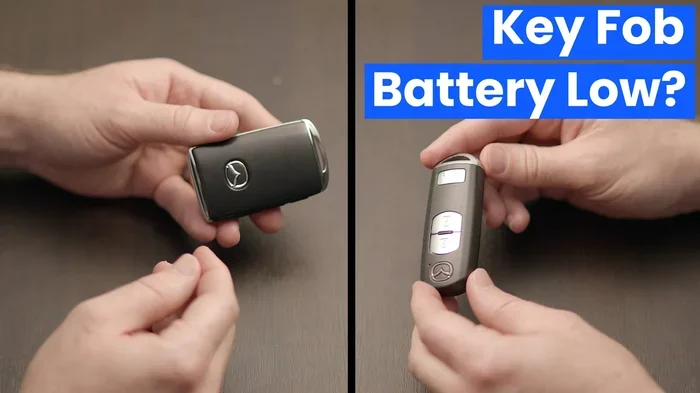
How Do I Know If My Key Fob Battery Is Dying Before It Dies
Your key fob battery is dying when you notice a weak signal, shorter range, or the need to press buttons harder. Recognizing these key fob battery dying signs early saves you from getting locked out of your car. This guide covers every warning sign, quick fix, and replacement tip to keep your remote key fob working reliably.
You walk up to your car on a rainy morning. You press the button on your remote key fob. Nothing happens. You press it again. Still nothing. That sinking feeling hits fast. You wonder if you left your lights on or if the battery in your key fob is finally dead.
The truth is, most of us ignore our car key battery until it completely fails. And that failure usually happens at the worst possible moment. Standing in the parking lot, fumbling with a manual key, rain pouring down, is not anyone’s idea of a good morning.
The good news? Your key fob gives you plenty of warning before it dies completely. You just need to know what to look for. This guide walks you through every sign, every fix, and every tip to keep your remote key fob working smoothly. Let us help you avoid that frustrating moment at the car door.
Key Takeaways
- Delayed or weak signals: If your remote key fob only works within a few feet, the battery is likely low.
- Button press effort increases: Needing to press harder is one of the most common key fob battery dying signs.
- Intermittent function: A key fob that works sometimes but not others signals a fading battery.
- Warning lights on your dashboard: Some vehicles display a key fob or battery alert when the signal drops.
- Quick replacement is easy: Swapping the CR2032 or similar battery takes under five minutes at home.
- Preventive tips extend life: Keeping your remote key fob away from moisture and heat helps the battery last longer.
- When in doubt, test it: A simple signal range test can confirm whether your key fob battery needs replacing.
📑 Table of Contents
- How Do I Know If My Key Fob Battery Is Dying?
- What Kind of Battery Does Your Key Fob Use?
- How to Replace Your Key Fob Battery Step by Step
- Common Mistakes People Make With Key Fob Batteries
- How to Make Your Key Fob Battery Last Longer
- When to Seek Professional Help
- Key Fob Battery Replacement Cost and Time
- Final Thoughts on Recognizing Key Fob Battery Dying Signs
How Do I Know If My Key Fob Battery Is Dying?
Your key fob battery dying does not happen overnight. It sends signals along the way. Learning to read those signals means you always stay one step ahead. Here are the clearest signs that your key fob battery is running low.
1. Reduced Signal Range
This is the first and most obvious sign. When your key fob battery is fresh, the signal reaches across a large parking lot. You can unlock your car from fifty or even a hundred feet away. But as the battery weakens, that range shrinks.
You might notice that you need to stand right next to your car for the remote key fob to work. What used to work from across the street now only works from the driveway. That shrinking range is your key fob telling you something.
Quick tip: Test your range regularly. Stand at different distances and press the unlock button. If you notice a consistent drop in distance, it is time to replace the battery.
2. You Need to Press Buttons Harder
When you press the button on your key fob and nothing happens, you naturally press harder. That is human nature. But if you find yourself pressing with real force every single time, the battery is struggling.
A healthy key fob responds instantly with a light press. If you are pressing and pressing and waiting, the battery is losing its punch. This is one of those key fob battery dying signs that people overlook for weeks.
3. Intermittent or Inconsistent Function
Sometimes your key fob works perfectly. Other times, it does nothing. This inconsistency is a classic red flag. A dying battery delivers power unevenly. It might have enough juice to unlock the doors but not enough to start the engine.
You might also notice that the remote key fob works fine in warm weather but fails in the cold. Cold temperatures already drain batteries faster. Combine that with an aging battery, and you get unpredictable behavior.
4. Dashboard Warning Lights
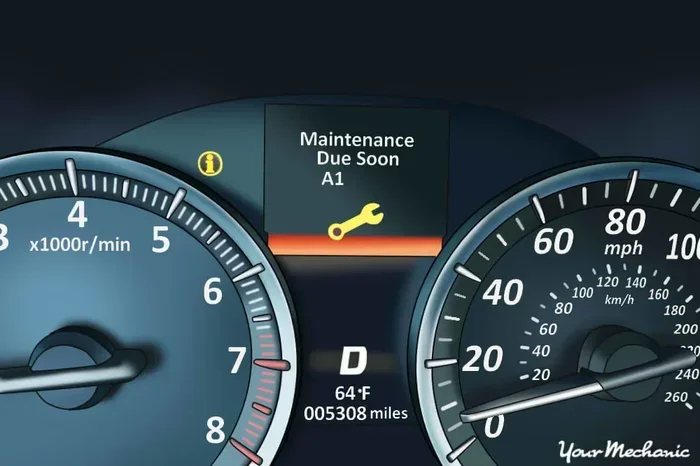
Many modern vehicles have systems that monitor your key fob signal strength. When the battery gets low, a warning light appears on the dashboard. Look for symbols that look like a key or a lock. Some cars even display a message like “Key Battery Low.”
This feature is a lifesaver. It gives you a direct alert instead of making you guess. If your car shows this warning, do not ignore it. Head to the store for a key fob replacement battery right away.
5. Slow or No Response from Push Button Start
If your car uses a push button start system, the key fob battery plays a critical role. The car needs to detect the fob inside the cabin before it will start. When the battery is low, you might notice a delay before the engine turns over.
In some cases, the car will not start at all until you hold the fob directly against the start button. This is a built-in backup, but it is also a clear signal that your car key battery needs attention.
6. The Key Fob Works Only When Very Close
Place your key fob on the dashboard or center console. Does it work from that position? If not, the battery is very low or already dead. A healthy fob should work without any close proximity at all.
Some people use the trick of placing the fob against their chin and turning their head to extend the range temporarily. While this works, it is not a real solution. It just confirms that your key fob battery is dying.
What Kind of Battery Does Your Key Fob Use?
Not all key fob batteries are the same. The right battery depends on your vehicle make and model. But most remote key fob units use one of a few common types.
The Most Common Key Fob Battery Types
- CR2032: This is the most widely used battery in key fobs. You will find it in Honda, Toyota, Ford, Chevrolet, and many other brands. It is a 3-volt coin cell battery that is easy to find.
- CR2025: Slightly thinner than the CR2032, this battery is common in some luxury vehicles. It works the same way but has a shorter lifespan.
- CR2016: Even thinner than the CR2025. Some compact key fobs use this size. It is less common but still widely available.
- A23 or 12V batteries: Some older or larger key fobs use these rectangular batteries instead of coin cells.
Check your vehicle owner manual for the exact battery type. You can also look at the old battery once you open the fob. The label will tell you exactly what you need. Buying the wrong battery type is an easy mistake to avoid.
How to Replace Your Key Fob Battery Step by Step
Replacing your key fob battery is one of the easiest maintenance tasks you can do. Most key fob replacement jobs take less than five minutes. No tools required for most models. Here is how to do it.
Step 1: Gather Your Supplies
You need one new battery that matches your key fob type. A CR2032 is the most common and available at any grocery store or pharmacy. You also need a small flathead screwdriver or a thin pry tool. Some fobs open without any tools at all.
Step 2: Open the Key Fob
Look for a seam or groove along the edge of the remote key fob. Insert the screwdriver gently. Twist slightly to pop the case open. Be careful not to damage the internal components. Some fobs have a small release button on the side that you need to press first.
Quick tip: Place a soft cloth or towel on your work surface. This prevents scratches and keeps tiny screws from rolling away.
Step 3: Remove the Old Battery
Look at the old battery inside your key fob. Note the orientation. The positive side usually faces up. Use the screwdriver or a small tool to gently pry the battery out. Do not use metal tools that could short-circuit the fob.
Dispose of the old battery properly. Take it to a recycling center or a store that accepts batteries. Do not throw it in the regular trash.
Step 4: Insert the New Battery
Place the new battery in the same orientation as the old one. The positive side faces up in most key fobs. Press it firmly into place. Make sure it sits flat and secure in the compartment.
Step 5: Close the Fob and Test
Align the two halves of the remote key fob and press them together until they click. Then step back and test the range. Press the unlock and lock buttons from several feet away. If everything works, you are all set.
If the key fob still does not work after replacing the battery, the issue might be something else. The fob could be damaged, the car’s receiver could have a problem, or the fob needs to be reprogrammed. But in most cases, a fresh battery solves the problem completely.
Common Mistakes People Make With Key Fob Batteries
Even with the best intentions, people make mistakes when dealing with their key fob battery. Avoid these common pitfalls to save time and frustration.
Waiting Too Long to Replace the Battery
The biggest mistake is ignoring the warning signs. When you notice key fob battery dying signs, act quickly. Waiting until the fob stops working entirely puts you at risk of getting locked out. A dead key fob at the wrong moment can ruin your entire day.
Using the Wrong Battery Type
Not all coin cell batteries are the same. A CR2032 and a CR2025 may look similar, but they are not interchangeable. Using the wrong size or voltage can damage your remote key fob or cause it to malfunction. Always double-check the battery type before purchasing.
Touching the Battery Contacts with Metal Tools
When removing or inserting the battery, avoid letting metal tools touch both terminals at once. This can create a short circuit and damage the key fob electronics. Use a plastic tool or your fingernail if possible.
Forgetting to Reprogram After Replacement
In rare cases, replacing the battery causes the key fob to lose its pairing with the vehicle. If the fob works but the car does not respond, you may need to reprogram it. Check your owner manual for reprogramming steps. This is a quick fix in most vehicles.
How to Make Your Key Fob Battery Last Longer
You cannot make a key fob battery last forever, but you can extend its life with a few simple habits. These tips help you get the most out of every battery and reduce how often you need a key fob replacement.
Keep Your Key Fob Away from Moisture
Water and electronics do not mix. Moisture can corrode the battery terminals and drain power even when the fob is not in use. If your remote key fob gets wet, dry it thoroughly and remove the battery if possible.
Avoid Extreme Heat
Leaving your key fob on the dashboard in direct sunlight can heat it up significantly. High temperatures drain batteries faster and can damage internal components. Keep your fob in a pocket, bag, or console where the temperature stays moderate.
Do Not Press Buttons Unnecessarily
Every button press uses a small amount of battery power. If you are standing right next to your car, just use the physical key. Avoid pressing the remote key fob buttons when you do not need to. This small habit adds up over time.
Store Spare Batteries Properly
Keep spare key fob batteries in a cool, dry place. A small pouch in your glove box works perfectly. Having a spare on hand means you never have to wait when the battery dies.
Replace the Battery Before It Dies Completely
The best time to change the battery is when you first notice the warning signs. Do not wait for total failure. A proactive key fob battery replacement keeps you from getting stranded and extends the overall life of your remote key fob.
When to Seek Professional Help
Sometimes a new battery is not enough. If you replace the key fob battery and the fob still does not work, something else is going on. Here are the situations where you should call a professional.
- The key fob physically damaged or cracked after dropping it.
- The fob works but the car does not respond, even with a fresh battery.
- You see corrosion on the battery contacts inside the fob.
- The push button start system fails to detect the fob even when it is right next to the ignition.
- The fob buttons feel sticky or unresponsive even after a battery change.
A dealership or qualified locksmith can diagnose deeper issues with your key fob. They have the tools and expertise to reprogram or repair the unit. In most cases, the problem is simple. But it is always better to check than to keep struggling with a fob that will not cooperate.
Key Fob Battery Replacement Cost and Time
One of the best things about replacing your own key fob battery is how affordable it is. A single CR2032 battery costs between one and three dollars at most stores. That is it. No expensive parts, no labor fees, no waiting for an appointment.
As for time, the entire process takes about three to five minutes if you have done it once before. Even first-timers can complete the job in under ten minutes. Compare that to visiting a dealership or locksmith, which could cost you fifty dollars or more and take hours out of your day.
Learning how to replace your own key fob battery is one of the simplest car maintenance skills you can develop. It saves money, saves time, and keeps you from being stranded with a dead key fob.
Final Thoughts on Recognizing Key Fob Battery Dying Signs
Your key fob works hard every single day. It unlocks your doors, starts your engine, and opens your trunk. Like any battery-powered device, it gives you warning signs before it fails. The key is paying attention to those signals early.
Reduced range, harder button presses, inconsistent performance, and dashboard warnings are all clues. Take them seriously. A quick key fob replacement battery swap takes minutes and costs almost nothing. You will never have to face the frustration of a dead key fob at the worst possible time again.
Keep a spare battery in your glove box. Test your remote key fob range regularly. And when you notice the first signs of weakness, replace the battery right away. Your future self will thank you when you are standing in the rain, and your car unlocks on the first press.
Stay ahead of the problem. Your key fob battery is a small part of your vehicle, but it plays a huge role in your daily driving experience. Keep it healthy, and it will keep working hard for you.
Frequently Asked Questions
How do I know if my key fob battery is dying?
You will notice a weaker signal range, need to press buttons harder, or experience inconsistent function. Some vehicles also show a dashboard warning light for low key fob battery power. These are the most reliable signs that replacement is needed soon.
What type of battery does a key fob use?
Most remote key fobs use a CR2032 coin cell battery, though some models use CR2025 or CR2016. Check your vehicle owner manual or look at the old battery to confirm the correct type before purchasing a replacement.
How long does a key fob battery last?
A key fob battery typically lasts between two and four years, depending on usage. Frequent use, cold weather, and moisture exposure can shorten the lifespan. Replacing the battery proactively helps avoid unexpected failures.
Can I replace my key fob battery myself?
Yes, replacing a key fob battery is one of the easiest car maintenance tasks. You just need a replacement battery and a small flathead screwdriver. Most fobs open in seconds, and the whole process takes less than five minutes.
What happens if my key fob battery dies completely?
If the key fob battery dies completely, you will not be able to unlock or start your car using the remote. Most vehicles with push button start systems have a backup slot where you can place the fob directly against the ignition to start the car manually.
How much does it cost to replace a key fob battery?
A key fob battery replacement costs just one to three dollars for the battery itself. No professional labor is required. You can save even more by buying batteries in bulk and keeping a spare in your glove box.
=== CONCLUSION ===
Knowing how to spot the early signs of a key fob battery dying is one of the simplest yet most valuable car maintenance skills you can have. From reduced signal range to harder button presses, your remote key fob gives you plenty of warning. Do not ignore those signs. A quick battery replacement costs almost nothing and takes just a few minutes.
Keep spare batteries on hand, test your fob regularly, and replace the battery at the first sign of weakness. Your key fob will stay reliable, and you will never get caught off guard by a dead battery again. Take care of this small detail now, and it will save you time, money, and frustration down the road.