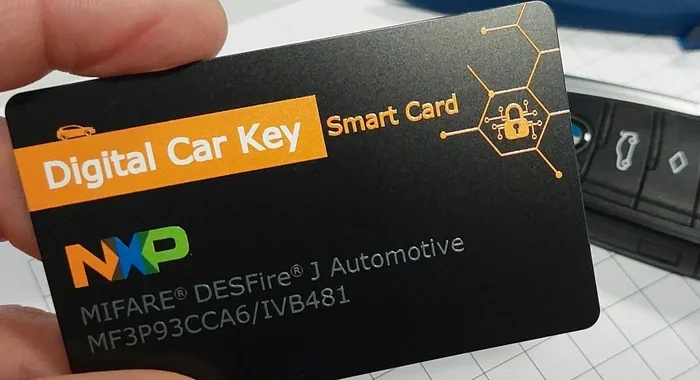
How Do I Make My Car Recognize a Key With These Tips
Learning how do I make my car recognize a key is easier than most drivers think. Whether you have a transponder key, a smart key system, or a basic remote key fob, this guide walks you through every step. You will learn how key fob programming works, why your car might not recognize your key, and simple fixes you can try at home. We also cover when to call an automotive locksmith and how to prevent key recognition errors in the future.
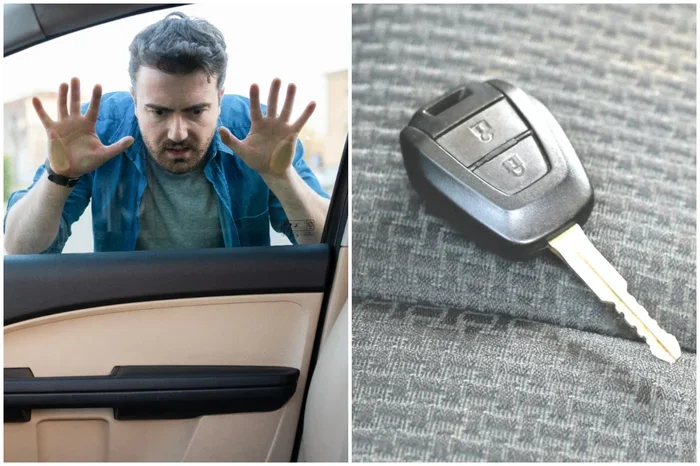
There is nothing more frustrating than standing by your car, turning the key or pressing the button, and getting nothing. Your car key not working situation can happen to anyone. Maybe the battery died, maybe the key got reprogrammed accidentally, or maybe something else is going on entirely. The good news is that most of the time, you can fix this yourself. This guide will show you exactly how to make your car recognize a key again, step by step. We will cover everything from basic troubleshooting to advanced transponder key programming techniques. By the end, you will feel confident and ready to tackle the problem head-on.
Modern vehicles use sophisticated vehicle security systems that rely on electronic signals between your key and the car’s computer. When that connection breaks, your car won’t start. Understanding how this system works is the first step toward fixing it. Whether you drive a Toyota, Honda, Ford, BMW, or any other brand, the principles are similar. Let us dive into the details and get you back on the road.
Key Takeaways
- Understanding your key type matters: Transponder keys, smart keys, and remote fobs all work differently, and each requires a specific approach to program.
- Most key recognition issues are fixable at home: A dead key fob battery, loose connections, or a drained car battery often cause the problem.
- Follow your car manufacturer’s programming sequence: Every brand has a unique step-by-step process you can find in the owner manual or online.
- Know when to seek professional help: Complex immobilizer resets or damaged ignition switches may require an experienced automotive locksmith.
- Preventive maintenance keeps your key working: Regular battery replacement and proper storage of your key fob can save you from unexpected breakdowns.
- Duplicate car keys are possible in most cases: You can get a working spare key programmed without replacing the entire security system.
📑 Table of Contents
- Why Your Car Won’t Recognize Your Key
- How Transponder Keys and Car Security Systems Work
- Step-by-Step Guide to Making Your Car Recognize a Key
- Common Problems That Stop Key Recognition
- When to Call a Professional Automotive Locksmith
- Tips to Keep Your Car Key Recognition Working Smoothly
- Final Thoughts on Making Your Car Recognize a Key
Why Your Car Won’t Recognize Your Key
Before we jump into solutions, it helps to understand what is going wrong. Cars today use an immobilizer system that communicates with your key. This system prevents theft by ensuring only a recognized key can start the engine. When the car’s computer does not detect the correct signal, it blocks ignition. Several things can cause this communication to fail.
Dead Key Fob Battery
The most common reason is a dead key fob battery. These small coin-cell batteries last one to two years. When they die, the signal becomes too weak for the car to detect. You might still be able to unlock the doors from close range, but the car will not start. This is especially true for proximity sensor systems used in newer models.
Damaged or Worn Key Blade
Physical damage to the key blade can also cause problems. If the key has been bent, cracked, or worn down, it may not make proper contact with the ignition switch. Even if the electronic part works fine, a damaged blade can stop the car from recognizing the key altogether.
Interference from Other Devices
Sometimes, other electronic devices cause key recognition error messages. Phones, USB chargers, or even other key fobs nearby can interfere with the signal. This is more common with smart key systems that rely on key fob range and proximity detection.
Faulty Ignition Switch
The ignition switch is the physical connection point for your key. Over time, wear and tear can cause the switch to malfunction. If the switch is damaged, it cannot read the key’s signal properly. This is a less common issue but still worth considering if other fixes do not work.
How Transponder Keys and Car Security Systems Work
Understanding your car key type makes everything easier. Different cars use different technology, and each has its own programming requirements.
Transponder Keys
Transponder keys have a small chip inside the plastic head. When you insert the key into the ignition, the car’s immobilizer system sends a radio signal to the chip. The chip responds with a unique code. If the code matches, the car allows ignition. Transponder key programming involves teaching the car’s computer to accept a new or replacement chip code.
Smart Key Systems
Many modern cars use smart key systems instead of traditional keys. These keys do not need to be inserted into the ignition. You just press the start button while holding the key inside the car. The proximity sensor detects the key’s presence and allows the engine to start. Key fob reprogramming for smart keys follows a different process than traditional transponder keys.
Remote Keyless Entry Fobs
Remote keyless entry fobs let you lock, unlock, and sometimes start your car from a distance. These fobs use a remote keyless entry signal that communicates with the car’s receiver. When the key fob signal weakens or the fob loses its programming, the car may not recognize it for starting.
| Key Type | How It Works | Common Issue | Fix Difficulty |
|---|---|---|---|
| Transponder Key | Chip inside key sends code to immobilizer | Chip not programmed or damaged | Moderate |
| Smart Key | Proximity sensor detects key inside car | Dead battery or signal interference | Easy to Moderate |
| Remote Keyless Fob | Radio signal communicates with car receiver | Weak signal or lost programming | Easy |
| Basic Remote Key | Simple radio frequency for lock/unlock | Dead battery or button wear | Very Easy |
Step-by-Step Guide to Making Your Car Recognize a Key
Now let us get into the hands-on part. Below is a clear, step-by-step process you can follow to make your car recognize a key. The exact steps vary by brand, but the general process is similar across most vehicles.
Step 1: Check the Key Fob Battery
Start with the simplest fix. Replace the key fob battery with a fresh one. Most fobs use CR2025 or CR2032 coin batteries. You can find these at any grocery store or pharmacy. Open the fob, swap the old battery for the new one, and snap the case back together. This alone solves the problem more often than you might expect.
Step 2: Try the Manual Key Blade
If your key has a physical blade, try inserting it directly into the ignition. Some cars have a backup mode that works even when the remote function fails. Turn the key gently to the “On” position without starting the engine. Wait a few seconds and see if the dashboard lights up normally. If the immobilizer light stops flashing, the key is being recognized.
Step 3: Follow the Programming Sequence
Every car manufacturer has a specific key fob programming sequence. You can usually find this in your owner manual. Here is a general overview of what to expect:
- Sit in the driver’s seat with all doors closed.
- Turn the ignition from “Off” to “On” and back to “Off” a specific number of times.
- Within a set time limit, press a button on the key fob.
- Listen for a confirmation sound or check the dashboard for a flashing light.
- Repeat the process for any additional keys you want to program.
The exact number of ignition cycles and time limits differ by brand. For example, Ford vehicles often require cycling the ignition on and off three to eight times. Toyota models usually need a different sequence. Always check your specific model’s instructions before starting.
Step 4: Reset the Car Battery
Sometimes the car’s computer simply needs a reset. Disconnect the negative terminal of the car battery for about 15 minutes. Reconnect it and wait for the systems to reboot. Then try inserting your key again. This clears temporary glitches in the vehicle security system and often resolves minor key recognition error issues.
Step 5: Use a Second Key to Test
If you have a spare key, try it. This helps you determine whether the problem is with the key itself or with the car’s computer. If the spare key works, the original key likely needs reprogramming or a new battery. If neither key works, the issue is probably with the car’s immobilizer or ignition system.
Step 6: Reprogram the Key Using Diagnostic Tools
For more advanced situations, you may need an OBD-II diagnostic tool. These devices connect to your car’s onboard computer and allow you to reprogram keys directly. You can buy or rent an OBD-II scanner from most auto parts stores. Follow the on-screen instructions to add a new key to the system. This method works well for many makes and models but is not universal.
Common Problems That Stop Key Recognition
Even after following the steps above, some issues persist. Here are the most common problems and what to do about them.
The Immobilizer Light Stays On
If the immobilizer light on your dashboard stays flashing after you insert the key, the car is not recognizing the chip inside the key. This usually means the key needs reprogramming. Try the programming sequence described above. If that does not work, the key’s internal chip may be damaged and need replacement.
The Car Says “Key Not Detected”
This message is common in cars with smart key systems. It typically means the proximity sensor cannot pick up the key’s signal. Try moving the key closer to the start button. Some cars have a hidden backup antenna near the steering column or cup holder where you can place the key. Check your owner manual for the exact location.
The Key Works for Unlocking But Not Starting
This is a telltale sign of a transponder key issue. The remote part of the key works fine, but the immobilizer chip is not being read. The key blade turns the ignition mechanically, but the computer blocks the engine. Reprogramming the transponder chip or replacing the key entirely usually fixes this.
Water Damage to the Key Fob
If your key fob has been dropped in water or exposed to moisture, the internal electronics may be corroded. Remove the battery immediately and let the fob dry completely. If it still does not work after drying, you will likely need a car key replacement or a new fob shell.
Key Battery Dies Frequently
If you find yourself replacing the key battery every few months, something else is draining power. The key fob may have a short circuit, or the proximity sensor might be stuck in an always-on mode. Take the key to a professional for inspection. This is not a normal occurrence and usually indicates a deeper problem.
When to Call a Professional Automotive Locksmith
Not every key problem is a DIY fix. Knowing when to call in the experts saves you time, money, and frustration. Here are situations where professional help is the best choice.
If your car uses a smart key system with advanced encryption, programming a new key often requires specialized equipment. Dealerships and professional automotive locksmiths have the tools to handle these systems. Attempting to force the process yourself could lock you out of the vehicle entirely.
Another situation that calls for a pro is a damaged ignition switch. If the key turns but does not engage the immobilizer, the switch itself may be worn out. Replacing an ignition switch involves removing the steering column cover and working with sensitive electrical connections. This is not a job for beginners.
You should also call a locksmith if you have lost all your keys. Without any working key, the key fob troubleshooting process becomes much more complex. A professional can perform an immobilizer reset and program a brand-new key from scratch. This process is called key cutting and programming and typically takes 30 to 60 minutes.
Finally, if your car was in an accident or the key was stolen, you need a professional to reprogram the security system. A stolen key must be deactivated so it cannot be used to start the vehicle. This requires access to the manufacturer’s security database, which only certified professionals can access.
Tips to Keep Your Car Key Recognition Working Smoothly
Prevention is always better than cure. A few simple habits can keep your key recognition system working flawlessly for years.
- Replace the key fob battery every 12 months. Do not wait for it to die completely. Set a reminder on your phone and swap the battery proactively.
- Store your key away from strong electromagnetic fields. Keeping your key near large speakers, microwaves, or power tools can interfere with the chip’s programming over time.
- Keep a spare key in a safe place. Having a duplicate car key on hand saves you from panic if your primary key fails. Store the spare in a different location than the primary key.
- Avoid dropping your key fob. Physical impacts can damage the internal circuitry and the antenna that communicates with your car. A protective case helps absorb shocks.
- Clean the key contacts regularly. Use a dry cloth to wipe the metal contacts on your key. Dirt and oxidation can weaken the signal and cause intermittent recognition problems.
- Update your key fob firmware when possible. Some newer vehicles allow key fob software updates through the dealership. These updates can improve signal strength and battery life.
Taking care of your keys is one of the simplest forms of car maintenance that many drivers overlook. A few minutes of attention now can save you hours of hassle later.
Final Thoughts on Making Your Car Recognize a Key
Dealing with a car key not working situation is stressful, but it is almost always solvable. Whether the fix is as simple as swapping out a key fob battery or as involved as a full transponder key programming session, you now have the knowledge to handle it. Start with the basics, work your way through the steps, and do not be afraid to call a professional when needed.
Remember that every car is different, and your owner manual is your best friend. It contains the exact programming sequence for your specific model. Keep it handy, and you will never be stuck wondering how to make your car recognize a key again. Stay proactive with maintenance, keep spare batteries on hand, and your keys will serve you reliably for years to come.