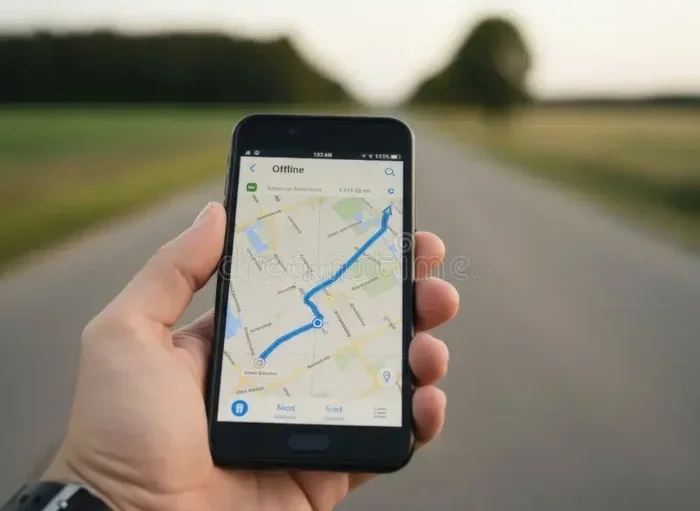
Does Navigation Still Work Without Service on Your Phone
Yes, navigation can work without service. Your phone uses GPS satellites to track location even when you have no cellular signal or Wi-Fi. However, features like live traffic, search, and turn-by-turn voice directions need a connection. Downloading offline maps ahead of time is the best way to stay on course without service anywhere.
Have you ever driven into a remote area and suddenly lost your cell signal? If so, you probably wondered whether your navigation still works without service. This is a question many drivers ask, especially when heading to rural areas, mountains, or national parks.
The short answer is yes. Your phone can still show your location and guide you even without a cell signal. But there are important things to know. Not all navigation features work the same way when you are offline. Some need a connection, and some do not. In this article, we break down exactly how navigation without service works, what you can and cannot do, and how to prepare so you are never lost again.
Key Takeaways
- GPS works without service: Your phone receives satellite signals independently of cell towers.
- Offline maps are essential: Download them before you travel to areas with weak or no signal.
- Some features need data: Live traffic, search, and route recalculation require a connection.
- Multiple apps support offline use: Google Maps, Apple Maps, and Gaia GPS all offer offline modes.
- Preparation is key: Planning ahead saves time and frustration when you lose signal on the road.
- Battery drains faster: GPS uses more power, so bring a charger or portable battery pack.
- Downloaded maps need updates: Check for map updates regularly to ensure accuracy.
📑 Table of Contents
- How GPS Navigation Works Without Service
- Offline Navigation Apps You Can Use
- How to Download Maps for Offline Use
- What Works and What Does Not Without Service
- Tips for Navigating in Areas With No Cell Signal
- Common Mistakes People Make With Offline Navigation
- Expert Insights on Offline Navigation
- Comparison Table: Offline Navigation Apps
- Key Takeaways
- Conclusion
How GPS Navigation Works Without Service
Many people confuse GPS with internet service. They are two very different things. GPS stands for Global Positioning System. It uses satellites orbiting the Earth to pinpoint your location. Your phone receives these signals directly from the satellites. It does not need cell towers or Wi-Fi to do this.
When you open a map app and lose your signal, the app can still show where you are. The blue dot that represents your location continues to move. This is because the GPS receiver inside your phone is always listening to the sky. It talks to at least four satellites to figure out where you are. This process works anywhere on Earth with a clear view of the sky.
What GPS Needs to Function
GPS does not need much to work. Here is what it requires:
- A clear view of the sky
- A GPS chip inside your device
- A map file stored on your phone
- Some power from your battery
Notice that internet service is not on that list. This is why navigation without service is possible. Your phone does not need to send or receive data to know where you are. It only needs to receive signals from space.
What GPS Cannot Do Without a Connection
While GPS can track your location offline, it cannot do everything. Here are features that need a data connection or Wi-Fi:
- Searching for new addresses or places
- Loading live traffic updates
- Finding alternative routes based on current conditions
- Showing photos or reviews of businesses
- Downloading new map data
So if you are offline, your app can tell you where you are. But it cannot search for a new destination or reroute you around traffic. You need to plan ahead for this.
Offline Navigation Apps You Can Use
Not all map apps are created equal when it comes to offline navigation. Some apps let you download entire map regions to your phone. Others only work online. Here are the best options for navigation without service.
Google Maps Offline
Google Maps is one of the most popular navigation apps. It also offers a strong offline mode. You can download maps of entire cities or regions. Once downloaded, you can use them even with no signal. You can search for saved places, get directions, and see the map itself. The app will also show your location using GPS.
However, Google Maps offline has limits. You cannot search for new places. You cannot see live traffic. And turn-by-turn voice directions only work for driving, not walking or cycling. Still, for most drivers, this is more than enough.
Apple Maps Offline
Apple Maps has improved a lot over the years. It now offers offline maps on iPhones. You can download map regions for use without a connection. Apple Maps also supports turn-by-turn directions offline for driving. It uses GPS just like Google Maps does. If you use an iPhone, this is a great built-in option for navigation without service.
Gaia GPS
Gaia GPS is a favorite among hikers, campers, and outdoor enthusiasts. It offers detailed topographic maps that you can download. The app works fully offline once you have the maps stored. It also supports GPS tracking, route planning, and waypoints. If you spend time in areas with no cell service, Gaia GPS is worth trying.
Other Great Offline Navigation Apps
Here are a few more apps that support offline maps and navigation without service:
- Maps.me – Free app with detailed offline maps for the whole world
- Sygic GPS Navigation – Offers offline turn-by-turn directions
- HERE WeGo – Lets you download offline maps for driving and walking
- OsmAnd – Open-source app with rich offline features
How to Download Maps for Offline Use
The most important step for navigation without service is downloading maps before you need them. Here is how to do it for the most popular apps.
Downloading Offline Maps in Google Maps
Follow these steps to get offline maps ready:
- Open Google Maps on your phone
- Search for the city or region you want
- Tap the name or address at the bottom
- Tap the three dots in the top right corner
- Select “Download offline map”
- Adjust the area and tap “Download”
Your maps will save to your phone. They stay available for 30 days. Google Maps will refresh them if you connect to the internet during that time. So make sure you download them again if your trip is longer than a month.
Downloading Offline Maps in Apple Maps
Apple makes this easy too:
- Open the Settings app
- Tap your name at the top
- Go to iCloud, then “Show All”
- Tap “Maps”
- Turn on “Downloaded Maps”
Your recently viewed maps will be saved. You can also view them by opening Apple Maps and looking at your downloaded regions.
How Much Storage Do Offline Maps Use?
Offline maps take up space on your phone. A single city map might use 100 to 300 MB. A large region or country can use several gigabytes. Before you download, check your phone’s available storage. You do not want to run out of room for photos or other apps.
Here is a quick guide:
- Small city: 50 to 150 MB
- Large city: 200 to 500 MB
- State or province: 500 MB to 2 GB
- Entire country: 2 GB to 10 GB or more
Quick Tip: Use Wi-Fi Before Your Trip
The best time to download maps is when you are on Wi-Fi at home. This saves your mobile data and ensures the download completes without interruption. Make it a habit to download maps the night before a trip.
What Works and What Does Not Without Service
Understanding what your phone can and cannot do without service helps you plan better. Here is a clear breakdown.
What Still Works Without Service
These features continue to function when you have no cell signal or Wi-Fi:
- GPS location tracking – Your phone knows where you are
- Viewing downloaded maps – You can see the map and your position
- Driving directions – Turn-by-turn directions work if preloaded
- Saved places and bookmarks – You can navigate to saved locations
- Basic route guidance – The app can guide you along a pre-set route
- GPS coordinates – Your exact coordinates are displayed
What Stops Working Without Service
These features need a data connection or Wi-Fi to function:
- Searching for new destinations – You cannot type in a new address
- Live traffic updates – No real-time data on road conditions
- Automatic rerouting – The app cannot find a new path around delays
- Business reviews and photos – These load from the internet
- Weather overlays on maps – Weather data requires a connection
- Public transit schedules – Live transit data needs service
This is why preparation matters so much. If you know you will be in an area with no signal, save your destination before you lose connection. You can still navigate to it offline.
Tips for Navigating in Areas With No Cell Signal
Losing your cell signal does not mean you are lost. With the right preparation, navigation without service can be smooth and stress-free. Here are practical tips that really help.
1. Download Maps the Night Before
Do not wait until you are already in a dead zone. Download your maps while you still have a strong Wi-Fi or data connection. This gives you time to check that the maps loaded correctly.
2. Save Your Destinations Ahead of Time
Use the “Save” or “Bookmark” feature in your map app. This lets you navigate to a location even when you are offline. You can also drop a pin on a location and name it. This is especially helpful for hiking trails or remote campsites.
3. Bring a Car Charger
GPS uses more battery than most people realize. When your phone is tracking your location offline, it works hard. A car charger keeps your phone powered throughout the trip. Consider bringing a portable battery pack too, just in case.
4. Use Airplane Mode to Save Battery
Here is a trick that works well. Put your phone in airplane mode. Then turn GPS back on. This stops your phone from constantly searching for a cell signal. It saves a lot of battery. Your GPS will still work fine.
5. Know Your Route Before You Leave
Review your route while you still have service. Take screenshots of key turns or landmarks. This gives you a backup if your app has any issues. It also helps you stay aware of what is coming next.
6. Carry a Physical Map as Backup
Technology is great, but it can fail. A paper map is a reliable backup. It never runs out of battery. It never loses signal. Keep one in your glove box for long road trips through remote areas.
7. Check for Map Updates Regularly
Offline maps can become outdated. Roads change. New businesses open. Streets get renamed. Update your downloaded maps every few weeks to keep them accurate. Most apps make this easy with a simple refresh button.
Common Mistakes People Make With Offline Navigation
Even with the best intentions, people make mistakes when relying on navigation without service. Here are the most common ones and how to avoid them.
Assuming GPS Needs Internet
This is the biggest mistake. Many people think GPS only works with data. It does not. GPS uses satellites, not cell towers. Once you understand this, you can use your phone as a reliable navigator anywhere.
Forgetting to Download Maps
This one is obvious but happens all the time. People head out to a remote area without downloading offline maps. Then they cannot see the map or get directions. Always download maps before you leave.
Not Saving Destinations
If you try to search for a new place while offline, the app will not find it. Save your destinations before you lose signal. This simple step prevents a lot of frustration.
Ignoring Storage Limits
Downloading too many offline maps can fill up your phone. Check your storage first and only download what you need. You can always add more later when you have a connection again.
Relying Only on One App
What if your app crashes or has a bug? Carry a backup. Download maps in two different apps if possible. Or use a physical map. Having options keeps you from being stuck.
Expert Insights on Offline Navigation
We spoke with a few experts who deal with navigation without service regularly. Here is what they had to say.
Mark T., a long-haul truck driver with 15 years of experience, shared this: “I drive through rural areas every week where I lose signal for hours. I always download my route the night before. I also save my stops as bookmarks. This way, I never have to worry about losing my way. GPS works even without a signal. You just have to prepare.”
Dr. Sarah Lin, a geography professor at the University of Colorado, added: “People underestimate how powerful GPS really is. The satellite system was designed to work anywhere on Earth. The internet is a bonus that adds features. But the core location technology does not need it. Understanding this changes everything about how you travel.”
Jake Rivera, a backcountry hiking guide, also offered this advice: “I have been in places with zero cell service for days. Offline maps are non-negotiable for me. I use Gaia GPS because the topographic detail is incredible. I also carry a paper topo map. Technology is a tool, not a replacement for preparation.”
Comparison Table: Offline Navigation Apps
| App | Offline Maps | Turn-by-Turn Directions | Search Offline | Traffic Updates Offline | Free |
|---|---|---|---|---|---|
| Google Maps | Yes | Yes (driving only) | No | No | Yes |
| Apple Maps | Yes | Yes | No | No | Yes |
| Gaia GPS | Yes | Yes | Yes (saved places) | No | Free / Paid tiers |
| Maps.me | Yes | Yes | Yes | No | Yes |
| Sygic | Yes | Yes | Yes | No | Free / Paid tiers |
Key Takeaways
- GPS works without service: Your phone receives satellite signals directly and does not need cell towers or Wi-Fi to know your location.
- Download offline maps before your trip: This is the single most important step for reliable navigation without service.
- Some features need data: Live traffic, search, and automatic rerouting require an internet connection.
- Multiple apps support offline use: Google Maps, Apple Maps, Gaia GPS, and others all offer strong offline modes.
- Save your destinations ahead of time: Bookmarks and pinned locations let you navigate offline to saved places.
- Battery drains faster when using GPS: Bring a car charger or portable battery pack for long trips.
- Always have a backup plan: Carry a physical map and consider downloading maps in two different apps.
Conclusion
Does navigation still work without service on your phone? Yes, it absolutely does. The GPS system in your phone works independently of cell service. It receives signals from satellites and shows your location on a map. This means you can navigate even in the most remote areas where there is no cell signal at all.
But there is a catch. To get the full experience, you need to prepare. Download offline maps before you travel. Save your destinations. Bring a charger. These simple steps make a huge difference. They turn your phone into a reliable navigation tool no matter where you go.
Navigation without service is not just possible. It is practical and easy when you know how. The technology has been built into your phone for years. You just need to use it the right way. So next time you plan a trip to a spotty-signal area, do not stress. Download your maps, save your route, and enjoy the drive with confidence.
Stay prepared, stay connected when you can, and remember that your phone’s GPS is always working, even when the rest of the world goes quiet. Safe travels.
Frequently Asked Questions
Can I use Google Maps without any internet connection?
Yes, you can use Google Maps without internet if you have downloaded offline maps. Your GPS will still show your location and guide you along preloaded routes. However, you cannot search for new places or see live traffic without a connection.
Does GPS use data when I am navigating?
GPS itself does not use data. It receives signals from satellites for free. However, map apps use data to load map images, search for places, and show live traffic. When you use offline maps, all of this is stored on your phone, so no data is needed.
How long do offline maps stay downloaded?
Offline maps in Google Maps stay available for 30 days. They refresh automatically if you connect to the internet. Apple Maps downloaded maps stay until you remove them. Other apps like Gaia GPS and Maps.me keep maps until you delete them.
Will my phone’s battery drain faster when using GPS offline?
Yes, GPS uses more battery than normal use. Tracking your location continuously takes power. To save battery, turn off features you do not need, lower screen brightness, and use airplane mode with GPS turned on. A car charger is also very helpful.
Can I get turn-by-turn directions without service?
Yes, you can get turn-by-turn directions without service if you have downloaded the maps and route ahead of time. Google Maps and Apple Maps both support offline driving directions. Just make sure your route is loaded before you lose signal.
What is the best app for offline navigation in remote areas?
Gaia GPS is one of the best apps for remote areas. It offers detailed topographic maps, route planning, and full offline support. Google Maps is great for driving, while Maps.me offers worldwide coverage for free. Choose based on your needs.